

Chapter 1: The Optics Workshop
The following contains screenshots and instructions on how to complete Chapter 1 from the CGG Royal Detective: Lord of Statues Walkthrough.
- Talk to Rupert (he’s waving at you) at the Stone Bridge.
- Rupert becomes your hint function.
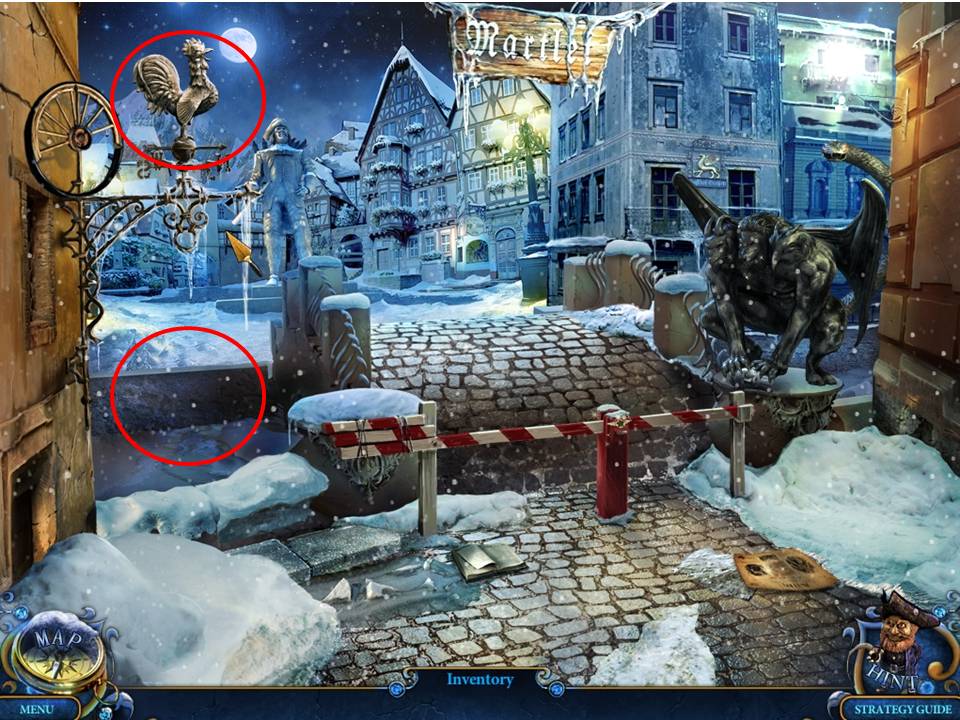
- Zoom into the weathervane at top left.
- Take the ROOSTER and Miniature 1/26.
- Zoom into the gap on the left to see into it.
- Use the ROOSTER to take the chest below.
- Play the Hidden Object Area over the broken chest.
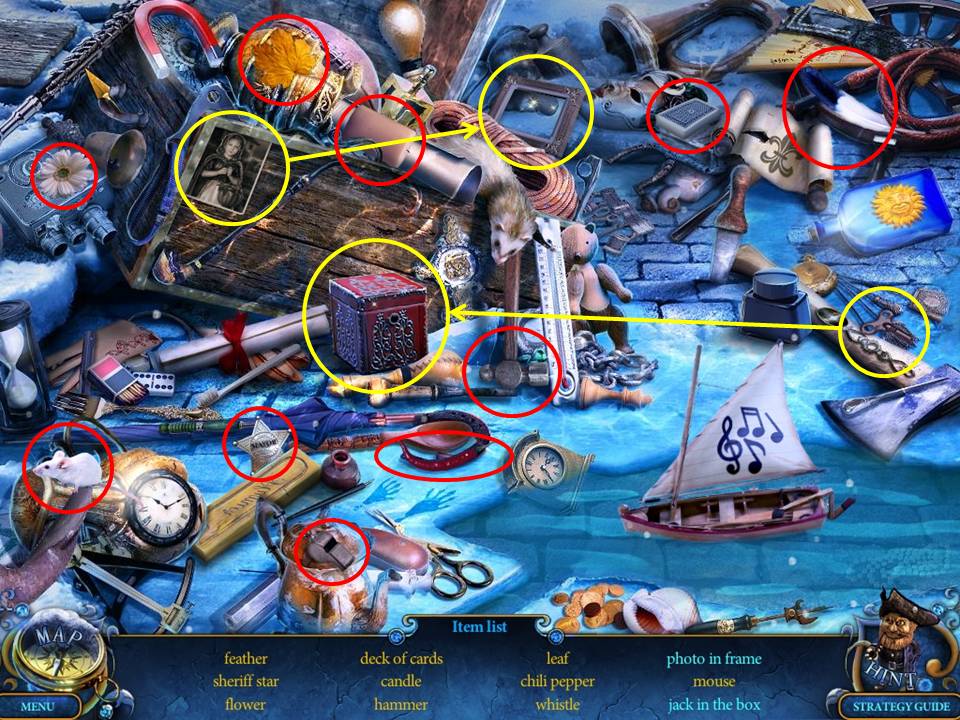
- Find the items listed.
- Items in blue require an additional action.
- Place the photograph in the frame.
- Receive the SHERIFF STAR.
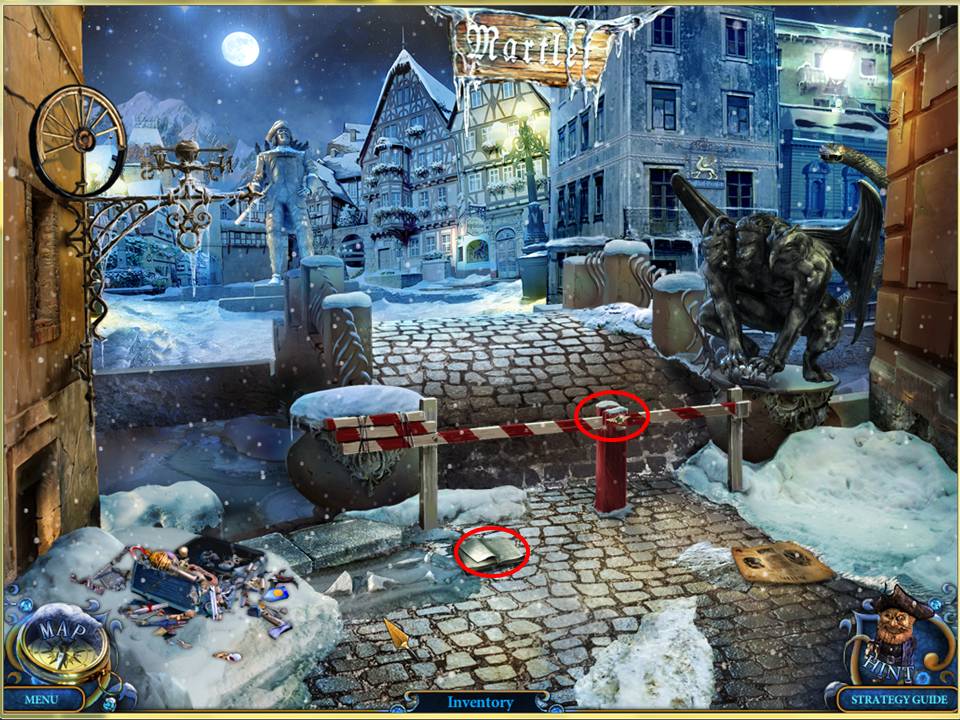
- Zoom into the book on the ground.
- Take the APPLE PART.
- Zoom into the closed gate ahead.
- Place the SHERIFF STAR in the space on the gate.
- Click to open.
- Move through the gate and forward into the Town Square area.
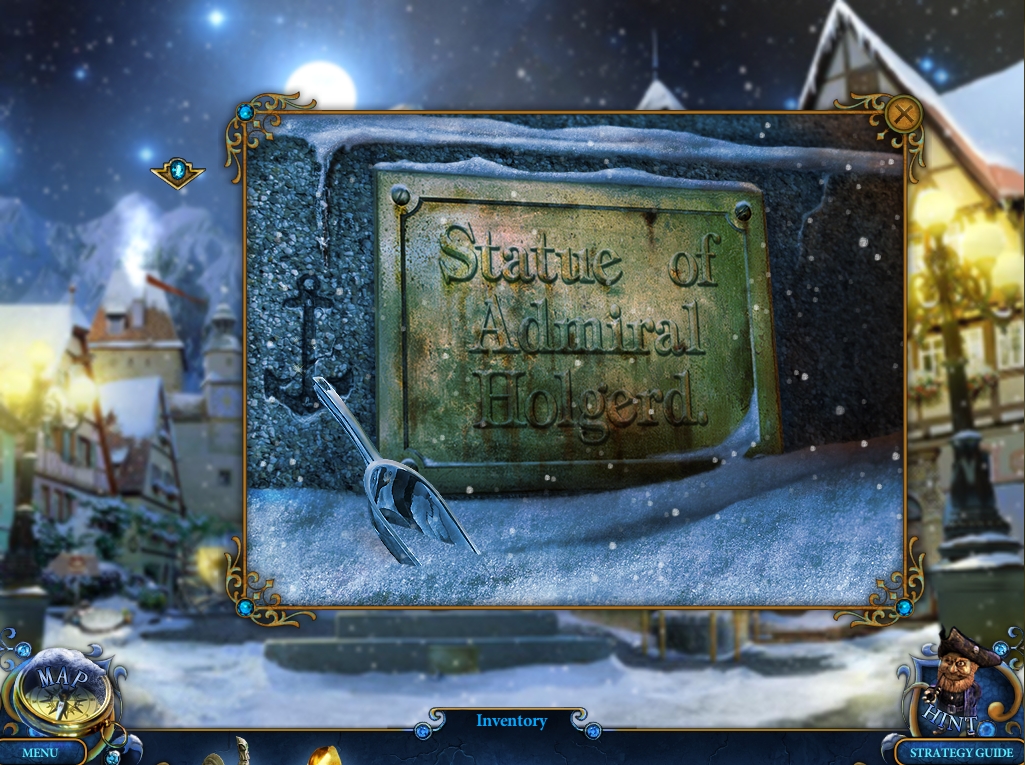
- Zoom into the statue base.
- Take the SCOOP.

- Zoom into the carriage in the distance, on the left of the statue.
- Take the CANE. Use the SCOOP to move snow from around the wheel.
- Take WHEEL PART (1).
- Return to the main area and move right to the Store Entrance.
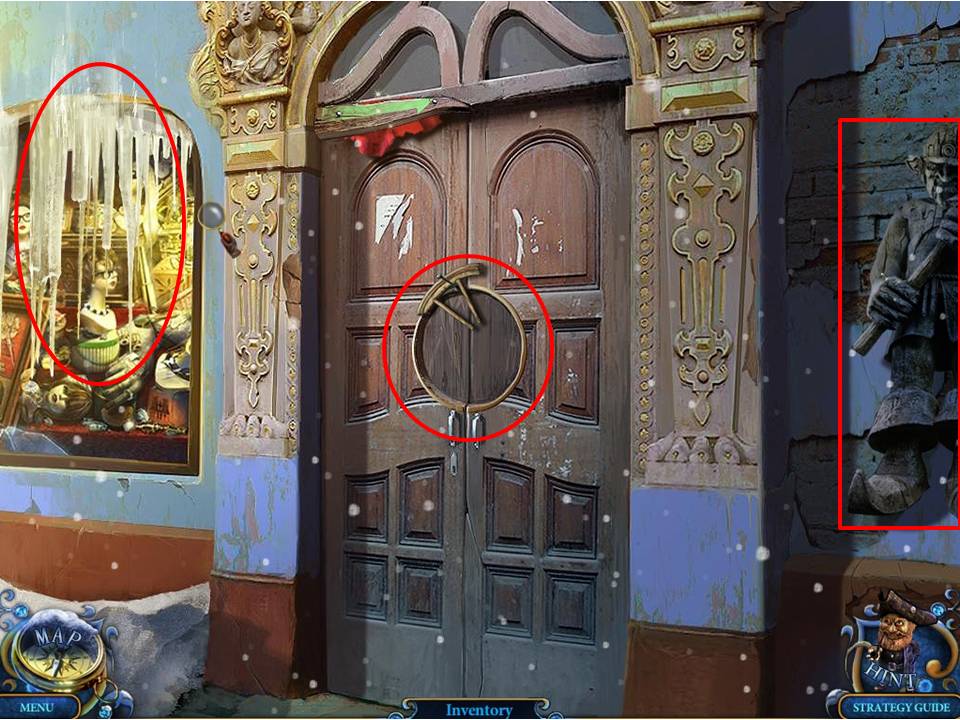
- Take WHEEL PART (2) that is hanging on the door.
- Zoom into the statue hanging on the wall on the right.
- Take the GOLDEN COIN.
- Zoom into the window display on the left. Knock down the icicles with the CANE.
- Play the Hidden Object Area.
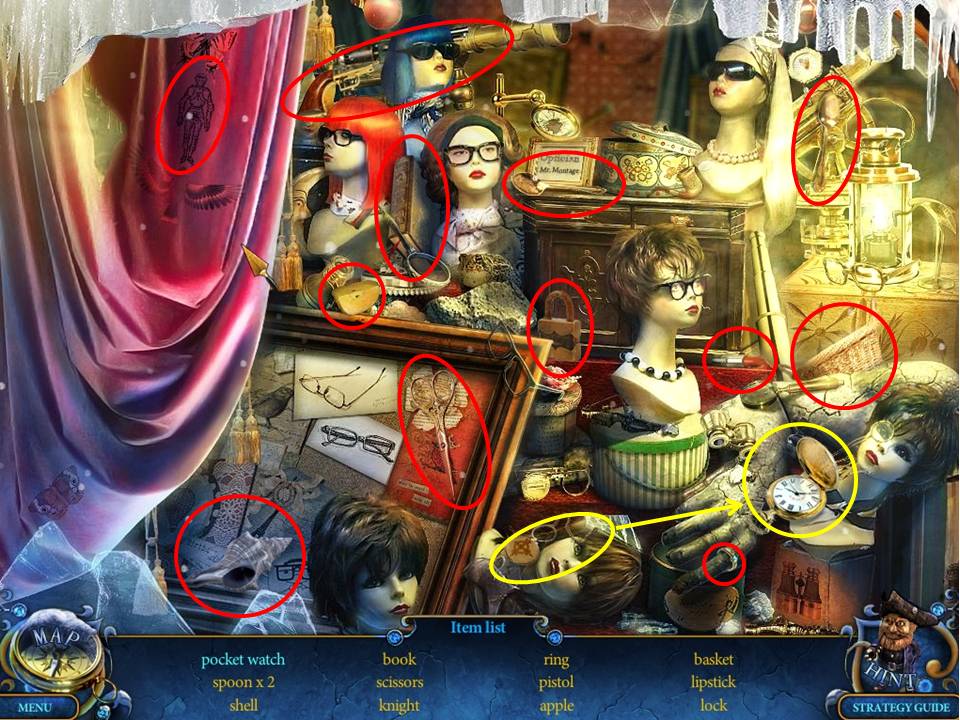
- Find the items listed. Receive APPLE PART (2).
- Return to the Stone Bridge.
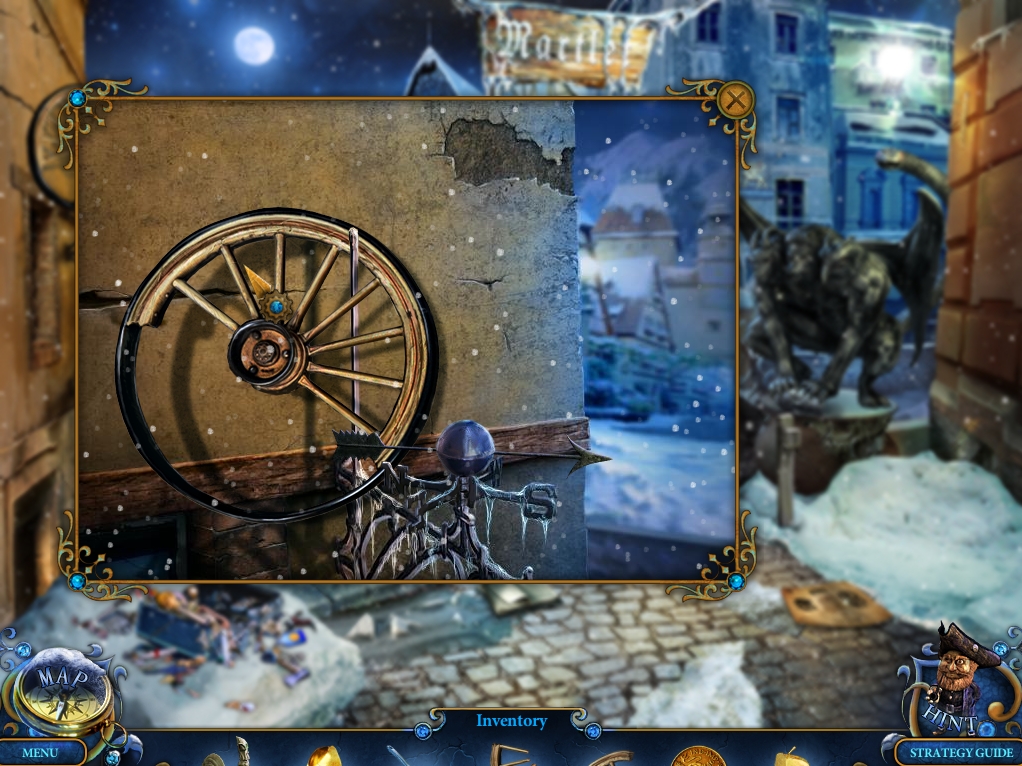
- Zoom into the incomplete wheel on the upper left.
- Put the WHEEL PARTS in place to complete the WHEEL.
- Take the wheel. Return to the Town Square.
- Zoom into the carriage.
- Watch a cutscene.
- Zoom into the carriage again.
- Repair the carriage with the WHEEL.
- Then, click on the carriage to move it out of the way.
- Move through the now-revealed archway into the next area.
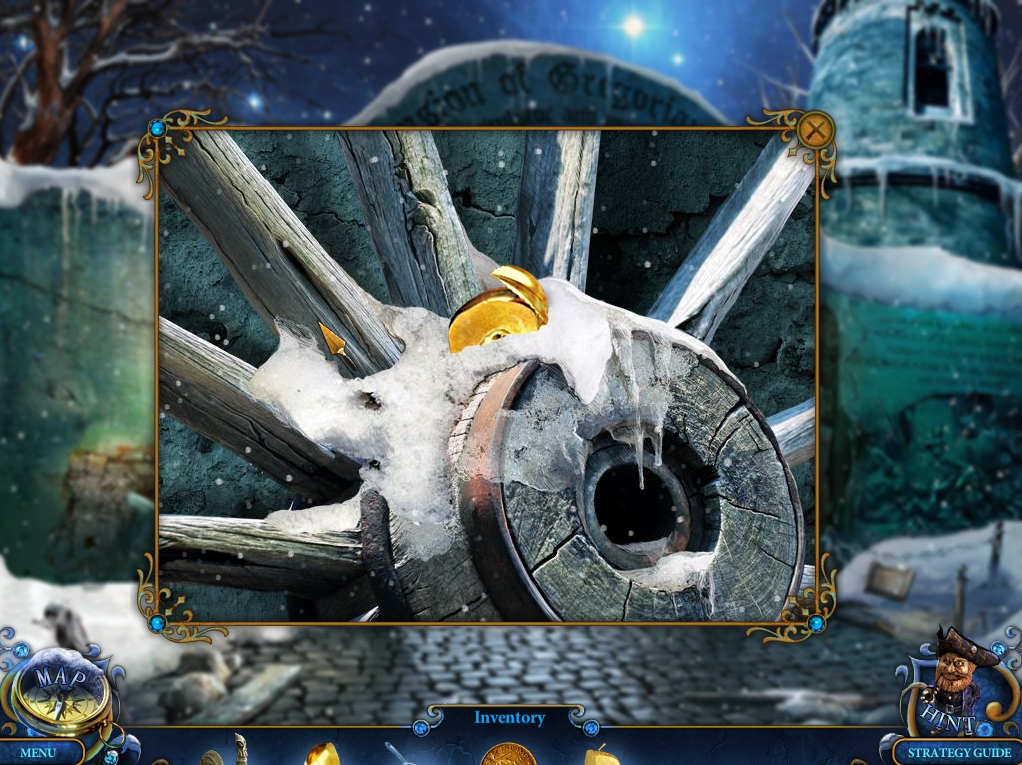
- Zoom into the wheel against the left wall.
- Take APPLE PART (3).
- Zoom into the broken area on the left wall.
- Take the NAIL.
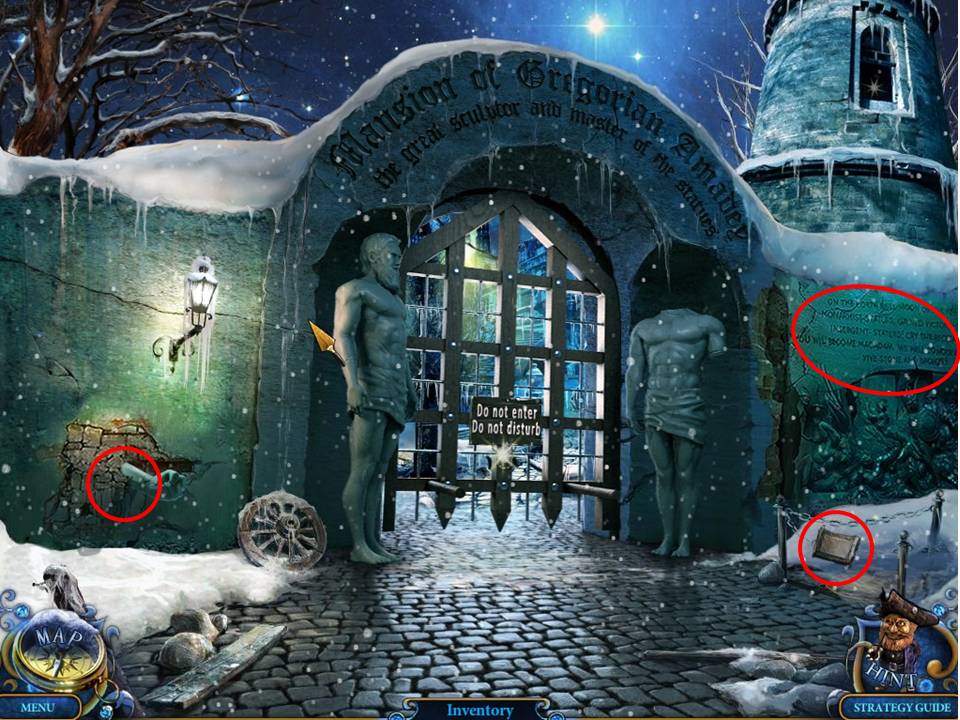
- Zoom into the chained area on the right.
- Take the LION TILE.
- Read the inscription on the wall.
- Return to the Square and speak with the new Archer Statue.
- Zoom into the pedestal between the statue base and the Store Entrance.
- Place the three APPLE PARTS on the pedestal to initiate a puzzle.
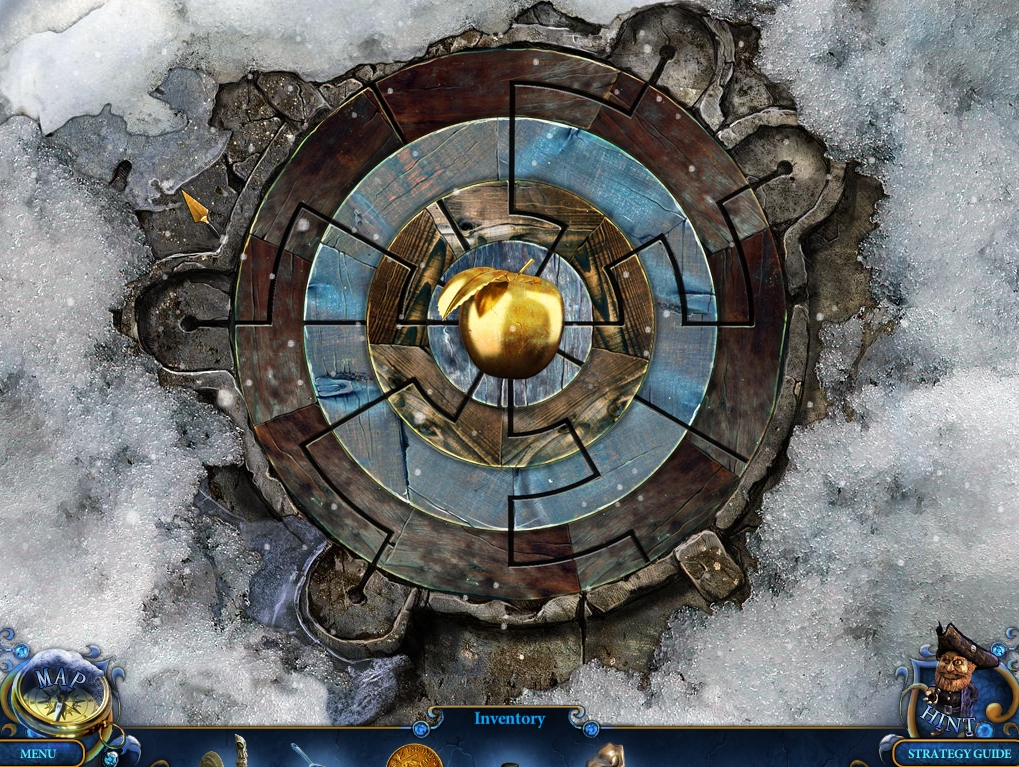
- The object of the puzzle is to rotate the rings of so that the apple parts are aligned in the center.
- See screenshot for solution.
- When finished with the game, receive the TARGET.
- Head right to the Store Entrance.
- Zoom into the front door.
- Place the TARGET in the circular slot.
- Return to the Square.
- When the Archer shoots open the doors to the store, move through the entry to the Optics Workshop.
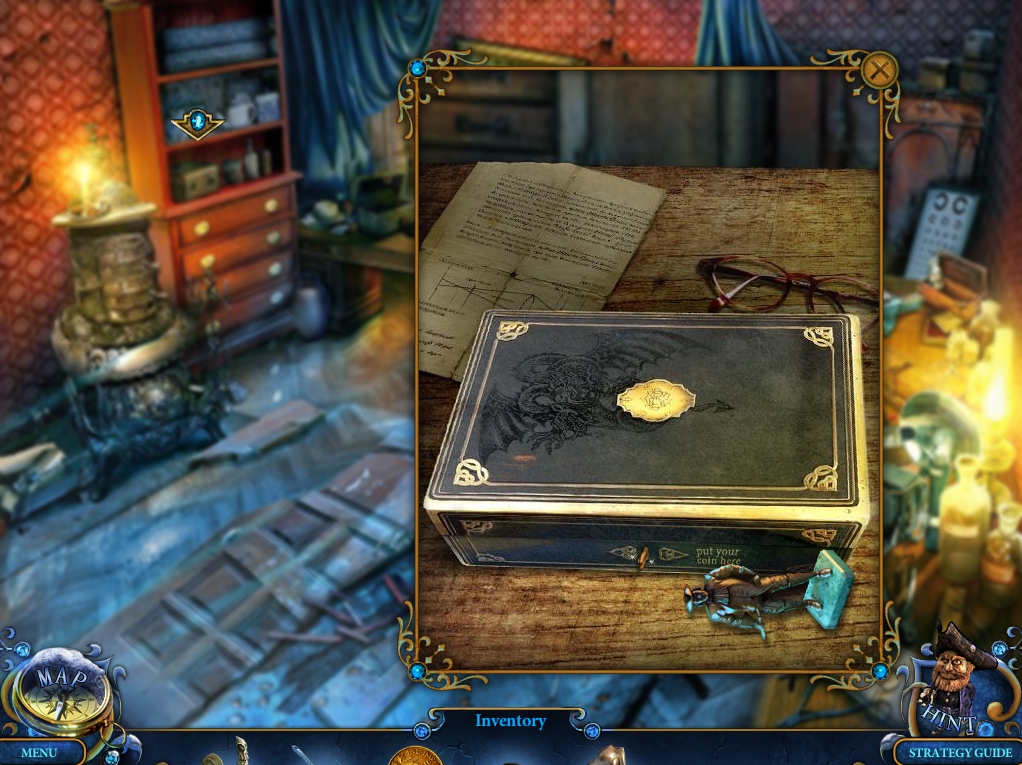
- Zoom into the box on the far end of the table on the right.
- Take Miniature 2/26.
- Pry the broken key from the box lock with the NAIL.
- Use the GOLDEN COIN on the slot to open the box.
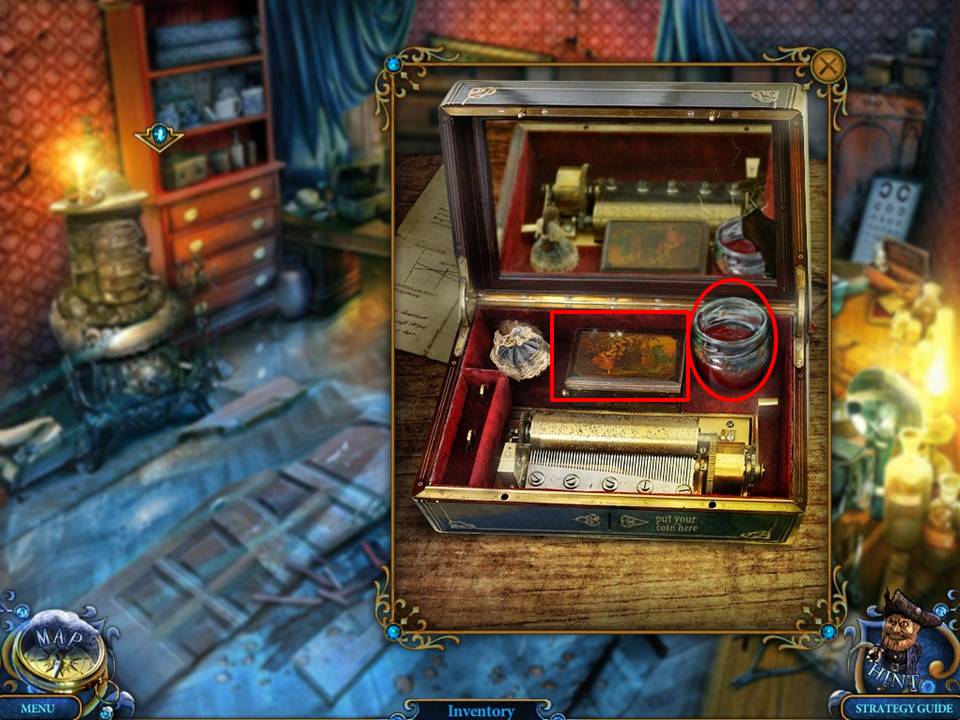
- Take the JAM and the VAMPIRE MAGNET from the box.
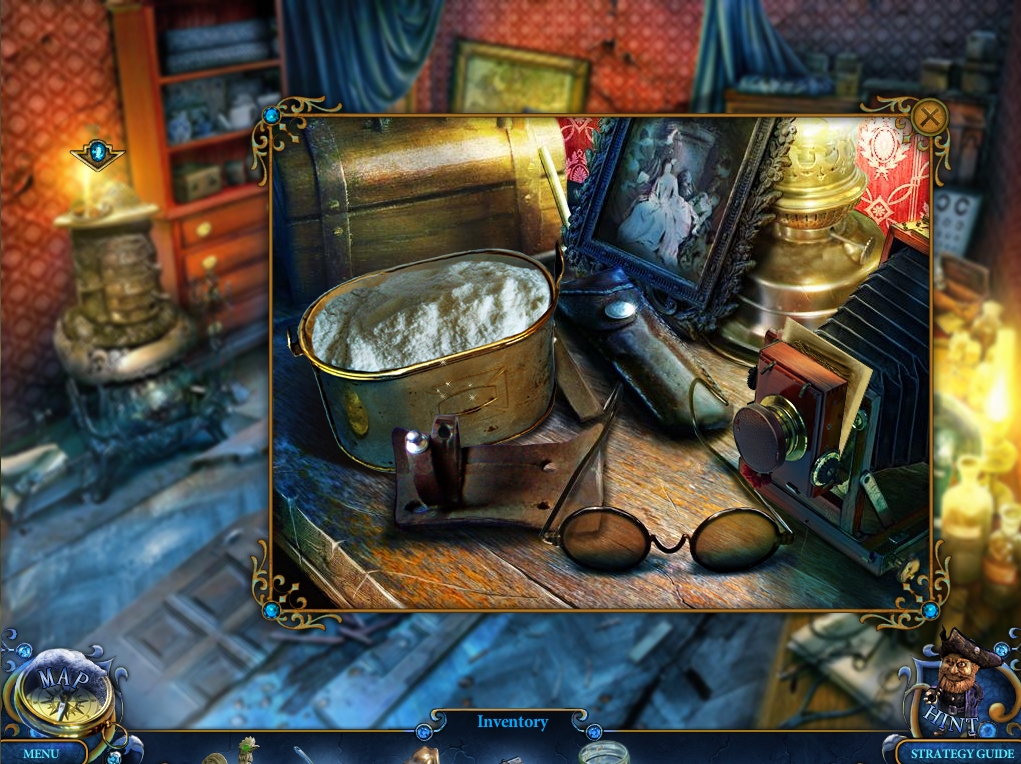
- Zoom into the camera on the table at right.
- Click on the camera lens to open it.
- Click on the photo inside to watch a cutscene.
- When finished, take the SPRING.
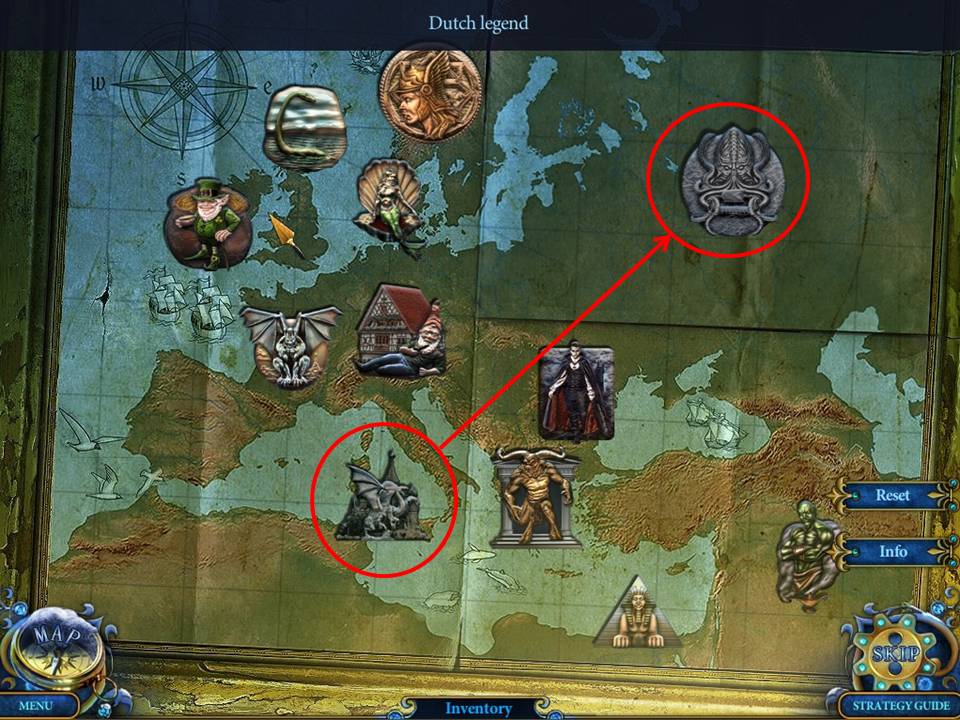
- Zoom into the framed map hanging on the back wall.
- Use the VAMPIRE MAGNET on the map to initiate a puzzle.
- The object of the puzzle is to place the mythical creatures into their proper geographic areas.
- Screenshot shows solution just prior to final switch.
- When finished, take the MAGNIFYING GLASS.
- Return to the Square.
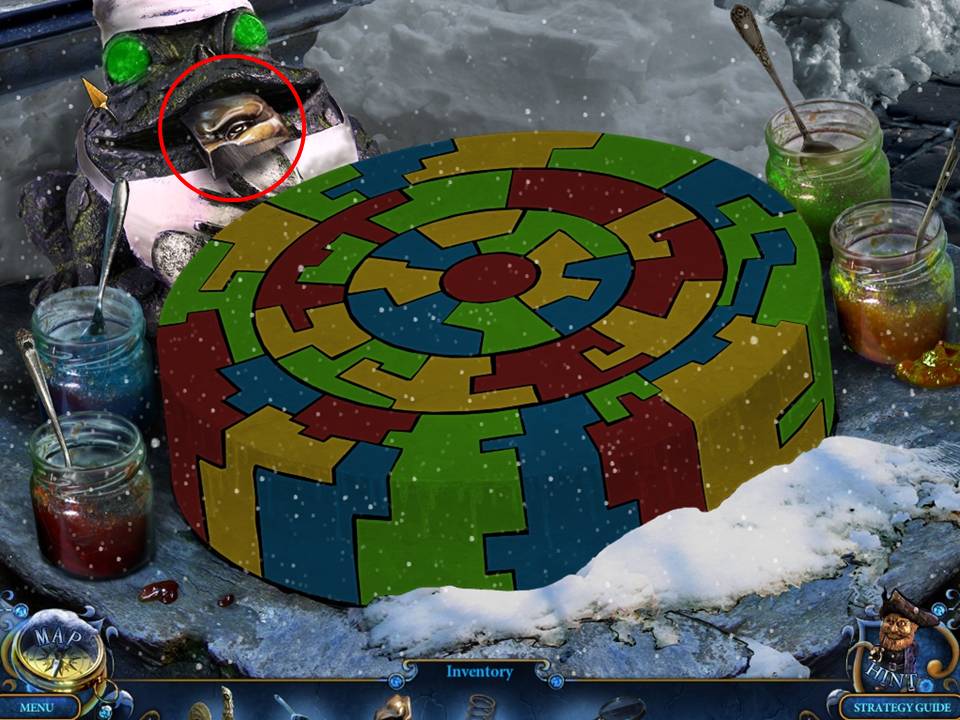
- Zoom into the circular stone on the left, beneath the directional sign with the cake.
- Place the JAM in the scene to initiate a puzzle.
- The object of the puzzle is to paint the cake so that no neighboring pieces have the same color paint.
- To paint, click the jam and then the stone cake piece.
- This puzzle has several solution variations.
- See screenshot for one solution.
- When finished, take the LION TILE.
- Enter the Optics Workshop.
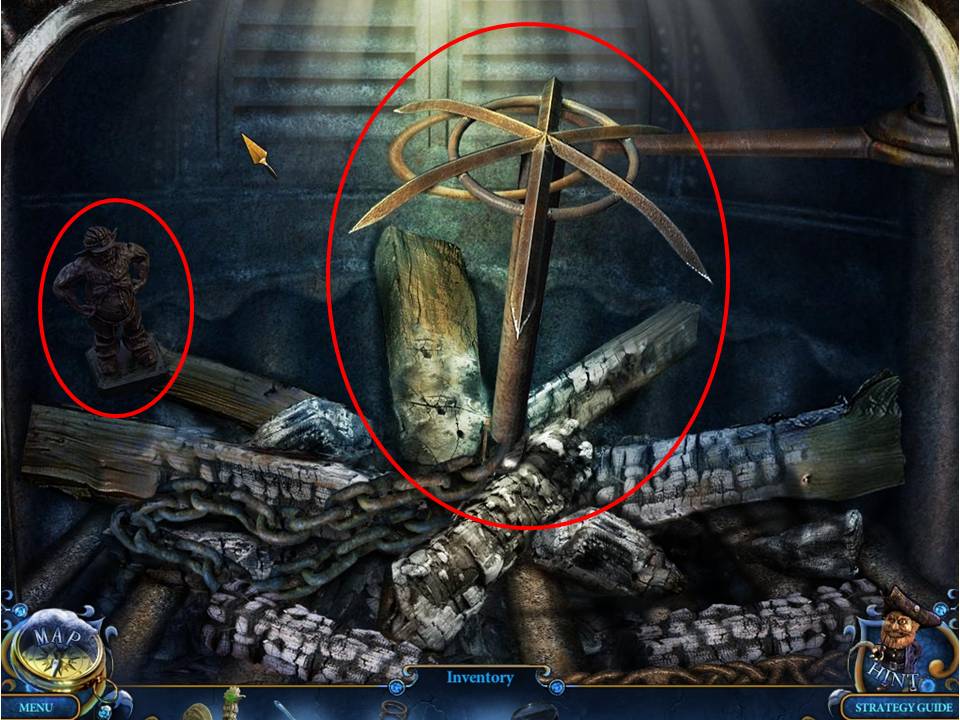
- Zoom into the metal stove on the left.
- Place the two LION TILES in the empty spaces.
- When finished, open the hatch.
- Take Miniature 3/26 and HOOK WITH CHAIN.
- Use the MAGNIFYING GLASS on the circular stand to light a fire.
- Then, SCOOP some EMBERS.
- Return to the Mansion Gates.
Congratulations! You've completed Chapter 1 from the Royal Detective: Lord of Statues Walkthrough!
Comments will load when you reach this part of the walkthrough.