

Chapter Seven: The End
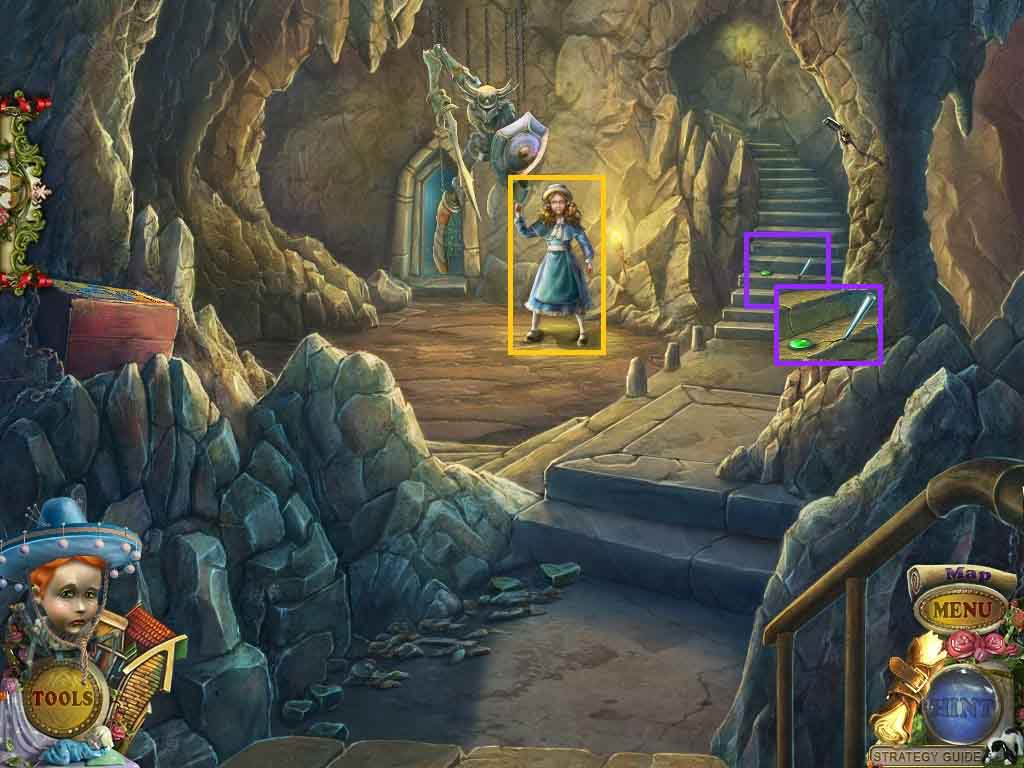
- Click the mechanical girl.
- Click the steps; collect the jewel and the syringe part.
- Move up the steps.
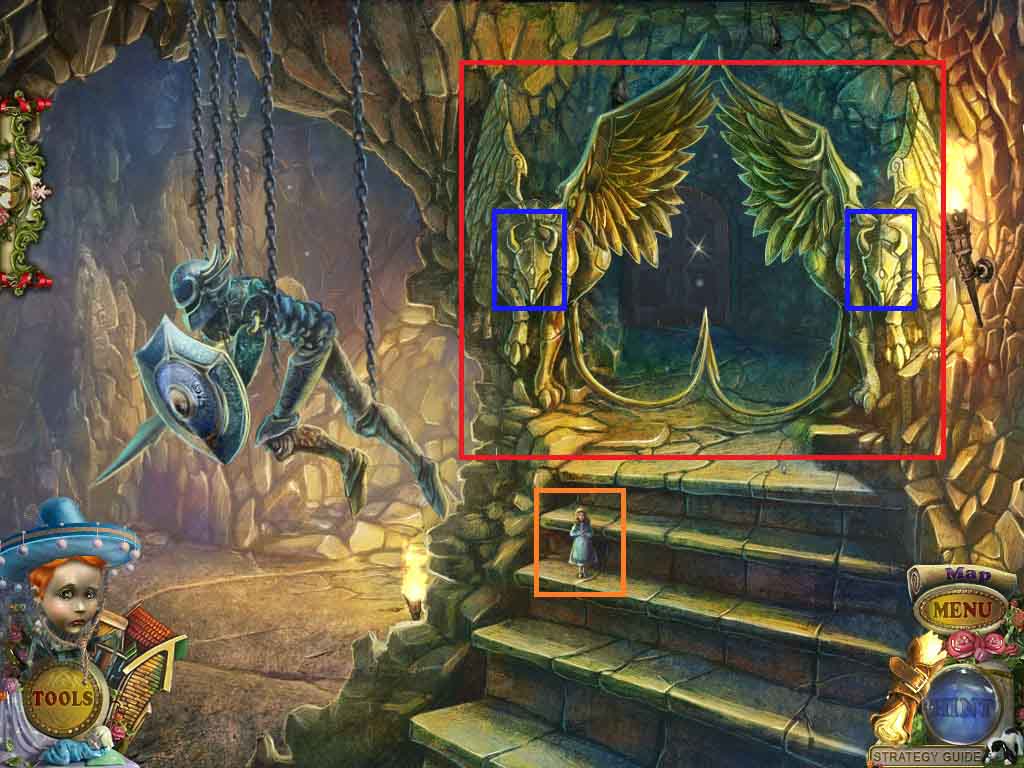
- Click the steps; collect the puppet.
- Click the winged predators; insert the 2 red jewels to trigger a hidden objects area.
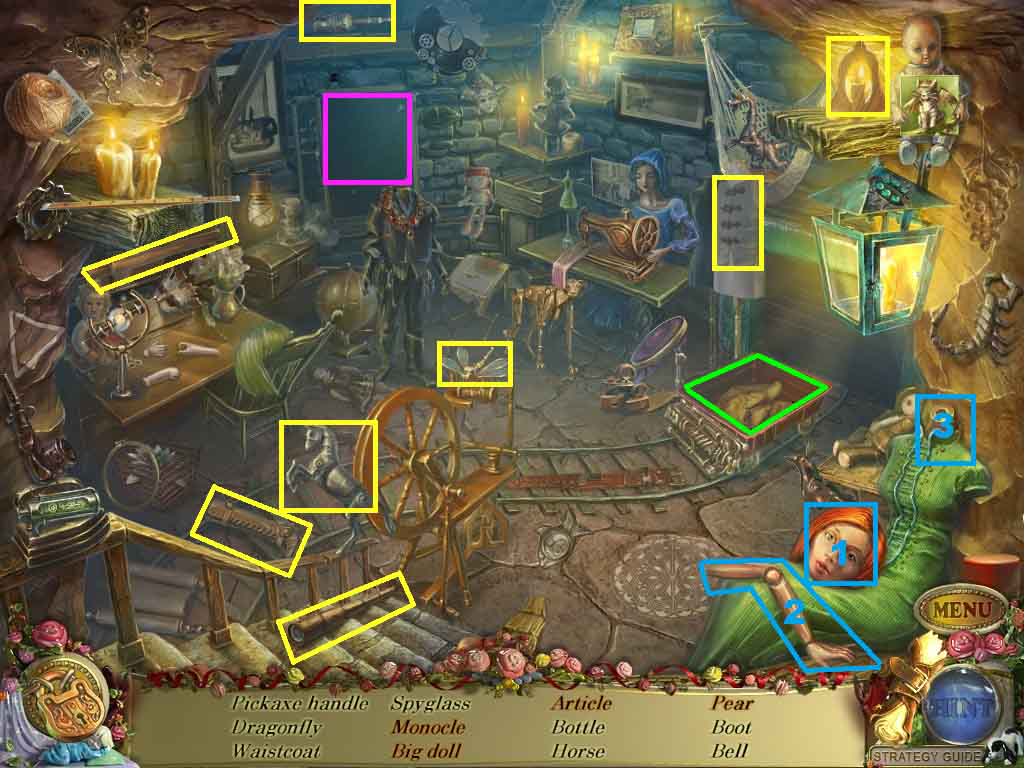
- Find the listed items.
- Attach the head and the arm onto the body; collect the big doll.
- Click the board; collect the pear and the article “the.”
- Click the object in the trolley; collect the monocle.
- Collect the handle.
- Move down one time.
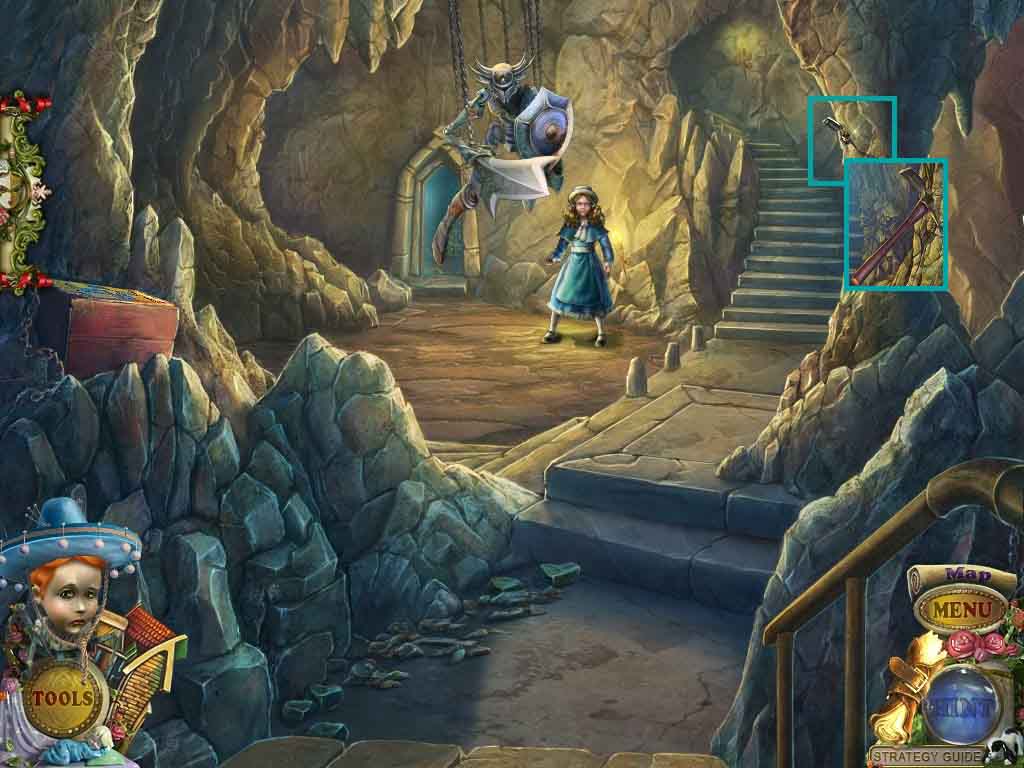
- Click the axe head; attach the handle.
- Collect the pickaxe.
- Move up the steps.
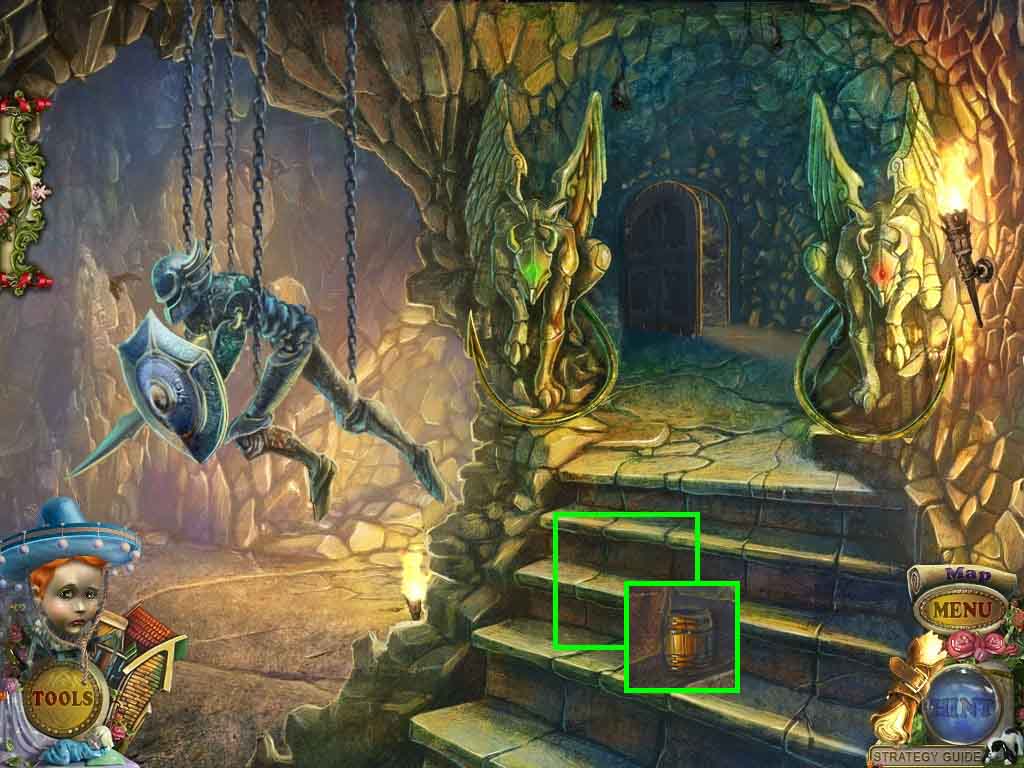
- Click the steps; use the pickaxe on them.
- Collect the 2 / 2 barrels.
- Move down one time.
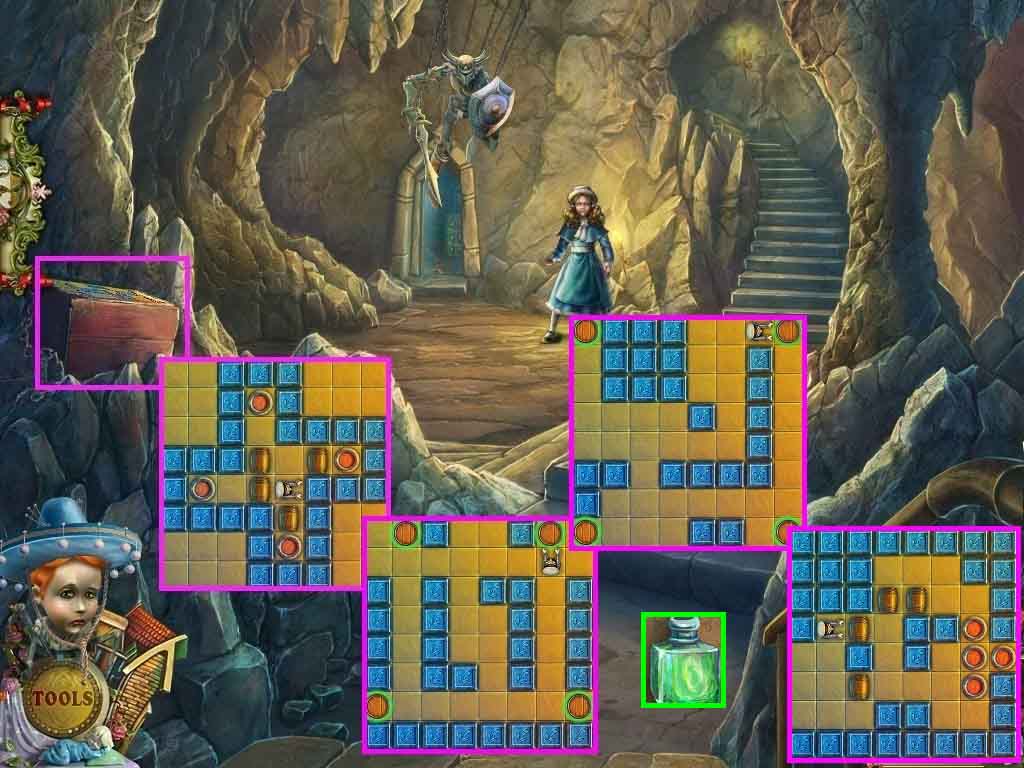
- Click the chest.
- Insert the 2 barrels to trigger a puzzle.
- Solve the 4 round mini-game by guiding the seaman to move the barrels to the red spots.
- Collect the bottle of acid.
- Move up the stairs.
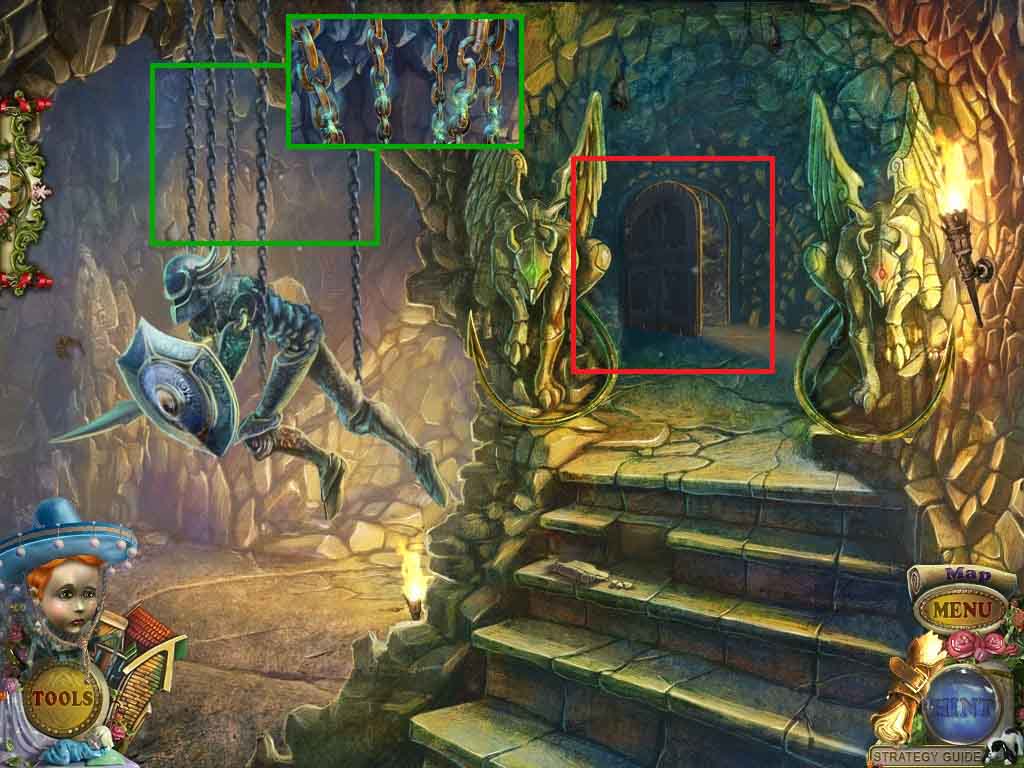
- Click the chains.
- Pour the bottle of acid onto the chains.
- Play the hidden objects area.
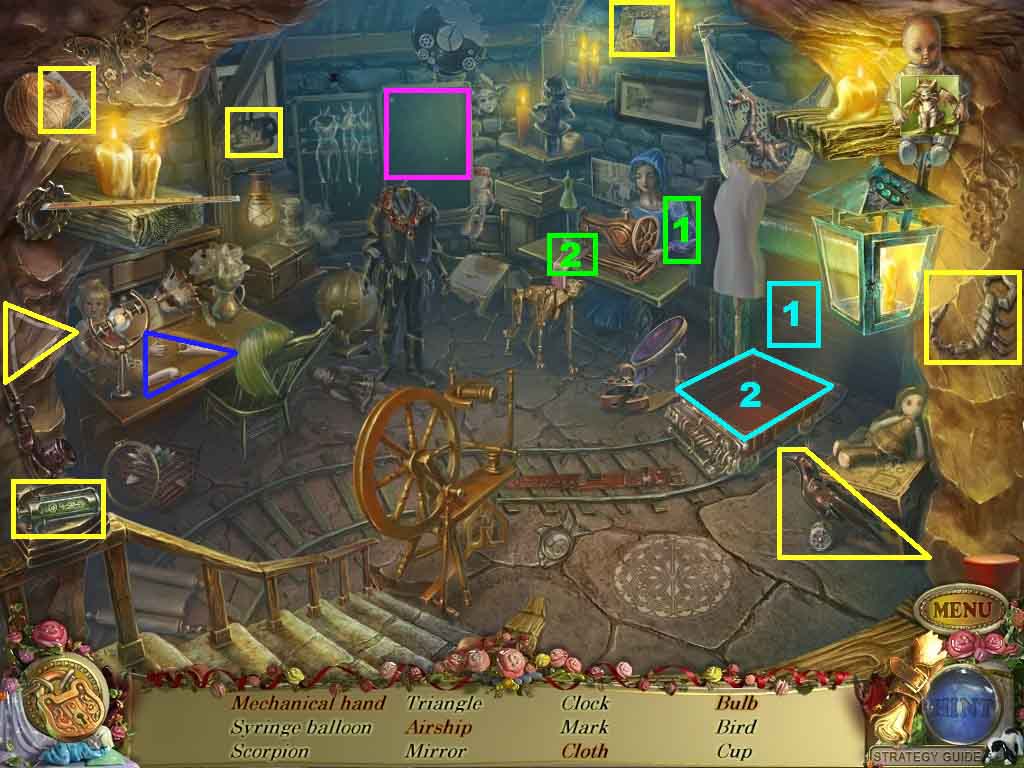
- Find the listed items.
- Click the board; collect the airship.
- Click the arm; collect the cloth.
- Click the body parts and collect the mechanical arm.
- Click the panel then click the trolley; collect the bulb.
- Collect the syringe part.
- Move down one time.
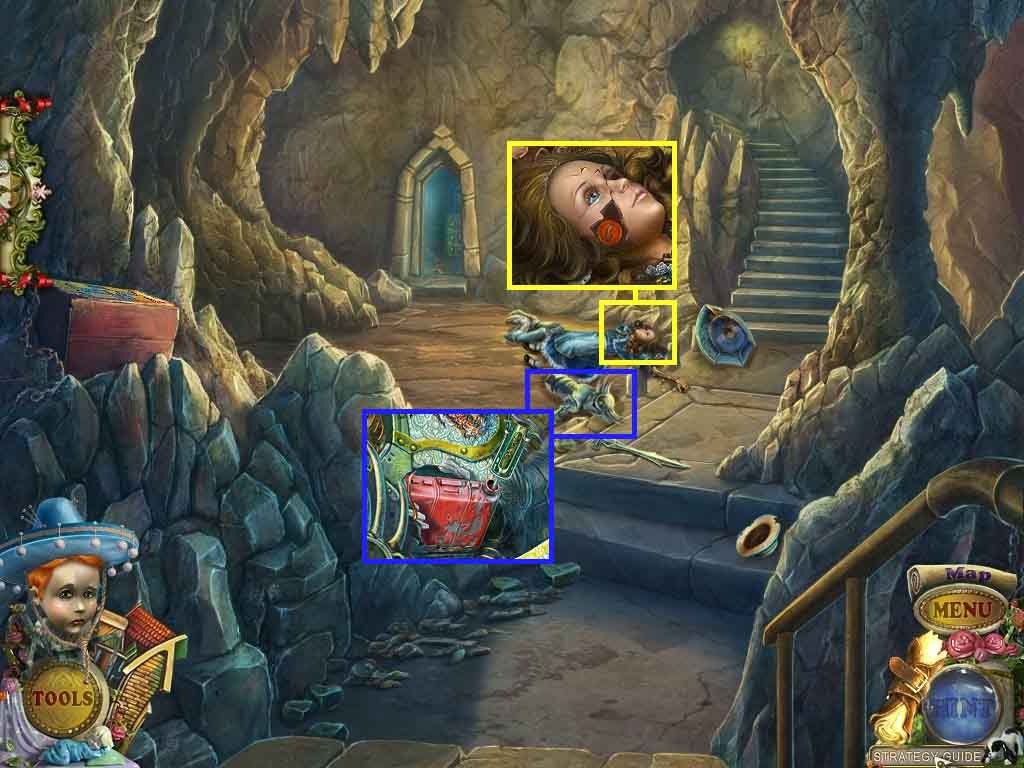
- Click the puppet.
- Click the face and collect the red button.
- Click the knight; click the cap and insert the 2 syringe parts.
- Click the syringe and collect the fuel.
- Move into the doorway to the factory.
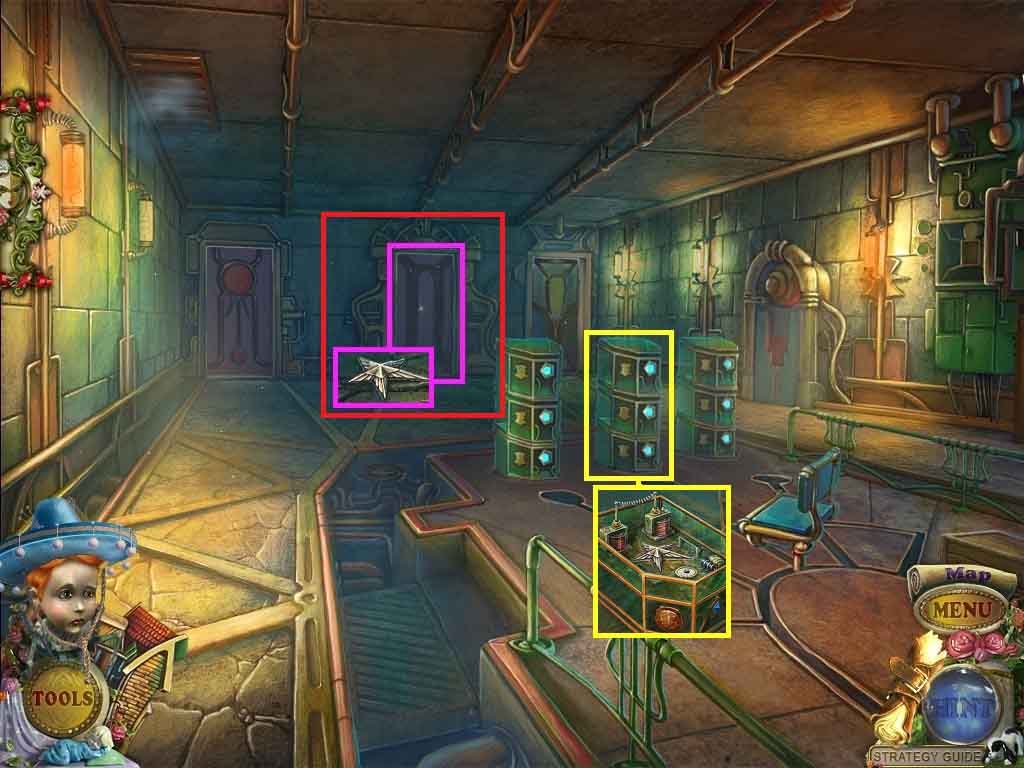
- Click the door; collect the five-pointed star.
- Click the center console and insert the five-point star.
- Click the hidden objects area.
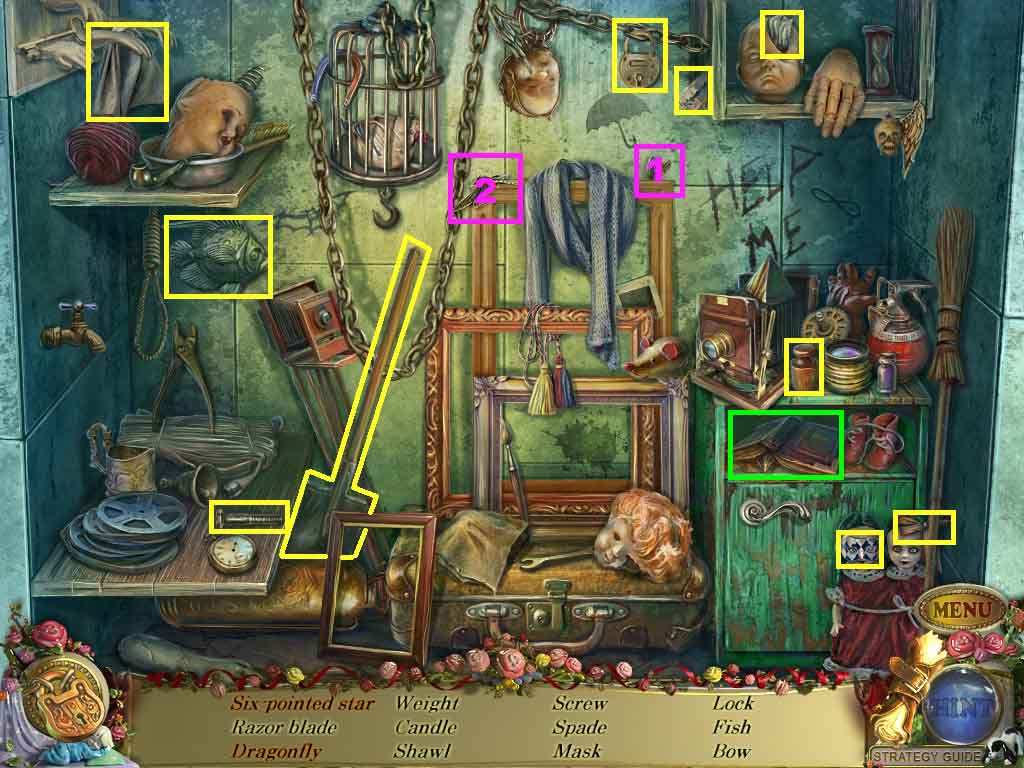
- Find the listed items.
- Attach the wing to the dragonfly; collect it.
- Click the book and collect the six-pointed star.
- Collect the six-point star.
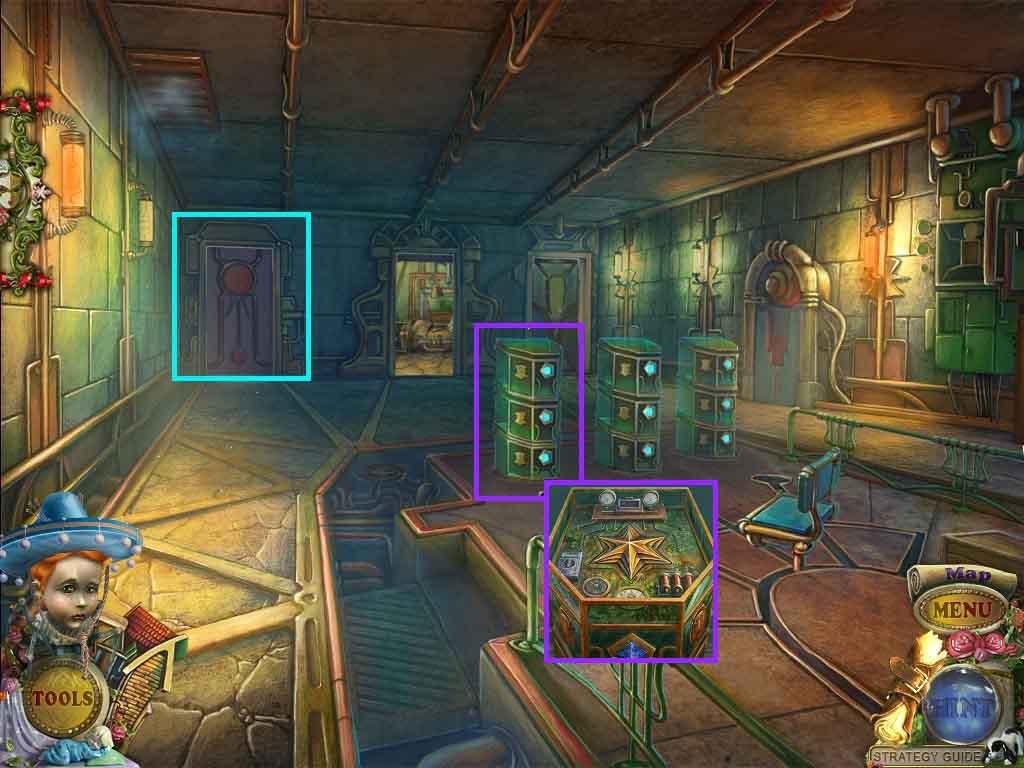
- Click the console on the left; insert the six-pointed star.
- Move through the doorway on the left.
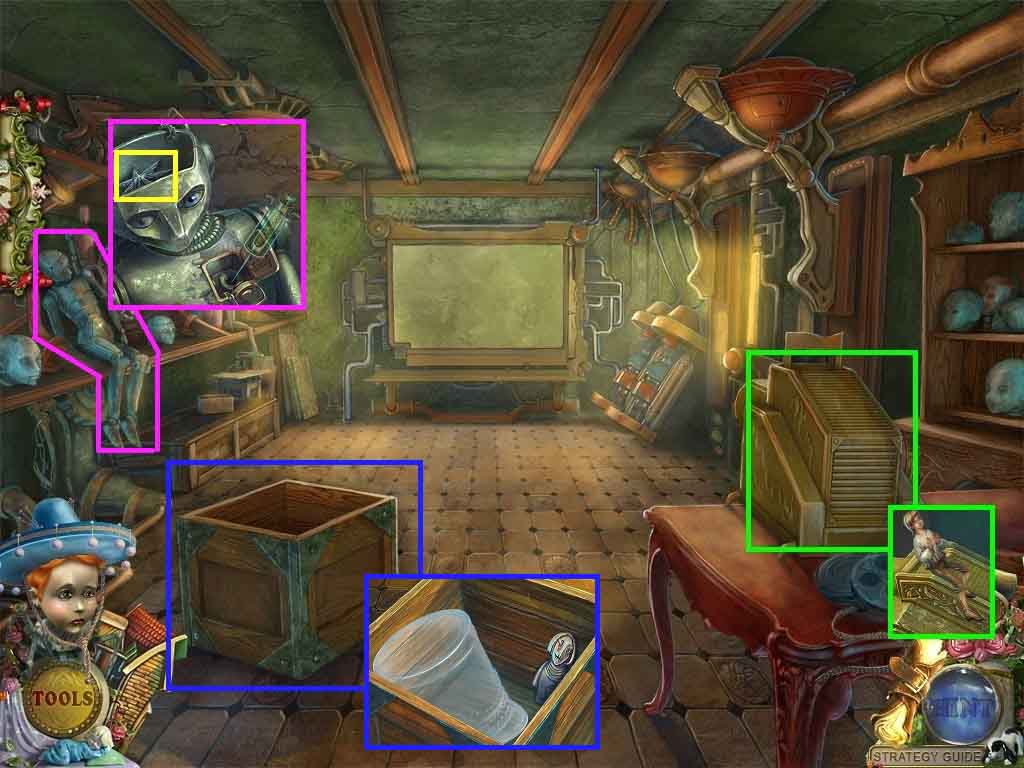
- Click the shadow graph; collect the puppet.
- Click the doll; click the head and pour in the fuel.
- Collect the seven-pointed-star
- Click the crate; collect the key and the hat pattern.
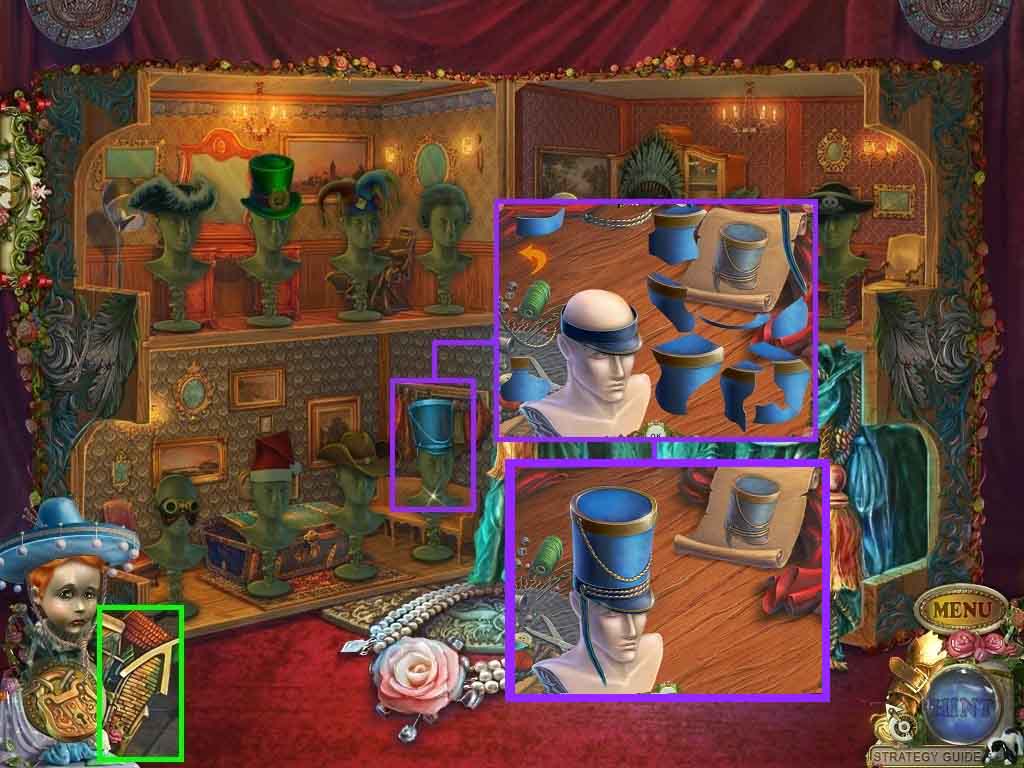
- Click the puppet house.
- Click the parade hat to trigger a puzzle.
- Assemble the hat as shown in the diagram.
- Collect the parade hat.
- Leave the puppet house and move down once.
- Click the hidden objects area.
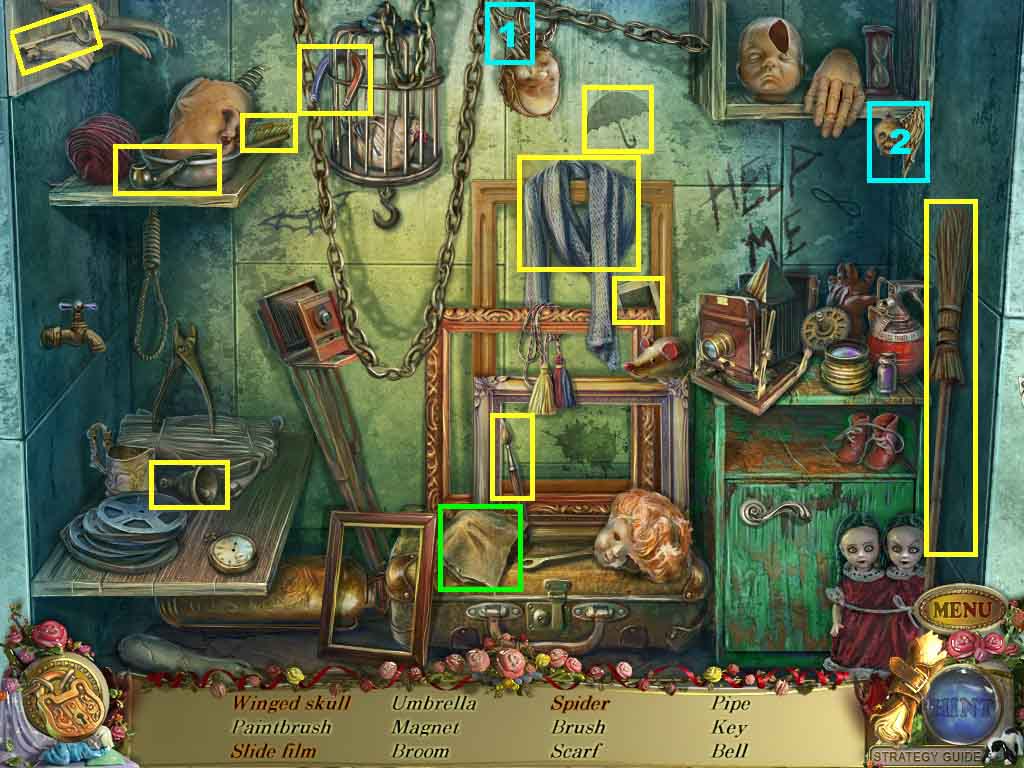
- Find the listed items.
- Attach the wing to the skull; collect the winged skull.
- Click the cloth; collect the spider.
- Collect the film slide.
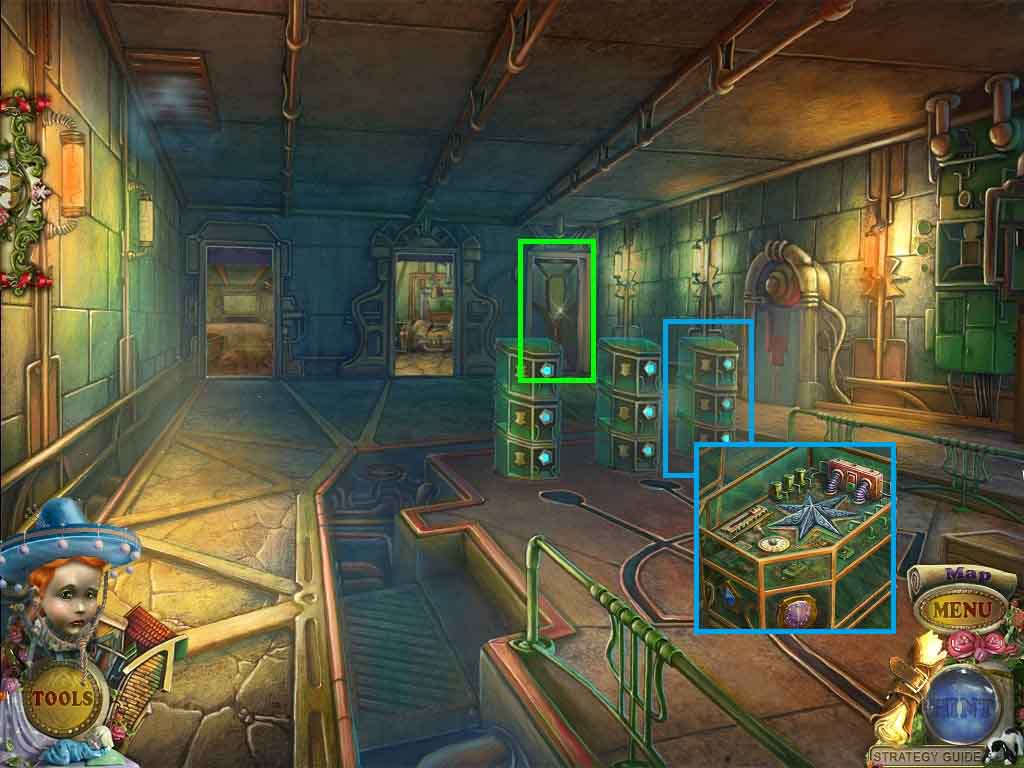
- Click the console on the right.
- Insert the seven-pointed star.
- Enter the doorway on the right.
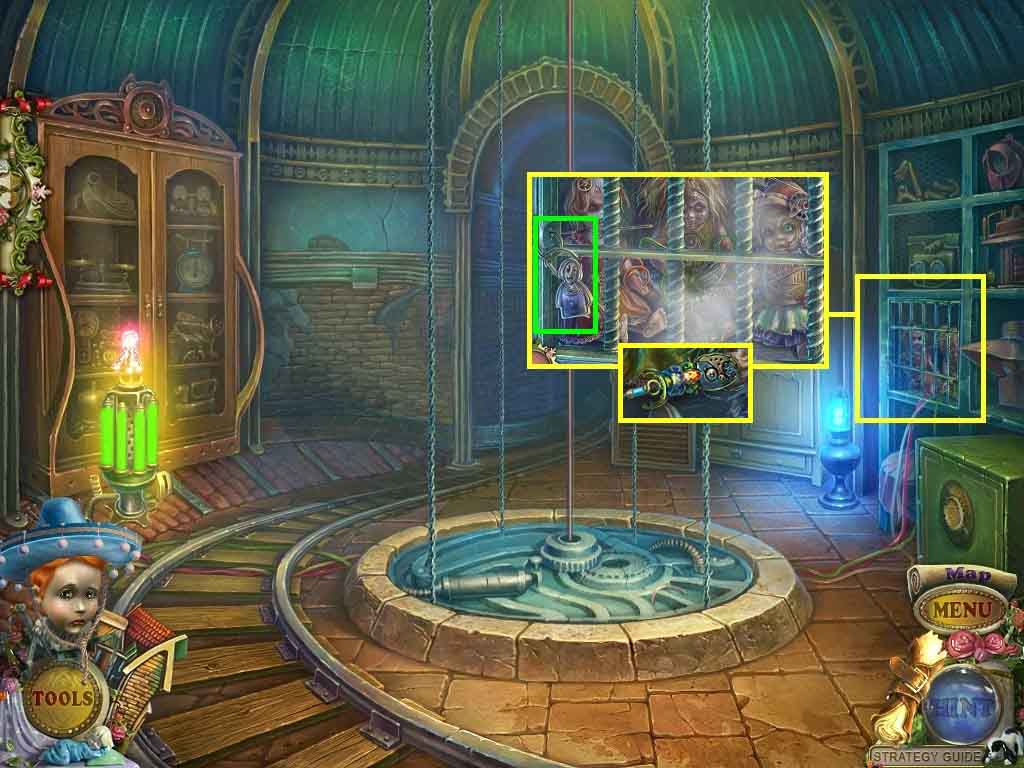
- Click the cage; insert the key.
- Collect the beetle.
- Move down one time and enter the left doorway.
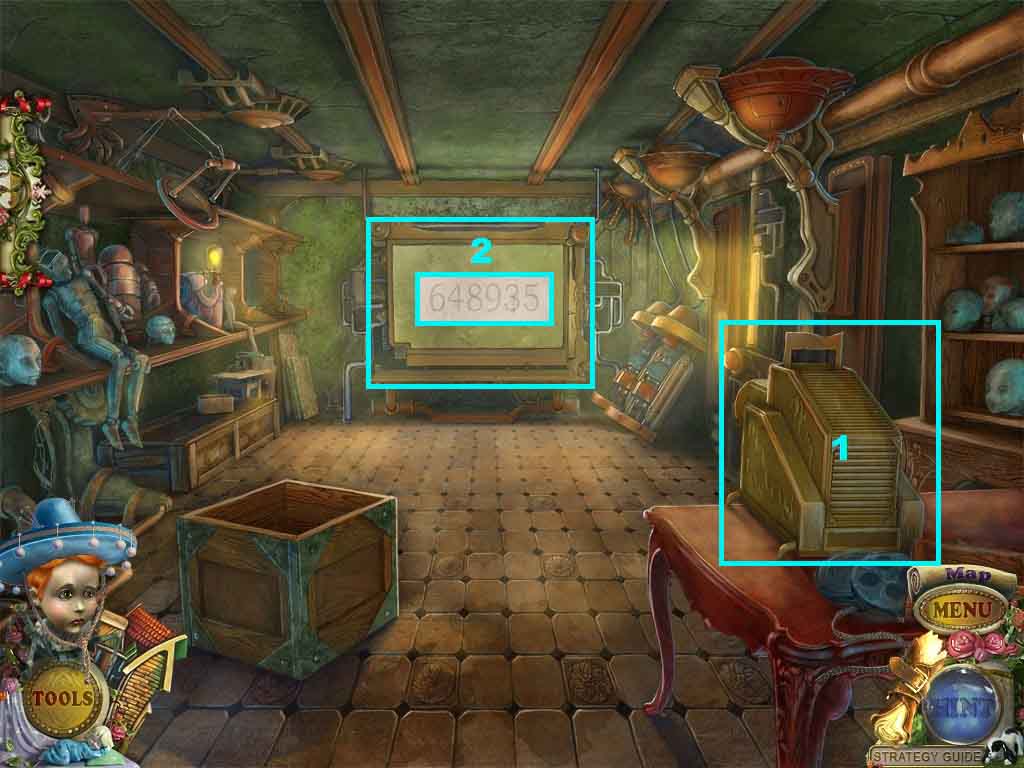
- Click the shadow graph; insert the film.
- Click the screen; collect the code.
- Move down once and enter the door on the right.
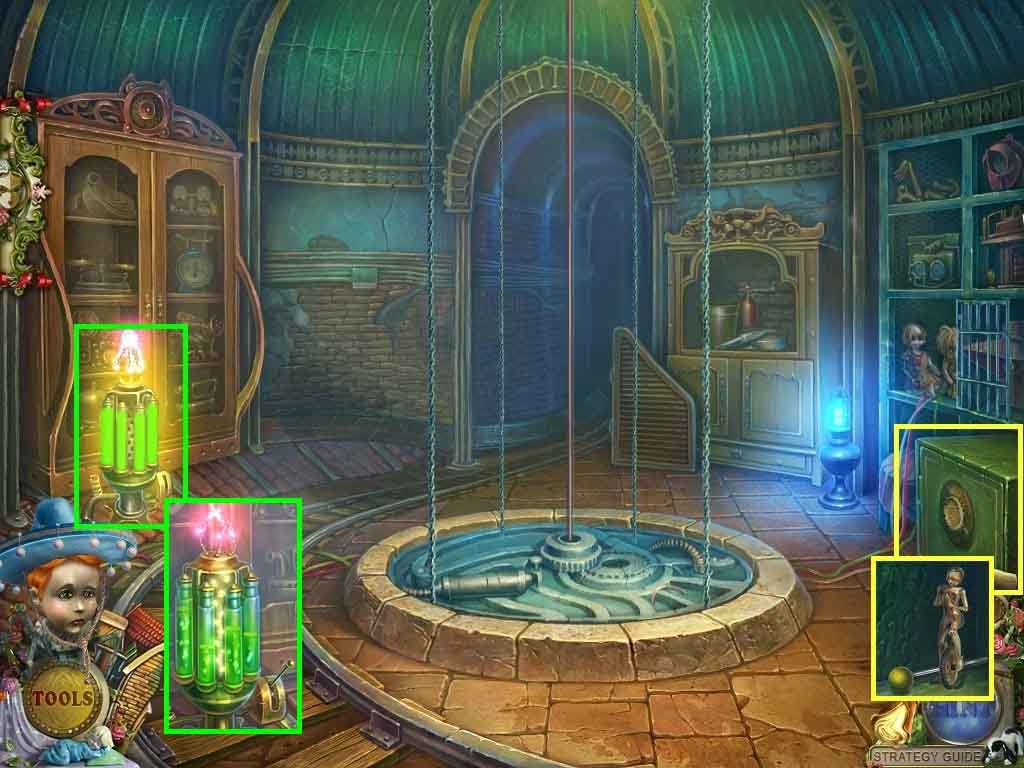
- Click the safe; click the handle.
- Collect the puppet and the lever.
- Click the mechanism; insert the lever and click it.
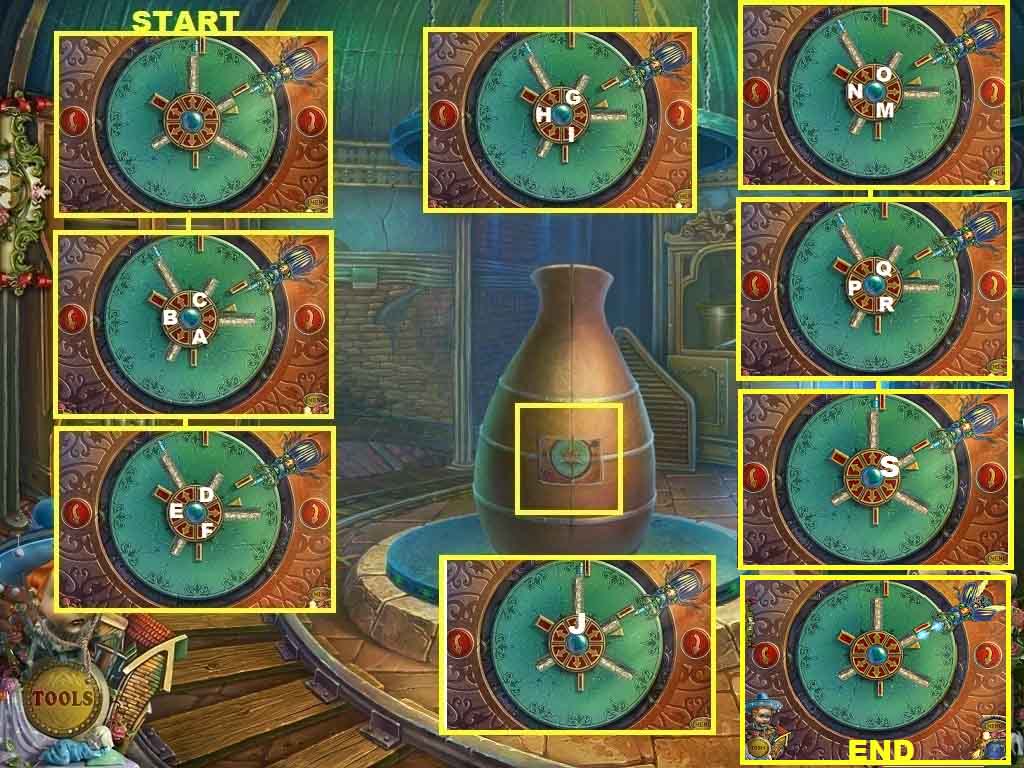
- Click the device; insert the red button and the beetle to trigger a puzzle.
- Click the arrows and buttons until the blue crystal connects with the crystal that the beetle holds.
- Solve the puzzle using the following steps.
-
At the starting point click the left arrow button.
- Click A: 3 x’s
- Click B: 2 x’s
- Click C.
- Click the left arrow twice.
- Click D: 2x’s
- Click E: 3x’s
- Click F: 2x’s
- Click the left arrow twice.
- Click G: 2x’s
- Click H: 2x’s
- Click I: 2x’s
- Click the left arrow.
- Click J
- Click the left arrow
- Click M: 3x’s
- Click N: 2x’s
- Click O: 2x’s
- Click the left arrow twice.
- Click P: 3x’s
- Click Q: 2x’s
- Click R: 2x’s
- Click the left arrow.
- Click S: 2x’s
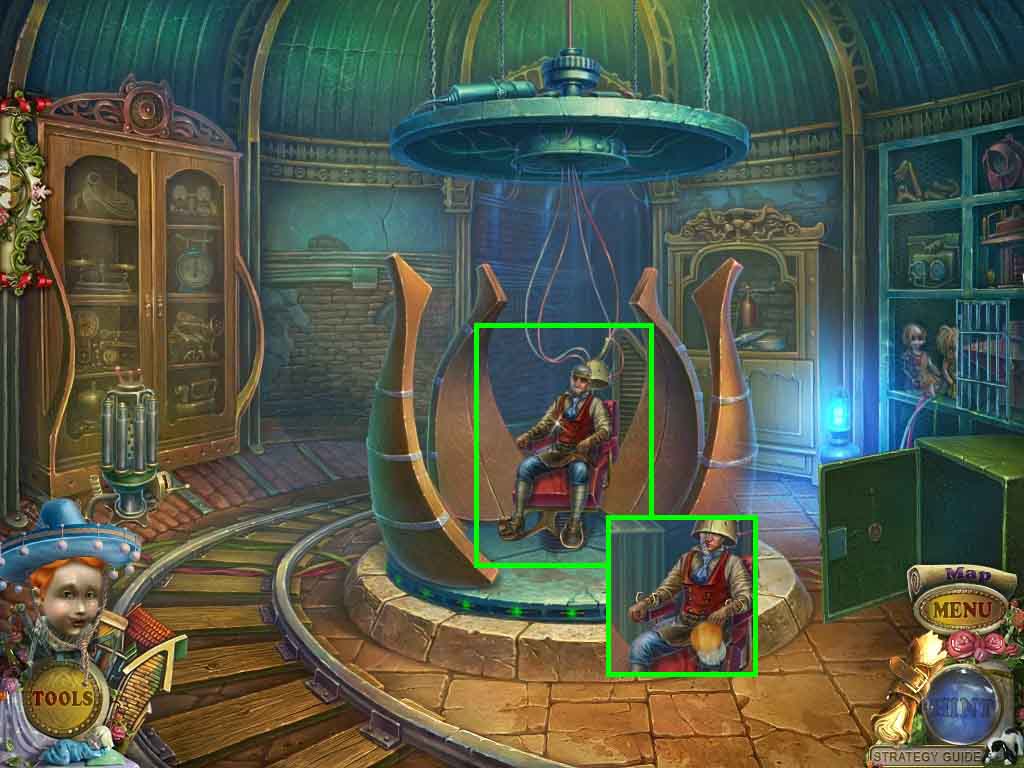
- Click the Master and select the puppet helper.
Comments will load when you reach this part of the walkthrough.