
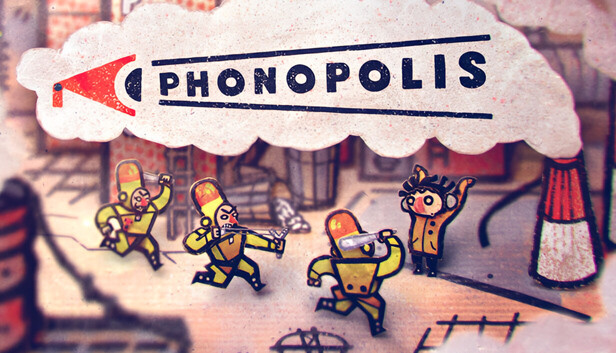
Screenshot Puzzle Layouts and Visual Clues
Phonopolis loves to hide the useful handle beside three better jokes and a proud little piece of cardboard nonsense. In a busy scene, the next click can look like painted scrap until the machine twitches. Start spoiler-light: find Felix, find the loudspeaker or control panel, then trace what the room is trying to connect.
The Absolute Tone is the Leader's planned final sound, the kind of neat little nightmare that would turn the city's people into mindless servants. A lot of puzzle work runs through loudspeakers, panels, shifting rooms, and odd machinery. Read each screenshot like a paper stage. Foreground props are usually reachable. Middle-layer machines usually change the puzzle state. Background signs, posters, and repeated shapes often tell you the order, symbol, or direction you need.
Quick Screenshot Scan
Use this order when a layout looks too full. It keeps you moving without flattening the surprise.
- Put Felix near the main machine, panel, door, or speaker shown in the screenshot.
- Scan from left to right for clean edges: levers, knobs, tabs, joins, plugs, crank handles, hatch lines, and round speaker mouths.
- Check anything that sits on top of the painted surface instead of blending into it. Those pieces often have a shadow, a raised edge, or a small idle movement.
- Trace wires, pipes, rails, sound horns, or folded paper paths from the output back to the input.
- Match repeated shapes before guessing. If a poster shows three symbols and a panel shows the same three shapes, that is your order clue.
- After each change, stop for one beat and rescan the same screen. Phonopolis often answers with one tiny mechanical shift, not a big victory fanfare.
Labeling a Busy Puzzle Screen
When checking a screenshot, mentally tag the scene with four simple labels. A is the object that blocks progress, like a shut door, silent machine, or locked route. B is the clue, often a sign, symbol row, diagram, or repeated color pattern. C is the control you can touch. D is the changed part after the control works. Solve from A backward to C, then confirm D before leaving.
For example, if the visible problem is a dead speaker, do not click every scrap first. Look for the cable path, the power source, and any nearby panel that shares the same shape language. If the problem is a route through the city, look for cardboard joins, raised platforms, and arrows or rails that show how the set can shift. Felix is outwitting a very serious regime made of paper, so the answer is often practical and a little silly.
If You Are Missing One Click
First nudge: the missing part is probably not far away. Amanita scenes like to keep the clue and the tool in the same visual joke. If a machine changed once, stay in that screen and look for the new exposed edge, open slot, lowered handle, or lit symbol.
- Return to the last screen where something moved, opened, lit up, or made a sound.
- Compare the machine to how it looked before the action. Search only for the changed part.
- Click the changed part, not the whole machine. Small doors, new gaps, and fresh handles matter.
- If nothing responds, move Felix one step closer to the object and try again from the correct side.
- If the scene still stalls, leave the screen once and come back. A fresh entrance can make a new active spot, meaning a clickable area, easier to see.
Tip: when a puzzle chain feels opaque, take the last solved action as your clue. Phonopolis usually asks, "What did that just unlock?" rather than "What random thing should I try now?" Follow the cause and effect, and the cardboard city starts to behave like a machine you can beat.
Comments will load when you reach this part of the walkthrough.