

Chapter One: The Wrecked Craft
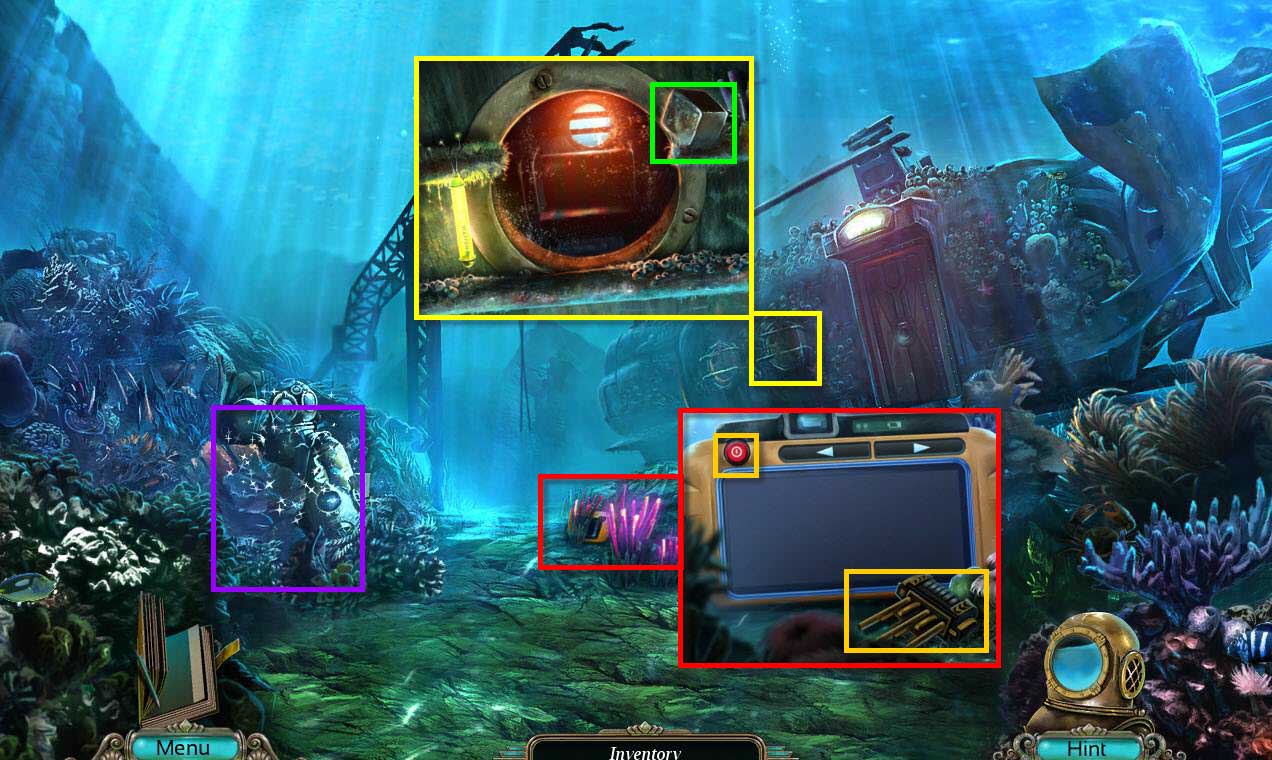
- Click on the ground to zoom in on the camera.
- Click on the button to turn the camera on.
- Scroll through the images using the arrow button.
- Take the THREE PIN SWITCH.
- Click on the window of the submersed wreck to zoom in.
- Take the KEY HANDLE.
-
Click on the sparkles to start a hidden object game.
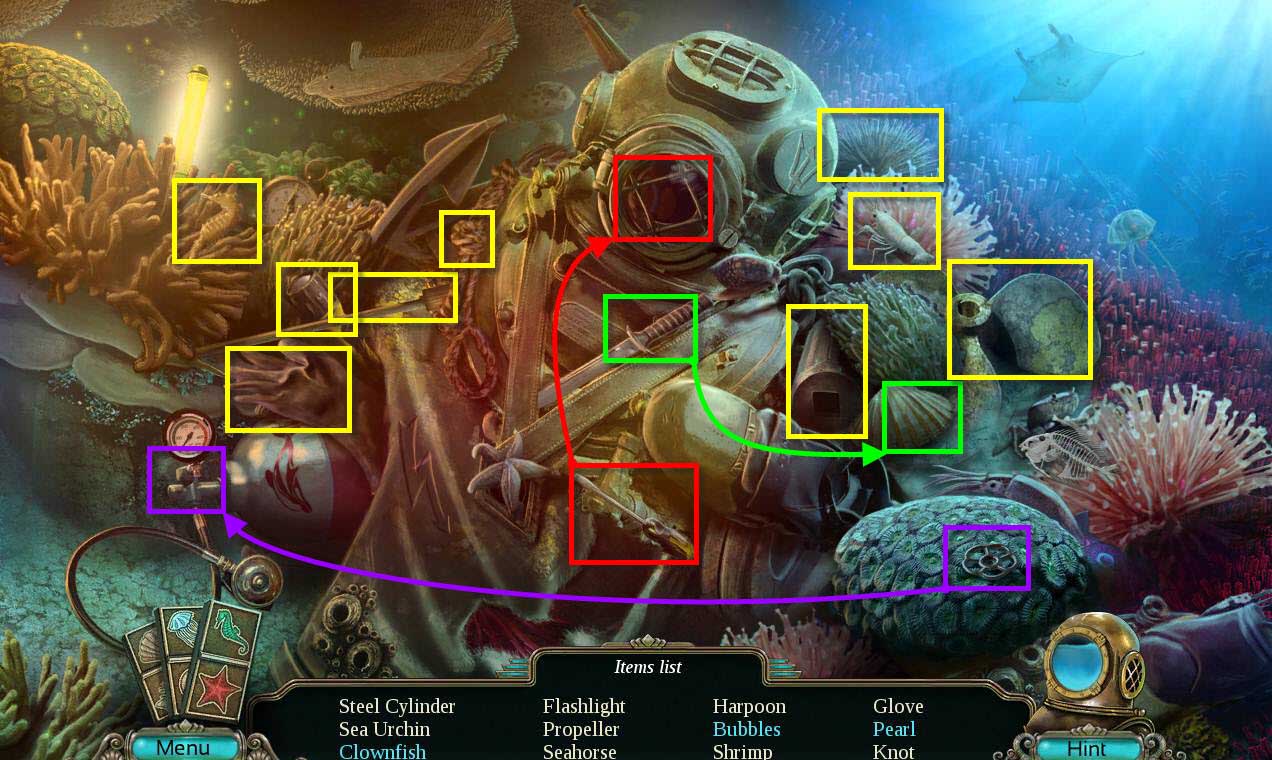
- Find all the items on the list.
-
You will receive the WRECKED-CRAFT KEY
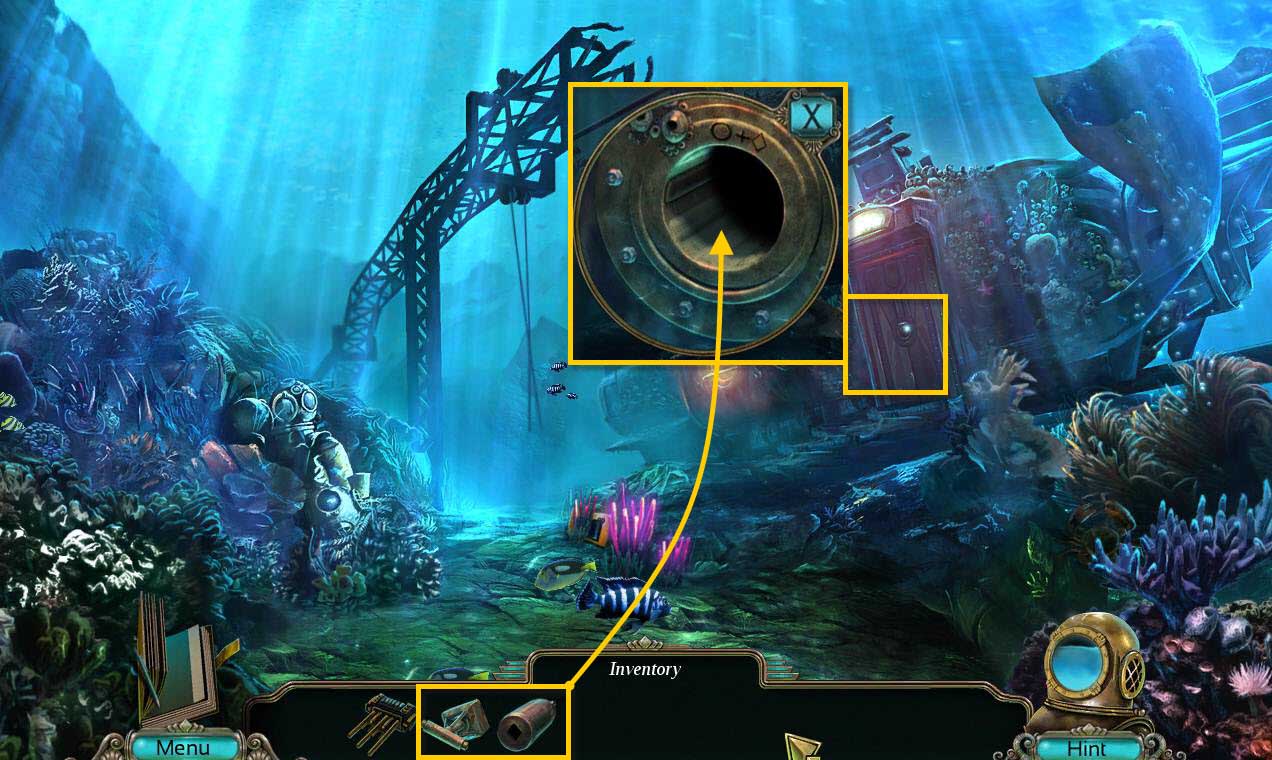
- Click on the door of the submersed wreck to zoom in.
- Use the WRECKED-CRAFT KEY and then the KEY HANDLE on the door.
- Click to turn the key.
-
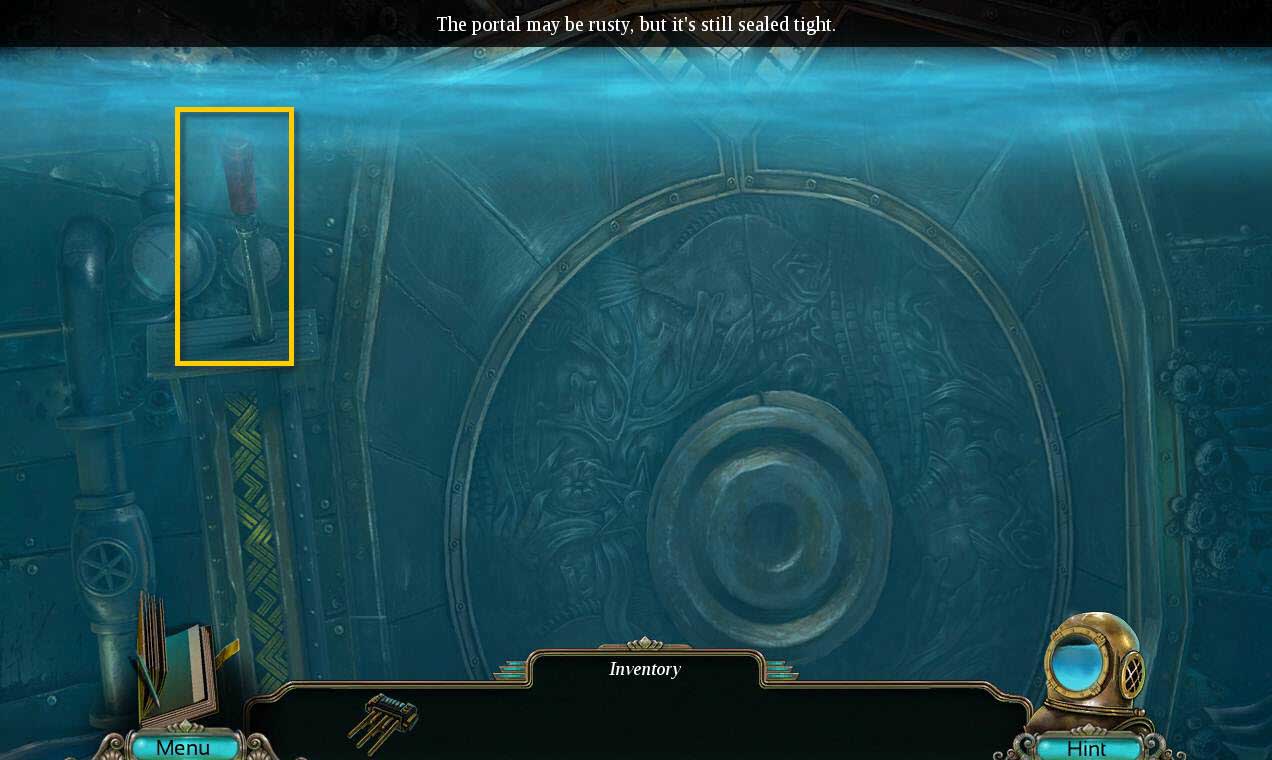
Enter the wreck.
-
Click on the lever on the left to drain the water and open the portal.
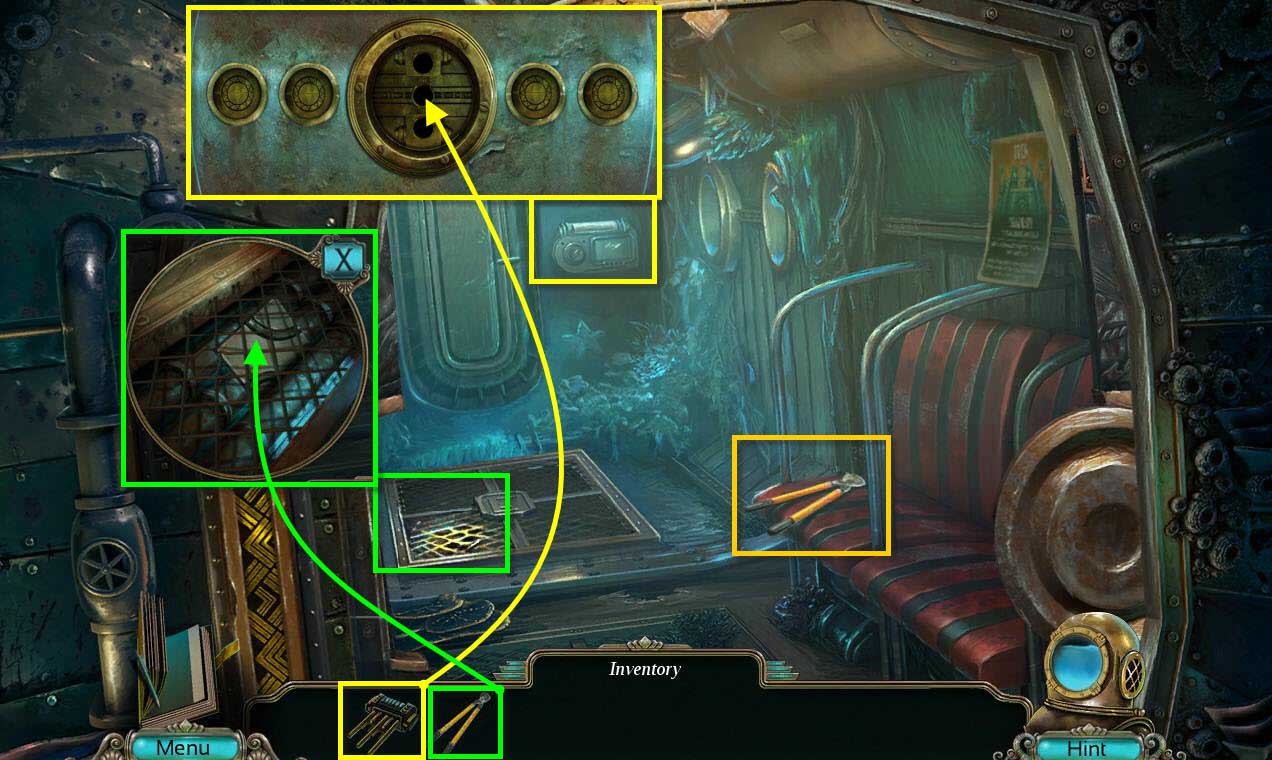
- Take the WIRE CUTTER.
- Click on the grating on the floor to zoom in.
- Use the WIRE CUTTER on the grating.
- Take the ELECTRONIC PANEL.
- Click on the mechanism by the door to zoom in.
- Use the THREE PIN SWITCH on the slot.
- Click on the pin.
-
This will start a mini-game.
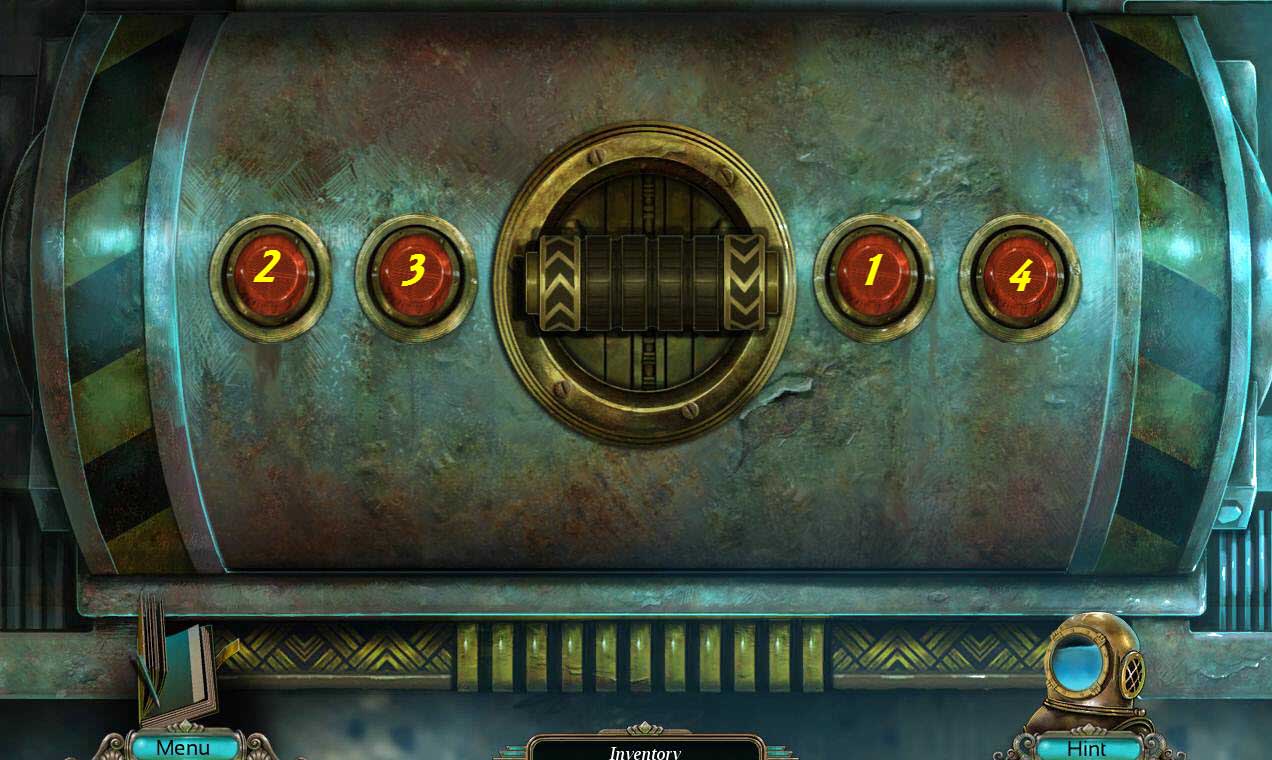
- The goal of the game is to press the buttons in the correct order.
- If the button is selected correctly, it will turn green.
- If you click on the wrong button, the game will reset.
- See the screenshot for the solution.
-
Once you are done, another mini-game will start.
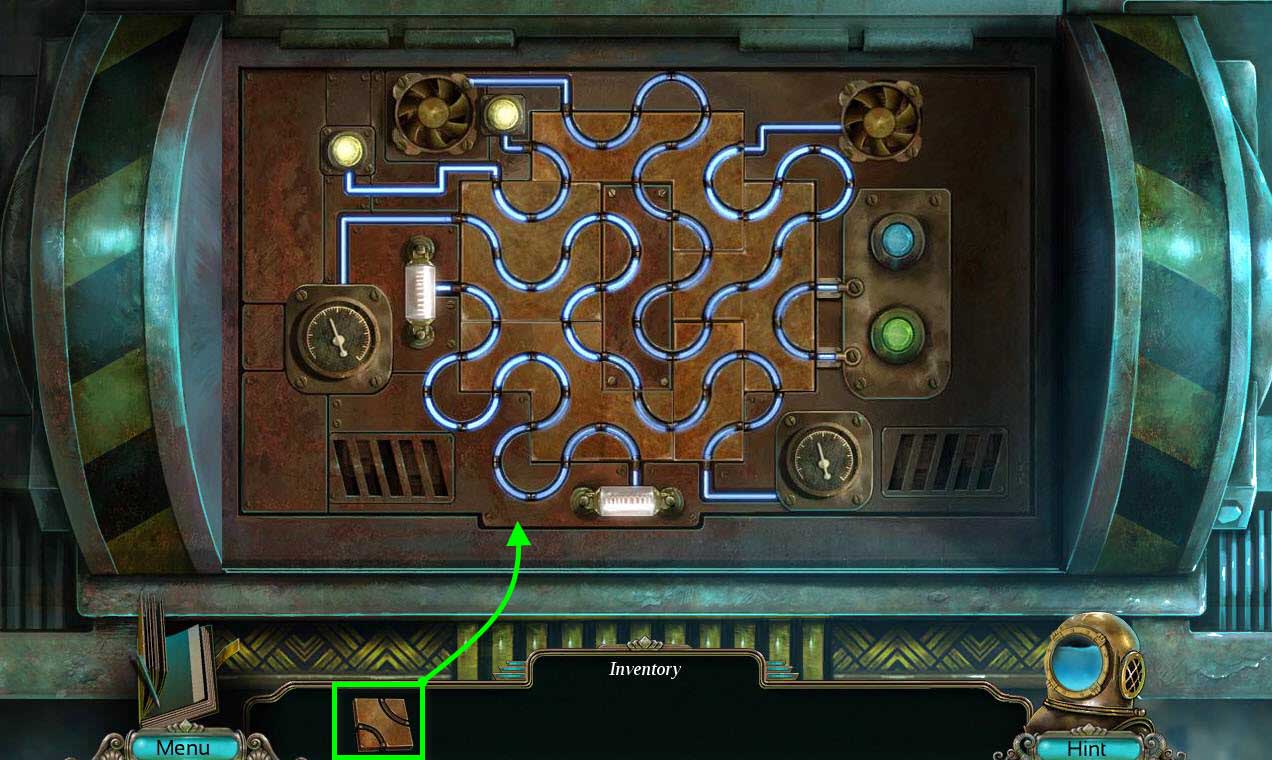
- Use the ELECTRONIC PANEL on the puzzle to start it.
- Now, place the pieces in the correct spot in order to get electricity running through all the wires.
- See the screenshot for the solution.
-
Once you are done, enter the Control Room.
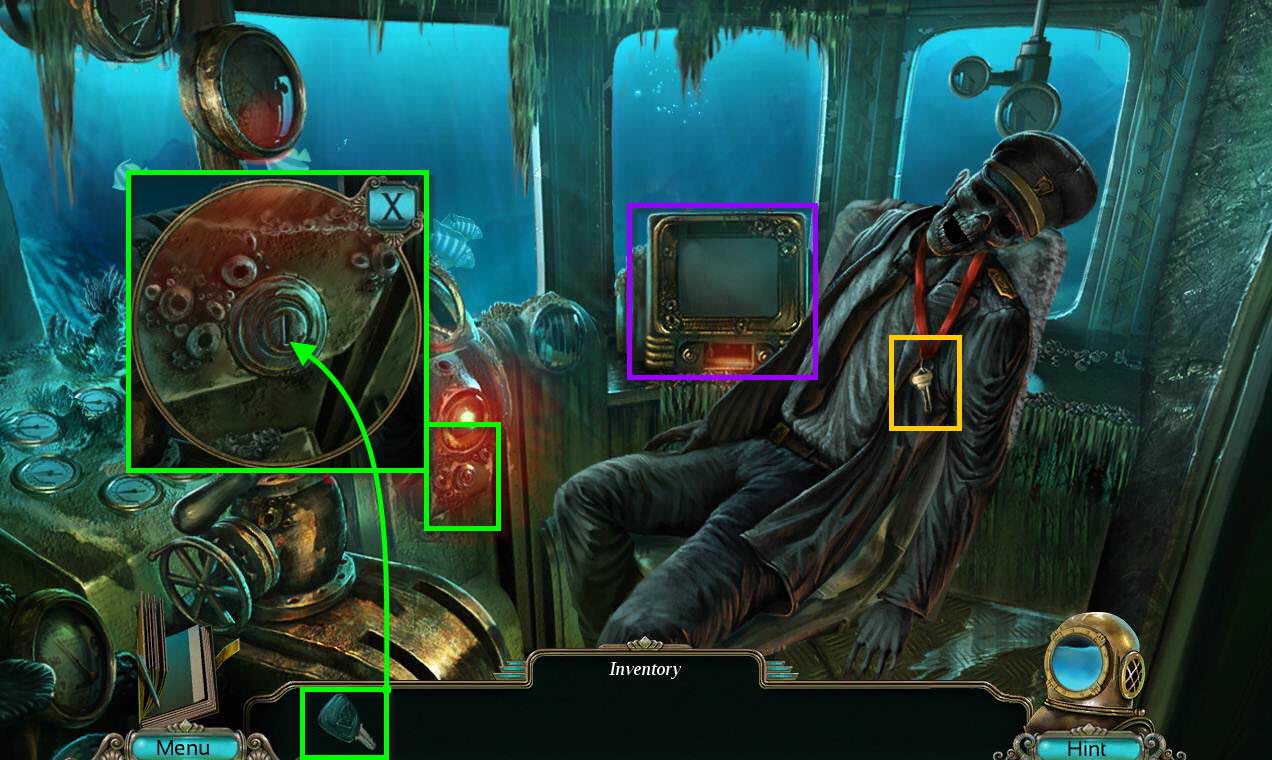
- Click on the chair to turn it.
- Take the CONSOLE KEY.
- Click on the console to zoom in on the ignition.
- Use the CONSOLE KEY on the ignition.
- Click to turn the key.
- Click on the monitor to watch the message.
-
Go back two screens so that you're outside the wrecked craft.
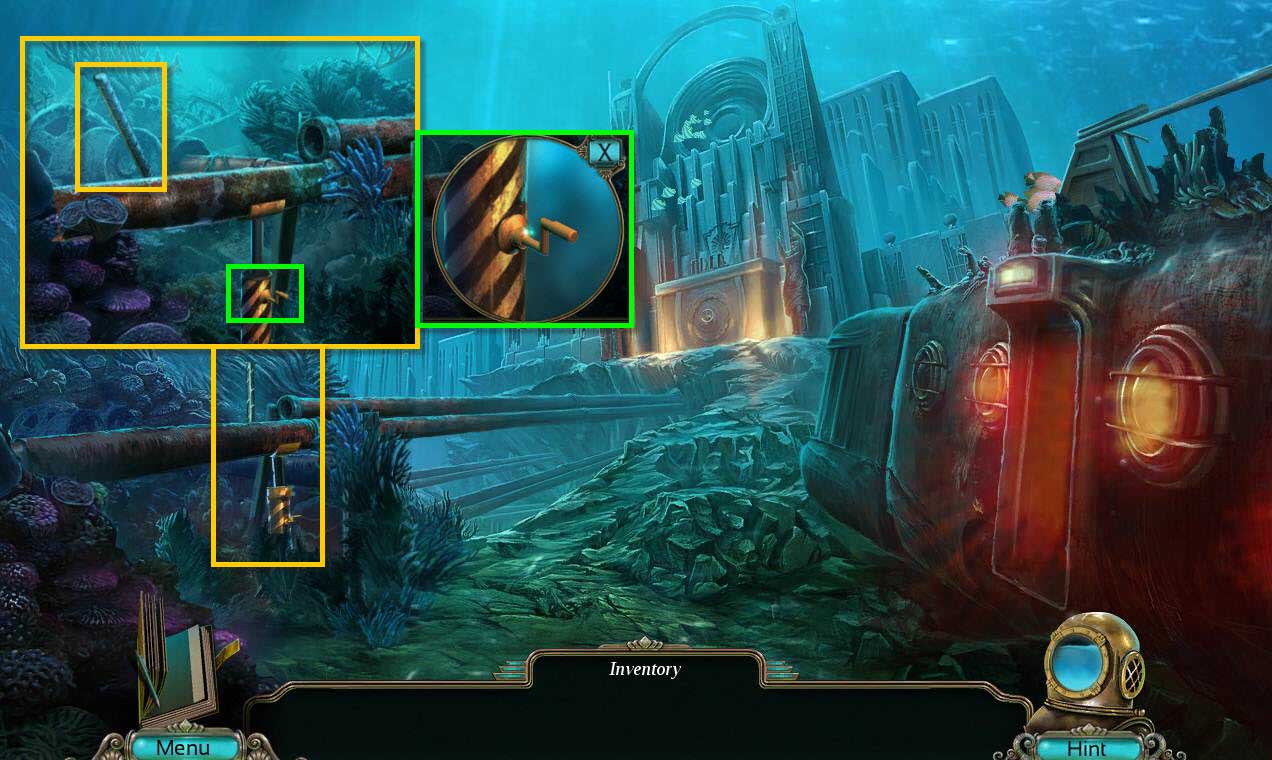
- Click on the pipes on the left to zoom in.
- Click on the SHARPENED ROD a few times to take it.
- Click on the crank of the piece of equipment holding up the pipe to zoom in.
- Click on the crank.
- Take the STEEL PROP.
-
Go back inside the craft.
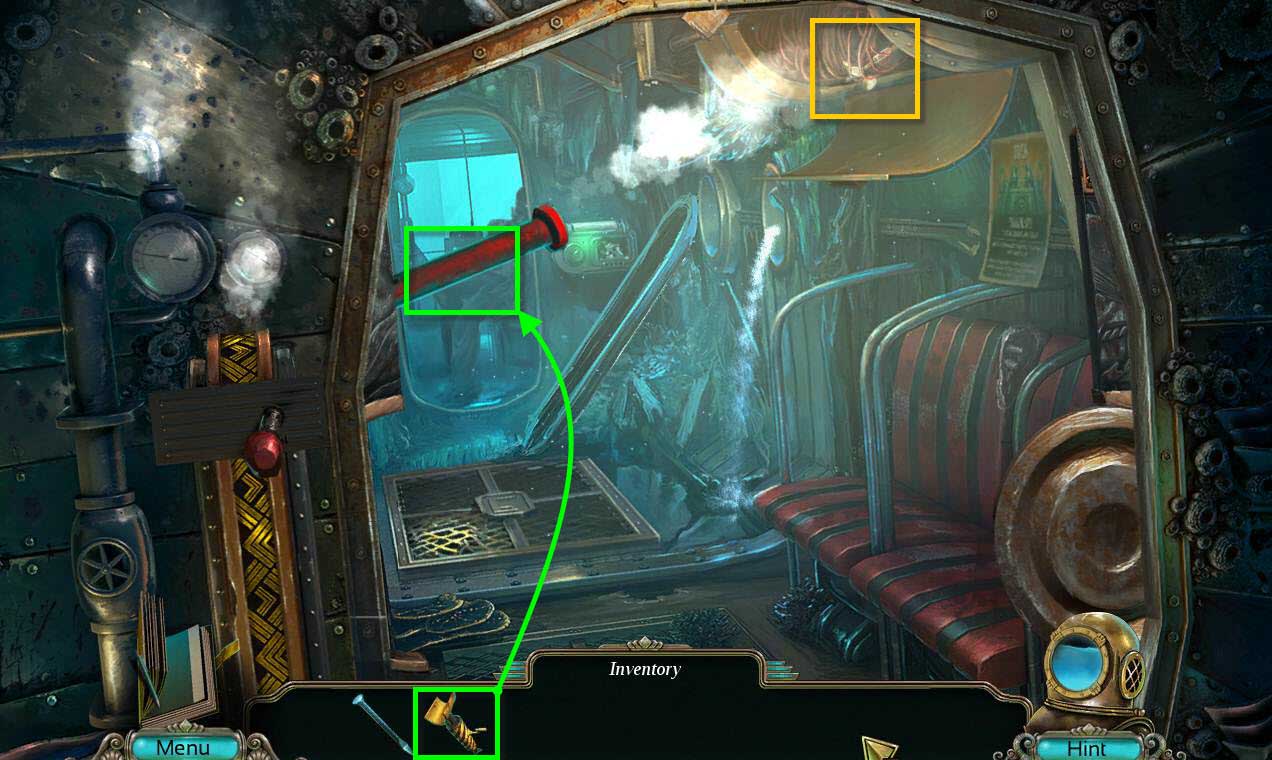
- Use the STEEL PROP on the pipe.
- Click on the crank to raise the pipe.
- Click on the wires to zoom in.
- Take the HAMMER.
-
Go back one screen and then go forward to the City Gate.
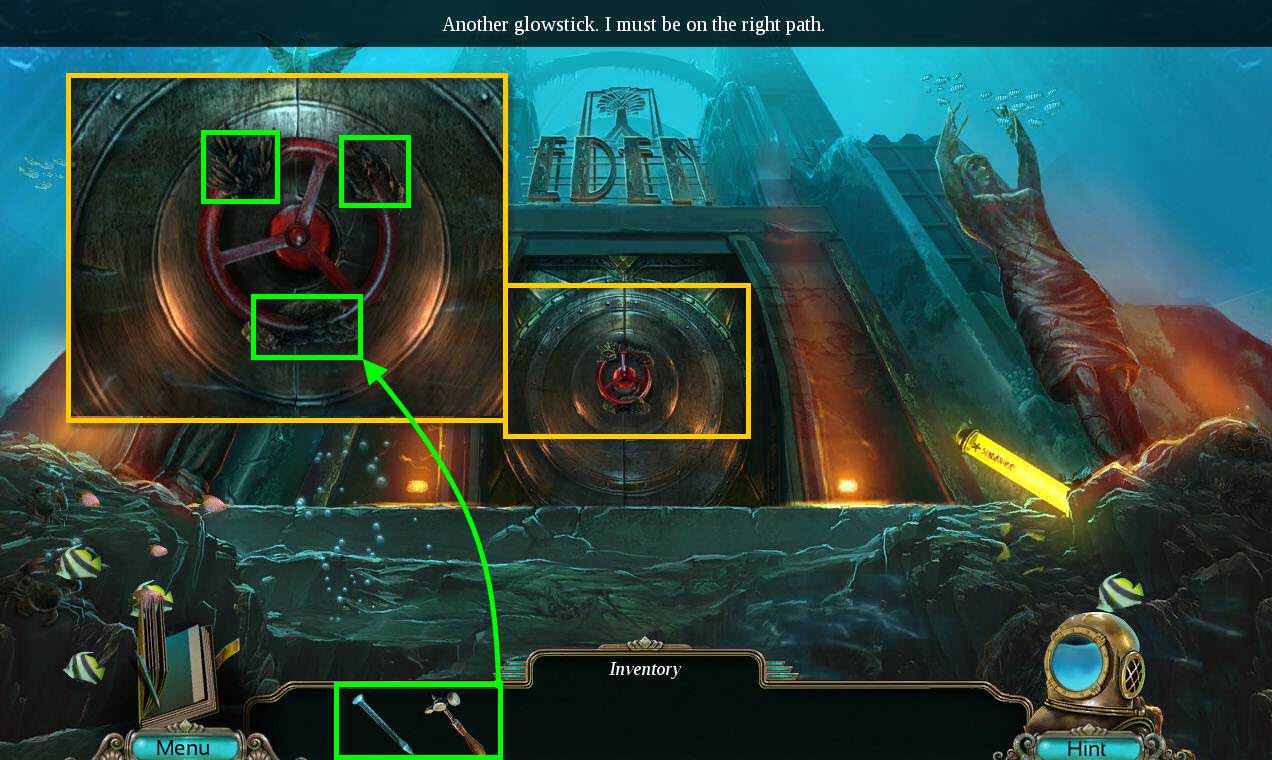
- Click on the gate to zoom in.
- Use the SHARPENED ROD on the gate.
- Use the HAMMER on the rod to remove the coral.
- Click on the wheel to open the gate.
- Enter the city.
Comments will load when you reach this part of the walkthrough.