
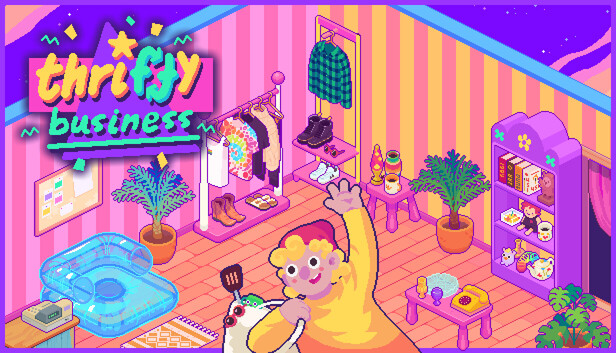
Events and Customer Stories Guide
In Thrifty Business, the event panic usually starts with one very silly scene: a customer wants the perfect cozy object, you own three things that look perfect, and the one you grab refuses to sit where your brain says it should. A lamp acts like it has opinions. A bulky treasure hogs half a room. A shelf that looked cute five minutes ago now feels like a junk drawer with rent. The fix is to treat events and customer stories like a shop-floor system, not a speed test.
Customer stories are the small relationship moments tied to regular shoppers and their requests. For events, think in themes: stock likely items, make one clear display, and leave space to swap pieces when the shop gets busy. You do not need a ruthless tycoon layout. You need a tidy reserve, a few clear tags, and one flexible display zone that can change fast without tearing up your whole thrift-shop dream.
Before You Advance a Story or Event
Use this prep loop before opening the shop when you know a visitor, story beat, or themed event may be coming. It keeps you from selling the one item that would have solved the moment. Very classic thrift store behavior, honestly.
| Prep Step | What To Do | Why It Helps |
|---|---|---|
| Hold a request shelf | Keep one small shelf or table near the counter for likely request items. | You can test answers quickly without hunting through every room. |
| Save one of each broad type | Keep at least one book, toy, clothing item, decor item, kitchen-like object, and odd nostalgic curio when space allows. | Requests can point to broad traits like purpose, style, color, or a named item, so a small reserve gives you options. |
| Sort by visible clue | Group items by color, theme, or use. Tags are item traits, such as purpose, style, and color, that help the game judge organized groups. | When a request sounds vague, your shelves become a search tool. |
| Leave one open surface | Do not fill every table, rack, and shelf slot before starting the day. | Some items are easier to test on the right display type, and open space prevents last-second reshuffling. |
| Check bulky pieces last | Place large decor after small request items are handled. | Big pieces can block a clean layout and make event displays harder to adjust. |
Story and Event Request Checklist
When a special visitor asks for something, read the request like a clue card. First look for the item type. Then look for the mood. Then check color or theme. This is the same cozy logic as making an Unpacking shelf feel right, just with a shop bell and more 90s flea-market energy.
| Request Wording Clue | Check These Items First | Best Display Test | If It Does Not Work |
|---|---|---|---|
| A cozy, homey, or comforting ask | Soft decor, lamps, books, mugs, framed pieces, warm-colored items | Place on a table or shelf with similar home goods. | Try a smaller item with the same mood instead of forcing bulky decor. |
| A hobby or collection ask | Toys, books, tools, music-like items, craft-like items, themed curios | Group 2-3 matching items together so the theme is clear. | Move mixed items away; the game may reward a cleaner tag match. |
| A fashion or outfit ask | Clothes, accessories, rack items, color-matched pieces | Use racks for clothing first, then add nearby decor only if it supports the theme. | Do not burn shelf space on clothes if a rack gives you a cleaner test. |
| A nostalgic or childhood ask | Toys, old electronics-style items, bright decor, playful books | Make a small memory-lane shelf with strong color grouping. | Try purpose over color if the pretty item does not count. |
| A practical or useful ask | Kitchen-like items, storage-looking items, tools, simple home goods | Place near other practical goods instead of fancy decor. | Look for function first. Cute is a bonus, not the answer. |
Fast Recovery When You Feel Stuck
If a story request stalls, stop rearranging the whole shop. Pull three likely items into your request area: one that matches the object type, one that matches the theme, and one that matches the color or mood. Test them one at a time. If none count, return them to their old spots and open one more box before selling your only item in a useful category. This keeps progress moving without turning your cozy shop into a full floor reset.
- For tag trouble: make the request shelf boring on purpose. Same theme, same color family, or same use. Mixed cute clutter can make a tag group less clear.
- For space trouble: move large decor into a back room or side wall until the story is done.
- For fit trouble: try a different furniture type before giving up. A shelf-looking item may behave better on a table, rack, or decor spot.
- For money trouble: sell duplicates first, not your only item in a useful category.
Welcoming Shop Layout for Events
Events feel better when the shop has one flexible zone. Keep your prettiest permanent displays, but make one front-room area easy to change. This lets Thrifty Business keep its charming thrift-shop fantasy while still giving you room to answer special visitors cleanly.
| Shop Zone | Use It For | Layout Note |
|---|---|---|
| Front shelf or table | Current customer story items | Keep it visible, simple, and not blocked by tall decor. |
| Side rack | Clothing and outfit-style requests | Sort by color or style so fashion clues are easy to check. |
| Back shelf | Saved oddities and possible future request items | This is your little oddity drawer, but organized enough to search. |
| Decor corner | Bulky pieces, lamps, framed items, event mood setting | Use it for atmosphere after the needed request item is placed. |
| Empty slot | Emergency testing | Always leave one open spot before starting a day with a known request. |
Achievement Cleanup While Doing Stories
Do not save every cleanup task for the end. While working through customer stories and events, keep a small notes list of what you already handled. Completion goes much smoother when you track broad progress instead of trying to remember whether that one deeply 90s object ever had its big moment.
| Cleanup Goal | Track While Playing | Easy Habit |
|---|---|---|
| Customer requests | How many successful asks you complete | Serve request visitors before selling fresh box finds. |
| Story progress | Which regulars have had new dialogue or special asks | Check visitors after a new day, room unlock, or new display option. |
| Collection variety | Item types you rarely keep | Save one awkward item type until you know it is not needed. |
| Shop score and community points | Displays that raise your organization score or earn points | Screenshot or remember strong tag groups that worked. |
| Room and furniture unlocks | New spaces or display options that make requests easier | Prioritize unlocks that add usable surfaces over pure decoration when stuck. |
The main thing is to keep your shop readable. A customer story is easier to solve when books look like books, clothes live on racks, decor has breathing room, and your odd little treasures are grouped with purpose. Organization is the fun here, not a chore to rush past. Make the clutter look loved, and the event moments become much easier to answer.
Comments will load when you reach this part of the walkthrough.