

Chapter One: Andville
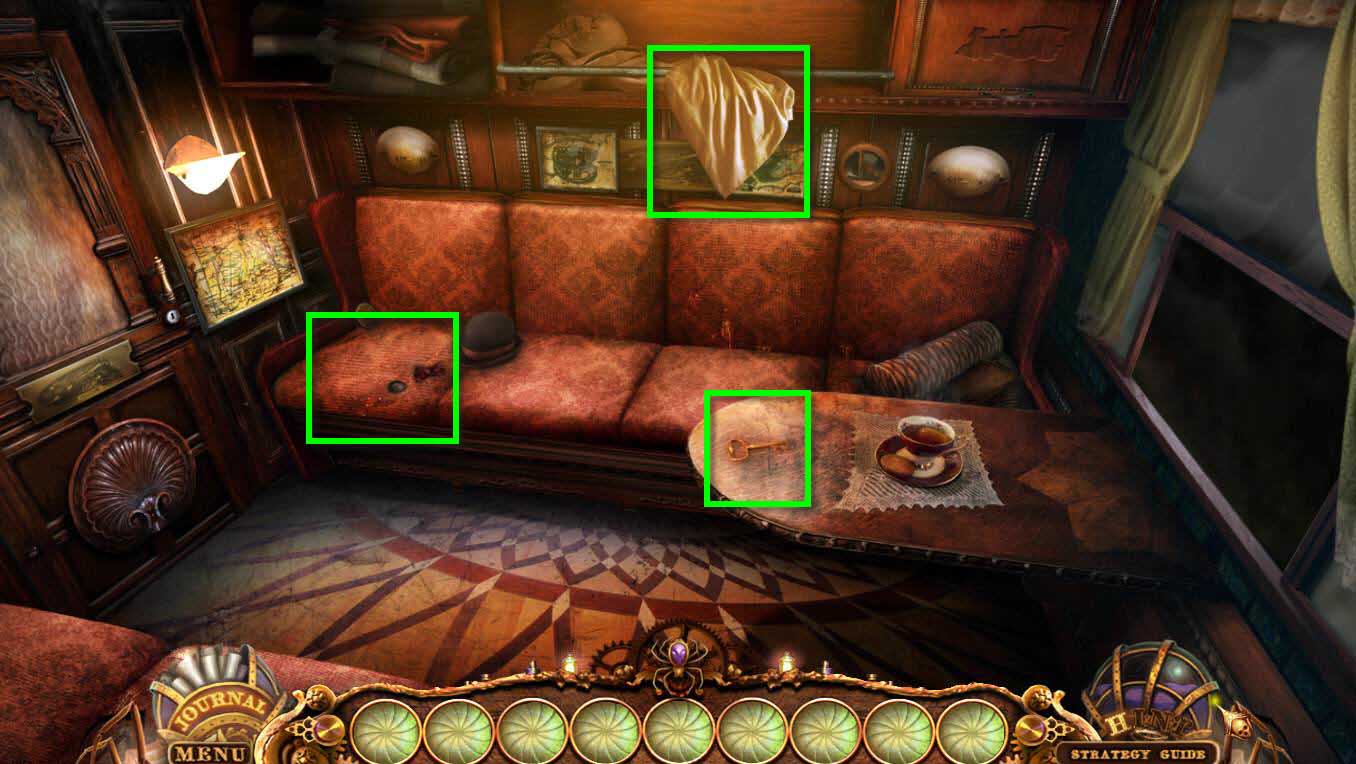
- Click on the key on the table.
- It will fall under the seat.
- Take the BED SHEET.
- Click on the seat on the left.
- Click on the sparkles.
-
This will start a hidden object game.
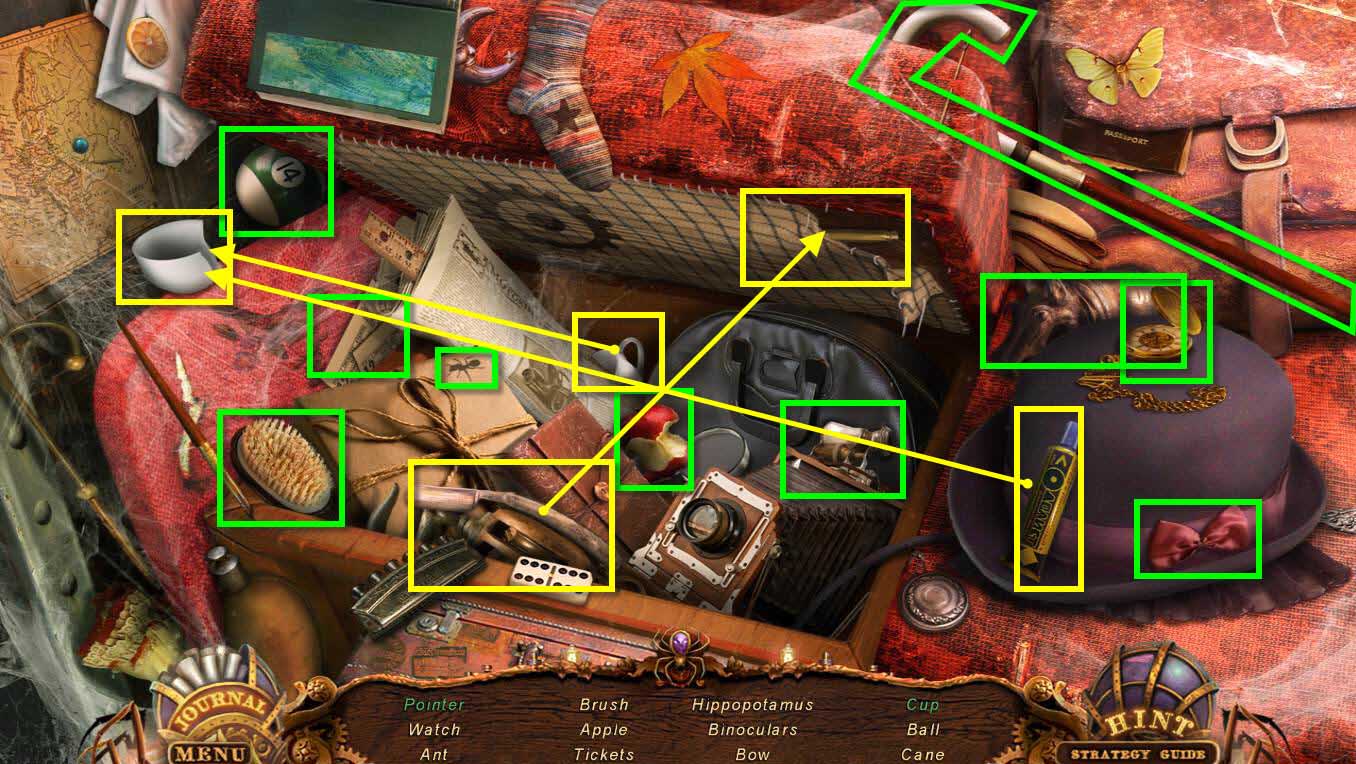
- Find all the items on the list.
- The items in green require an extra step.
-
You will receive the POINTER.
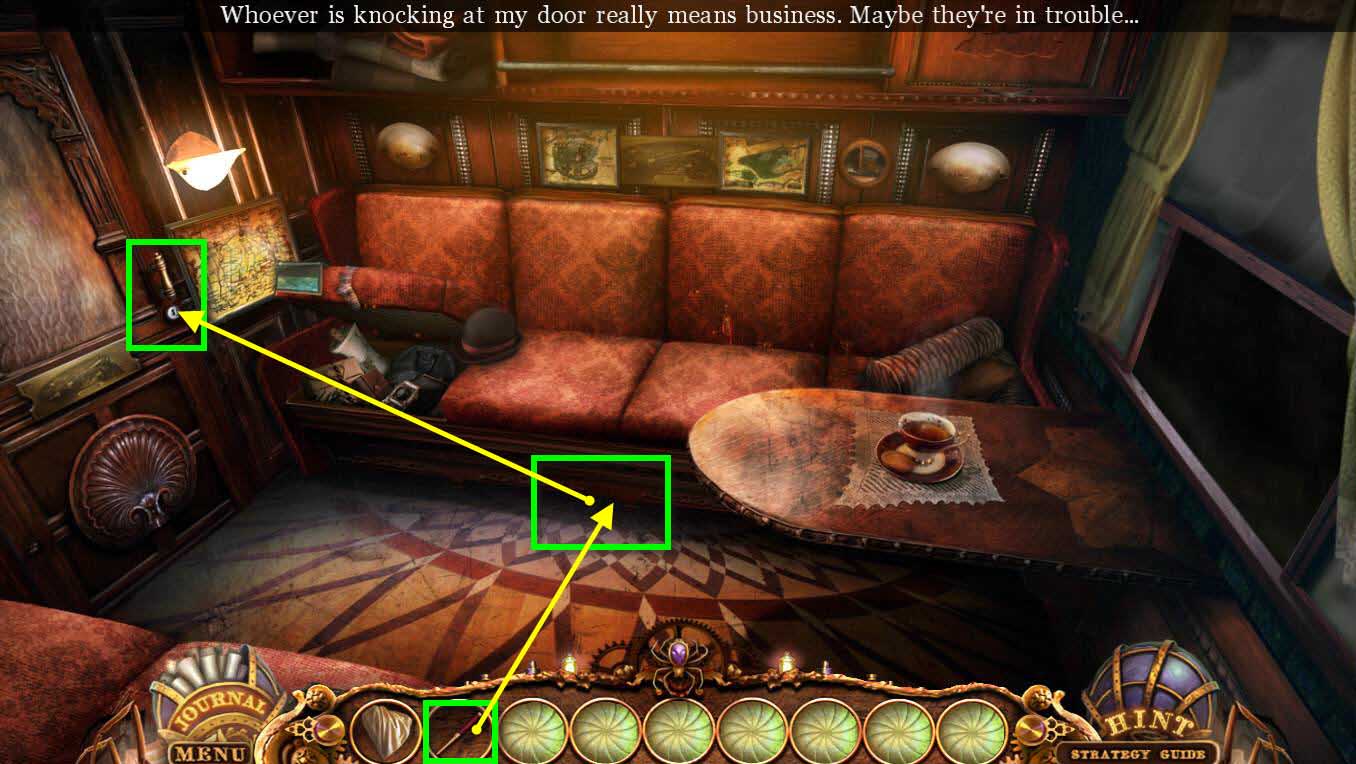
- Click under the seat where the key fell to zoom in.
- Use the POINTER to get the key.
- Click on the door to zoom.
-
Use the DOOR KEY on the door to open it.
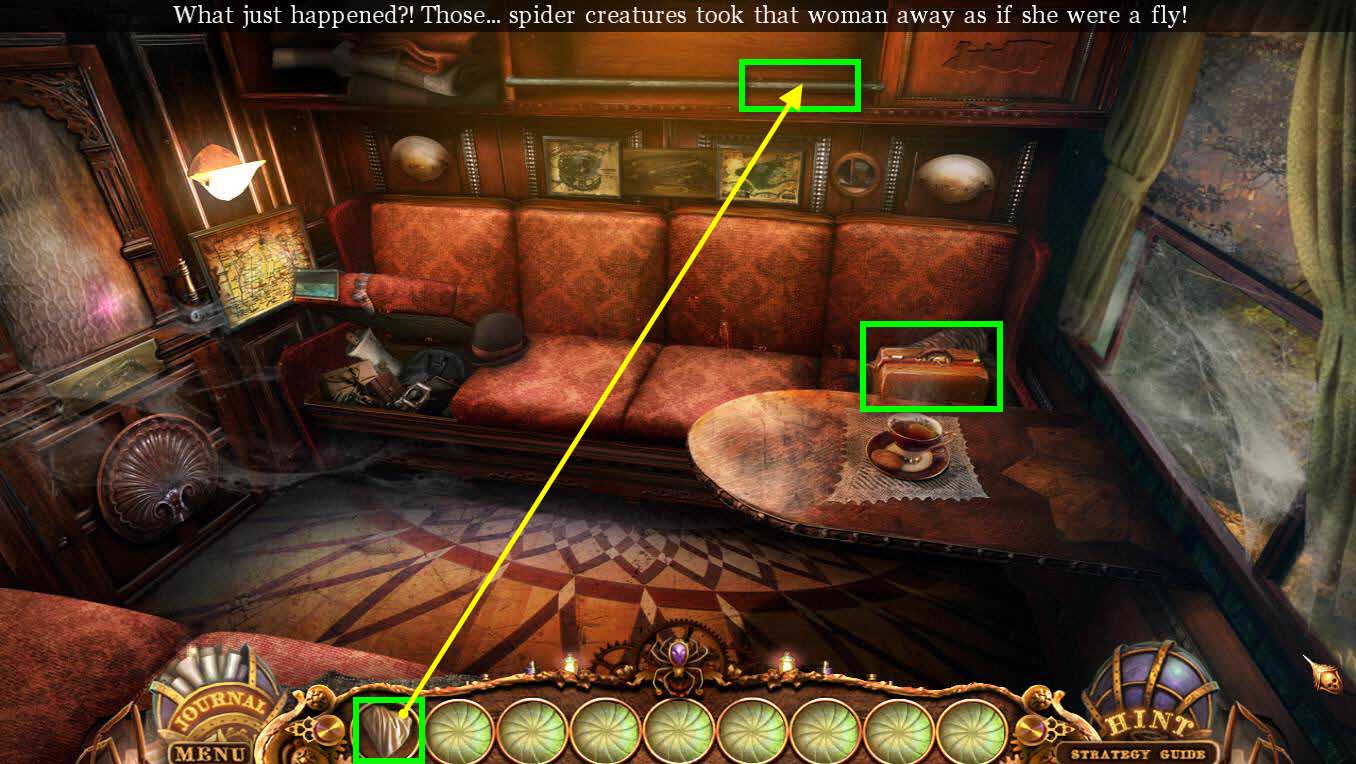
- Use the BED SHEET on the bar above the seat.
- Click on the bag the lady left.
- Click on the bag to open it.
- Click on the photo of her brother to add it to the journal.
- Click on the letter to read it.
-
Take the GLOVES.
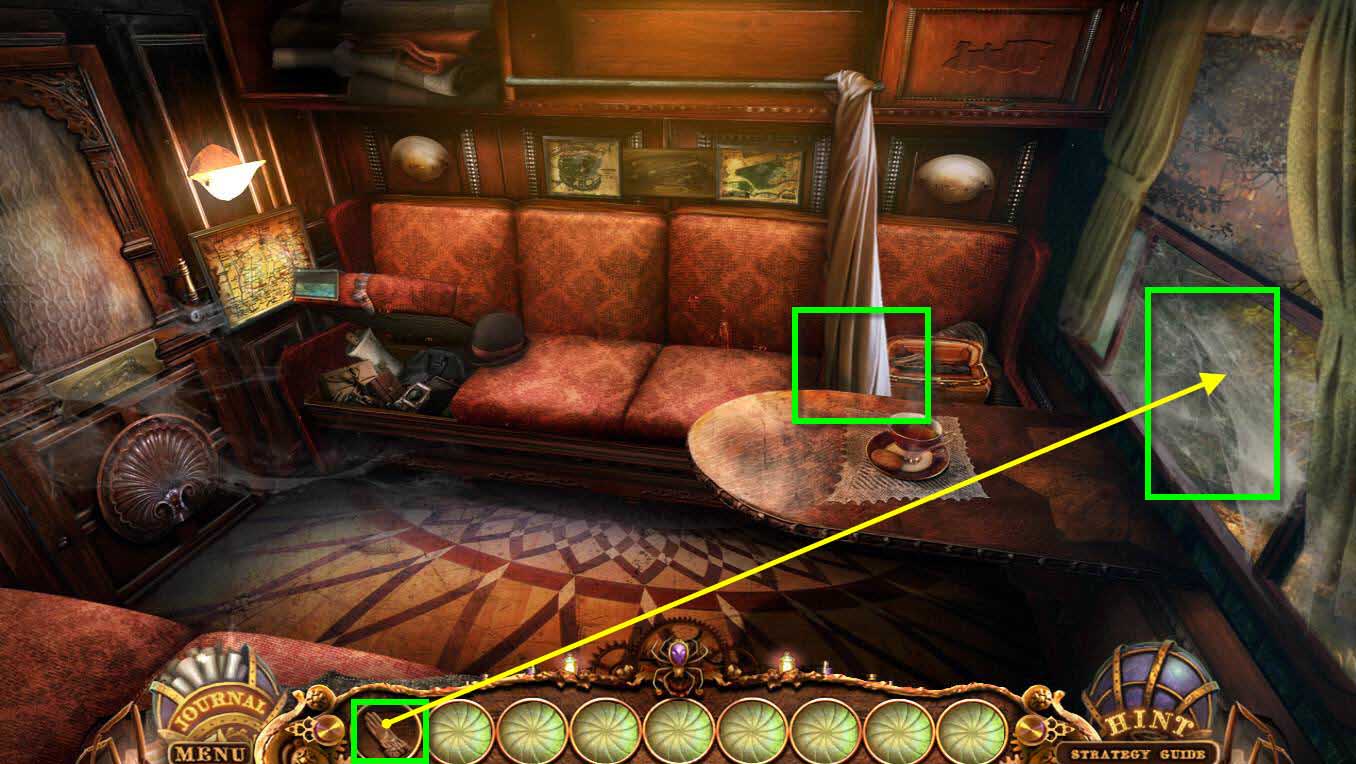
- Click on the window to zoom in.
- Use the GLOVES on the spiderwebs at the window.
- You will need to use them three times to remove all the webs.
- Click on the bed sheet to make it go out the window.
-
Exit the train compartment.
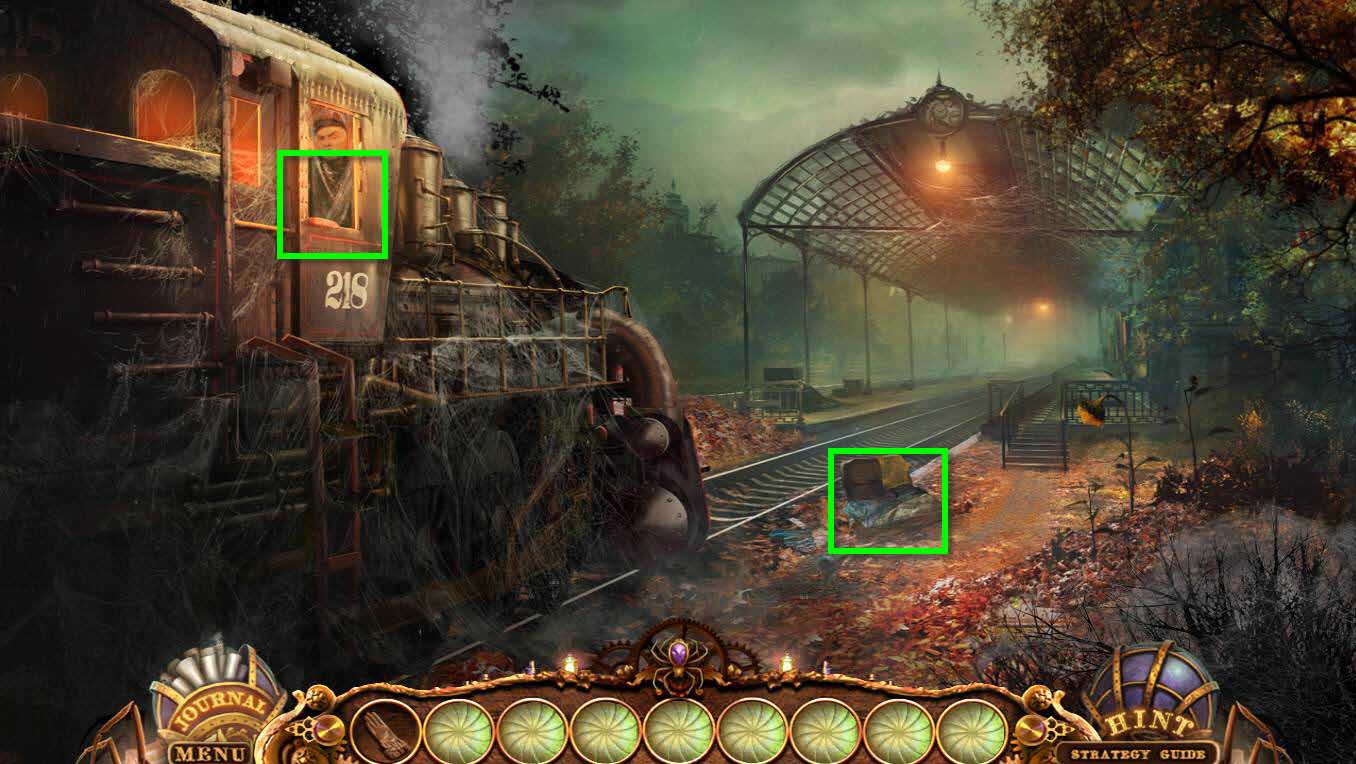
- Click on the window where the engineer is.
- Take the LEVER in the window by the engineer.
- Click on the suitcase to zoom in.
-
Take the NAIL FILE.
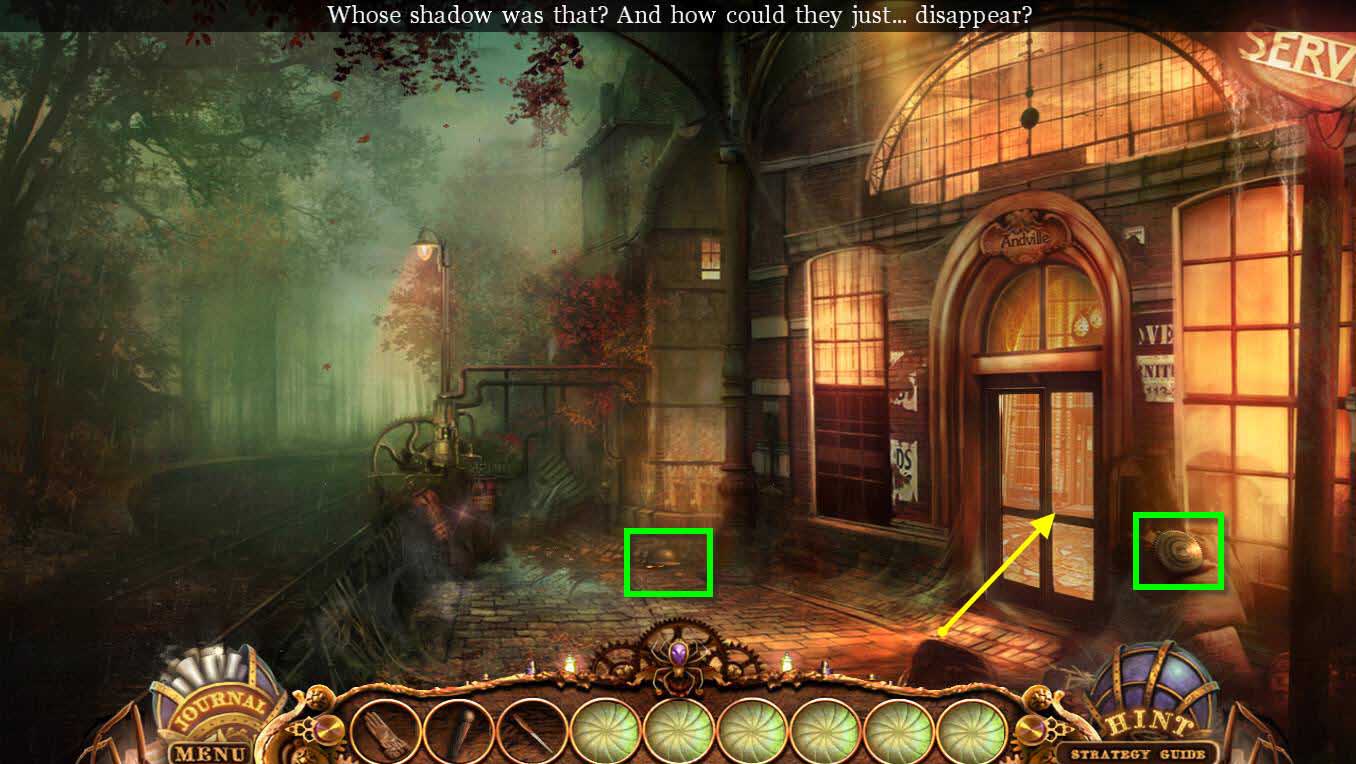
- Take the GEAR on the right.
- Click on the hat the man dropped to zoom in.
- Click to move it.
- Take the KEY #7.
- Click on the note to add it to the Journal.
-
Go inside the Andville Station.
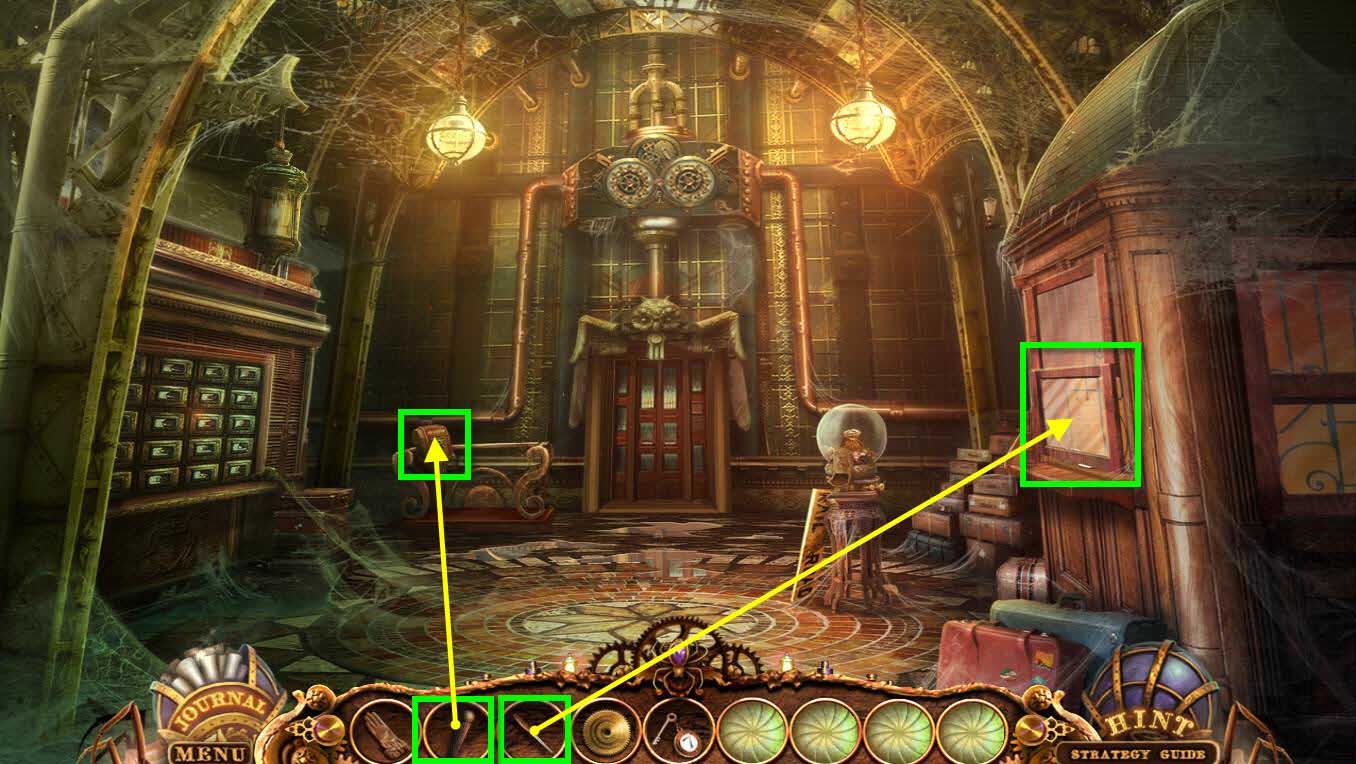
- Click on the ticket area on the right to zoom in.
- Use the NAIL FILE to unlock the window.
- Click to open the window.
- Take the COIN and read the notebook.
- Click on the machine on the left to zoom in.
- Use the LEVER on the machine.
-
Click on the lever to turn it on and raise the platform.
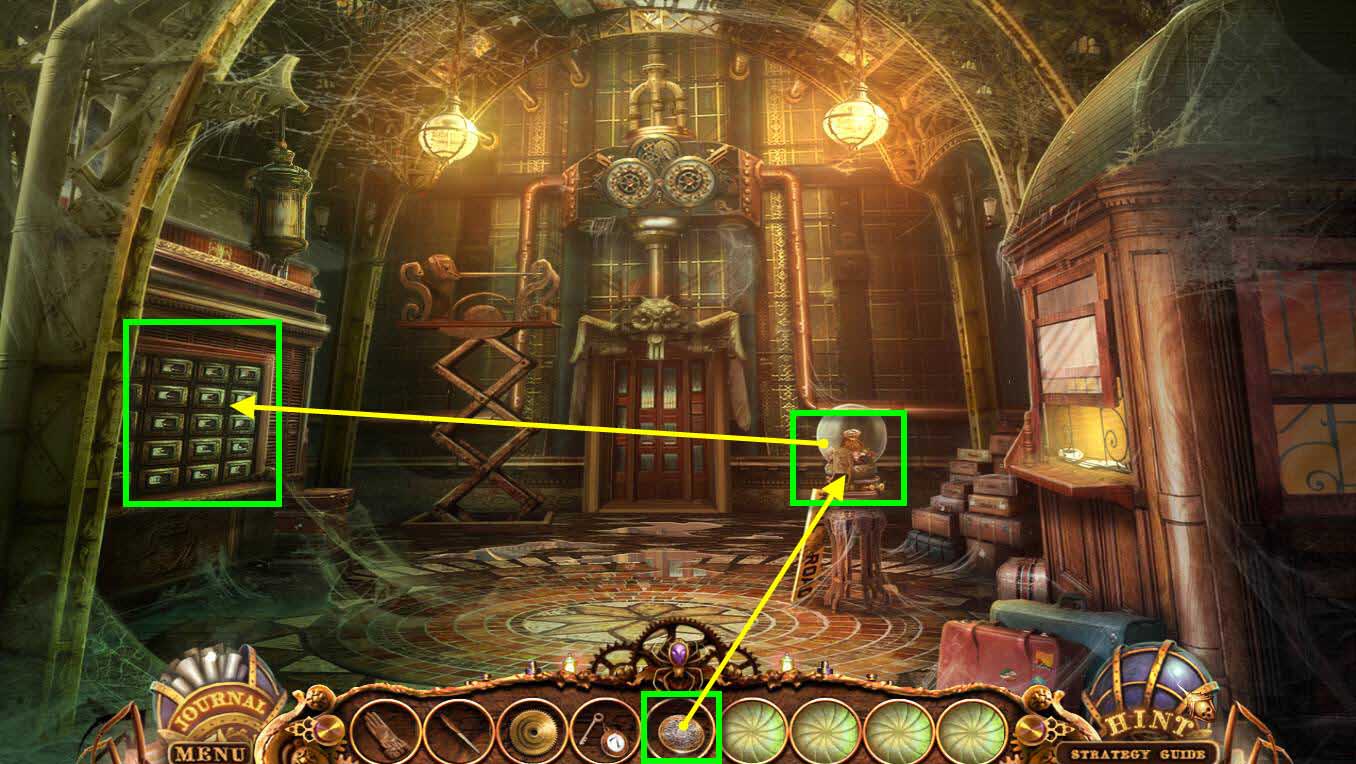
- Click on the gumball machine to zoom in.
- Use the COIN on the gumball machine.
- Take the POUCH WITH TAGS.
- Click on the wall with the mailboxes to zoom in.
- Use the POUCH WITH TAGS on the mailboxes.
-
This will start a mini-game.
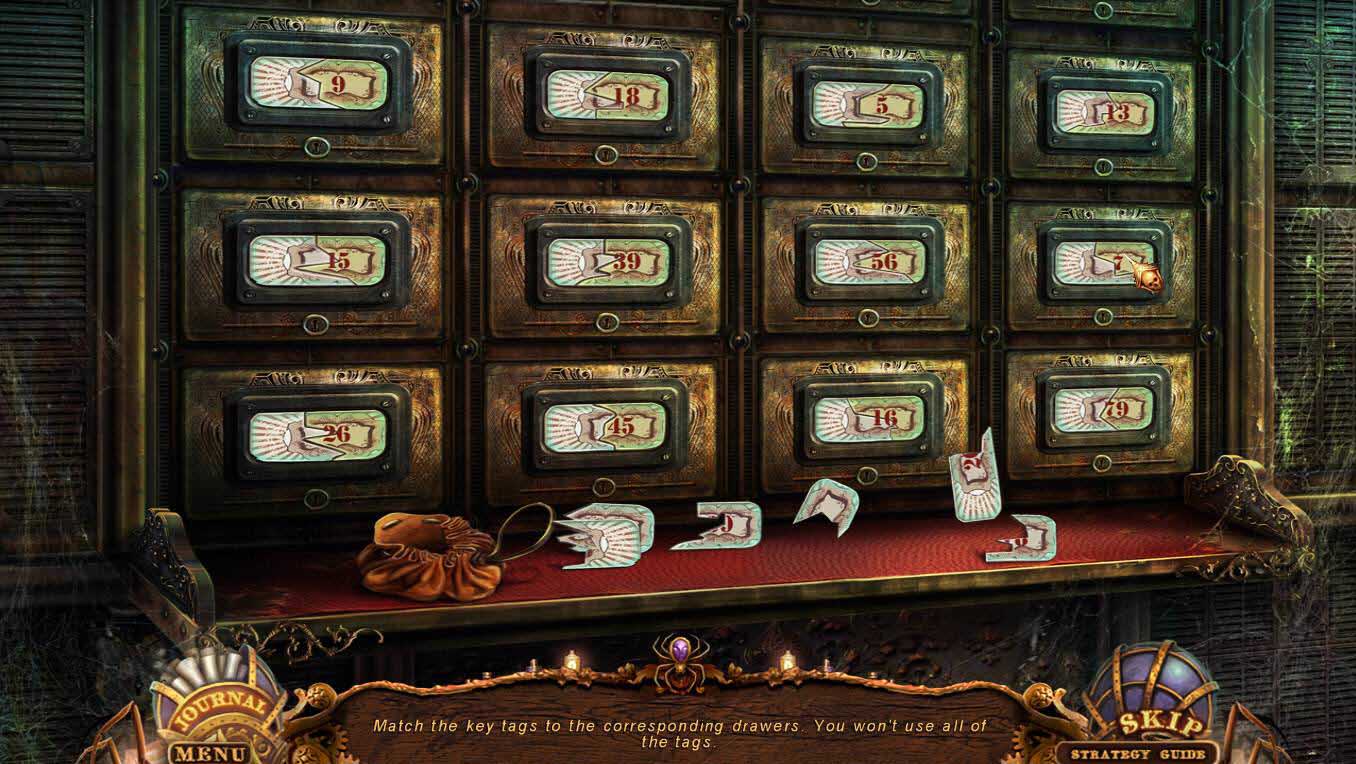
- The goal of the mini-game is to put all the tags back in the right place.
- Not all the tags will be used.
- Just pick up a tag and hover it over the the mailbox. If it fits, it will snap into place.
-
See the screenshot for the solution.
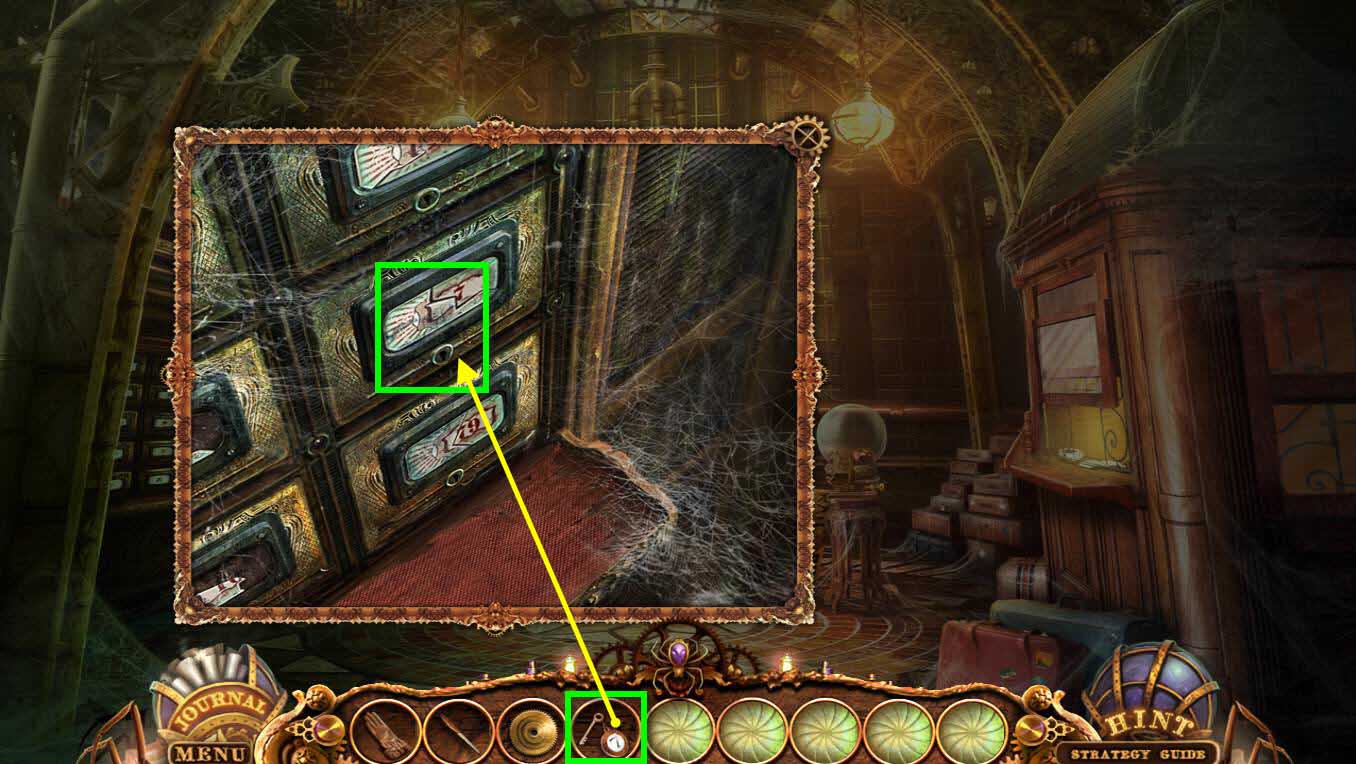
- Use KEY # 7 on mailbox 7.
- Click twice to open it.
- Click on the note to read it.
-
Take the BUTTON 12.
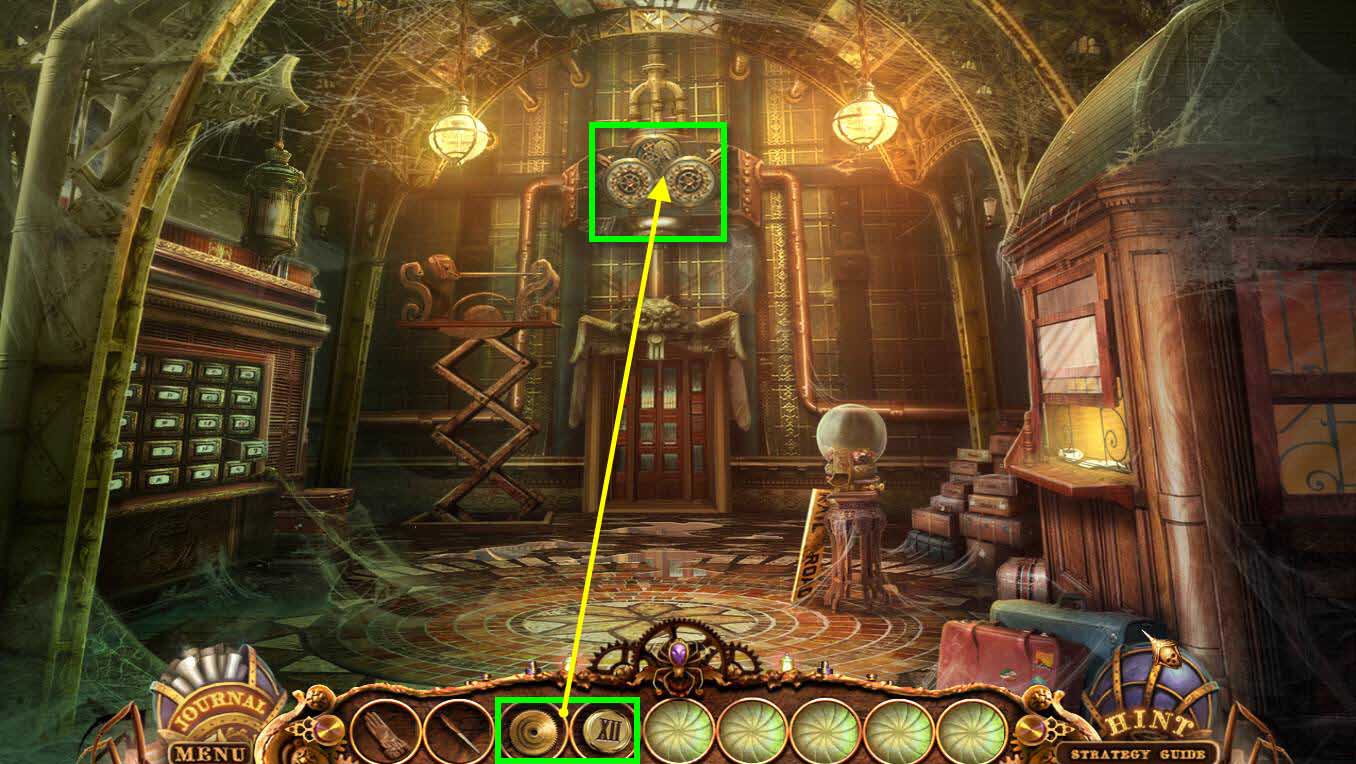
- Click on the clocks above the door to zoom in.
- Use the GEAR and BUTTON 12 on the clocks.
-
This will start a mini-game.
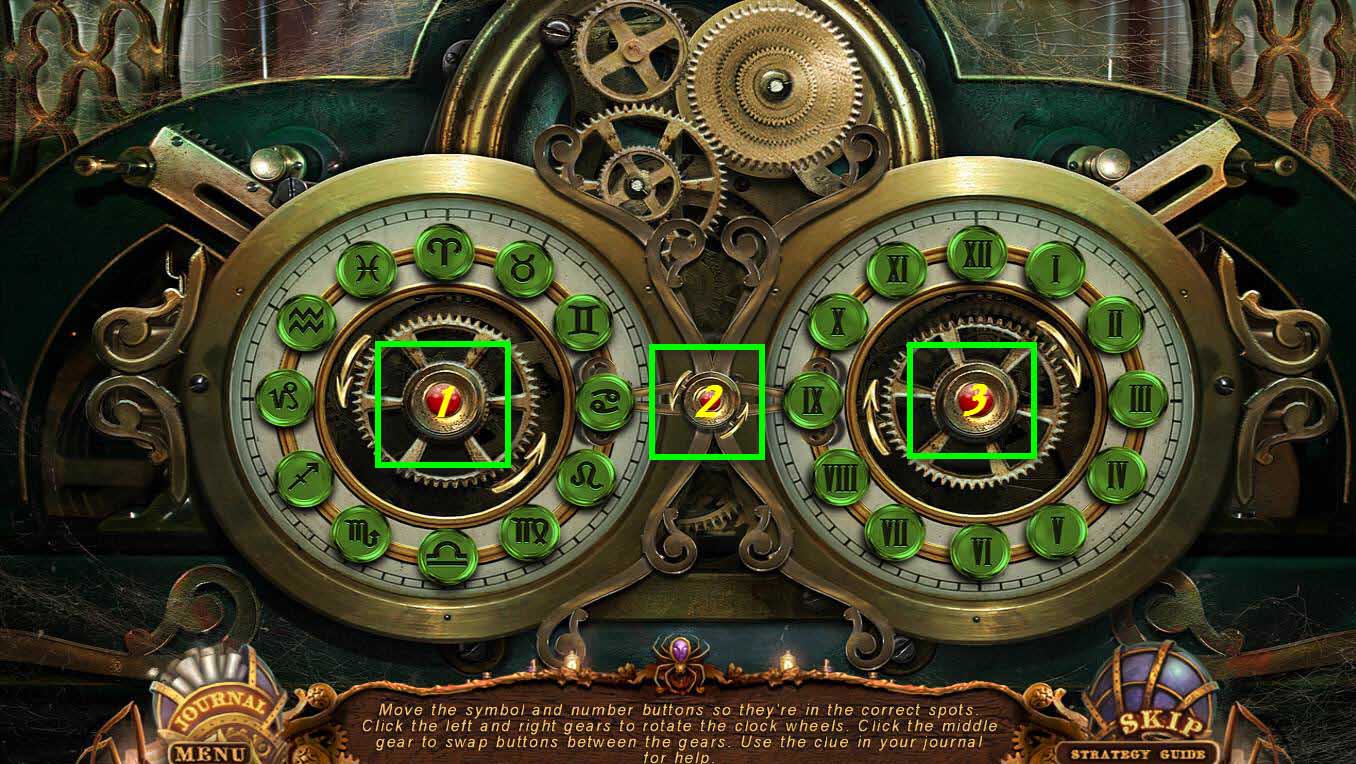
- The goal of this game is the get all the symbols on the left clock and all the roman numerals on the right clock.
- The left button labeled 1 moves the symbols on the left clock.
- The right button labeled 3 moves the symbols on the right clock.
- The middle button labeled 2 switches the 2 symbols between the left and right clocks.
- The solution is as follows: 3 - 4 times, 1 - 5 times, 2 - 1 time, 3 - 2 times, 1 - 5 times, 2 - 1 time, 3 - 2 times, 1 - 10 times, 2 - 1 time, 3 - 3 times, 1 - 4 times, 2 - 1 time, 3 - 1 time.
-
Go through the now open doors.
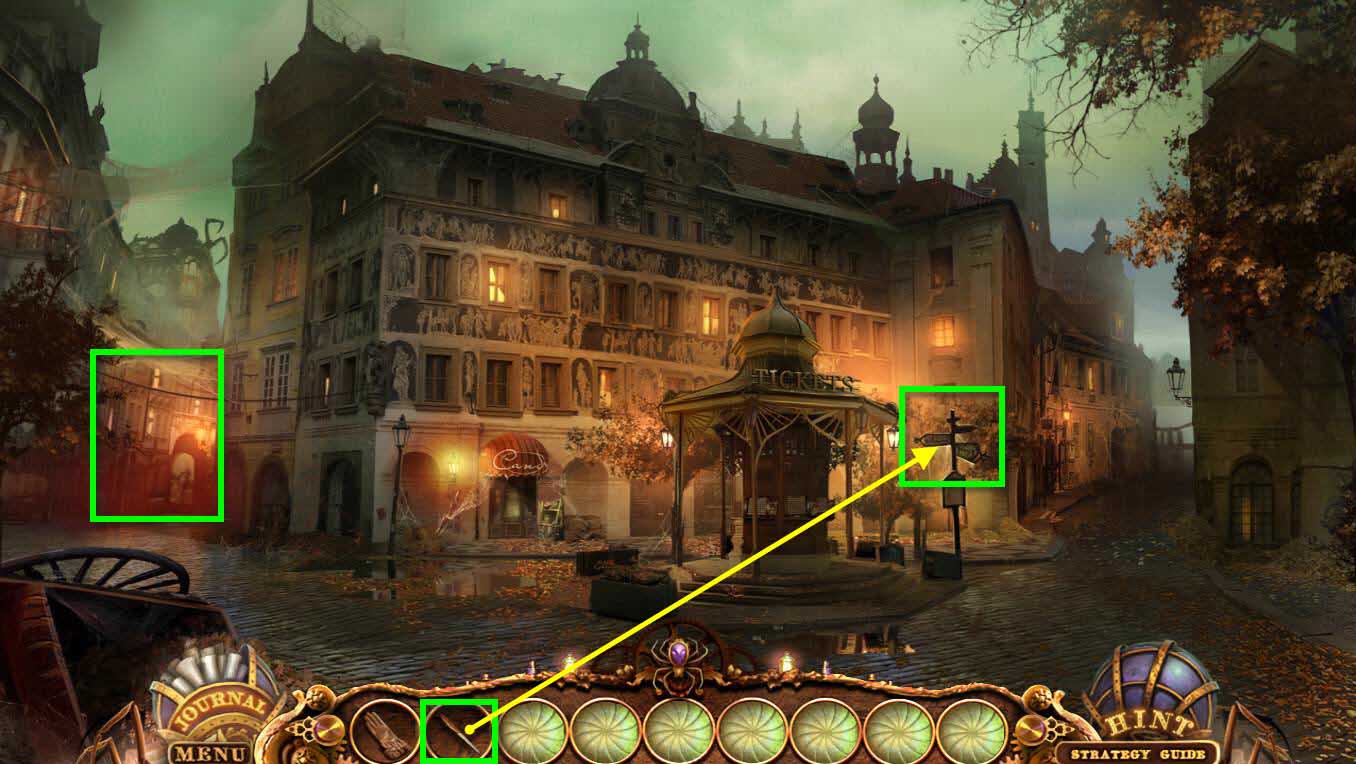
- Attempt to go to the left and wires will crash down blocking your path.
- Click on the sign post to zoom in.
- Use the NAIL FILE to remove the moss.
- Get the GREEN MOSS.
-
Go to the right.
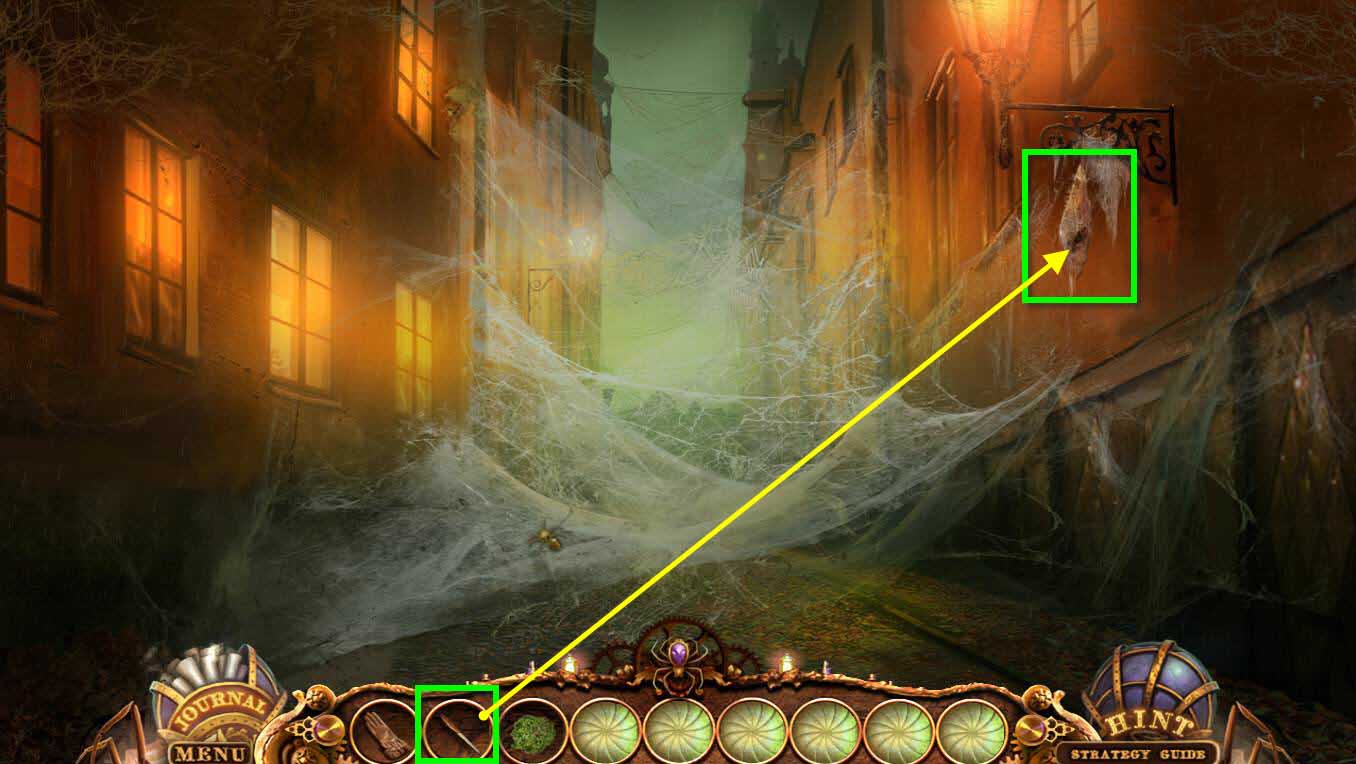
- Click on the hanging cocoon on the right to zoom in.
- Use the NAIL FILE on the cocoon to cut it open.
- Take the SPIDER WEB and the ELECTRICAL TAPE.
-
Go back one screen.
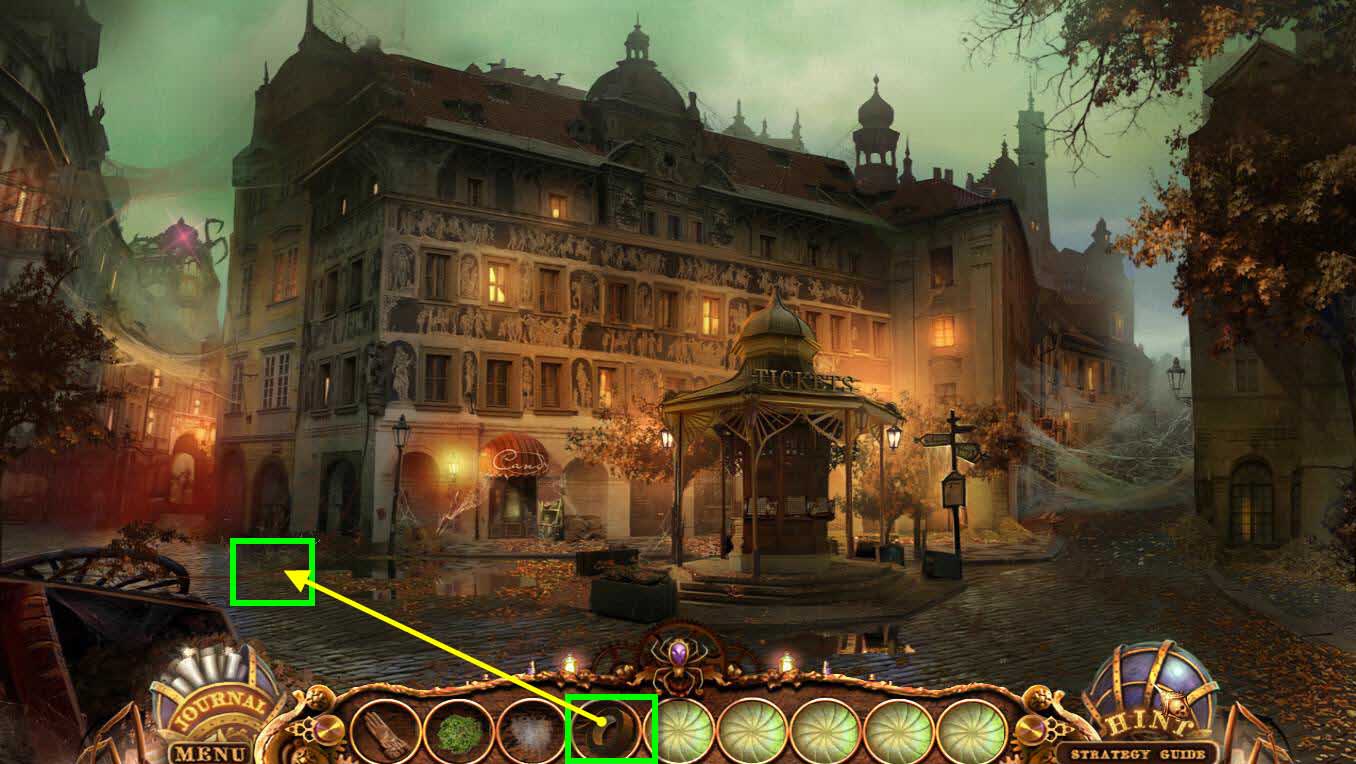
- Click on the downed wires to zoom in.
- Use the ELECTRICAL TAPE on the wires.
-
Go to the left.
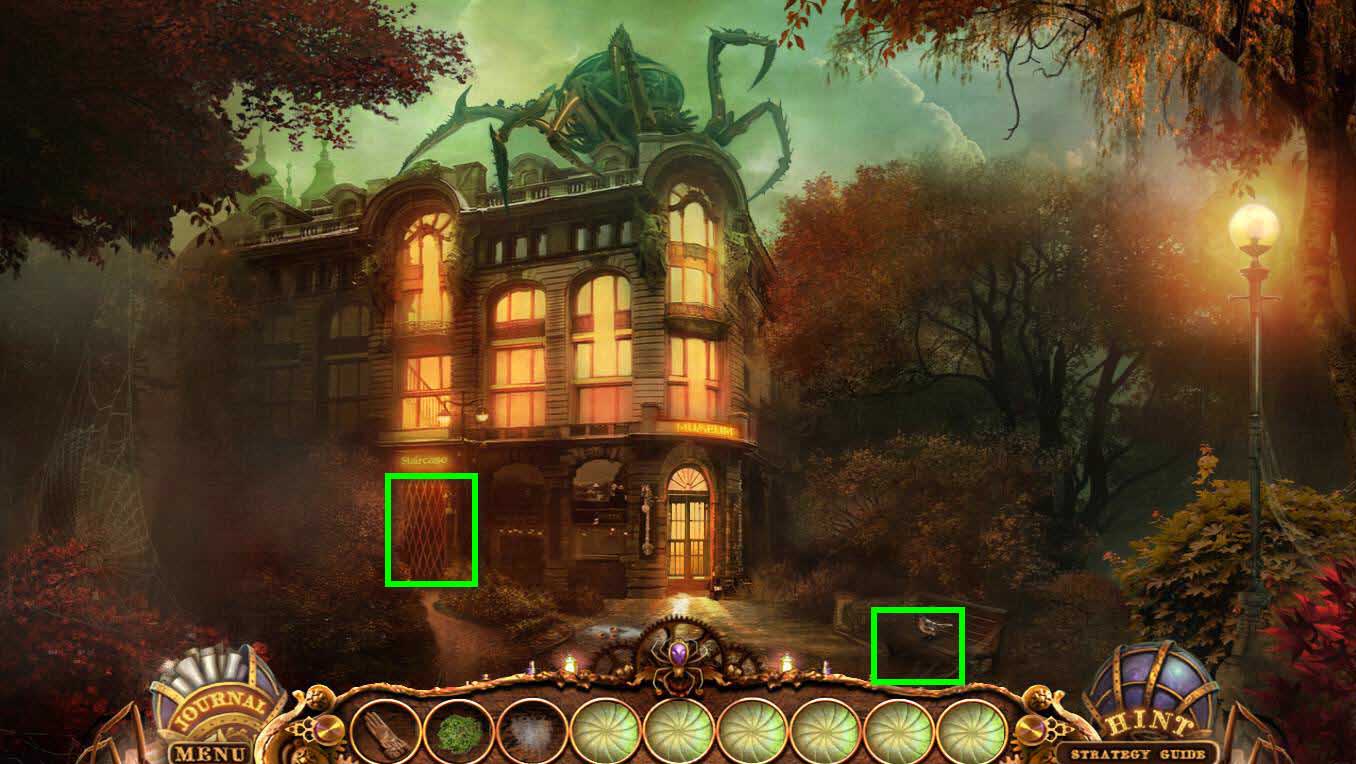
- Click on the bench on the right to zoom in.
- Take the TOY SPIDER on the ground under the bench.
- Click on the door on the right where it says staircase.
- Click on the ripped poster to zoom in.
- Click on the rip in the poster to move it.
- Take the TOY ANT.
- Enter the Museum.
Comments will load when you reach this part of the walkthrough.