
How to Read 3D Jumps and Landings
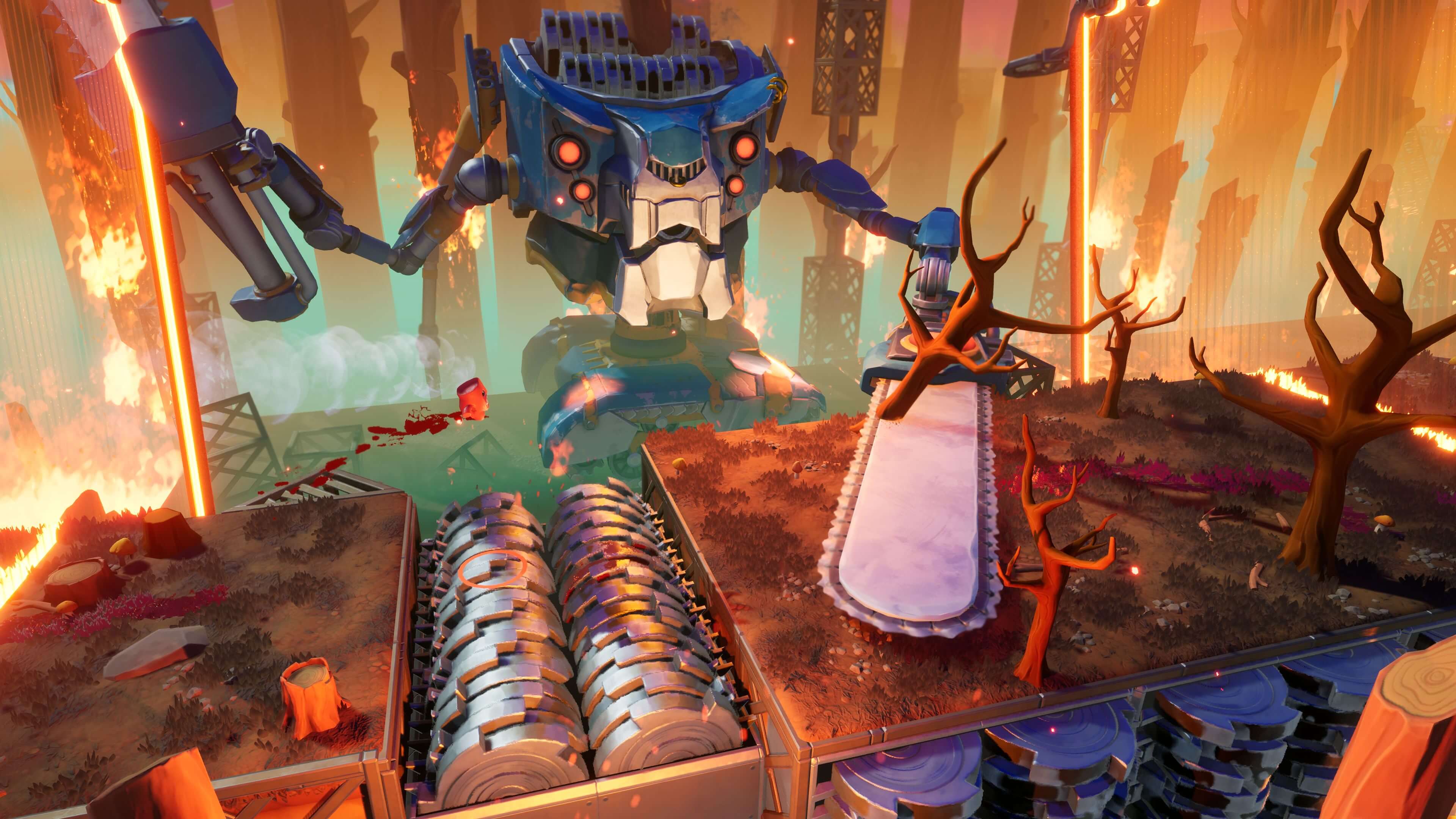
You know the miss: the platform looks free, you send it, and Super Meat Boy 3D drops you into space like the floor filed a complaint. That usually is not a pure timing problem. It is a depth-read problem. The game gives you a ground circle, the marker under Meat Boy that helps show where you are lining up, plus a line down toward the floor. Start with those cues, then read the front edge of the platform, and only then check Meat Boy himself. His tiny red body can feel easy to lose track of when the scene gets busy.
Once this clicks, rooms stop feeling random and start feeling routeable. You are not just surviving ugly little death loops anymore. You are building a clean line, one exact landing at a time.
Use a three-part check before every real jump
- Check the takeoff edge, meaning the lip where you leave the platform. On longer jumps, walk Meat Boy up until the ground circle is close to that lip, then jump from a clean run instead of a sloppy deep start.
- Check the top face of the landing, not the wall. In 3D, the side of a platform can look close even when the flat surface you need is still farther away.
- Check the landing zone. For safer clears, aim the ground circle at the middle or back half of the platform. Front-edge landings are real, but they give the camera less room to be helpful.
How to read distance and height without guessing
Treat higher landings like they need more space, and lower landings like they need less. That simple rule is not fancy, but it keeps you honest. When a platform sits above you, give yourself more runway and do not clip the jump early. When it drops away, do not panic from too far back. Walk up, make sure you can see the top surface, and take the clean forward jump.
If the camera hides the landing, fix the angle before you retry at full speed. Move a step left or right until you can see the far lip of the target platform. That tiny correction is often worth more than five angry retries. Tip: if you die twice on the same jump, do one slow scouting attempt where your only goal is to watch where the ground circle would land. Treat it like a measuring throw, not a clear attempt.
Beginner line first, fast line second
- Take straight jumps before diagonal cuts. The game uses eight-direction movement by default, so clean lines are easier to read than improvised angle cuts.
- Land centered before you learn corner catches, meaning barely clipping the safe edge. Centered landings teach the real spacing. Corner catches are cleanup tech for later.
- Only switch to the faster line after you hit the safer line three times in a row. If you cannot repeat it, you do not own it yet.
For screenshot callouts, mark three things: the last safe step before takeoff, the center of the landing platform, and the far lip you want on screen. Those are the 3D cues that matter. If you train your eyes on those instead of on Meat Boy getting lost in the chaos, your jumps will start looking boring. In Super Meat Boy 3D, boring is perfect.
Comments will load when you reach this part of the walkthrough.