

Chapter 4: The Park
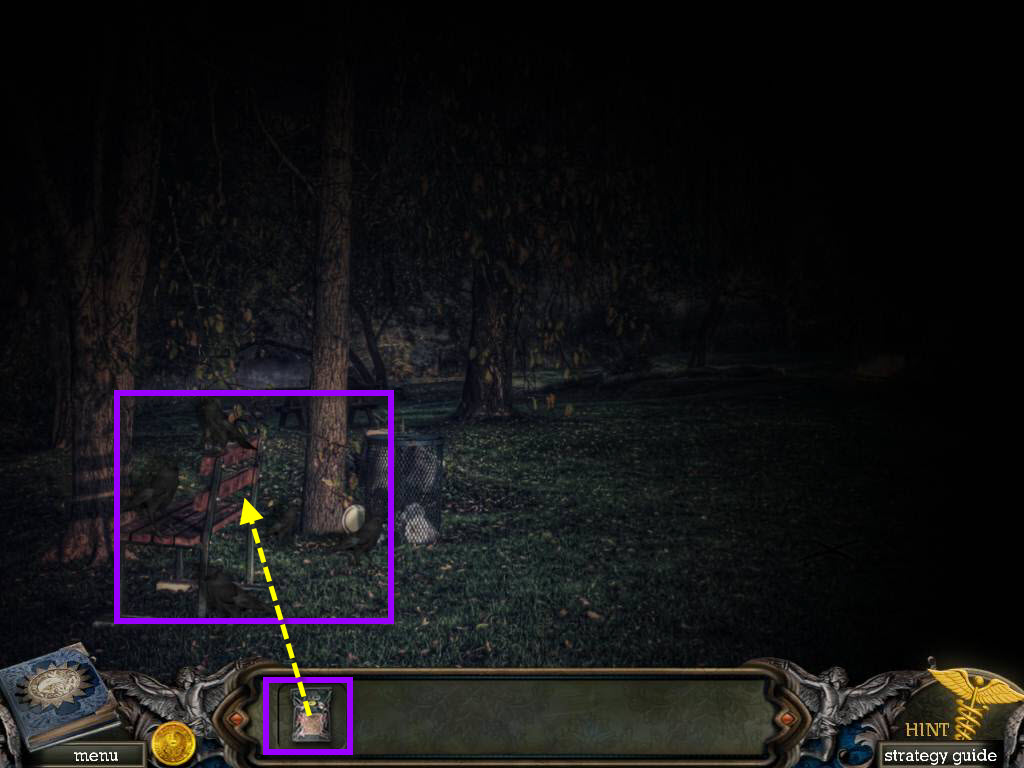
- Use the LANTERN (LIT) on the scene.
- Use the BIRD SEED on the birds.
- Click on the bench to start a hidden object scene.
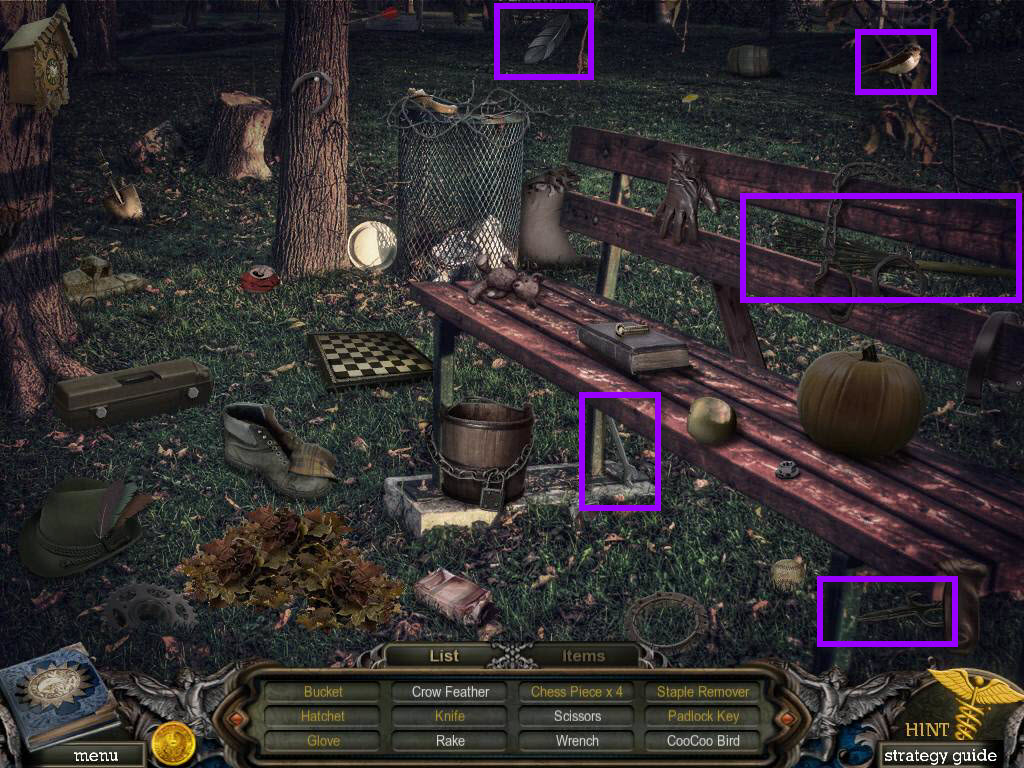
- First find all the items in the scene that are in white.
- Click on the items tab at the bottom to open it.
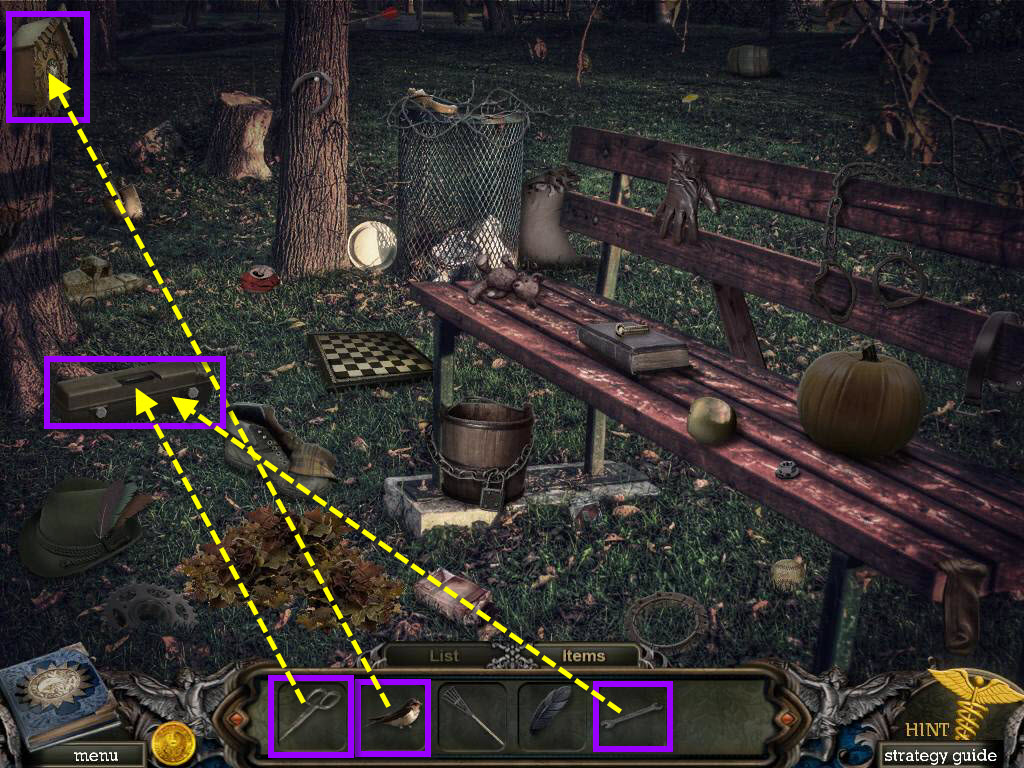
- Use the CUCKOO BIRD on the clock.
- Take the STAPLE REMOVER.
- Click on the toolbox to zoom in.
- Use the WRENCH on the bolts to remove them.
- Open the toolbox.
- Use the SCISSORS on the item that's wrapped.
- Take the KNIFE.
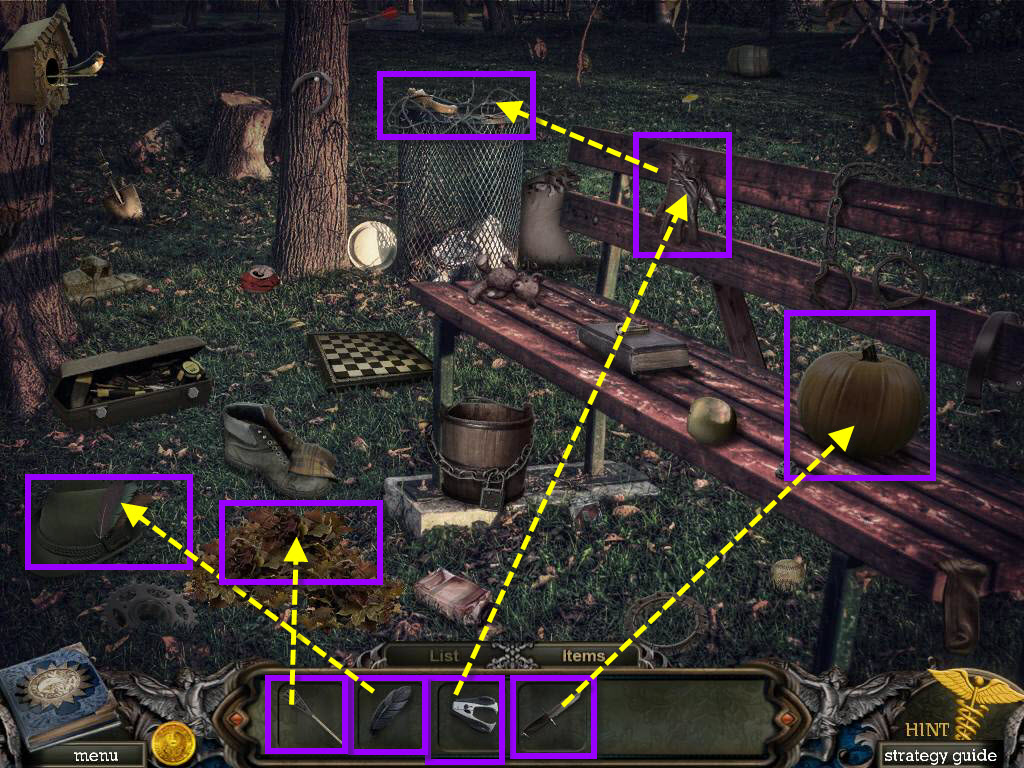
- Use the KNIFE on the pumpkin.
- Take the CHESS PIECE.
- Click on the glove to zoom in.
- Use the STAPLE REMOVER to take out the staples.
- Take the GLOVE.
- Use the GLOVE on the barbed wire.
- Take the CHESS PIECE.
- Use the CROW FEATHER on the hat.
- Take the CHESS PIECE.
- Use the RAKE on the leaves.
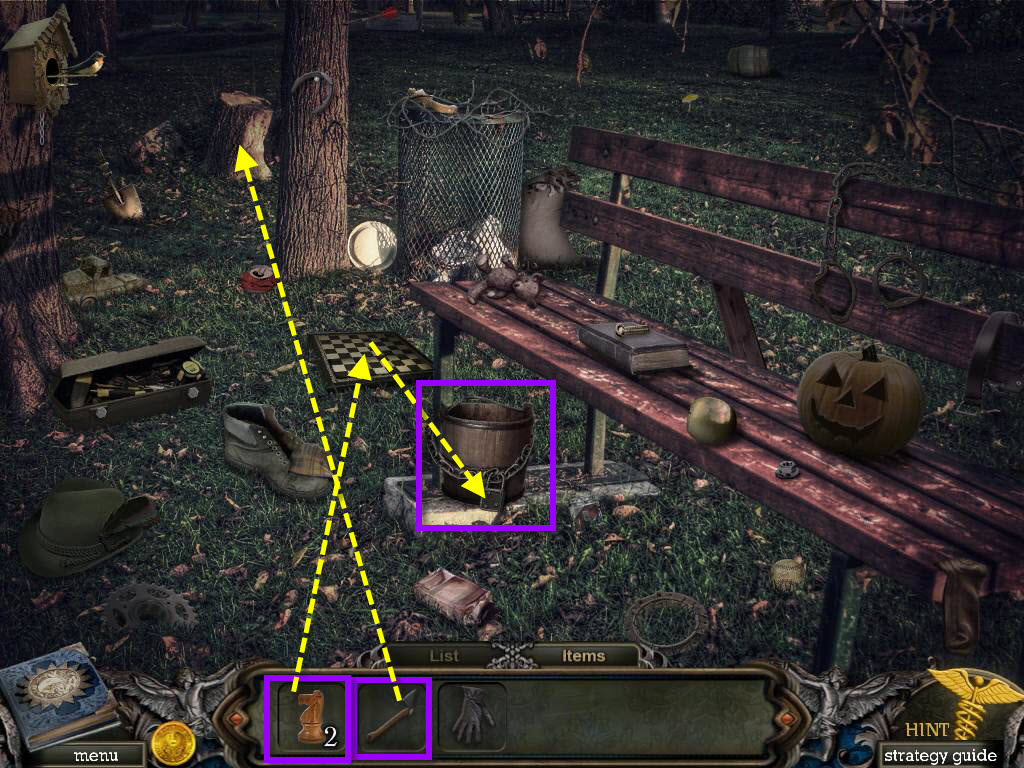
- Take the HATCHET.
- Use the HATCHET on the stump.
- Take the CHESS PIECE.
- Use the CHESS PIECES on the chessboard.
- Take the KEY.
- Use the KEY on the padlock on the bucket.
- Take the BUCKET.
- Go toward to bridge.
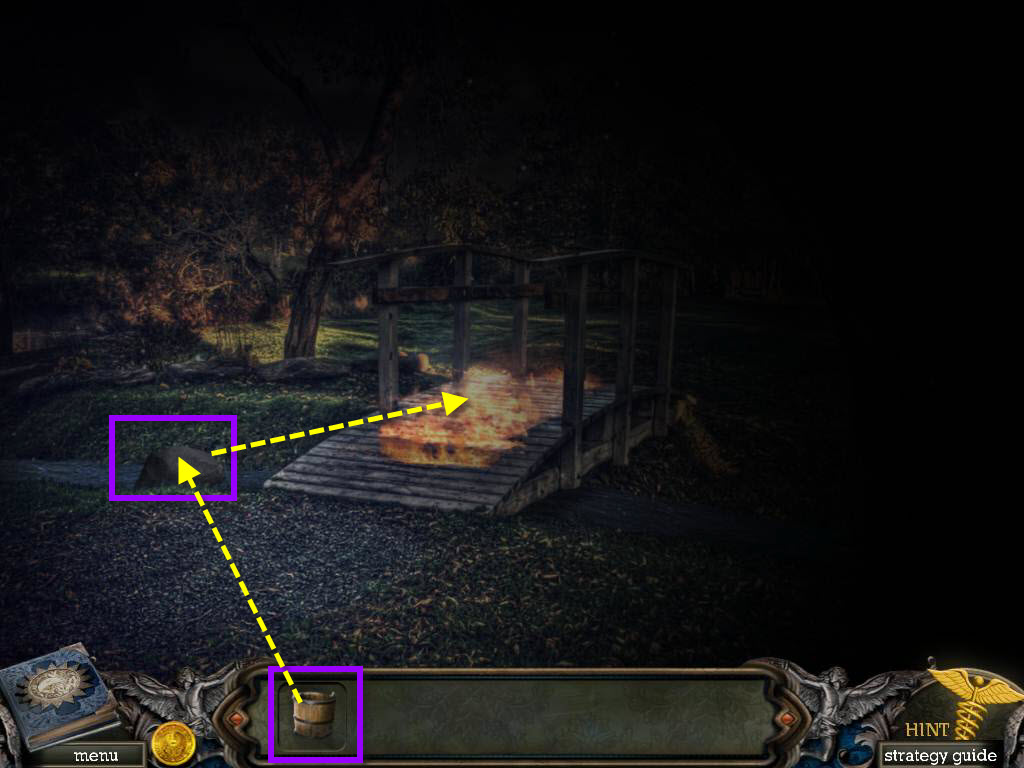
- Click on the rock on the left to zoom in.
- Use the BUCKET on the water and get the BUCKET OF WATER.
- Use the BUCKET OF WATER on the fire to put it out.
- Go over the bridge.
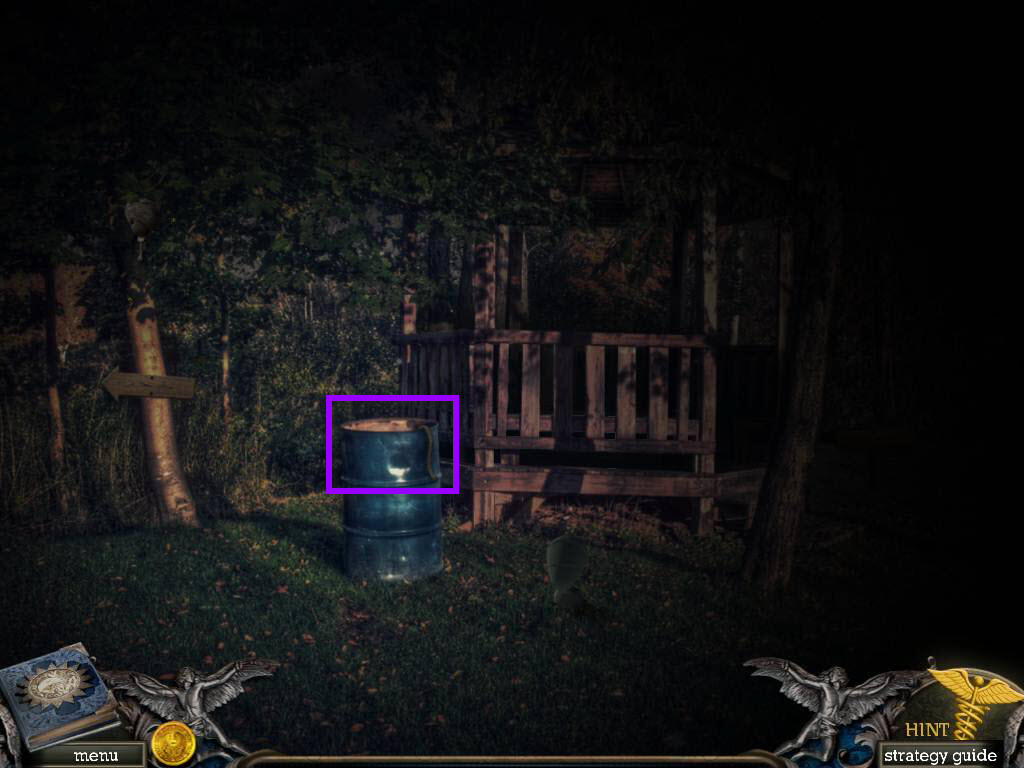
- Click on the barrel to zoom in.
- Take the LASSO.
- Go to the left.
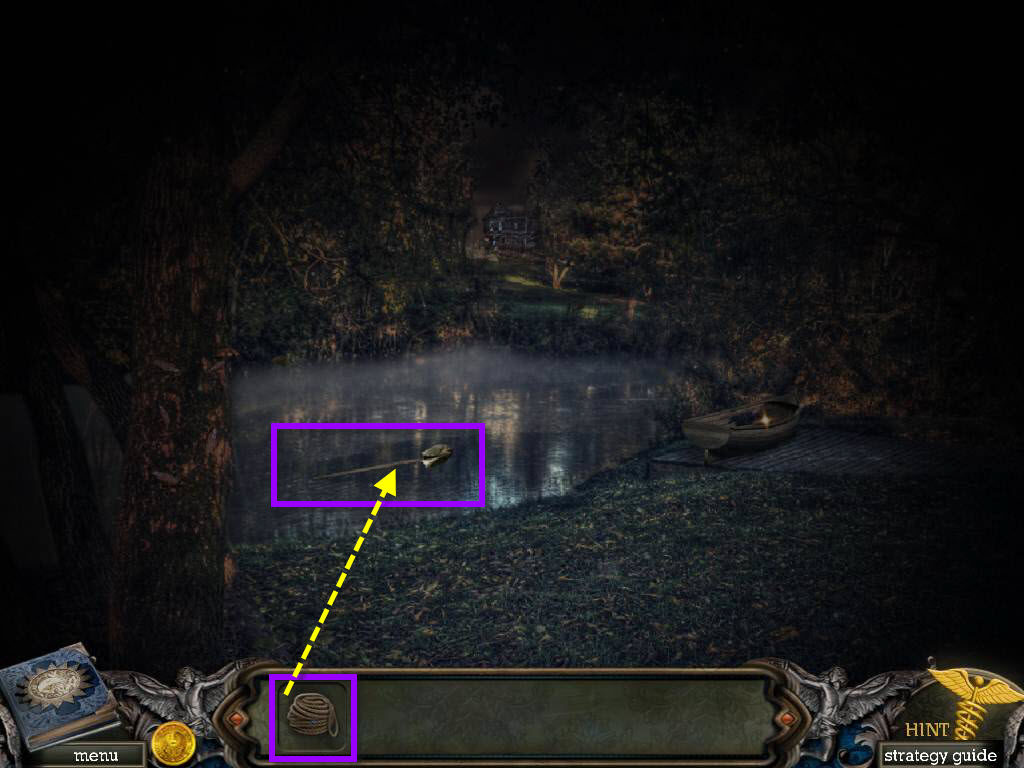
- Click on the shovel to zoom in.
- Use the LASSO on the shovel to get the SHOVEL.
- Go back three screens.
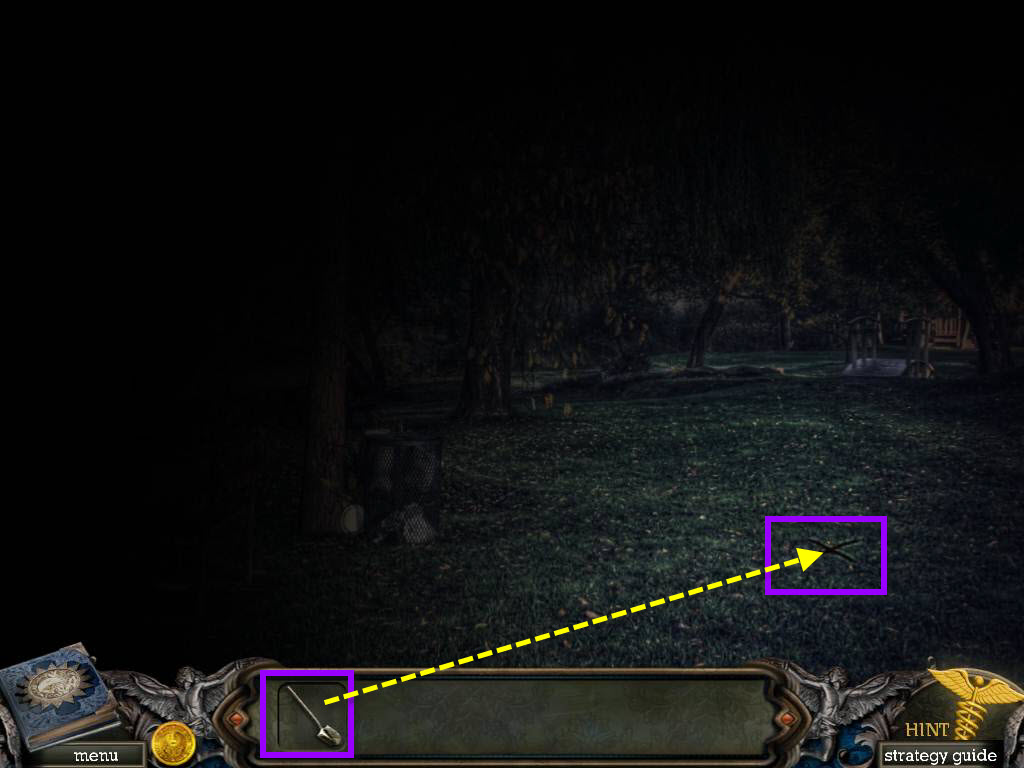
- Click on the X on the ground on the right.
- Use the SHOVEL to dig several times.
- Take the GLASS JAR.
- Go back to the bridge in the park.
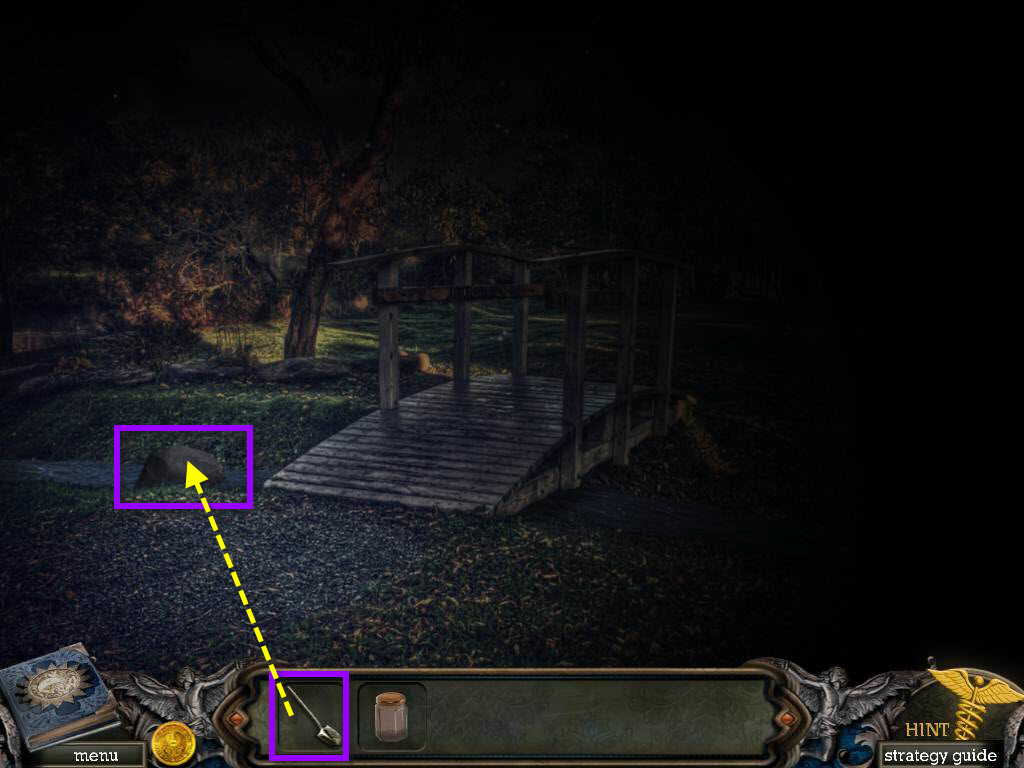
- Click on the rock on the left that's in the creek to zoom in.
- Use the SHOVEL on the rock.
- Take the BOAT PIECE.
- Go forward once and then go left.
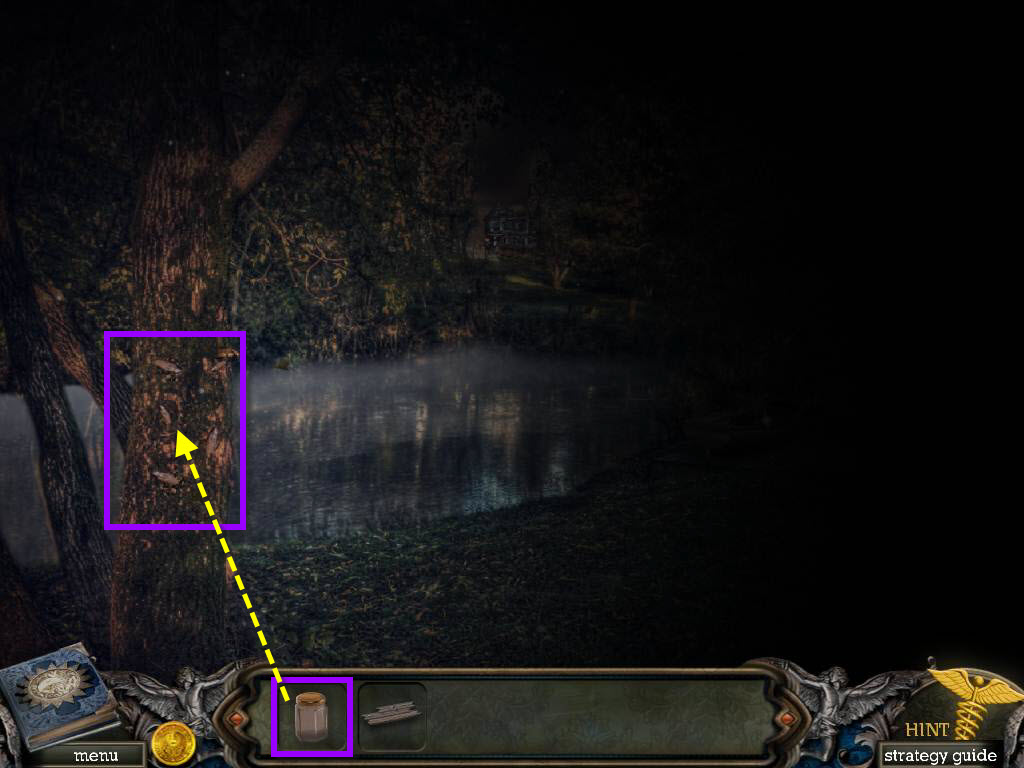
- Click on the tree on the left of the screen to zoom in.
- Use the GLASS JAR to get JAR OF INSECTS.
- Go back two screens.
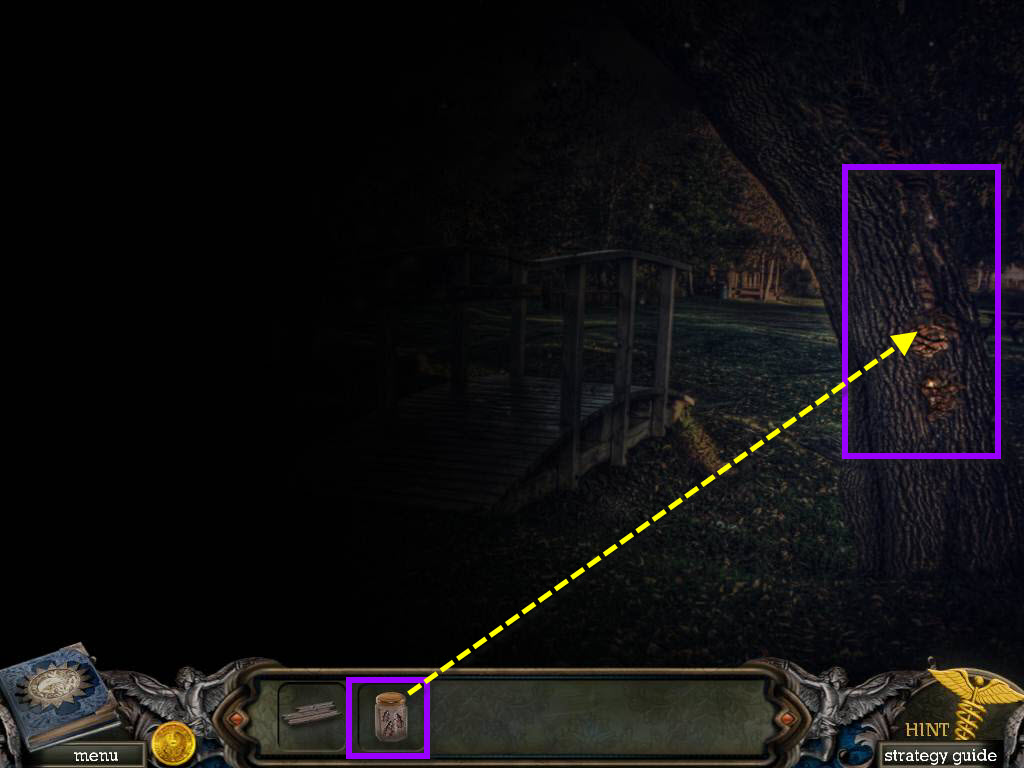
- Click on the tree on the right.
- Use the JAR OF INSECTS on the tree.
- Take the JAR.
- Use the JAR on the tree to get TREE SAP.
- Go forward one screen.
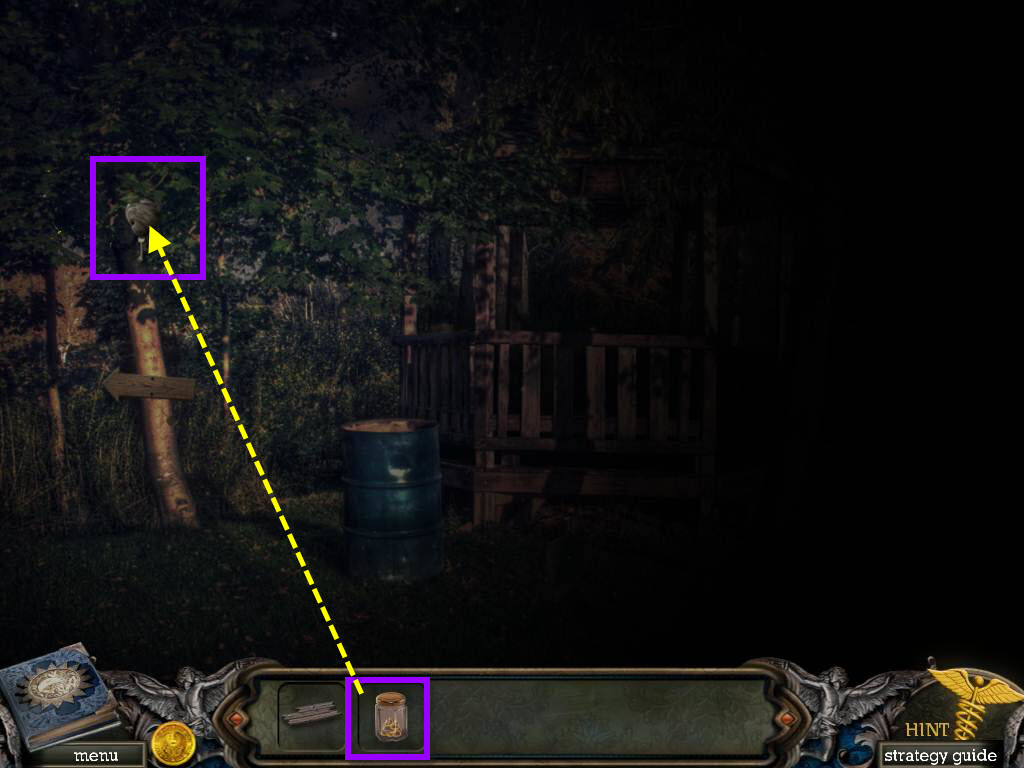
- Click on the beehive.
- Use the JAR OF SAP on the tree.
- Take the GLASS BREAKER.
- Go to the right.
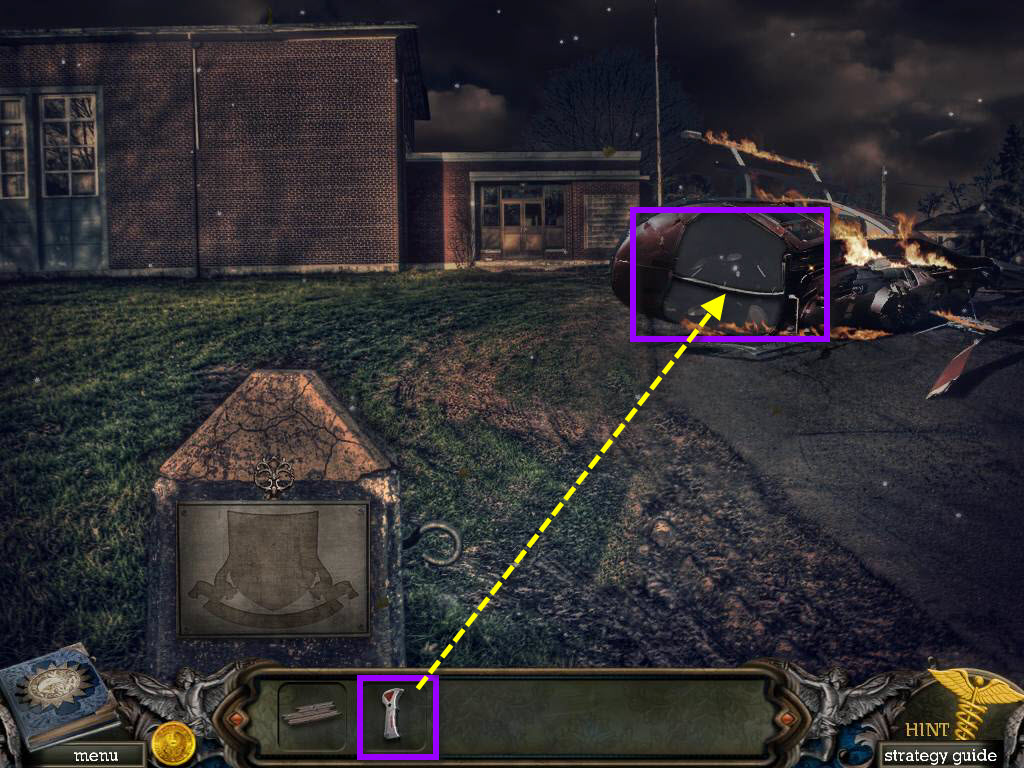
- Click on the helicopter to zoom in.
- Use the GLASS BREAKER to break the window.
- Take the FLOODLIGHT.
- Go down one screen.
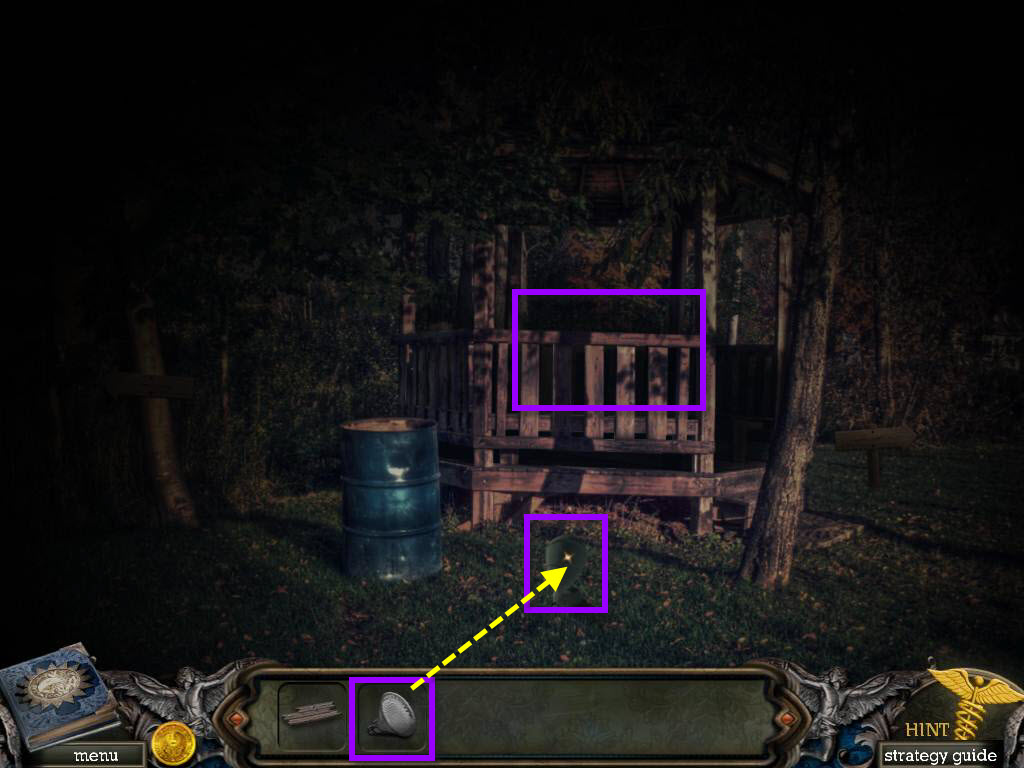
- Use the FLOODLIGHT on the area.
- Click on the gazebo to start a hidden object scene.
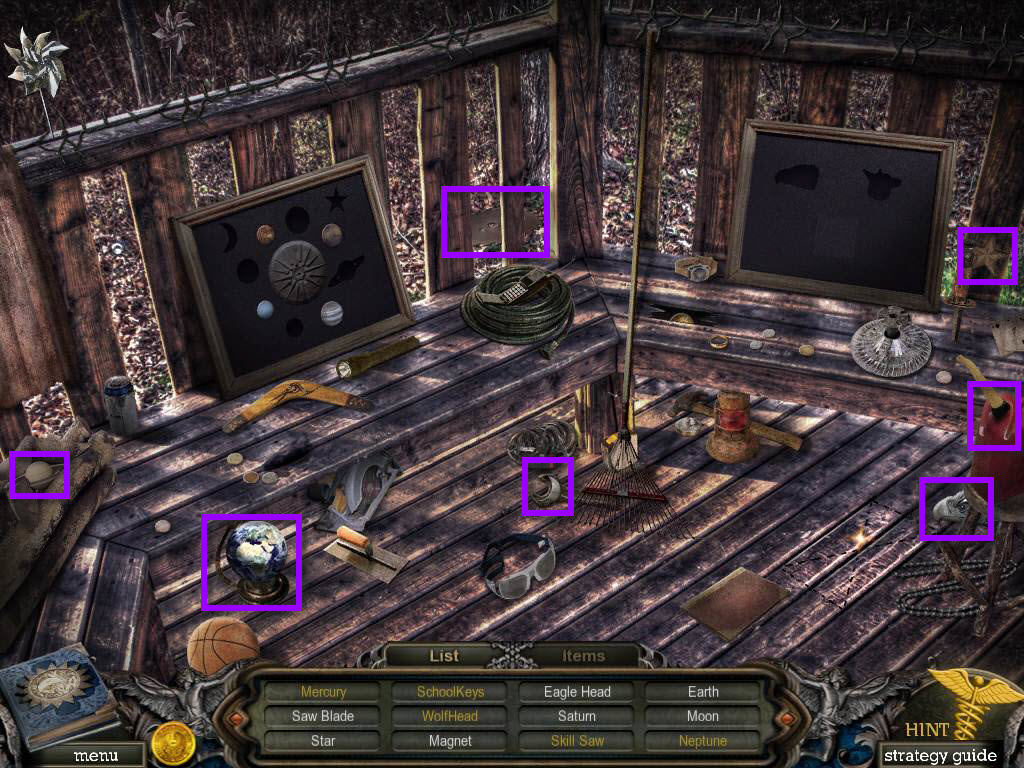
- First find all the items in the scene that are in white.
- Click on the items tab at the bottom to open it.
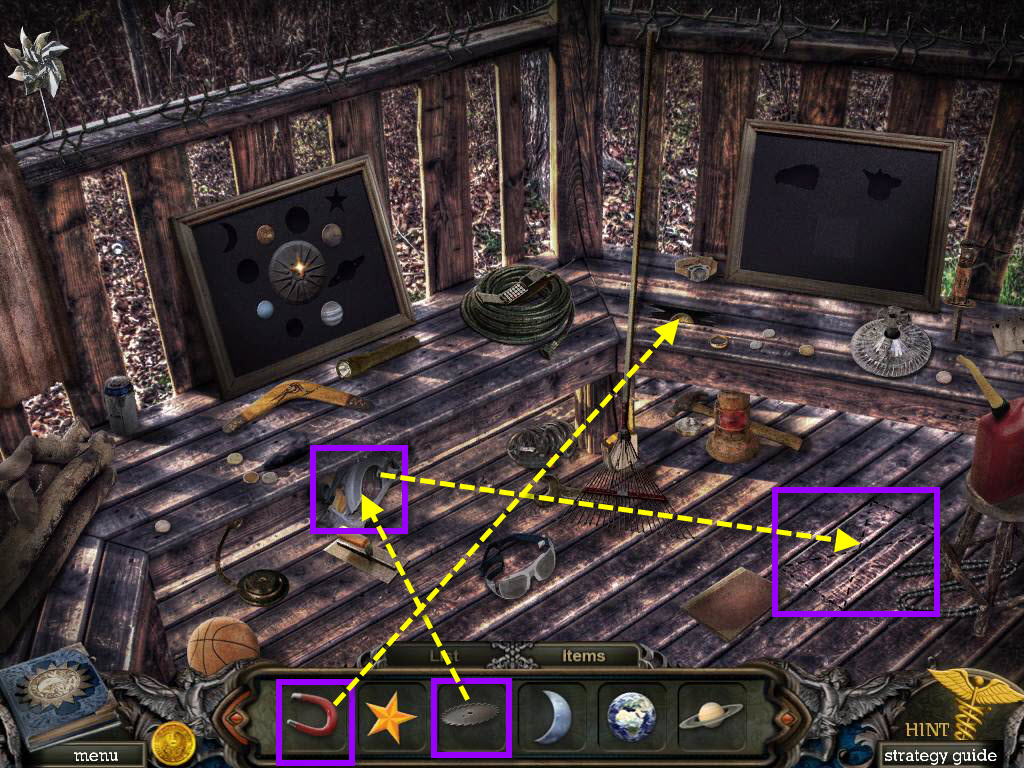
- Use the SAW BLADE on the saw.
- Take the SKILL SAW.
- Click on the markings on the floor.
- Use the SKILL SAW.
- Take the WOLF HEAD.
- Use the MAGNET on the hole in the floor.
- Take MERCURY.
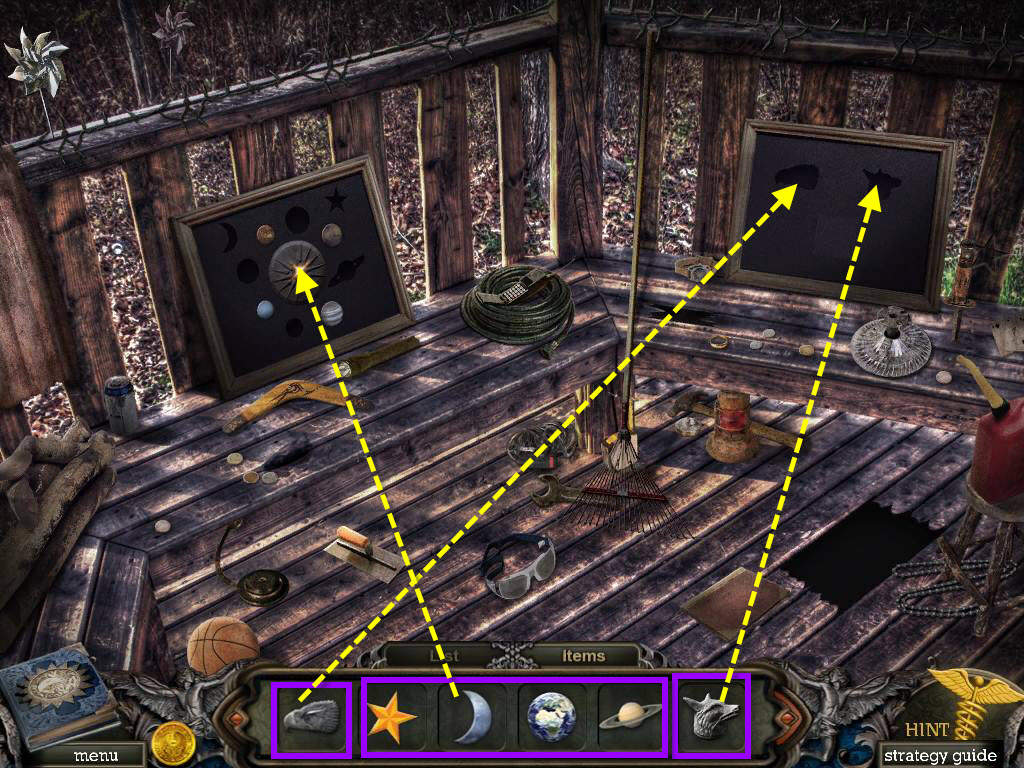
- Click on the frame on the right.
- Use the WOLF HEAD and the EAGLE HEAD.
- Take NEPTUNE.
- Click on the frame on the left.
- Use EARTH, NEPTUNE, SATURN, MERCURY, MOON and STAR.
- Click on the emblem in the middle to move it.
- Take the SCHOOL KEY.
- Go to the right.
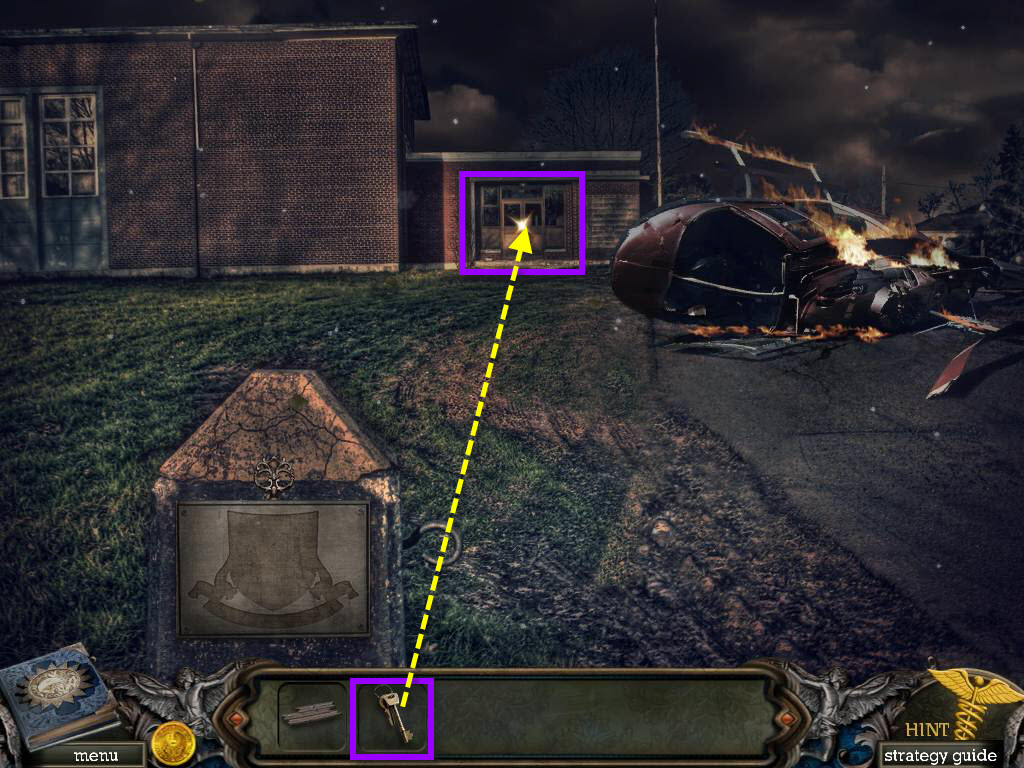
- Click on the door of the school.
- Use the SCHOOL KEY to unlock the door.
- Go into the school.
- Go through the door on the left to enter the hallway.
Comments will load when you reach this part of the walkthrough.