

Chapter 2 Enter the Observatory
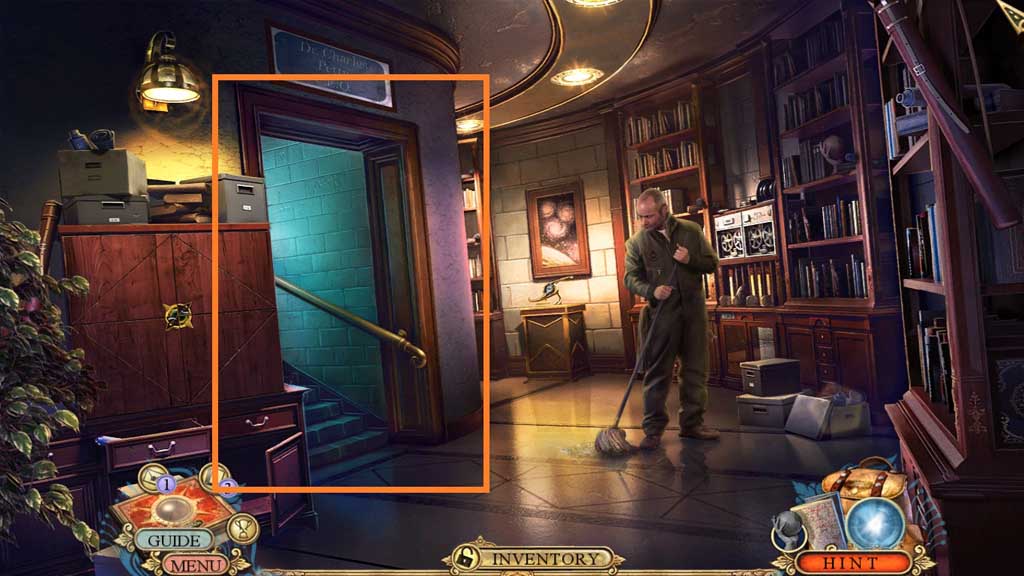
- Click the scene.
- Enter the Office.
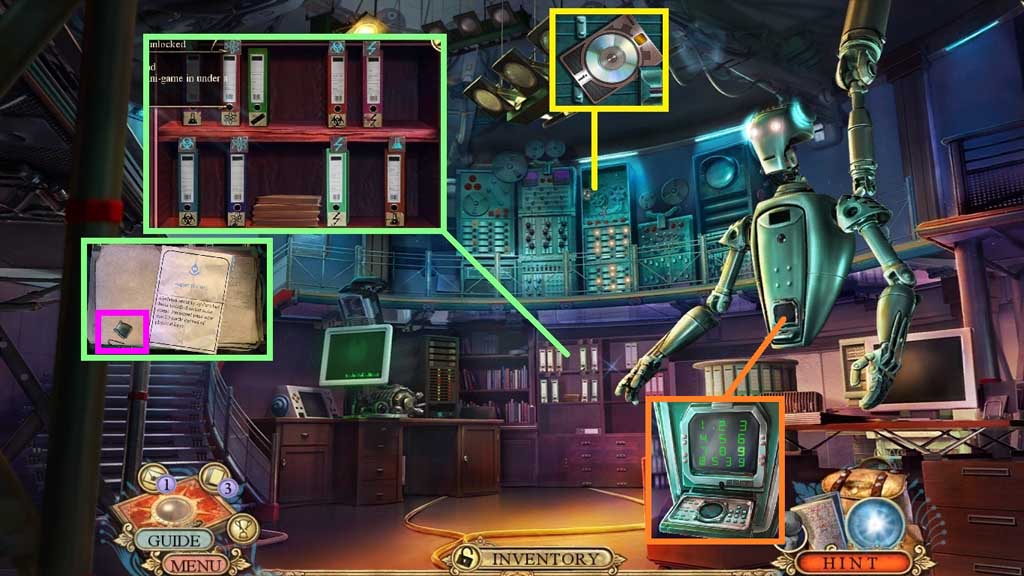
- Zoom into the bookcase; attach the atom plaque to trigger a mini game.
- Solve the game by aligning the symbols correctly.
- Click the book and note; collect the belt buckle part.
- Collect 4/ 20 fact cards.
- Place the decoded message into the robots hand; enter 8539 and collect the encrypted key.
- Move down once.
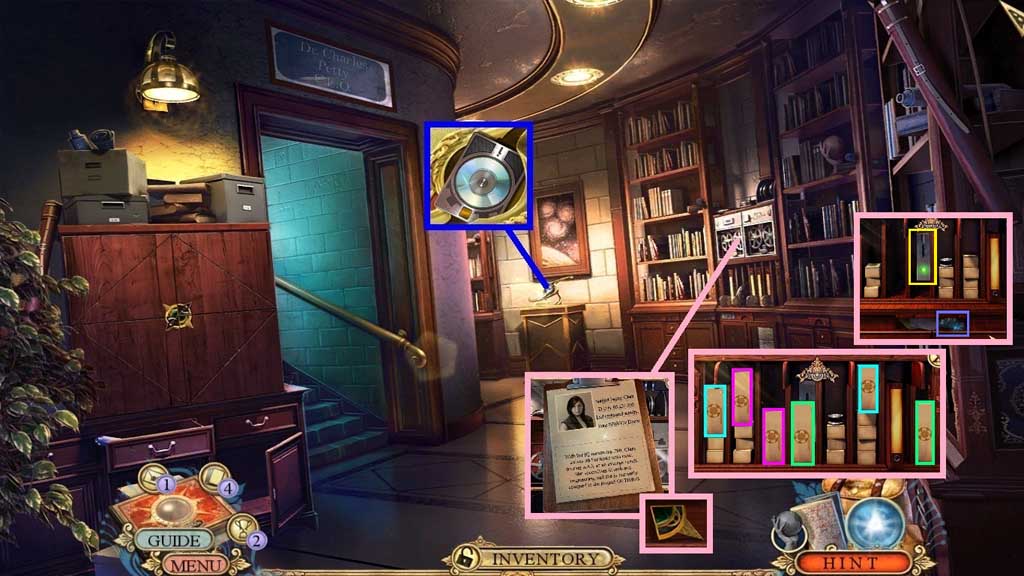
- Collect 5 /20 fact cards.
- Insert the encrypted key; zoom into the clipboard and collect 1 /2 medallion segments.
- Click the arrow.
- Pick the matching pairs.
- Click the lever and collect the slider, then click the arrow up.
- Move to the Office.
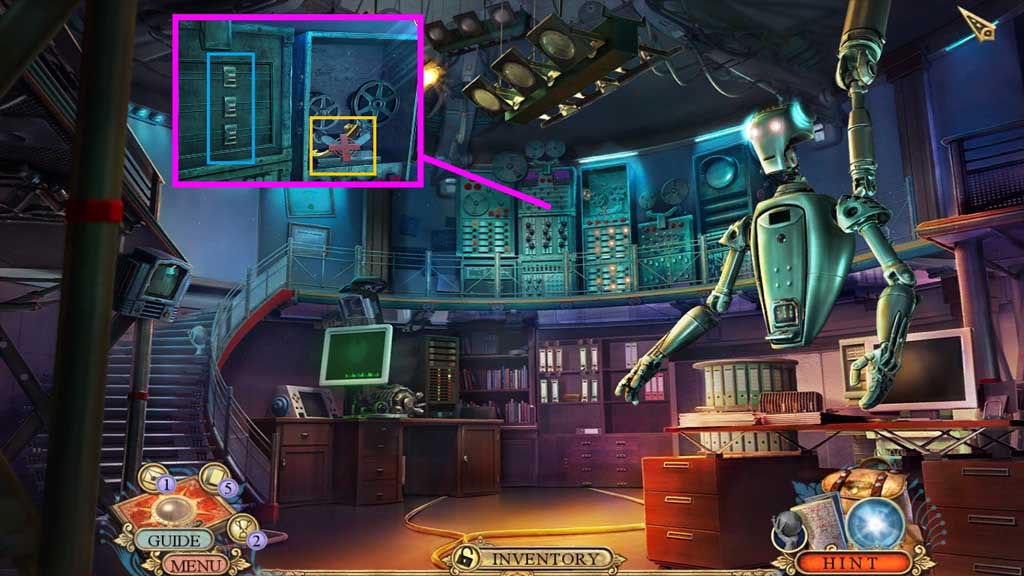
- Attach and click the slider and move all the buttons to the center.
- Collect the plus and the galaxy model part.
- Move down once.
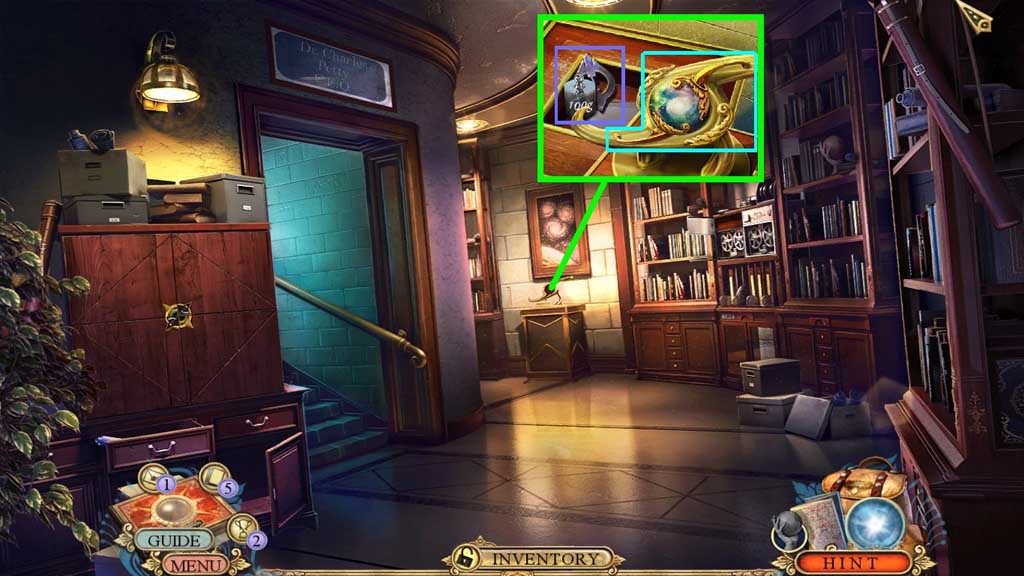
- Attach the galaxy model parts together and place them onto the stand.
- Collect 1 /2 weights and 3/3 metal insignias.
- Move into the Helicopter.
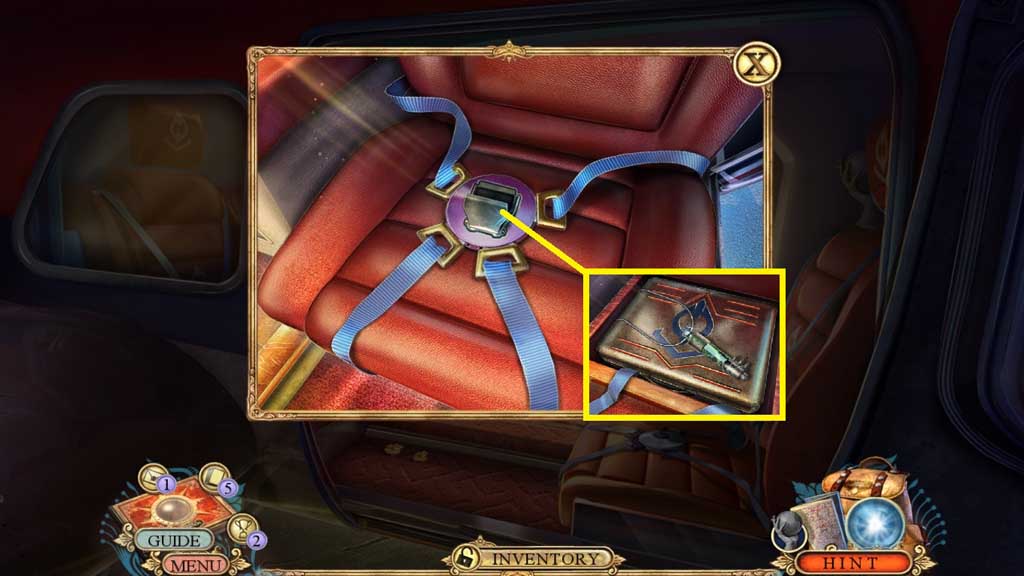
- Attach and click the belt buckle part.
- Collect the cylinder pendant and the briefcase.
- Move to the Hallway.
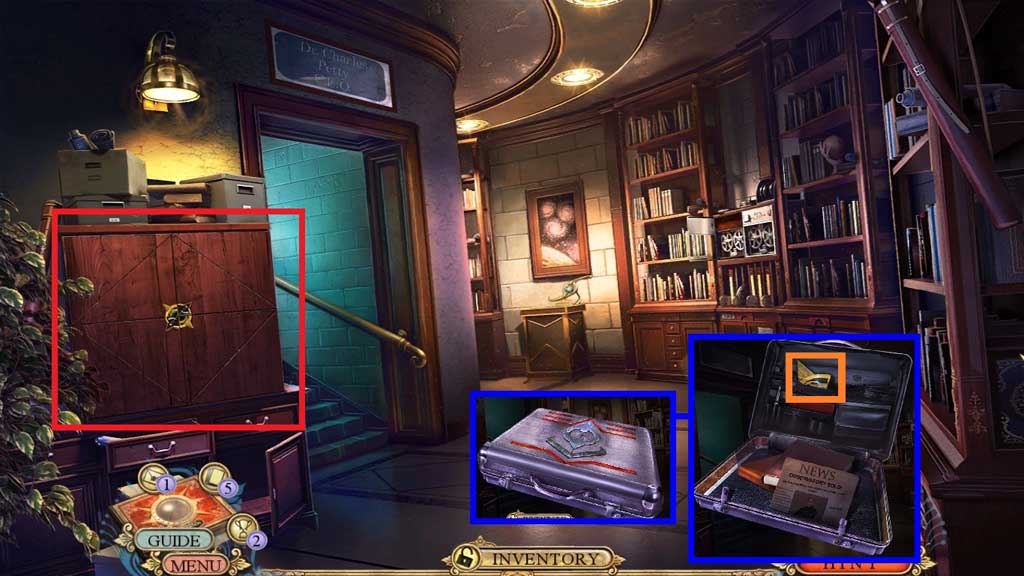
- Insert the 3 metal insignias into the briefcase.
- Zoom into the newspaper; collect 2/2 medallion segments.
- Insert the 2 medallion segments to trigger a hidden objects area.
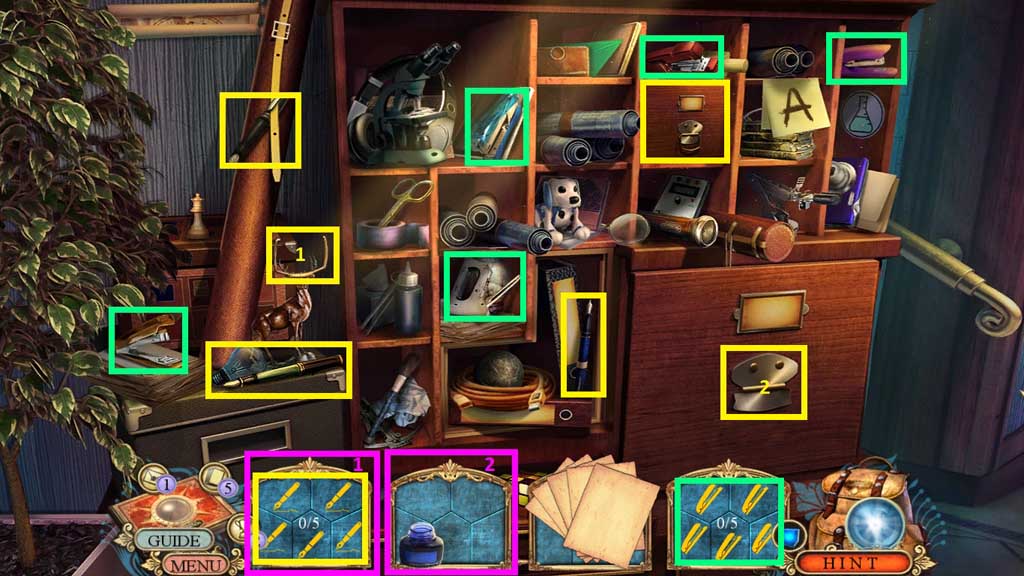
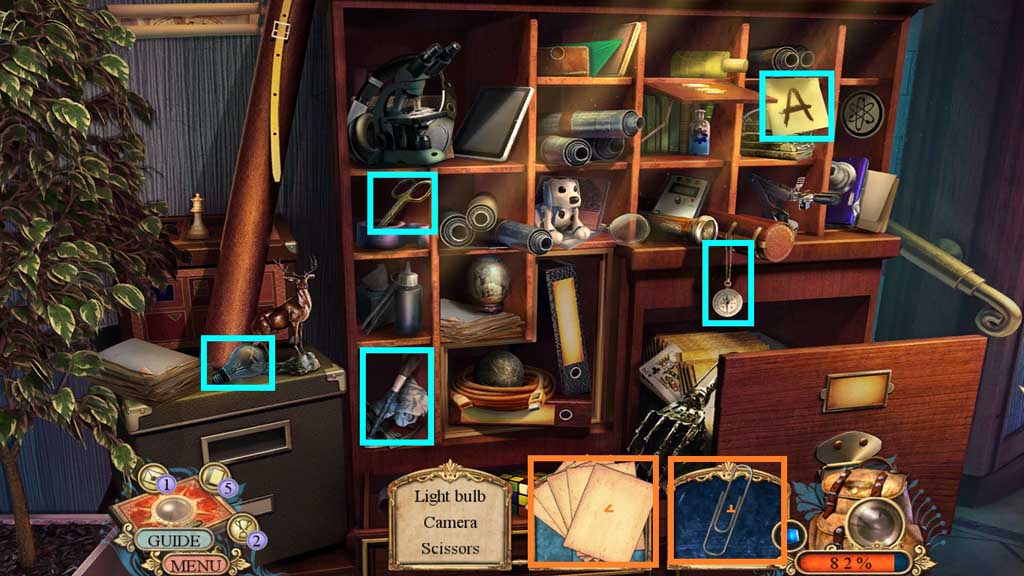
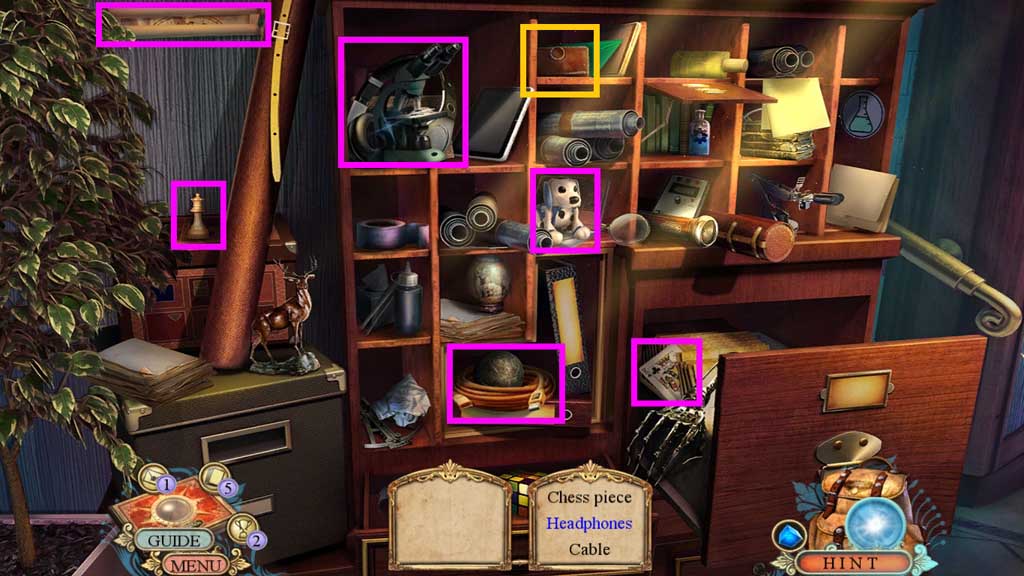
- Find the items.
- Collect the leather case.
- Move to the Office.
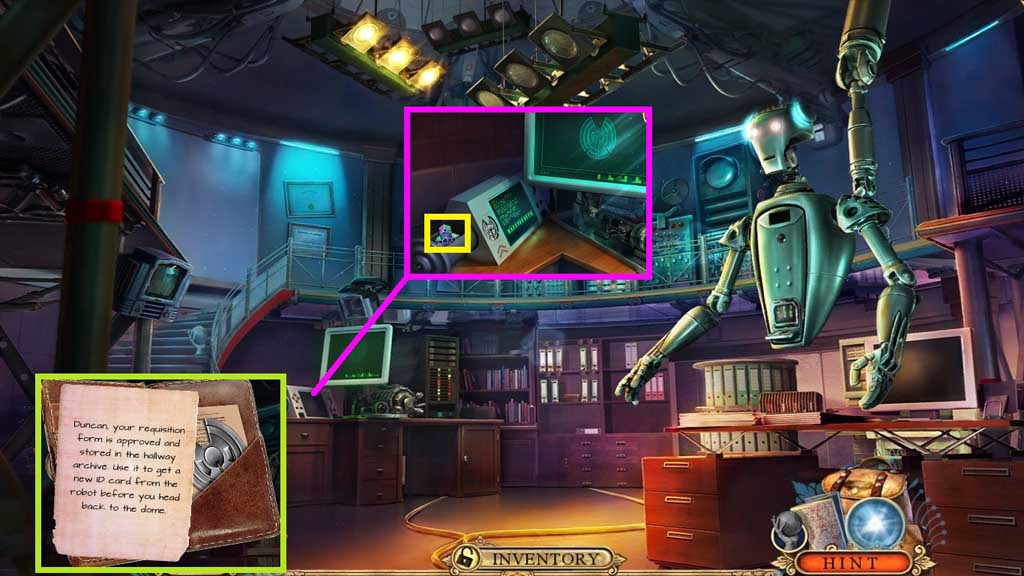
- Click the leather case; read the note and collect the metal place and insert it onto the groove.
- Click the 3 images; collect the mosaic piece.
- Move down once.
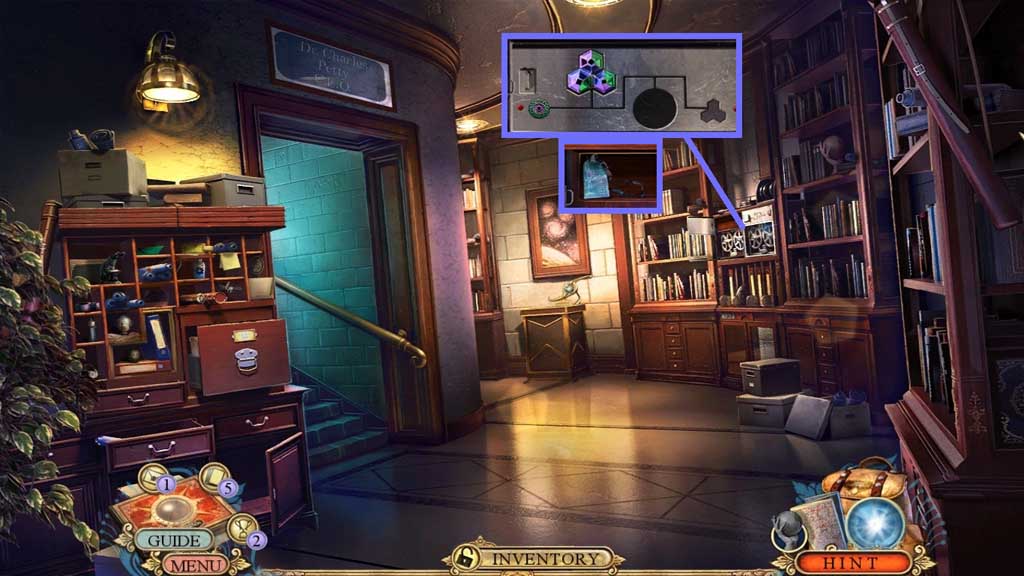
- Insert the mosaic piece and click the pieces into place.
- Collect the ID requisition form.
- Move to the Office.
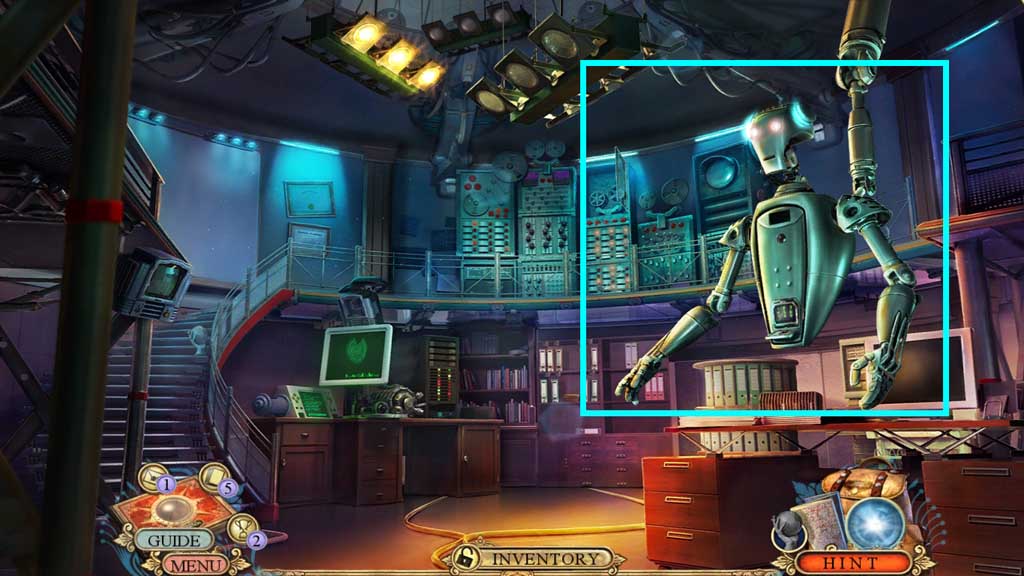
- Select the ID requisition form place onto the robot; collect the ID card.
- Move to the Observatory Yard.
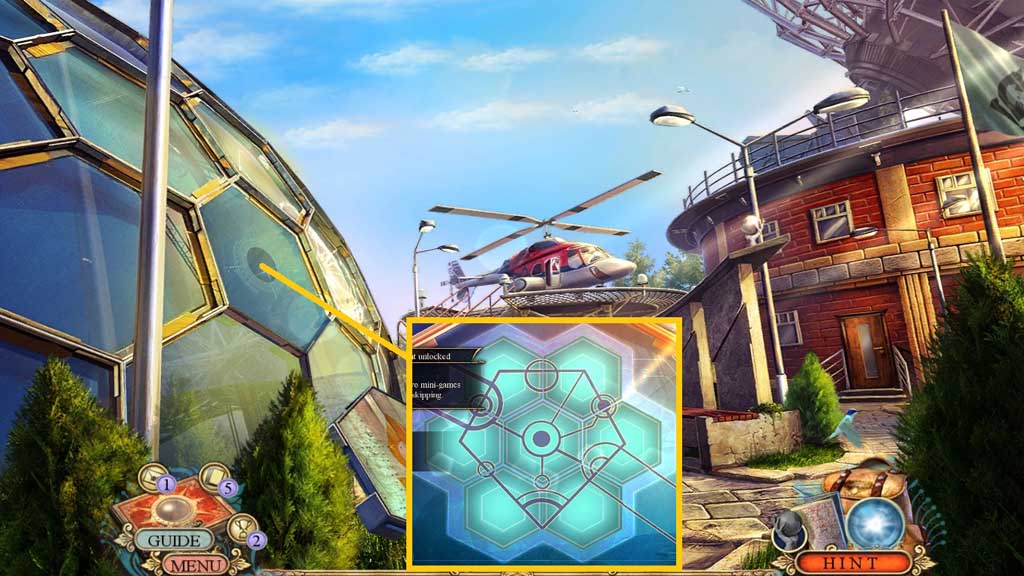
- Select the ID card to trigger a mini game.
- Solve the game by aligning the pieces correctly.
Comments will load when you reach this part of the walkthrough.