
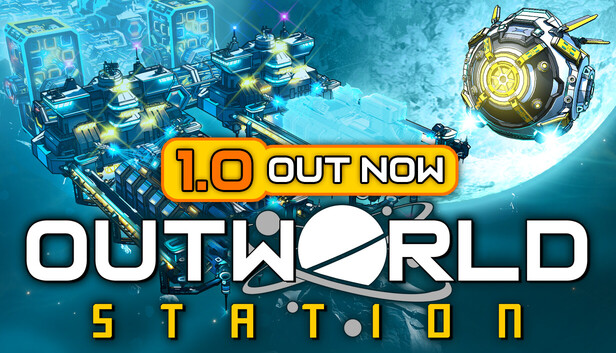
Defense, Recovery, and Late-Game Stability
Late-game Outworld Station can fail in a very quiet way. One minute your station looks like a proud little slice of interplanetary industry. The next, power drops, gas stops moving, freighters arrive empty, and hostile pressure starts knocking on the hull like it has an appointment. This is not a mystery. It is usually one missing input, one overloaded route, or one greedy expansion that asked the factory to sprint while wearing magnetic boots.
Your goal in this phase is not perfect optimization. Your first goal is a stable restart. In Outworld Station, a link is the no-belt route that lets modules send items to other modules, and a connector is station hardware that helps shape or bridge those routes. Treat those links like invisible belts with range and output-rate limits. If a late-game station stalls, rebuild the chain from source to sink instead of staring at the final machine and hoping it feels guilty.
Emergency Recovery Order
When the station is already in trouble, fix systems in this order. Do not expand during this process. Do not start a new shipyard push. Do not open a wormhole-scale project because the old base is bored. The old base is on fire. Politely help it breathe first.
- Stop new demand. Pause or delay fresh build orders, major expansion, and large late-game recipe pushes until power and logistics are stable.
- Restore power first. Check the full fuel, gas, pipe, or input chain that feeds your power setup. A generator with no input is just expensive furniture.
- Restart raw inputs. Confirm miners, cloud-miners, or source stations are still producing and still linked to the next step.
- Clear link and connector bottlenecks. Look for machines that are full on output or empty on input. Re-link short, direct chains before making pretty layouts.
- Feed defense and repairs. Keep the materials for defensive ships, ammo, repair work, or replacement parts flowing before you chase luxury science or huge objectives.
- Restart freighters last. Once local production works, check inter-station routes. A freighter cannot fix a dead station if the loading side is also starved.
Stability Checklist
| System | What to Check | Practical Fix |
|---|---|---|
| Power | Power demand spikes when defenses, shipyard work, or late recipes run together. | Add reserve generation before adding new consumers. Keep power inputs on simple, short links. |
| Gas and pipes | Machines look connected, but flow is too weak or blocked upstream. | Trace from source to final user. Split large pipe networks into smaller runs if one branch keeps starving. |
| Links and connectors | Late builds have too many machines fighting through one shared path. | Break chains into clear blocks: input, processing, output. Add short direct links or extra buffer storage where one path is doing too much. |
| Freighters | Remote stations produce enough, but deliveries arrive too slowly. | Add route capacity or reduce the number of products on that route. One freight line should not be a full grocery store. |
| Defense supply | Hostile pressure drains ships, ammo, repairs, or replacement parts faster than the factory refills them. | Create a small protected buffer for defense materials. Refill it before starting optional late-game projects. |
| Visibility | The factory works until you cannot tell which station is starving. | Name or group production areas by job. Keep power, defense, shipyard, and export blocks visually separate. |
How to Recover From a Blackout
If power collapses, do not try to restart the whole factory at once. Pick one power block and make it self-running. Feed only the machines that gather, process, and deliver its input. If gas or pipe flow is part of that chain, follow it one segment at a time. Once that block holds steady, reconnect essential mining, then defense, then core production, then shipyard or expansion work.
This works because late-game failures often hide behind shared demand. A shipyard objective, defense rebuild, and new station plan can all pull from the same plating, gas, component, or freighter route. The UI may show many stalled machines, but the real failure is usually upstream. Find the first empty input or full output in the chain. Fix that point. Then move one step forward.
Before You Expand Again
Use this quick test before building another station, pushing into a hostile area, or committing to a large recipe chain.
- Power has spare capacity while the factory is under normal load.
- Defense materials refill without manual hauling.
- Freighter routes deliver faster than the target station consumes.
- No key machine sits empty for more than a short cycle during steady production.
- Gas, pipe, and link paths are readable from source to final user.
- Shipyard or wormhole-scale demand has its own planned input chain, not leftovers from the starter base.
If two or more of those fail, expand later. A clean Outworld Station run is not about never getting hit. It is about building a factory that can take a hit, restart in the right order, and keep turning asteroid handwork into serious space industry. That is the fun part: the messy station becomes a system, and the system keeps working even when the universe gets rude.
Comments will load when you reach this part of the walkthrough.