

Chapter Three: Gardens
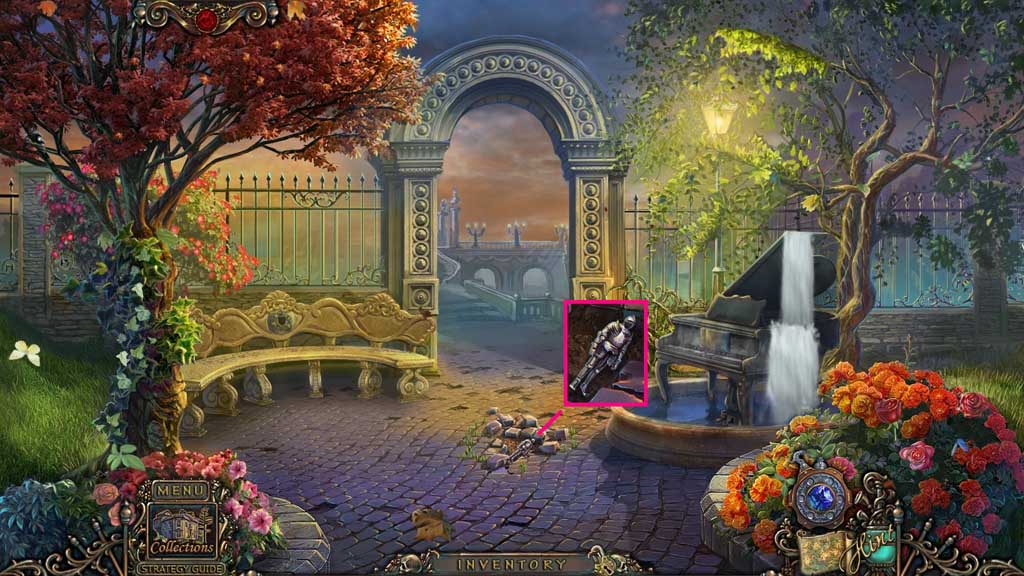
- Click the cobblestones; collect the knight.
- Move ahead.
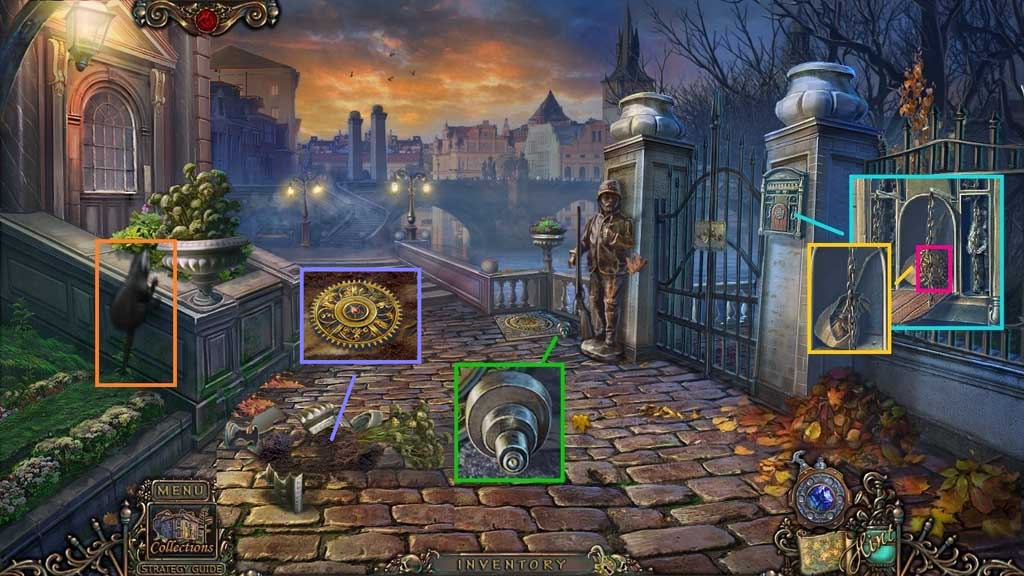
- Collect the hub.
- Place the knight, collect 1 /3 gears.
- Click the paper bag and collect the oil can.
- Click the otter.
- Click the shards and soil; collect 2 /3 gears.
- Move ahead.
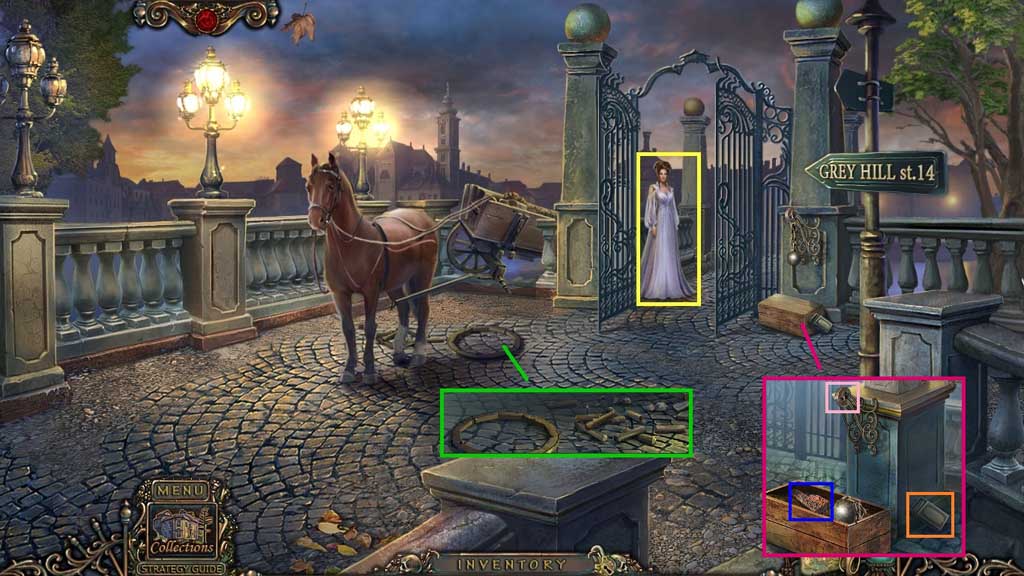
- Speak to Diva.
- Collect the rim and spokes.
- Select the oil can to lubricate the hinge; collect the piano key and the matches.
- Move down 2x’s.
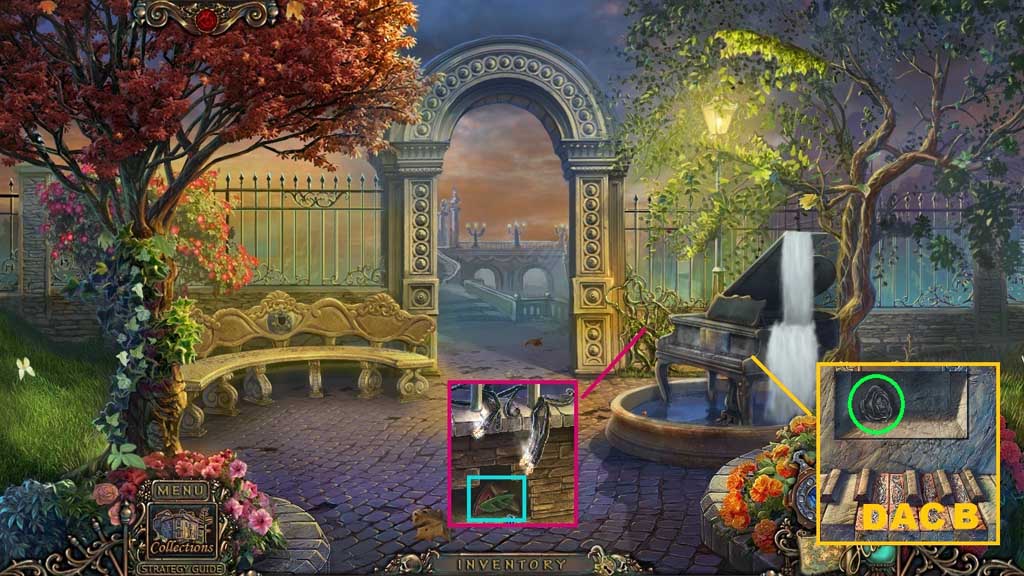
- Insert the 2 piano keys.
- Click them in the correct sequence; collect the metal rose.
- Select the matches to ignite the vines; collect 1 /3 puzzle pieces.
- Move ahead.
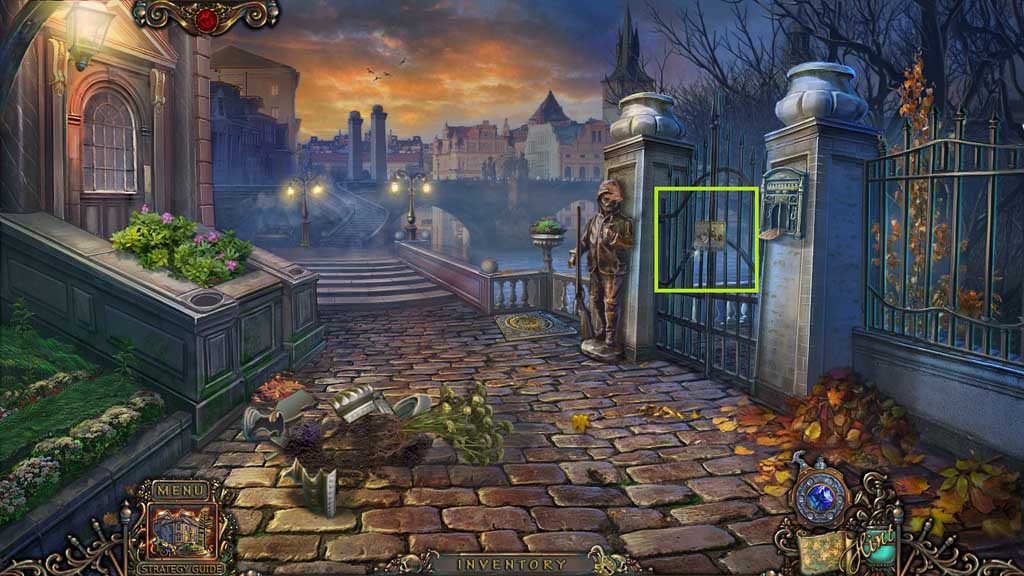
- Insert the metal rose.
- Move to the right and click the suitcase to trigger a hidden objects area.
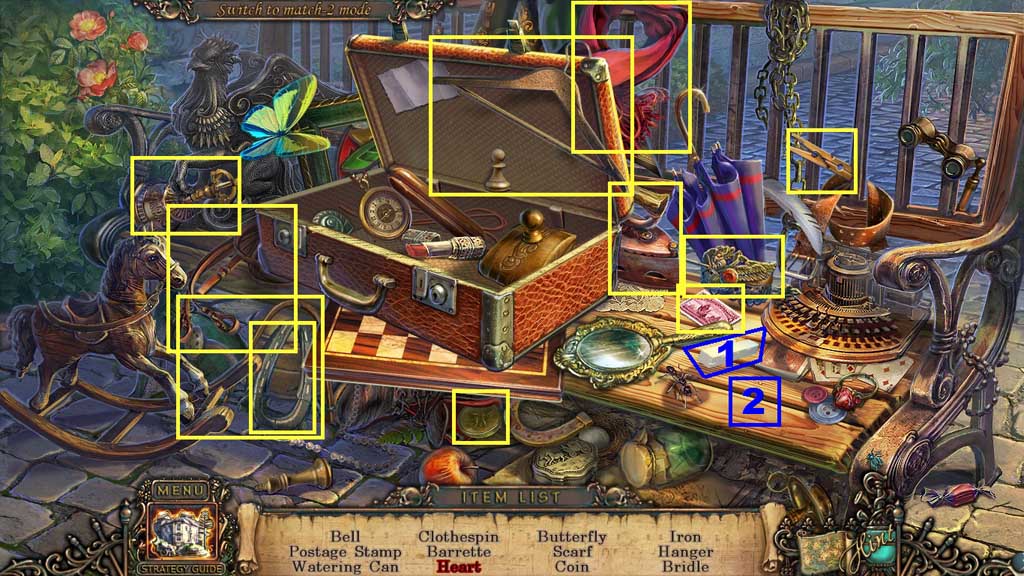
- Find the items.
- Select the chalk and use it to draw and collect the heart.
- Collect the bridle.
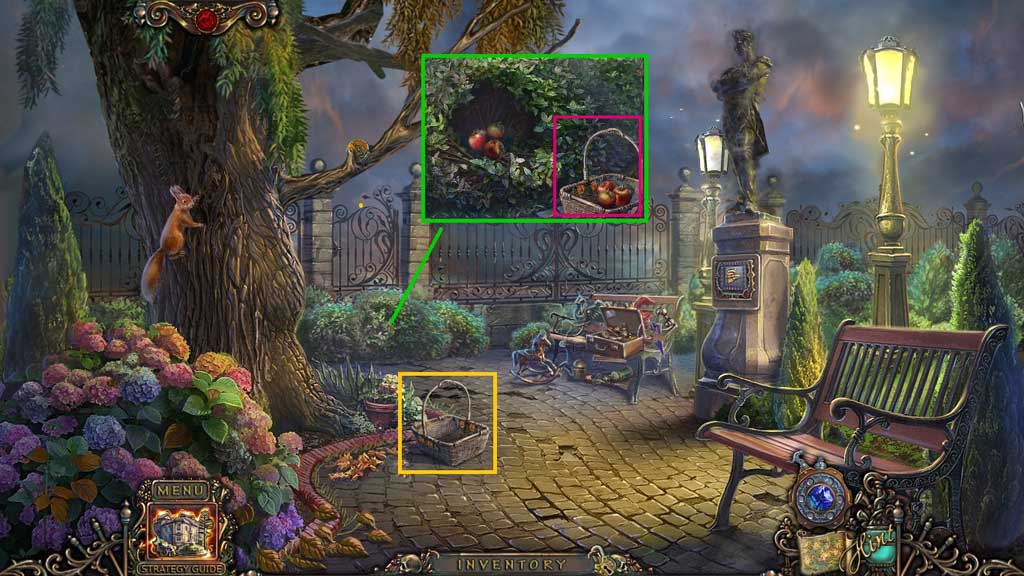
- Collect the basket.
- Click the branches.
- Place the basket down; click and collect the basket of apples.
- Move down once and move forward.
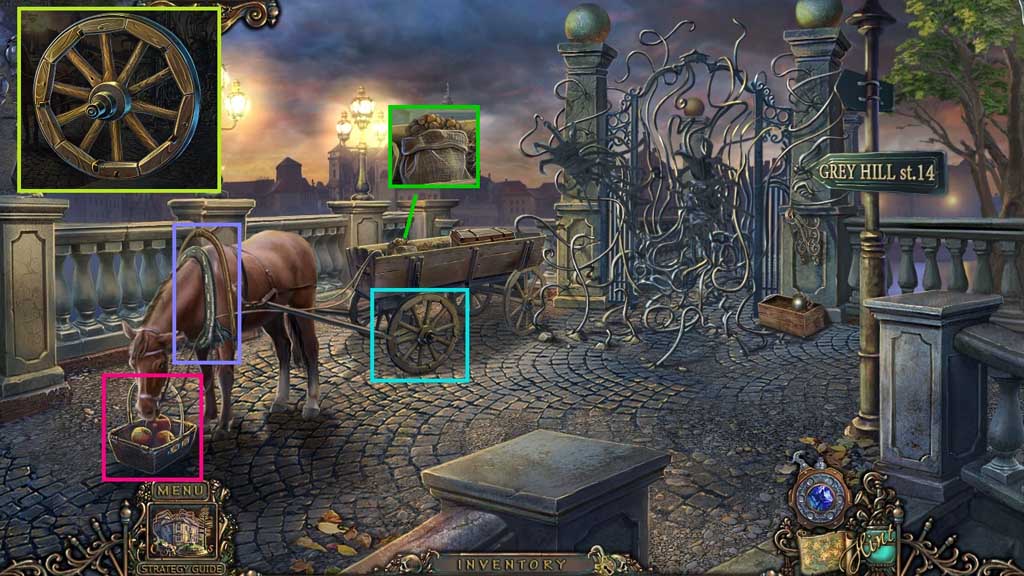
- Click the hub and connect spokes and the rim; collect the wheel and place it onto the cart.
- Place the bridle and the basket of apples.
- Click the cart; collect the nut.
- Move down once and go to the right and click the hidden objects area.
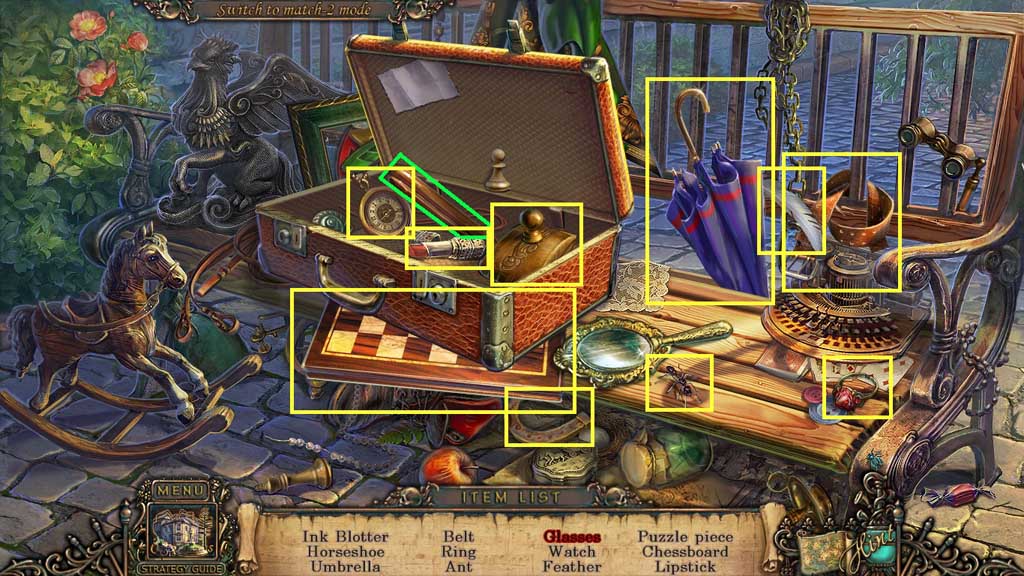
- Find the items.
- Click the glasses case; collect the glasses.
- Collect 2 /3 puzzle pieces.
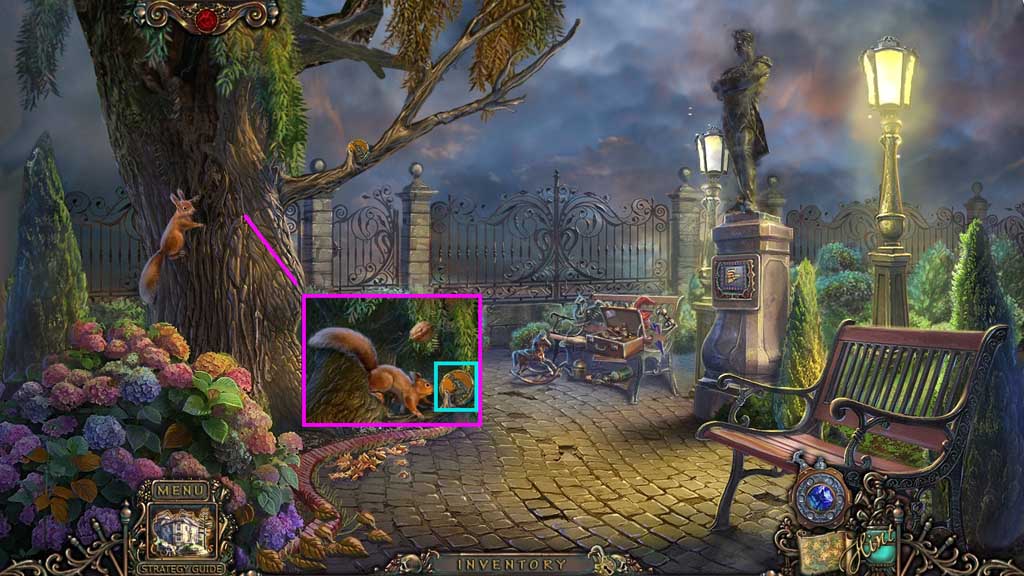
- Toss the nut towards the tree limb and receive the medallion.
- Move down once.
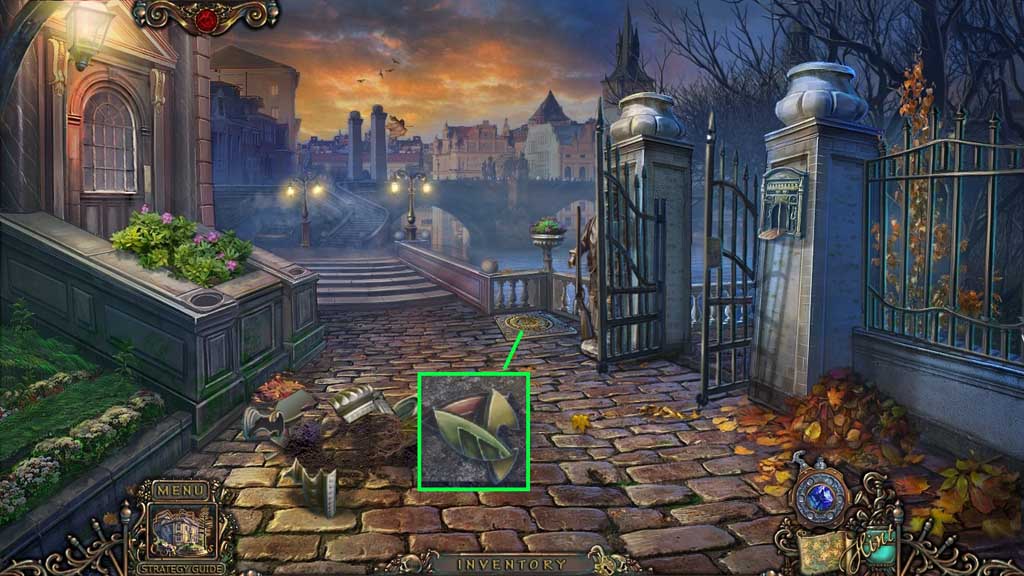
- Insert the medallion.
- Click it once and collect 3 /3 puzzle pieces.
- Move ahead.
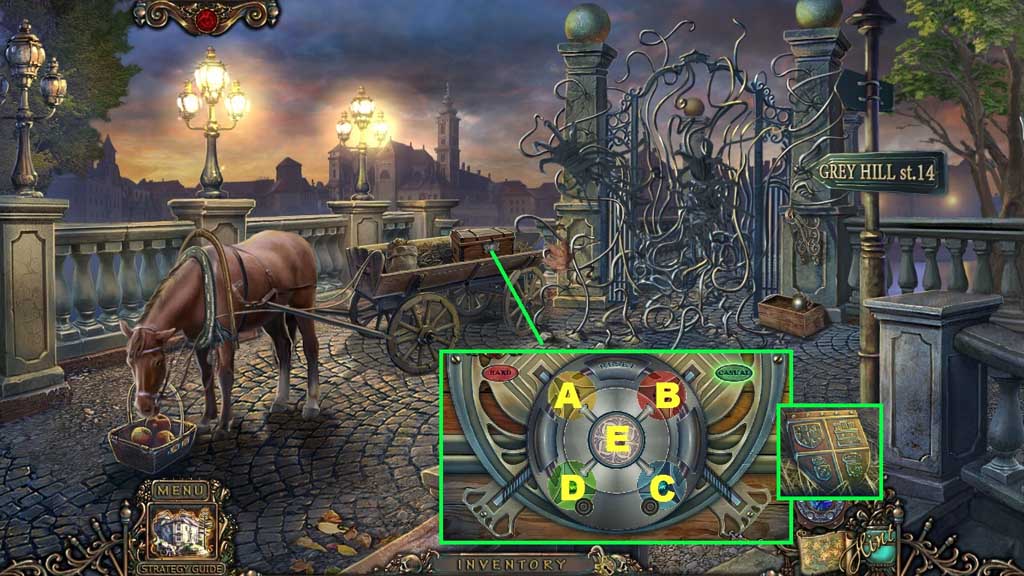
- Insert the puzzle piece to trigger a mini game.
- Solve the game by aligning the discs correctly.
- Click the discs in ABC order to solve.
- Collect the bronze shield.
- Move down 2x’s.
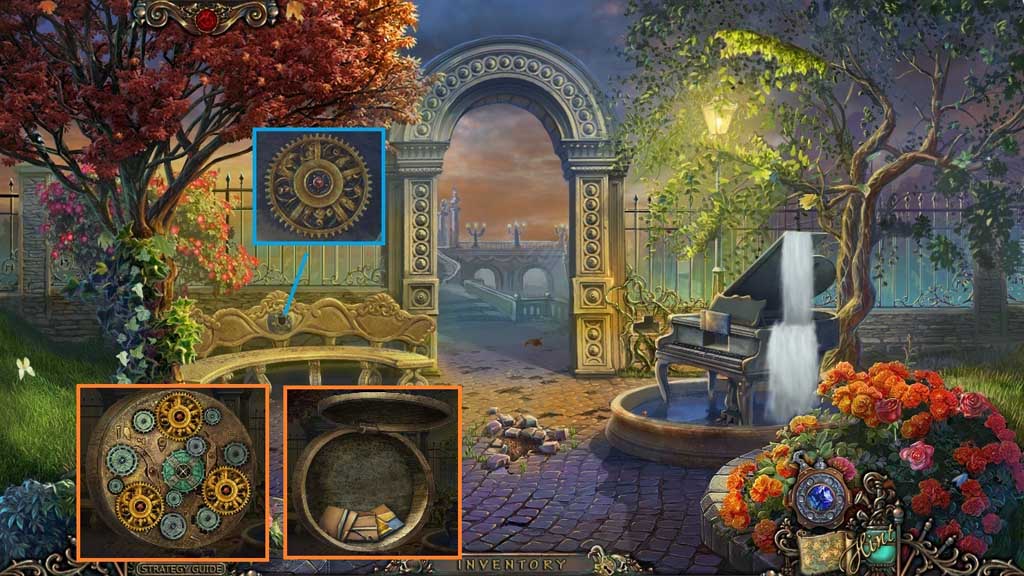
- Insert the bronze shield; collect 3 /3 gears.
- Click the mechanical chest and insert the gears.
- Collect the chip.
- Move ahead and go to the right.
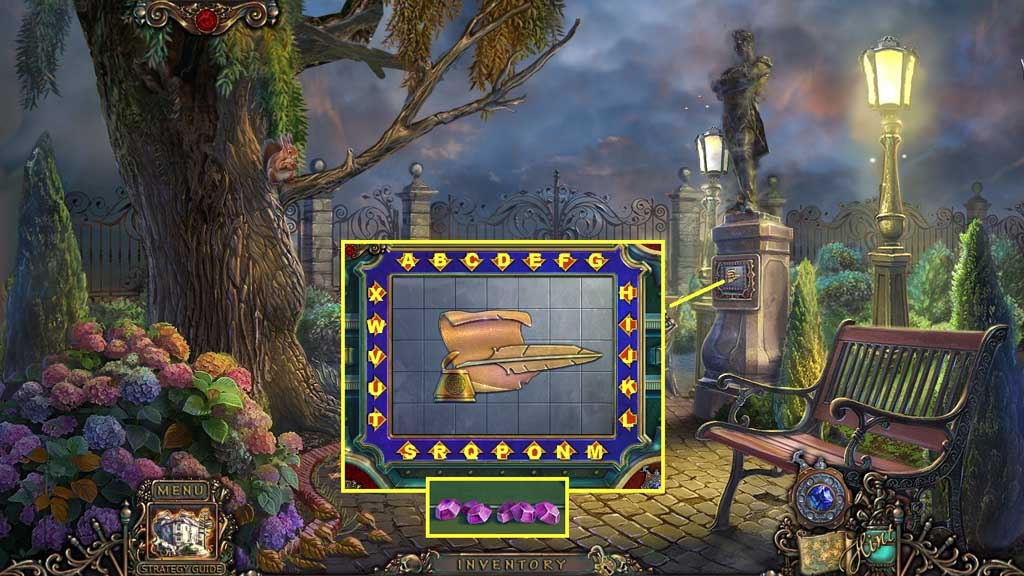
- Insert the chip to trigger a mini game.
- Solve the game by
- Use the following solution to solve: J – K – A – W – V – U – C – D –D – D – P – K – O – O – O – E – U – M – N – F – L – L – S – S – S – N – H – H – H – H – H – G – I – I – I – W – W –H – K – A – A – A –J – S – I – W – V –U
- Collect the gems.
- Move down once and then move ahead.
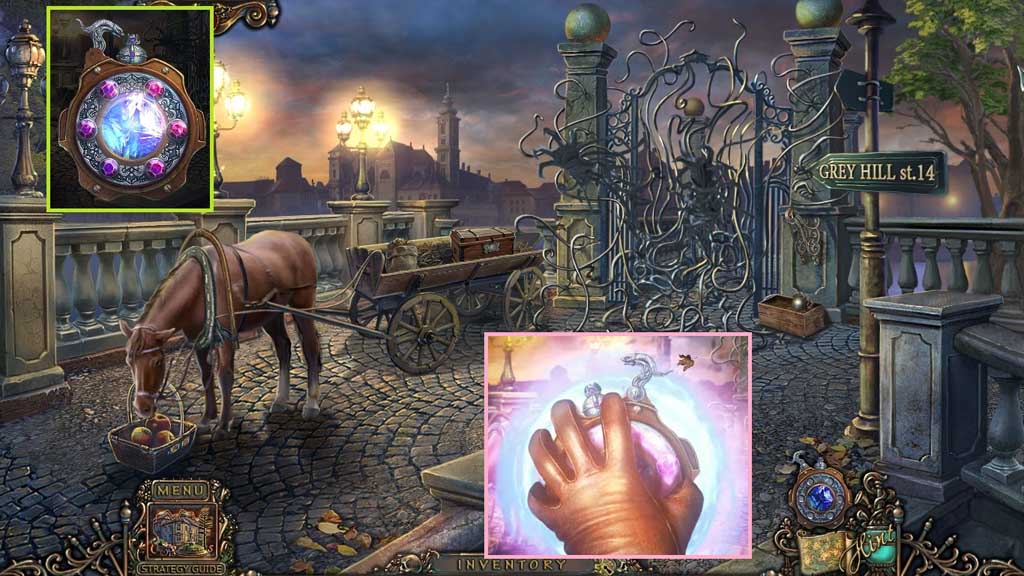
- Click the medallion and insert the gems.
- Select the medallion to use on the scene.
- Move ahead.
Comments will load when you reach this part of the walkthrough.