

Chapter Two: Opera
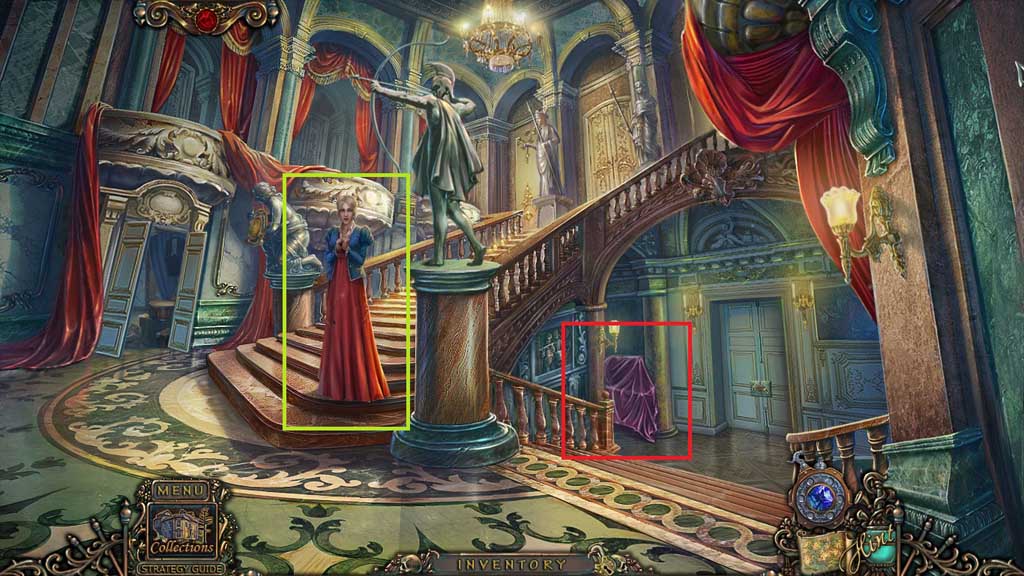
- Speak to Kate.
- Click the sheet to trigger a hidden objects area.
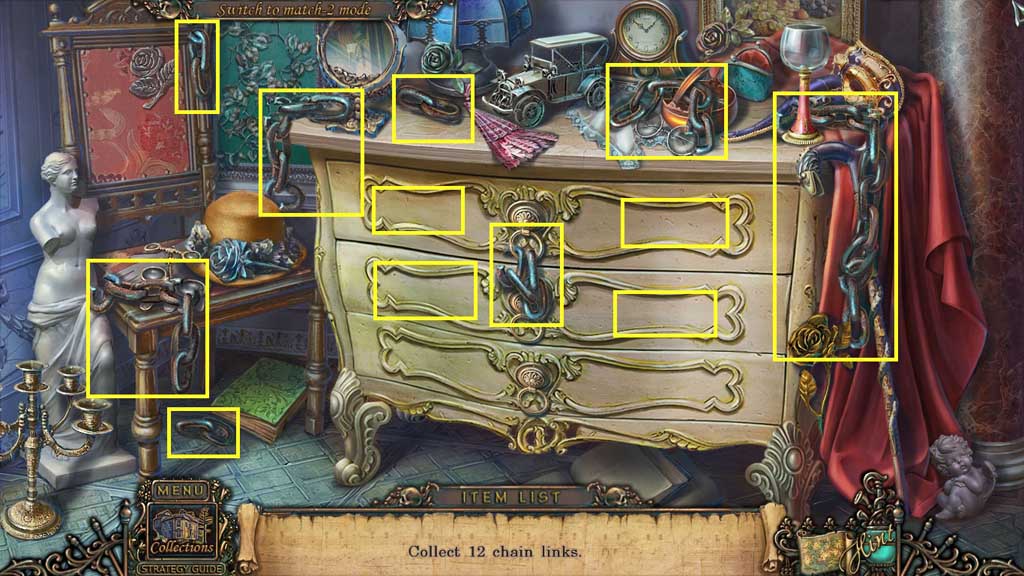
- Find the chain links.
- Collect the chain.
- Move to the left.
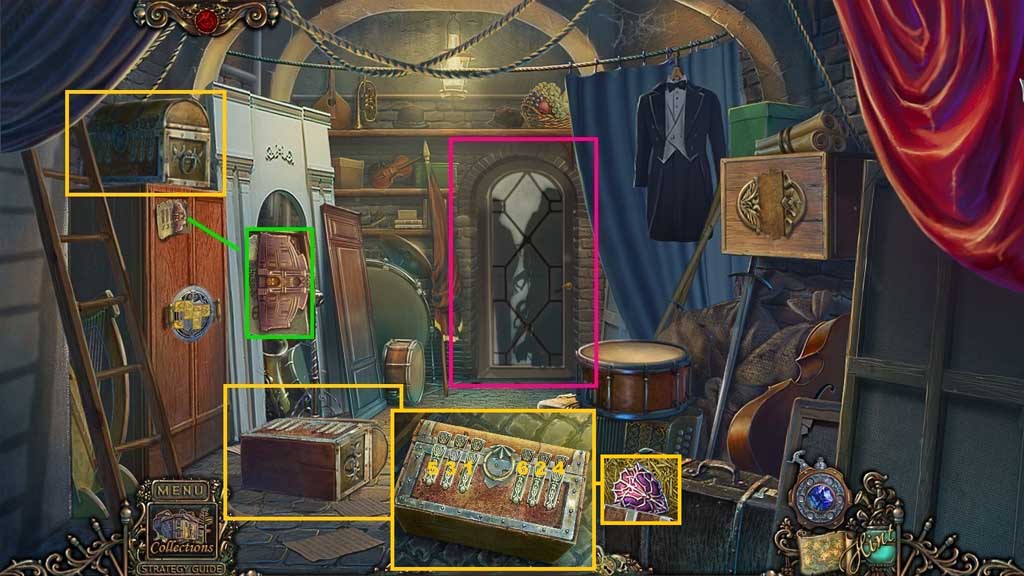
- Click the door.
- Collect the opera house and select the cane to collect the chest.
- Click the latches on the chest in the correct sequence; collect the shield.
- Move down once.
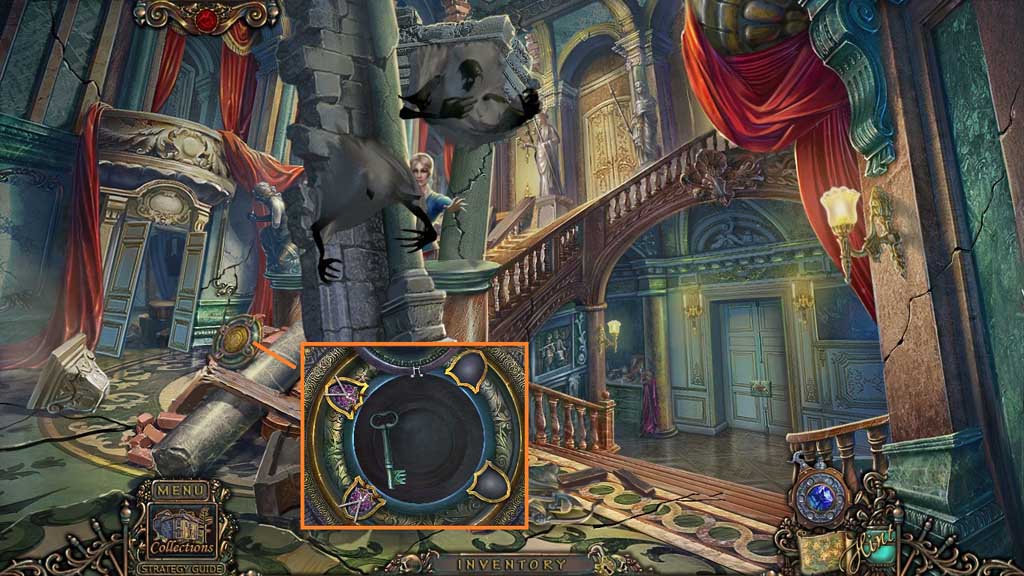
- Insert the shield.
- Align the metal bar to connect a pair of swords with a shield; move the swords to the shield.
- Do this 2x’s.
- Collect the key.
- Move to the left.
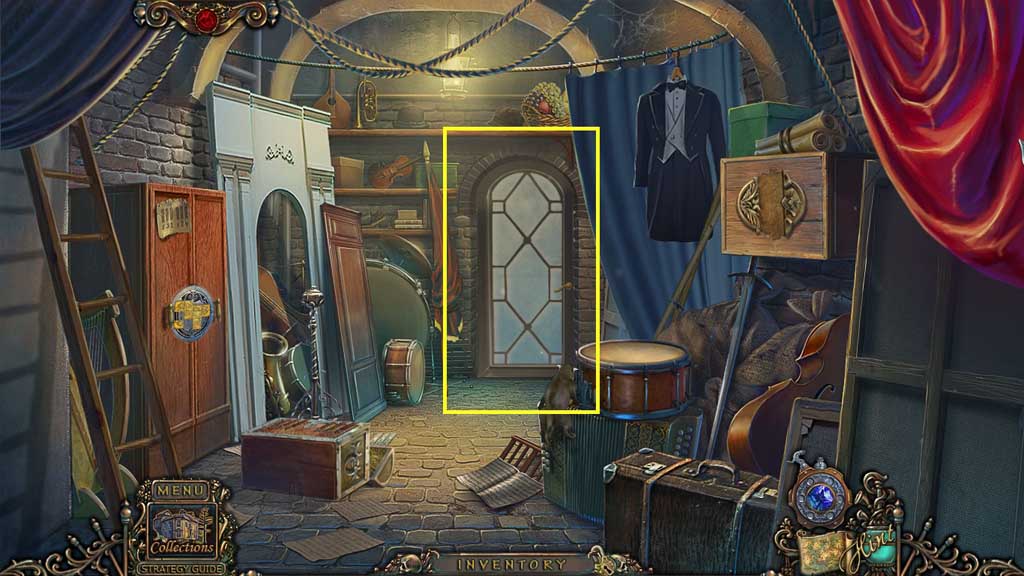
- Insert the key into the door and move ahead.
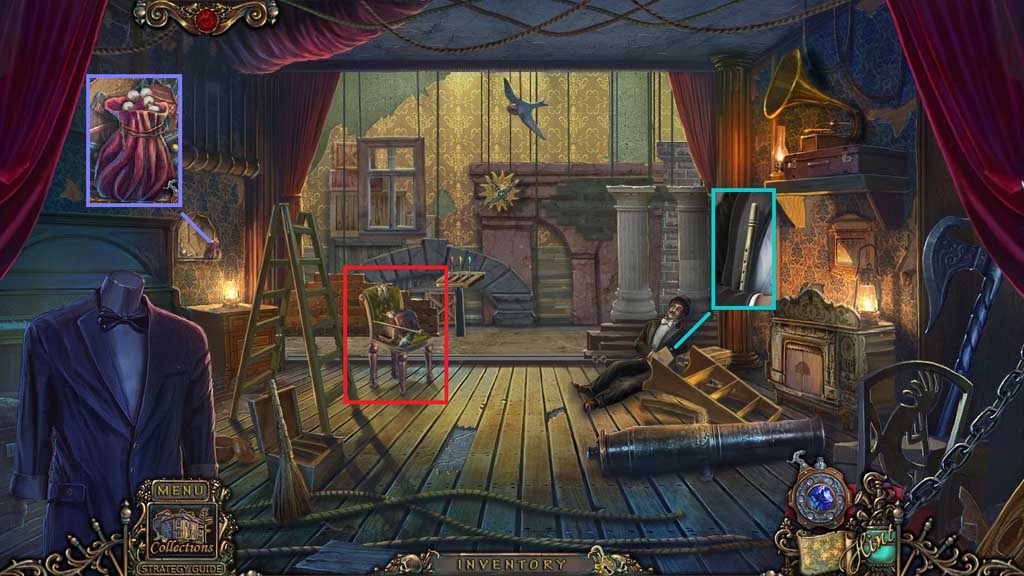
- Collect the flute.
- Click the bag; collect the pearls.
- Click the chair to trigger a hidden objects area.
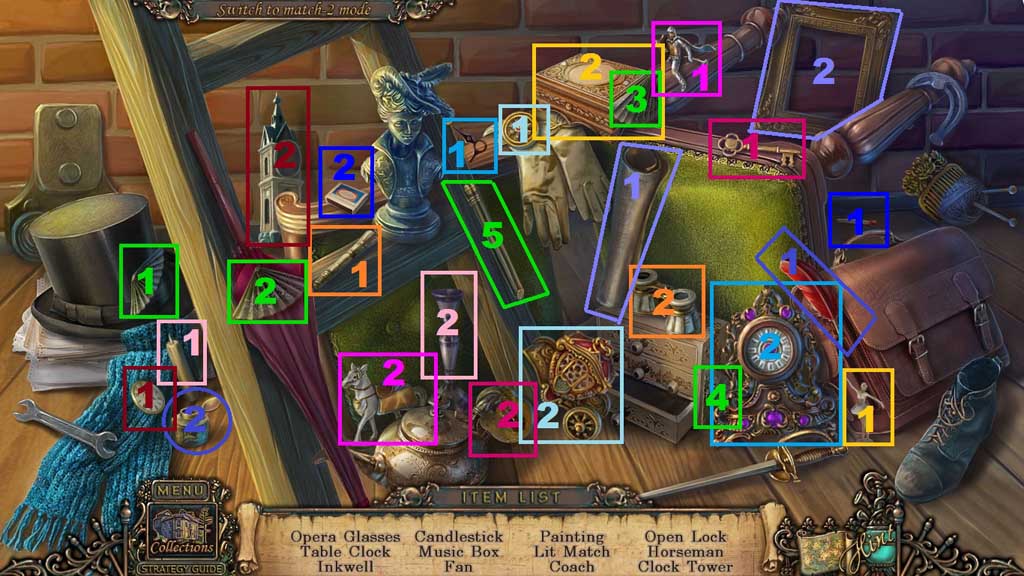
- Find the items.
- Select the handle and attach it to the glasses; collect the opera glasses.
- Select the clock hand and place it onto the clock; collect the table clock.
- Select the quill and place it into the ink pot; collect the inkwell.
- Select the candle and place it into the candle holder; collect the candlestick.
- Select the ballerina and place her onto the box; collect the music box.
- Select the fan pieces and attach them to the handle; collect the fan.
- Select the canvas and place it into the frame; collect the painting.
- Select the match and strike it on the box; collect the lit match.
- Select the wheel and attach it to the coach; collect the coach.
- Select the key and insert it into the lock; collect the open lock.
- Select the knight and place him onto the horse; collect the horseman.
- Select the clock face and place it into the tower; collect the clock tower.
- Collect the clock.
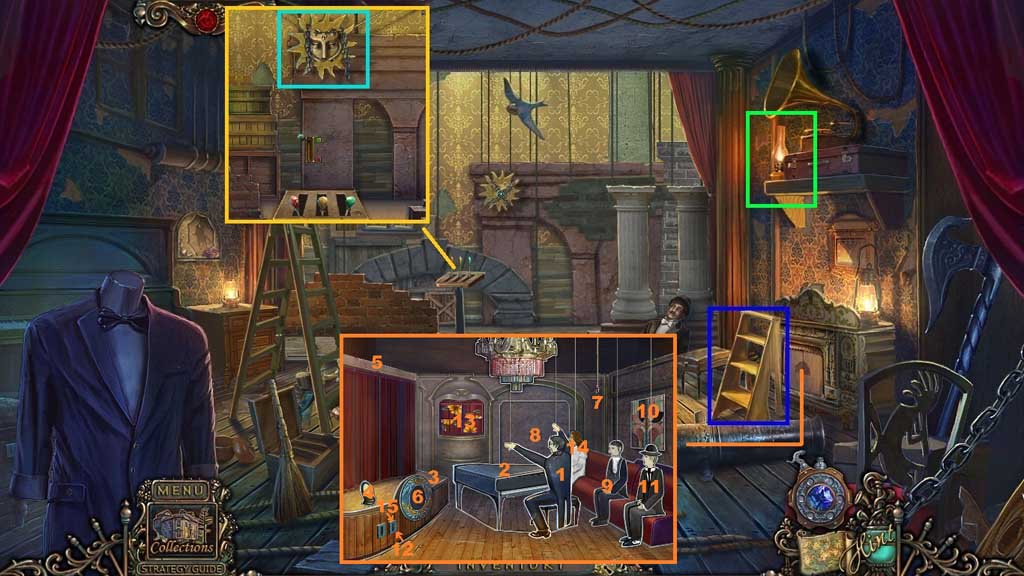
- Place the ladder upright.
- Collect the kerosene lamp.
- Click the 4 levers; collect the face emblem.
- Insert the opera house to trigger a mini game.
- Solve the game by unfolding the story after each interaction with the objects in the scene.
- Collect the ink.
- Move down once.
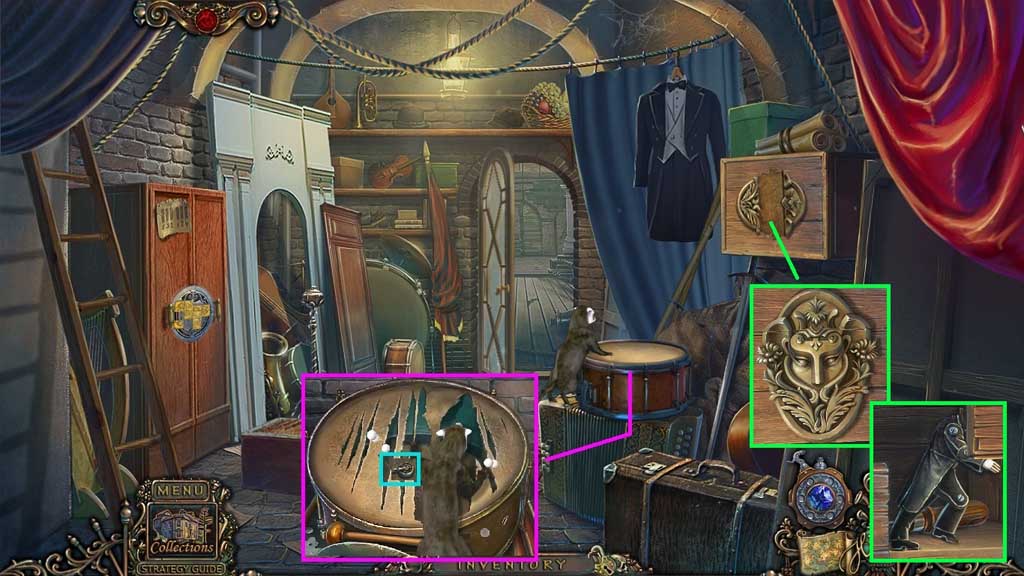
- Select the pearls to engage the otter.
- Collect the gramophone needles.
- Insert the face emblem and click it 2x’s.
- Collect 1 /2 door figures and the screwdriver.
- Move ahead.
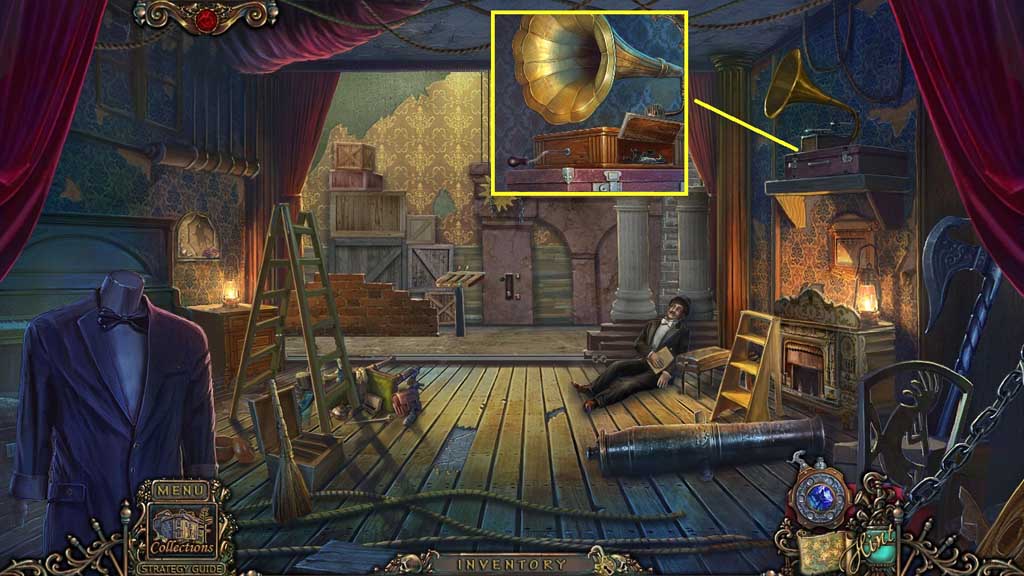
- Attach the gramophone needle and click the handle.
- Collect 2 /2 door figures.
- Move down 2x’s.
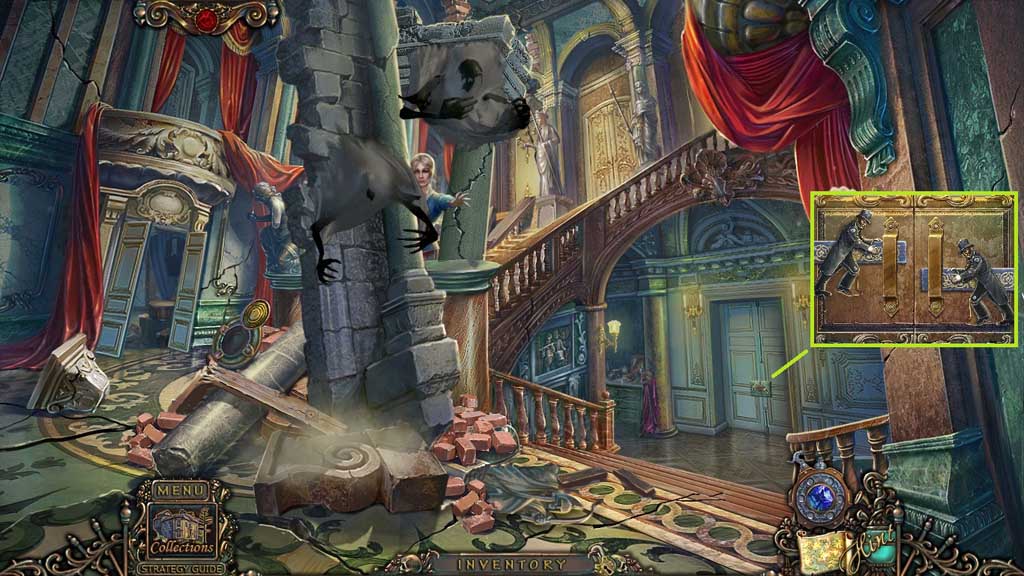
- Insert the door figures and click them.
- Move to the right.
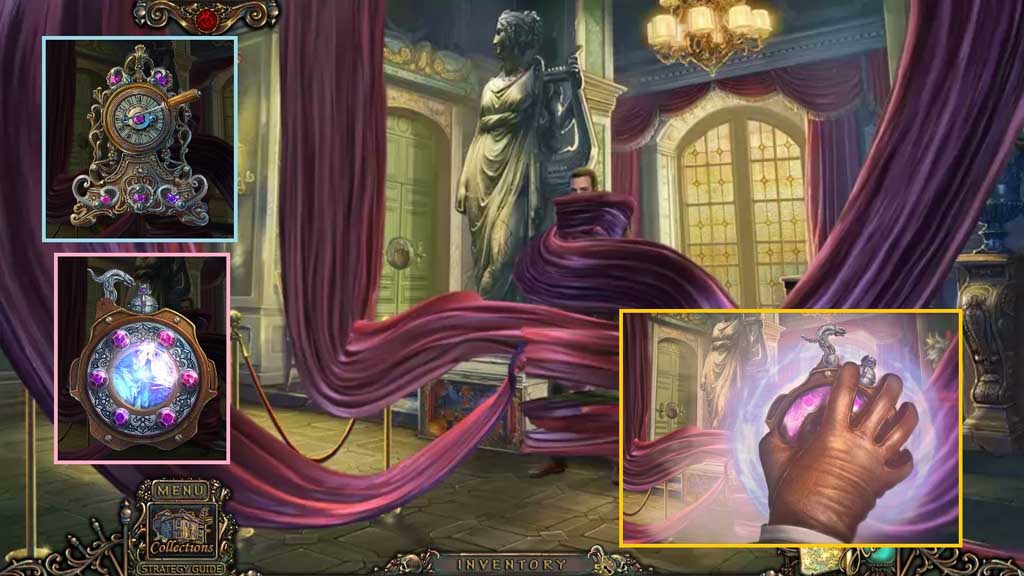
- Click the clock, use the screwdriver to remove the screws and collect 6 gems.
- Click the medallion and insert the gems.
- Select the medallion to use on the scene.
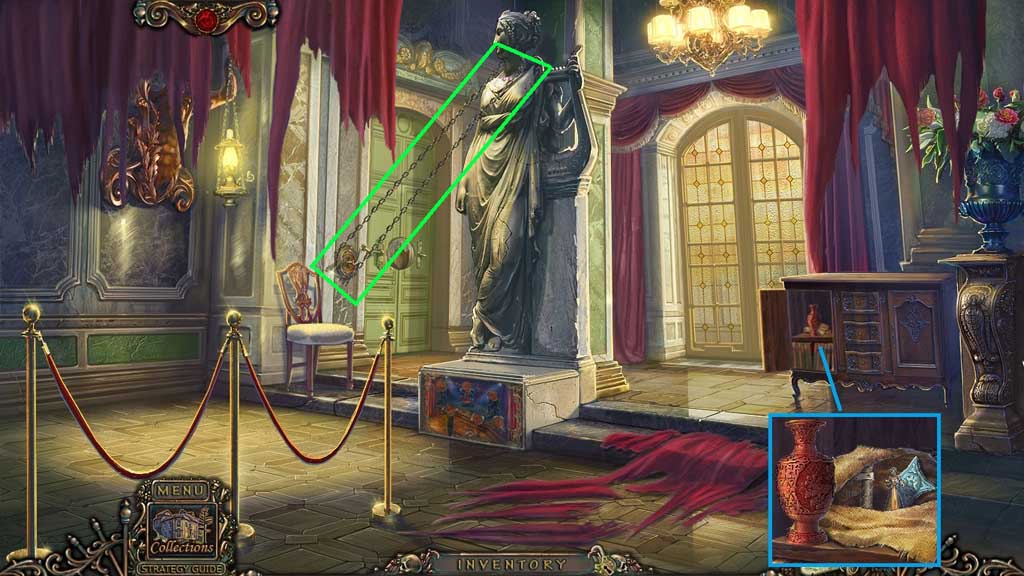
- Click the cabinet; click the urn then click the cloth and collect the statue and the silver star.
- Attach the chain to the statue’s neck and to the crank.
- Click the crank.
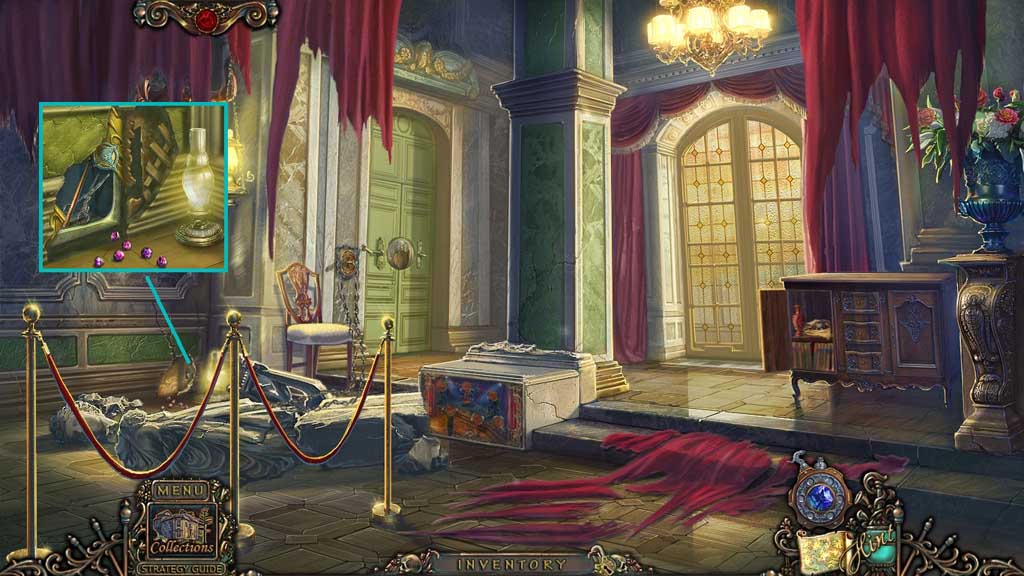
- Place the kerosene lamp on the floor and insert the silver star.
- Collect the gems, the drumstick and the scissors.
- Move down once.
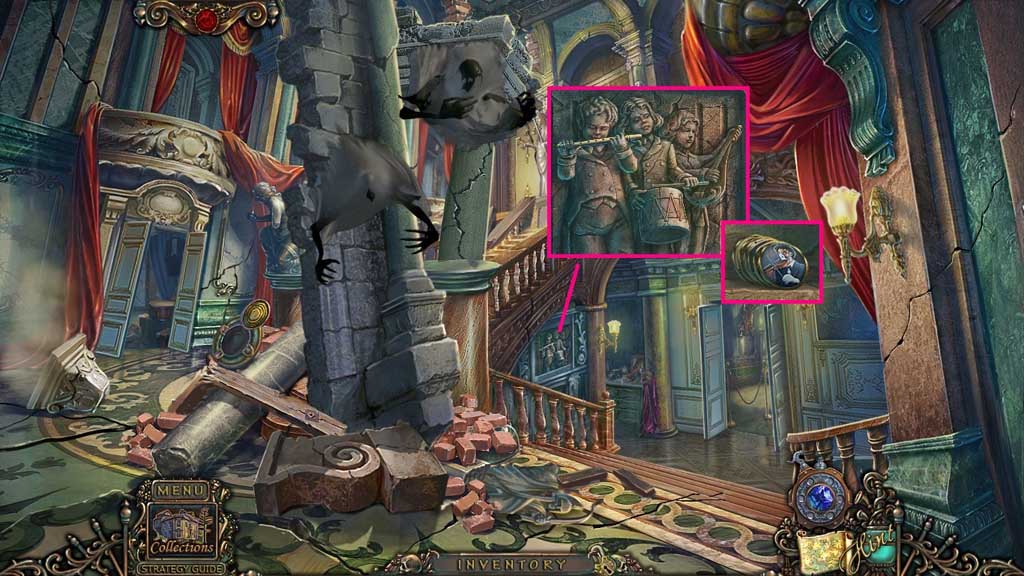
- Place the flute and the drumstick and click them both.
- Collect the music chips.
- Move to the right.
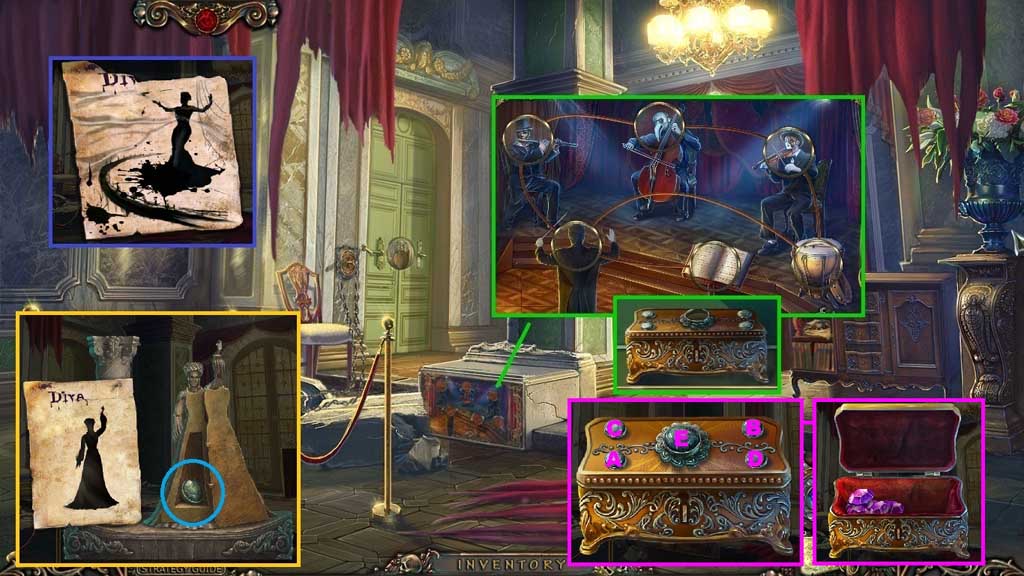
- Insert the music chip to trigger a mini game.
- Solve the game by aligning the chips correctly.
- Collect the chest.
- Click the paper and select the ink to use on it; receive the drawing.
- Click the statue and place the drawing.
- Adjust the statues arm and head based on the drawing.
- Collect the button and insert it into the chest.
- Click the buttons in the correct sequence; collect the gems.
- Move down once.
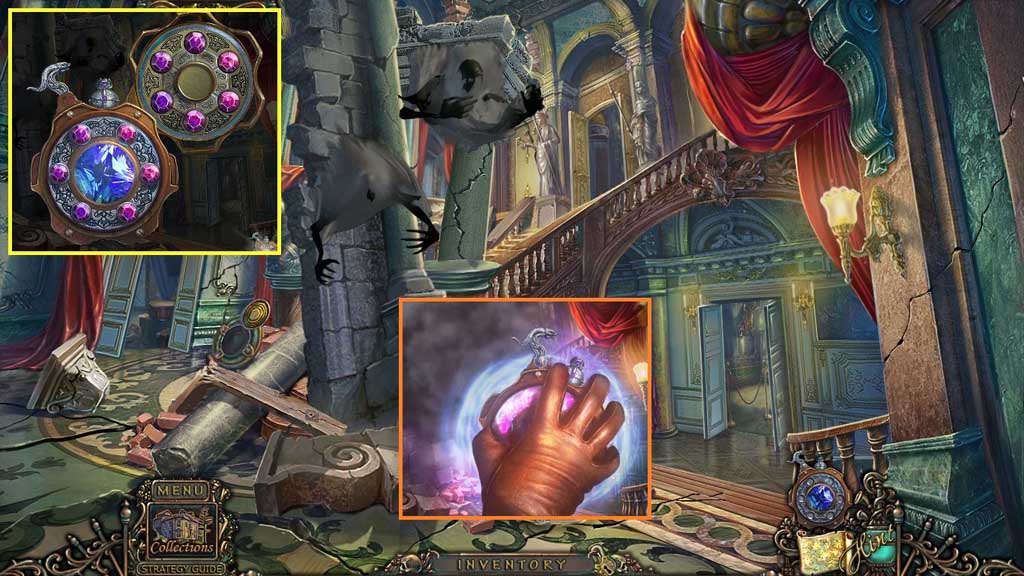
- Click the medallion and insert the gems.
- Select the medallion to use on the scene.
- Move upstairs.
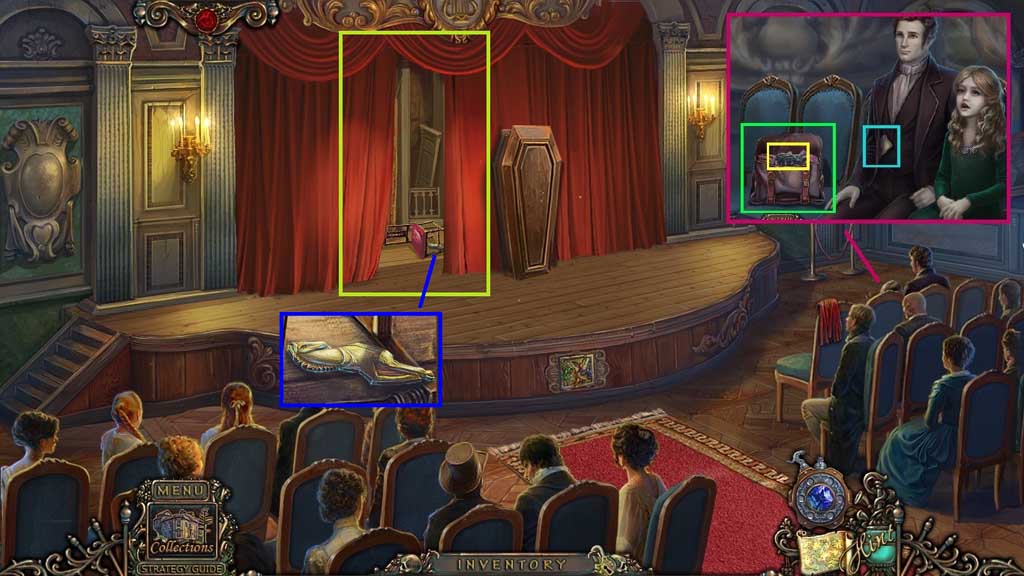
- Select the scissors to cut the bag; collect the key.
- Click the letter and read it.
- Click the curtain.
- Collect the horse.
- Move to the Backstage Area and click the hidden objects area.
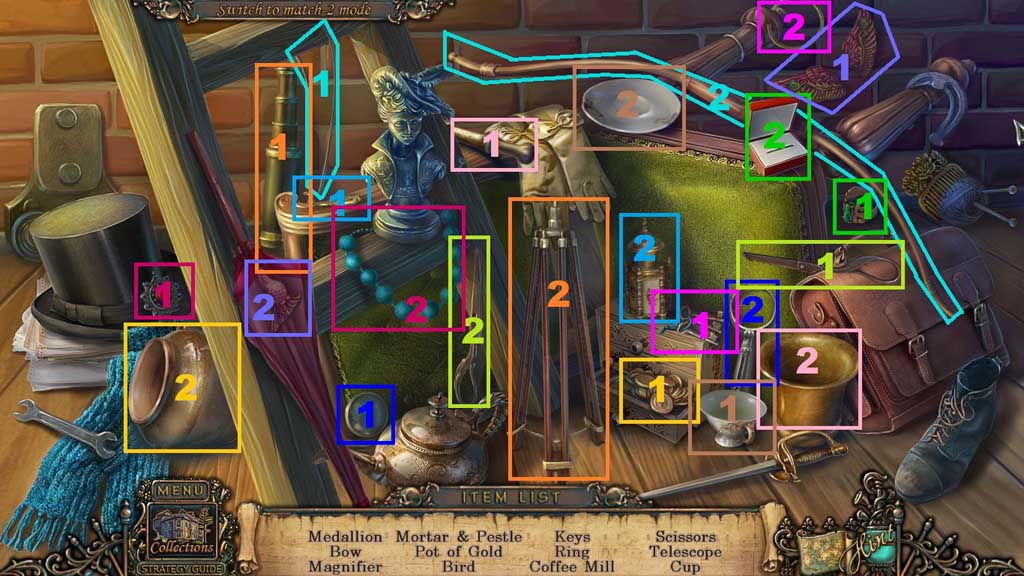
- Find the items.
- Select the medallion and place it on the necklace; collect the medallion.
- Select the string and place it onto the bow; collect the bow.
- Select the lens and insert it into the frame; collect the magnifier.
- Select the pestle and place it into the mortar; collect the mortar and pestle.
- Select the gold and place it into the pot; collect the pot of gold.
- Select the wings and place them onto the body; collect the bird.
- Select the keys and place them on the ring; collect the keys.
- Select the ring and place it into the box; collect the ring.
- Select the handle and place it onto the mill; collect the coffee mill.
- Select the scissor half and attach it to the other half; collect the scissors.
- Select the telescope and place it onto the tripod; collect the telescope.
- Select the cup and place it with the saucer; collect the cup.
- Collect the bird.
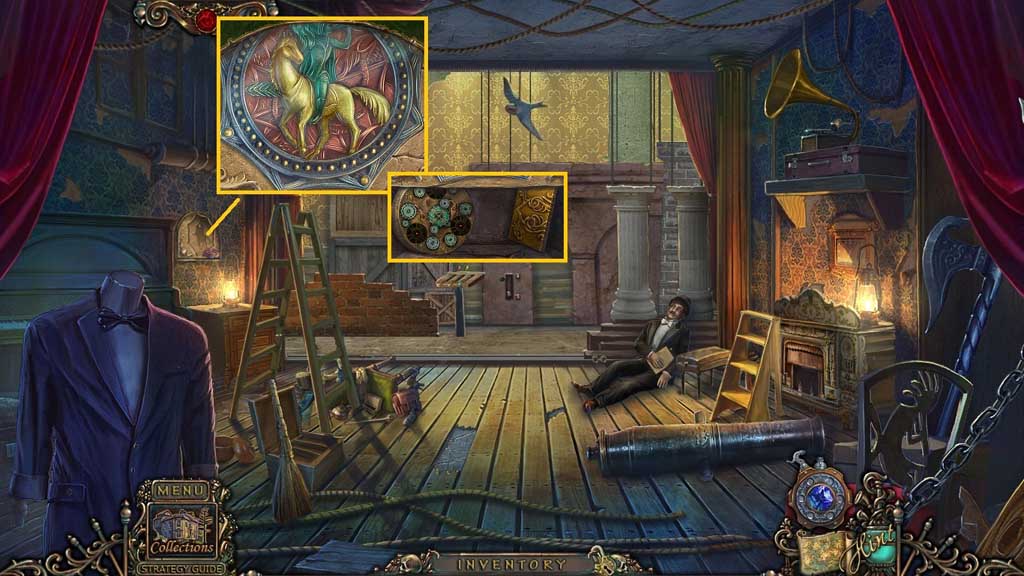
- Place the horse to trigger a mini game.
- Solve the game by completing the image.
- Collect the mechanical chest and 1 /2 metal tiles.
- Move to the Stage.
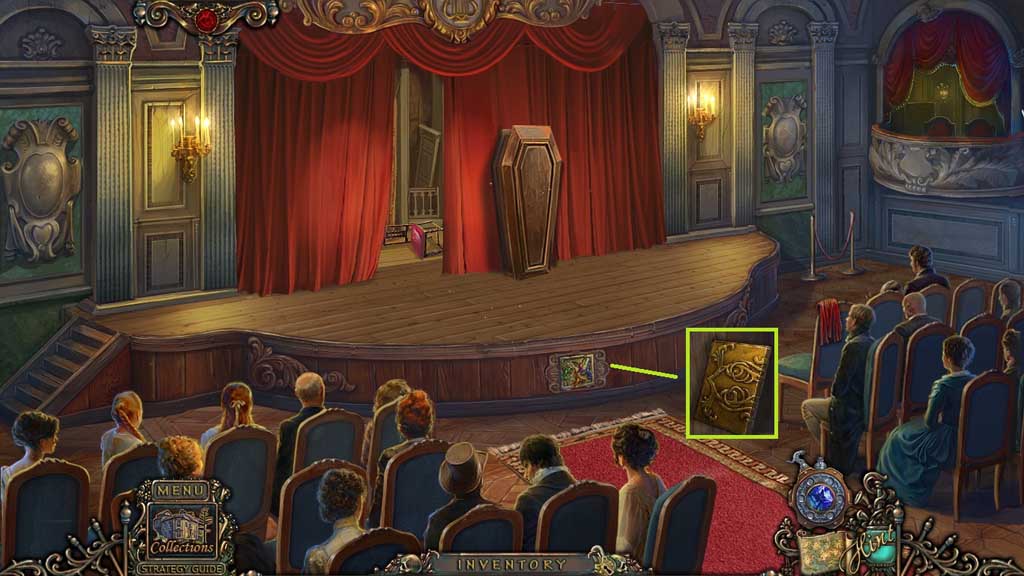
- Insert the bird and adjusting the wings to the color matched birds; collect 2 /2 metal tiles.
- Move to the Props Room.
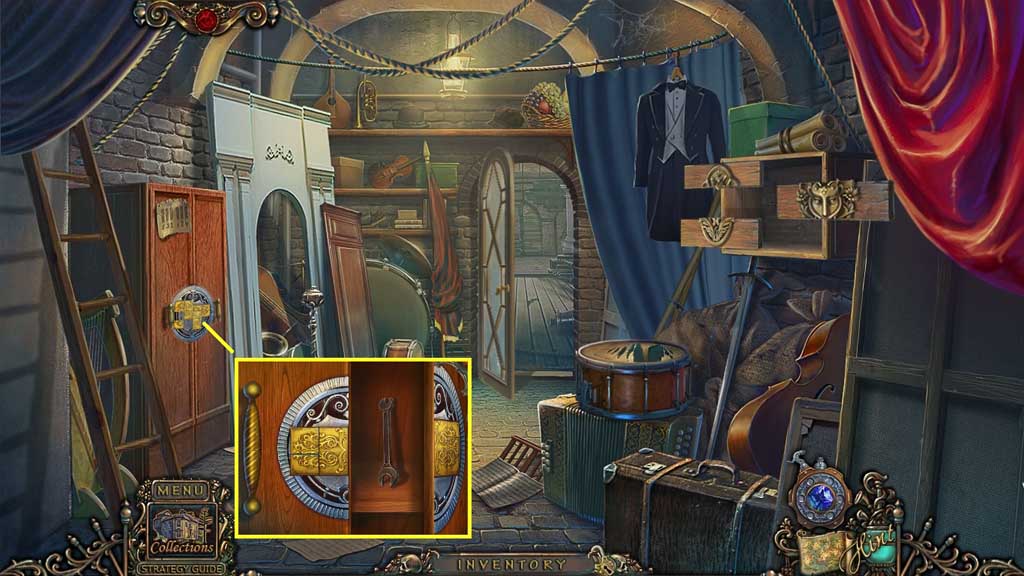
- Insert the metal tiles and slide them into place.
- Collect the wrench.
- Move to the Stage.
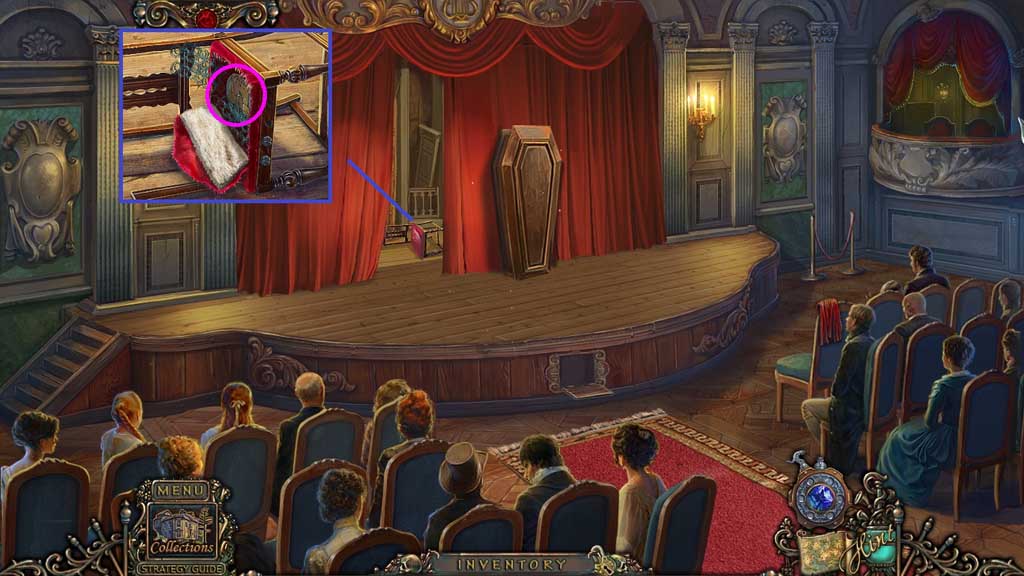
- Click the cushion 2x’s.
- Select the wrench to remove the bolts; collect the circle.
- Move down once and click the hidden objects area.
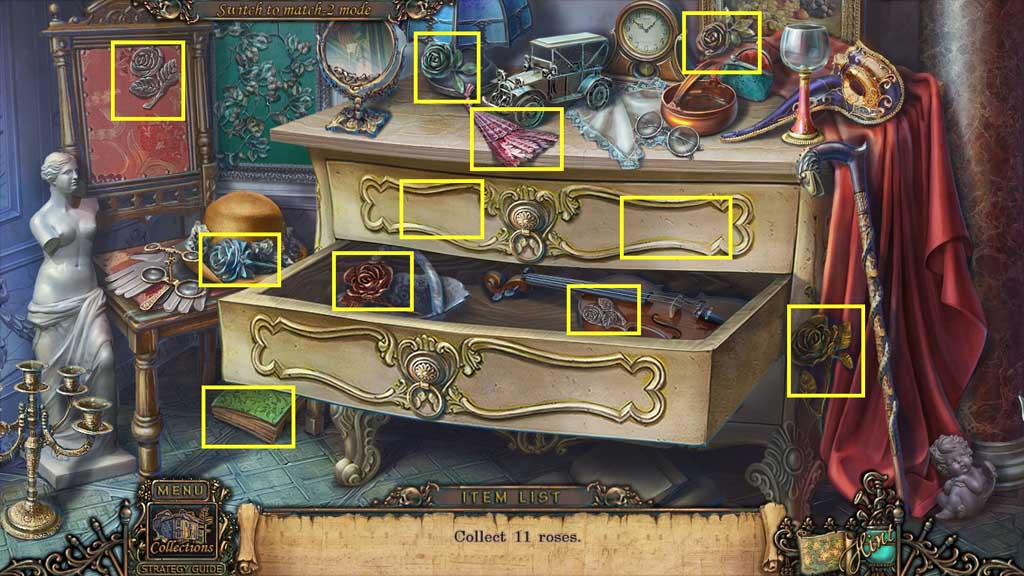
- Find the roses.
- Collect the piano key.
- Move to the right.
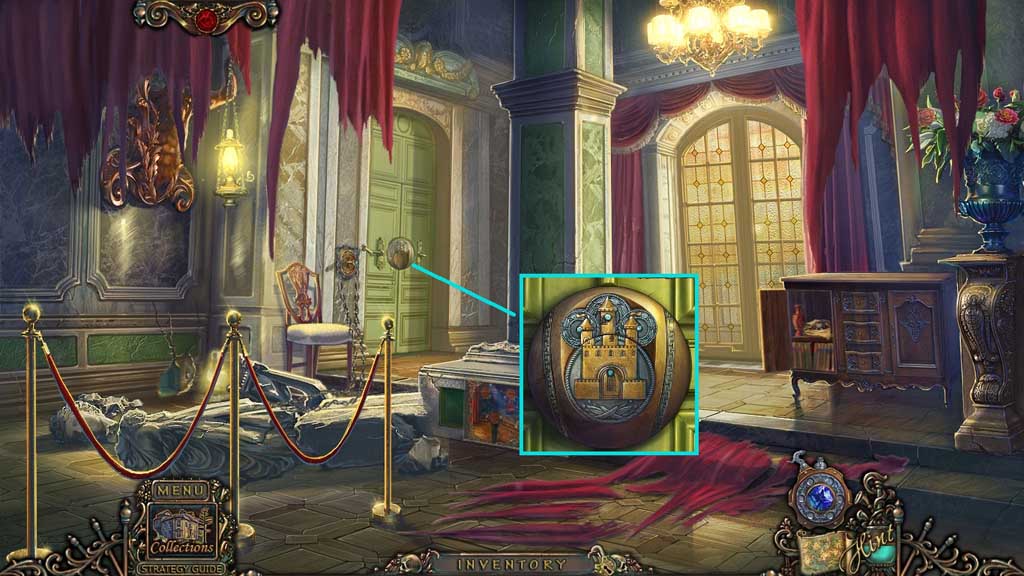
- Place the circle.
- Click the circles into aligniment.
- Move to the left.
Comments will load when you reach this part of the walkthrough.