

Chapter One: Outside the Cinema
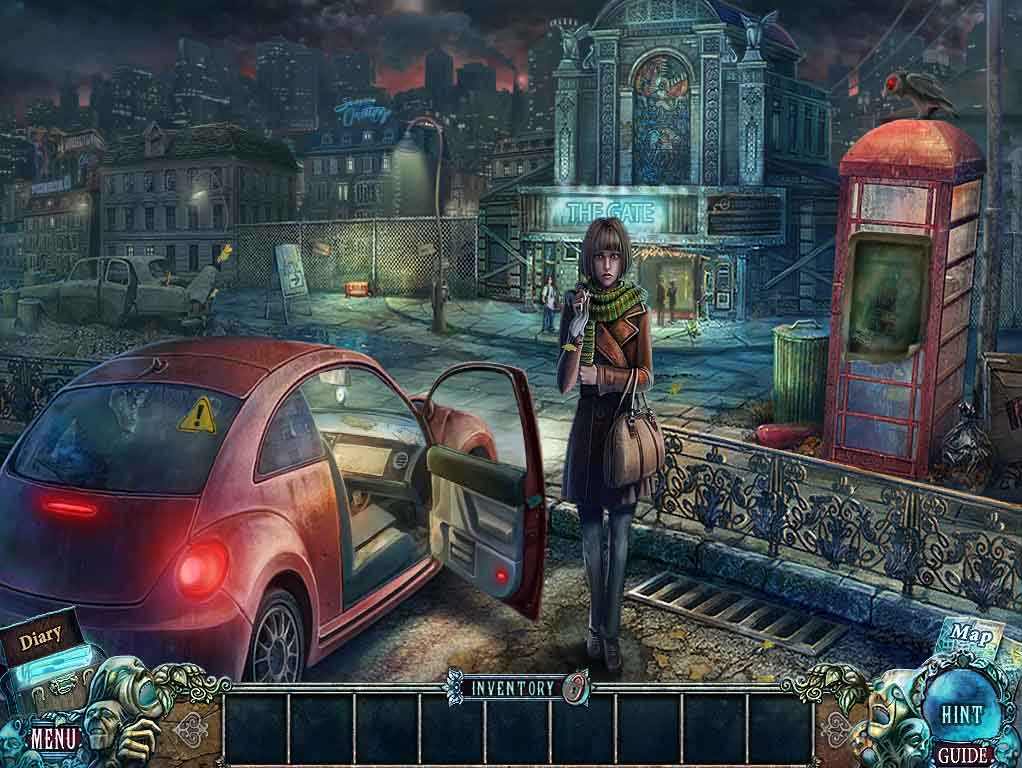
- Talk to Lily.
- Zoom into the car.
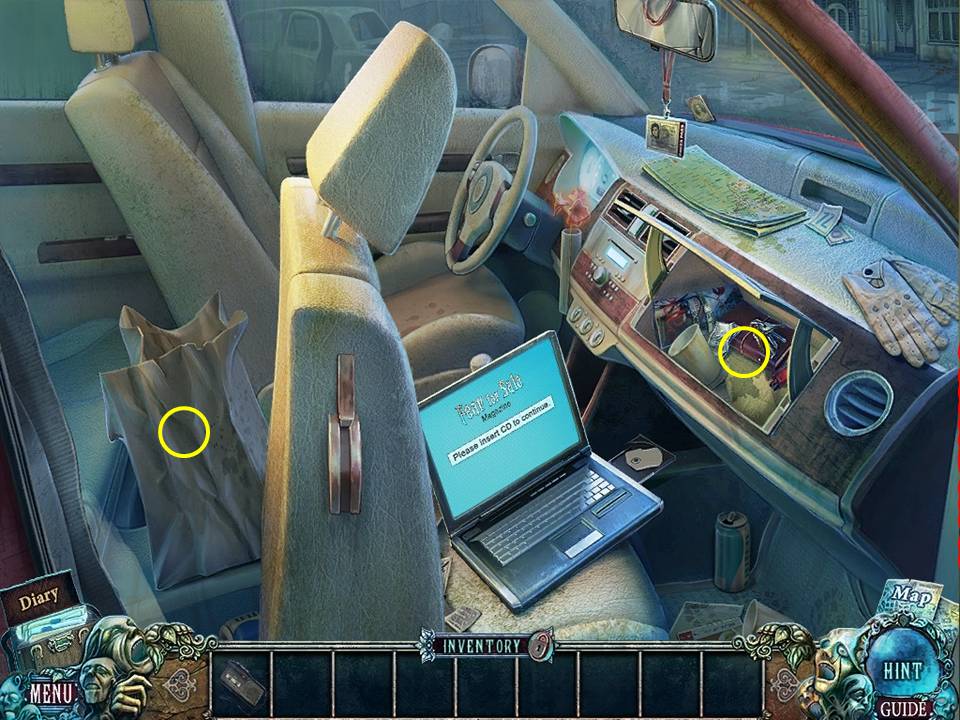
- Click the glove compartment to open it.
- Take the TAPE RECORDER.
- Click the seat to move it forward.
- Zoom into the paper bag behind the seat.
- Take the MILK and the sandwich.
- Click down.
- Record Lily with the TAPE RECORDER to get LILY’S VOICE RECORDING.
- Take the CINEMA TICKET from Lily.
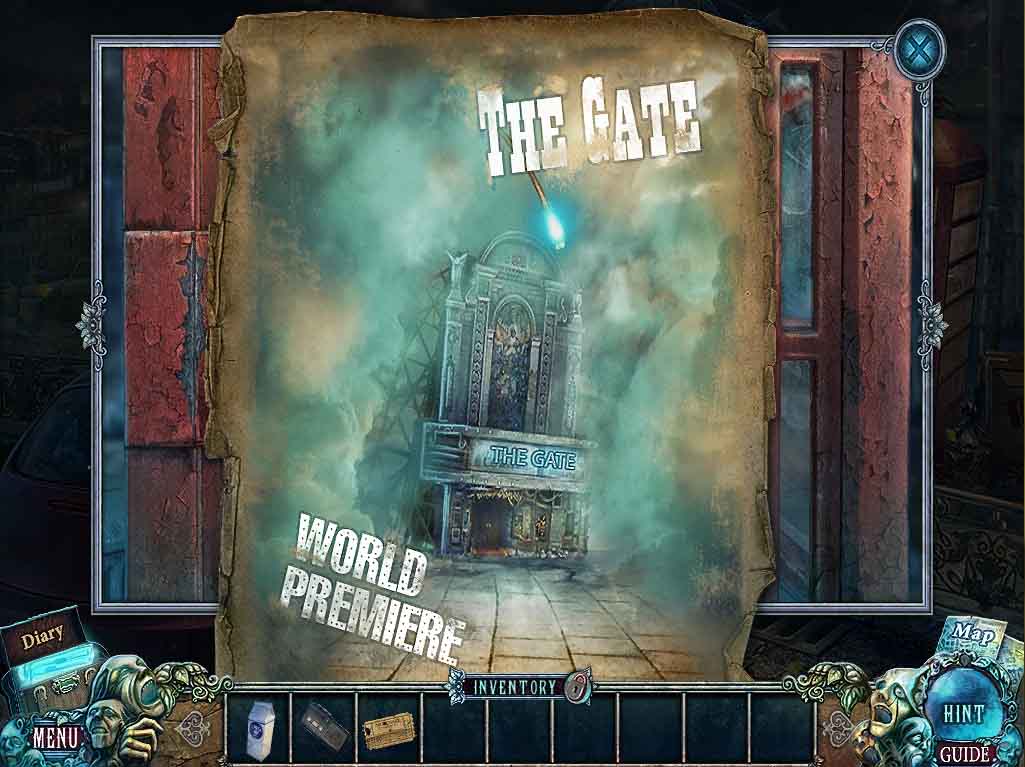
- Zoom into the phone booth.
- Take the poster.
- Go to the cinema entrance.
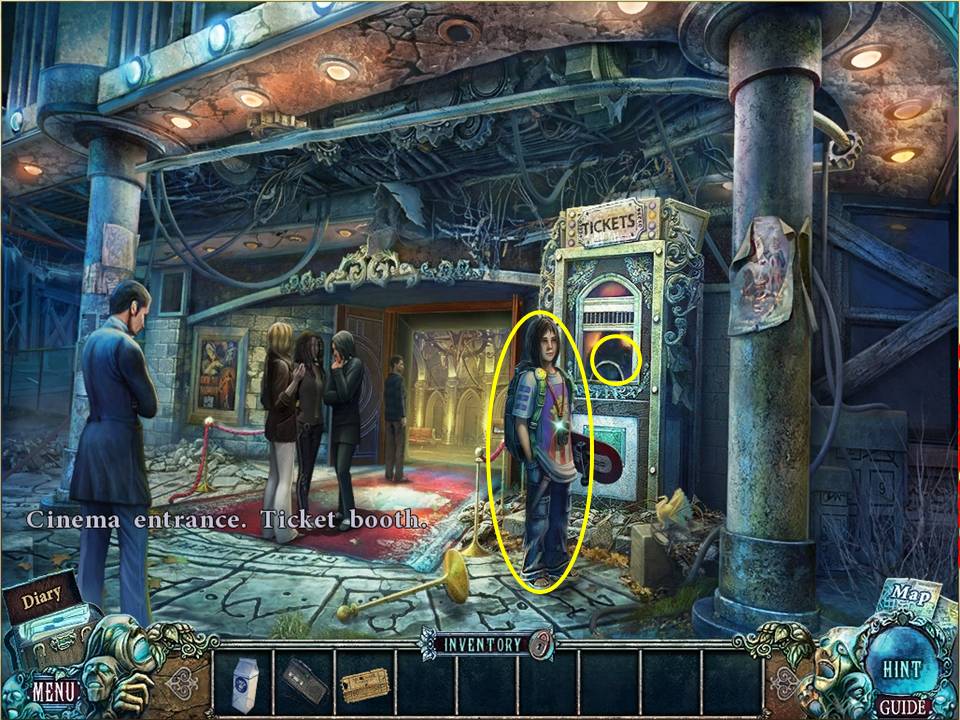
- Talk to the boy.
- Zoom into the ticket booth.
- Give the man the CINEMA TICKET.
- Take the PHONE BADGE and GLUE.
- Zoom into the door.
- Click to open the lion’s mouth.
- Take the SNAKE RING.
- Click down.
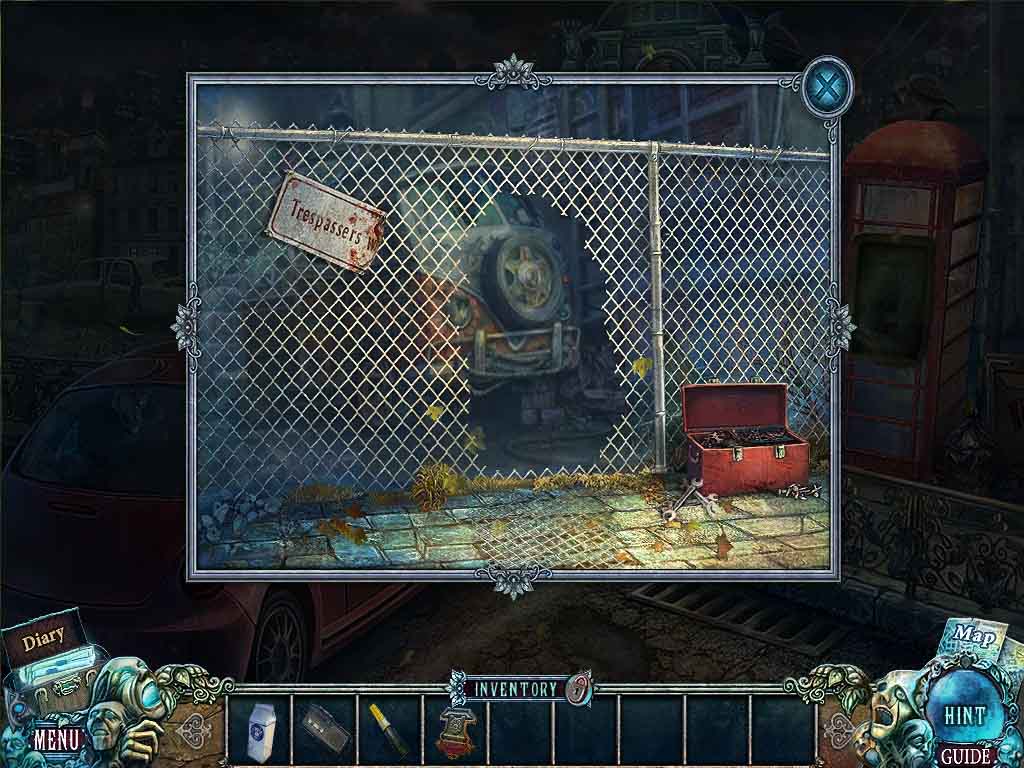
- Zoom into the fence.
- Zoom into the toolbox.
- Insert the SNAKE RING on the top of the toolbox.
- Take the CUTTERS.
- Use the CUTTERS to snip a hole in the fence.
- Enter the alley.
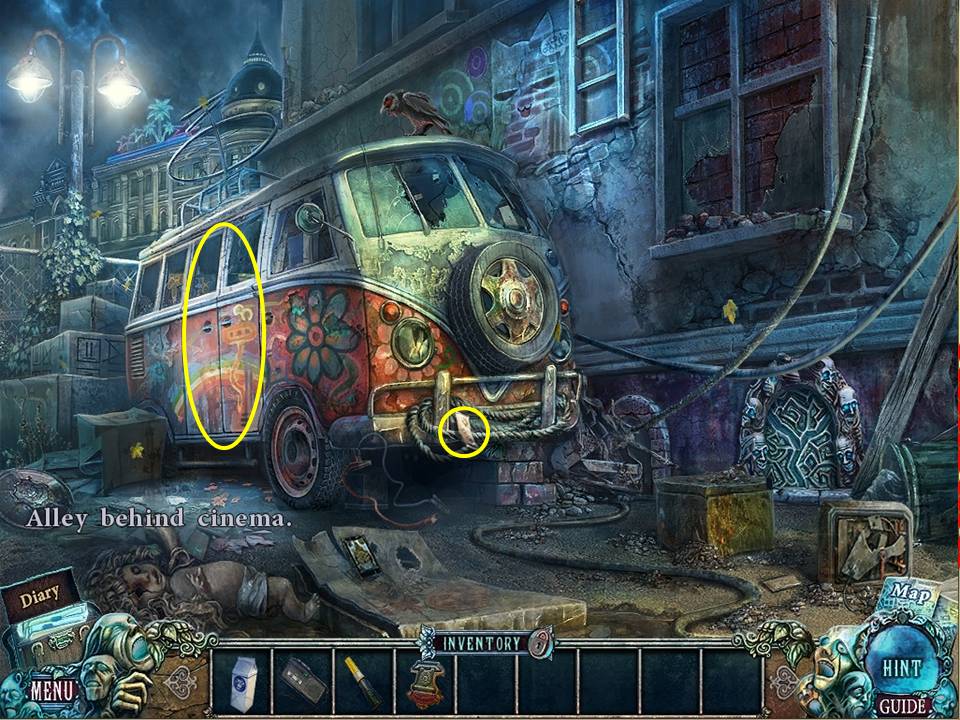
- Zoom into the front of the van.
- Take the PHONE NUMBER.
- Click the van door to open it and play an HOA.
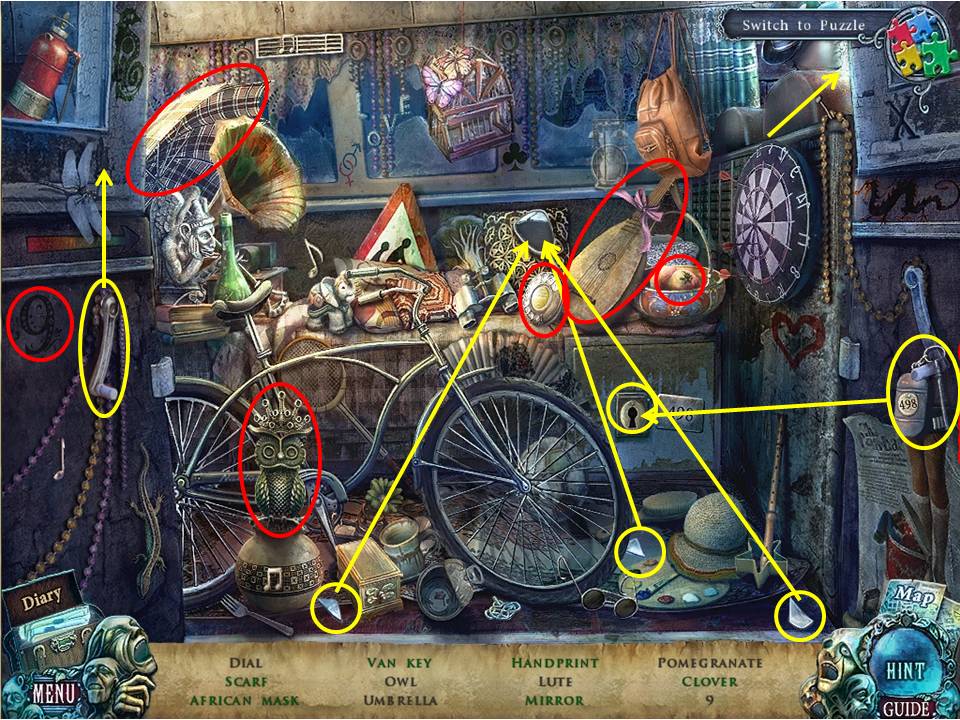
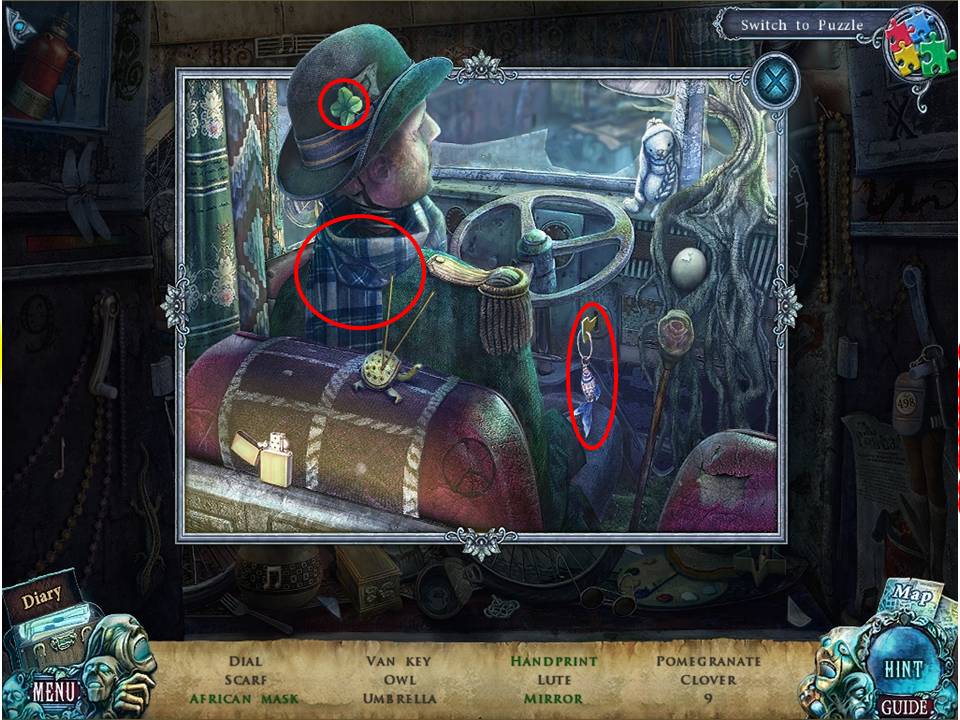
- Find the items listed.
- Zoom into the ledge to get the clover, van key and scarf.
- Click the handle to get the handprint.
- Return the three mirror shards to the mirror frame.
- Unlock the safe with the key to get the African mask.
- Receive the dial.
- Go back to the first scene.
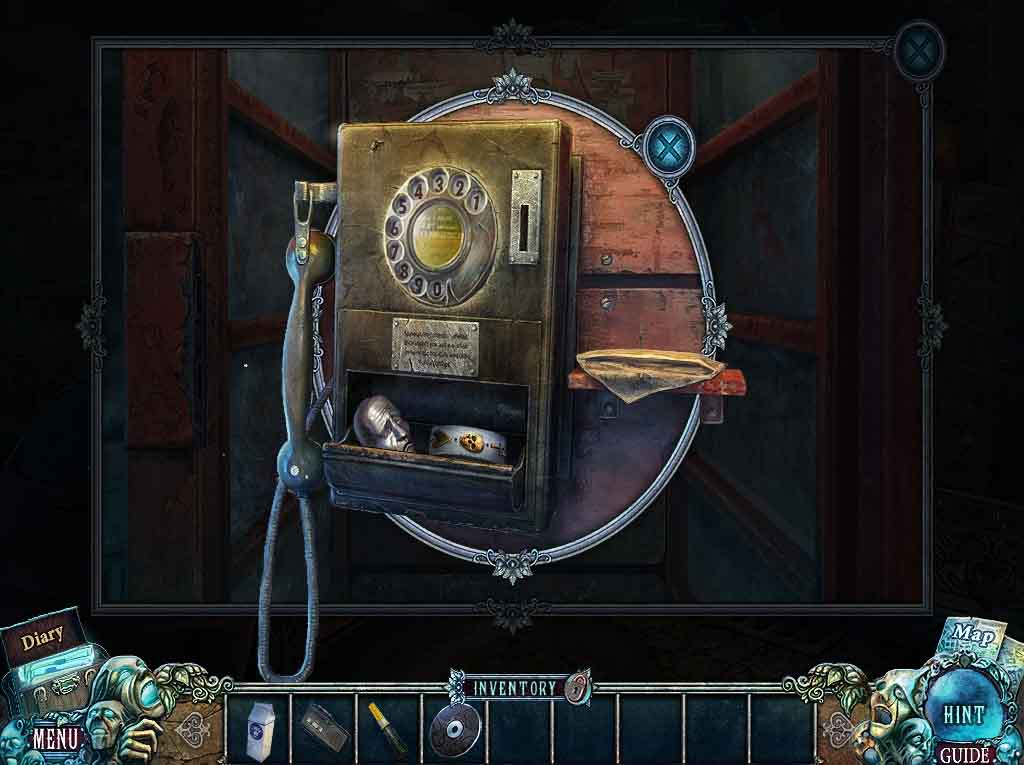
- Zoom into the phone booth.
- Insert the PHONE BADGE into the space on the door.
- Click to open the door.
- Zoom into the phone.
- Put the DIAL on the phone.
- Place the PHONE NUMBER in the scene.
- Take the first SLOT REEL and METAL MASK.
- Click to open the envelope.
- Take the CD.
- Go back to the car.
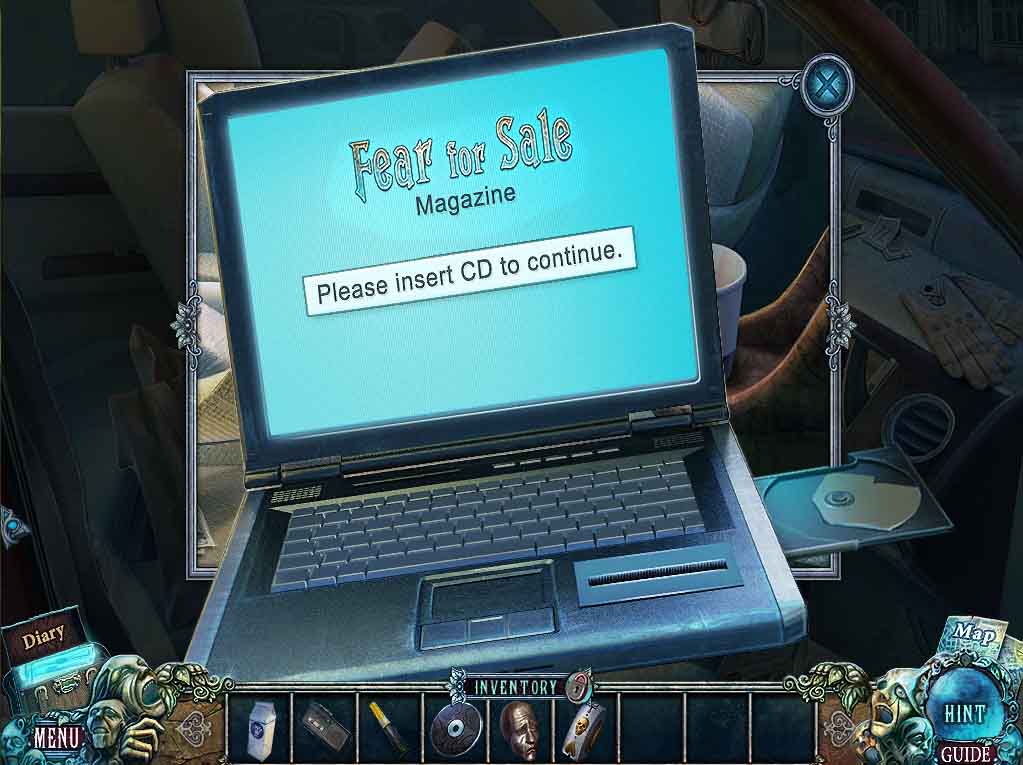
- Zoom into the computer.
- Click to open it.
- Insert the CD into the disk drive.
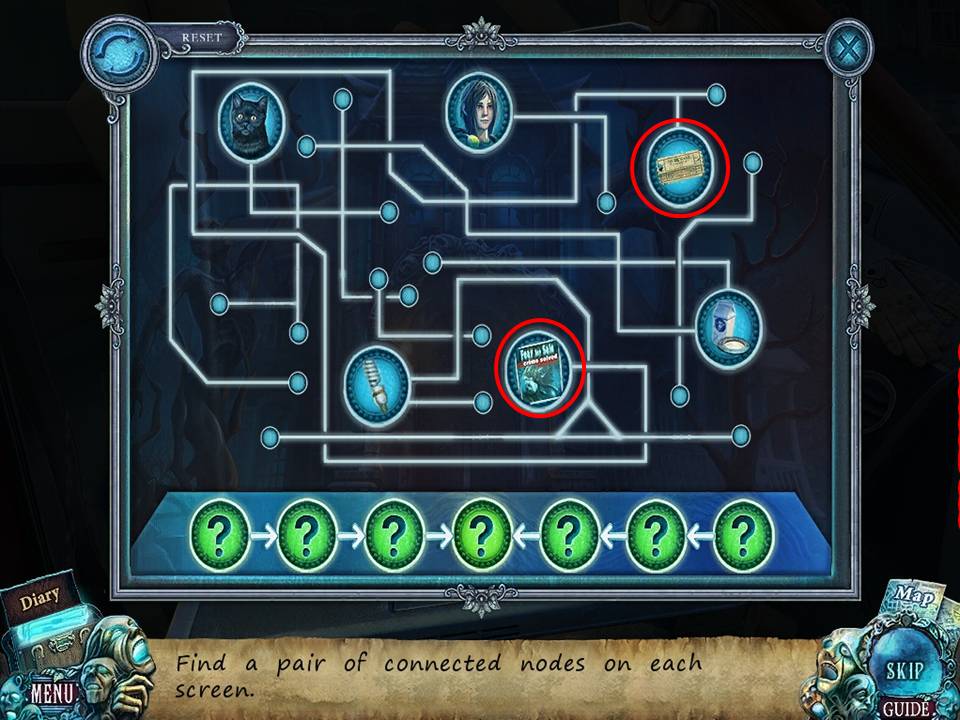
- Click the two circled items.
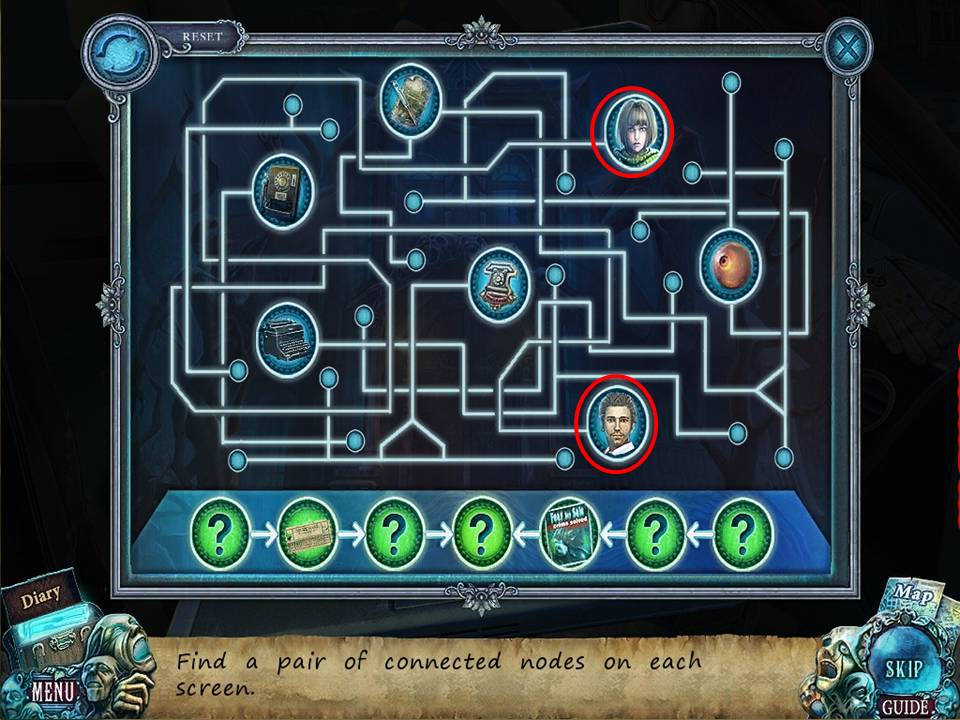
- Click the two circled items.
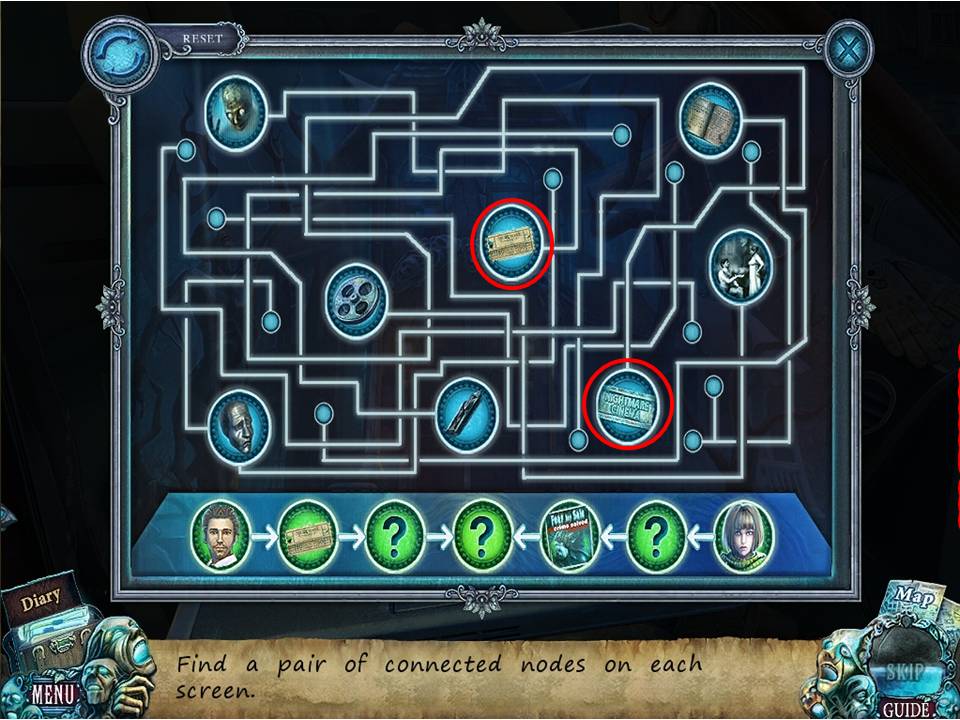
- Click the two circled items.
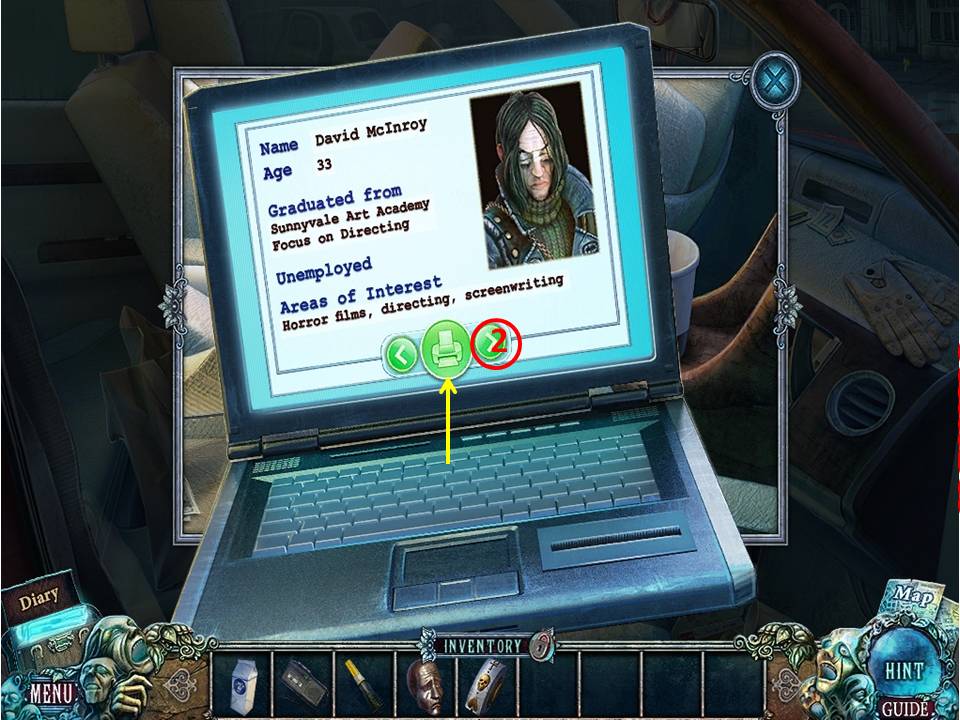
- Click the green right arrow on the computer screen two times.
- Then print.
- Take the PRINTED IMAGE.
- Go back to the alley.
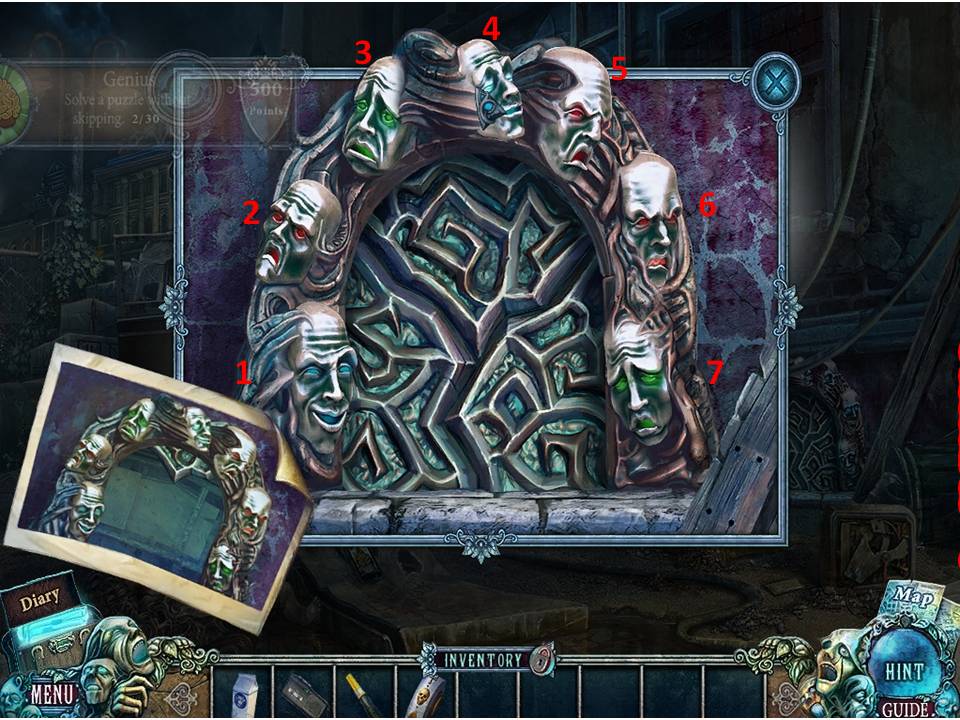
- Zoom into the window.
- Put the PRINTED IMAGE and METAL FACE on the window to initiate a mini-game.
- The object of the game is to arrange the eyes to match the colors show in the printed image.
- Assuming the faces are numbered one to six beginning at the bottom left corner and moving clockwise, click in this order: 1, 1, 2, 6, 5, 4, 4.
- Enter the cinema basement.
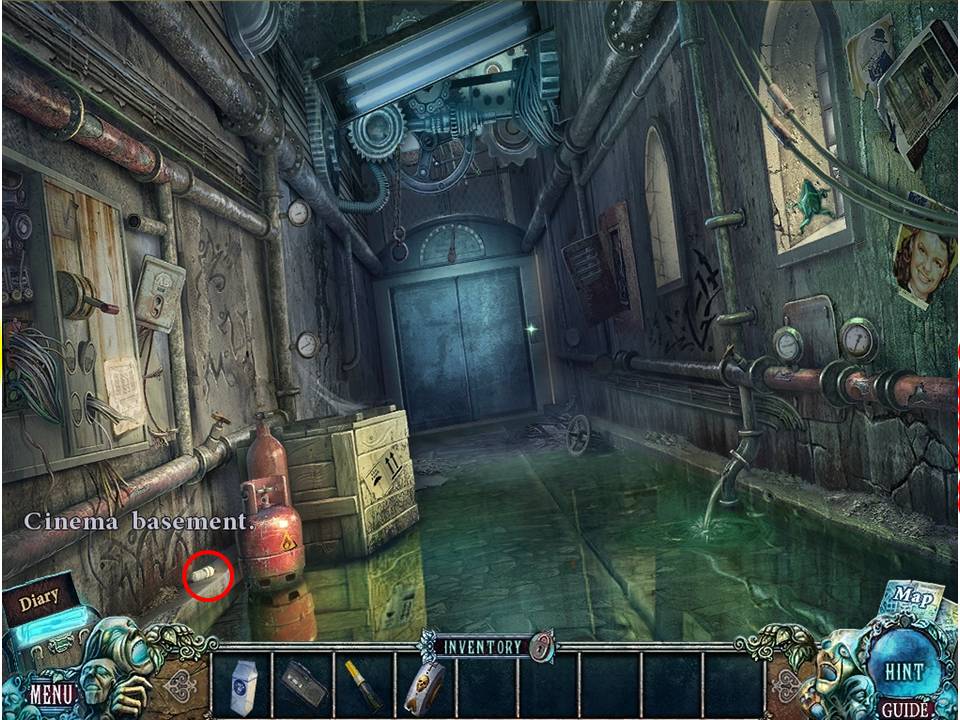
- Zoom into the fuel tank.
- Take the LIGHT BULB.
- Go back to the alley.
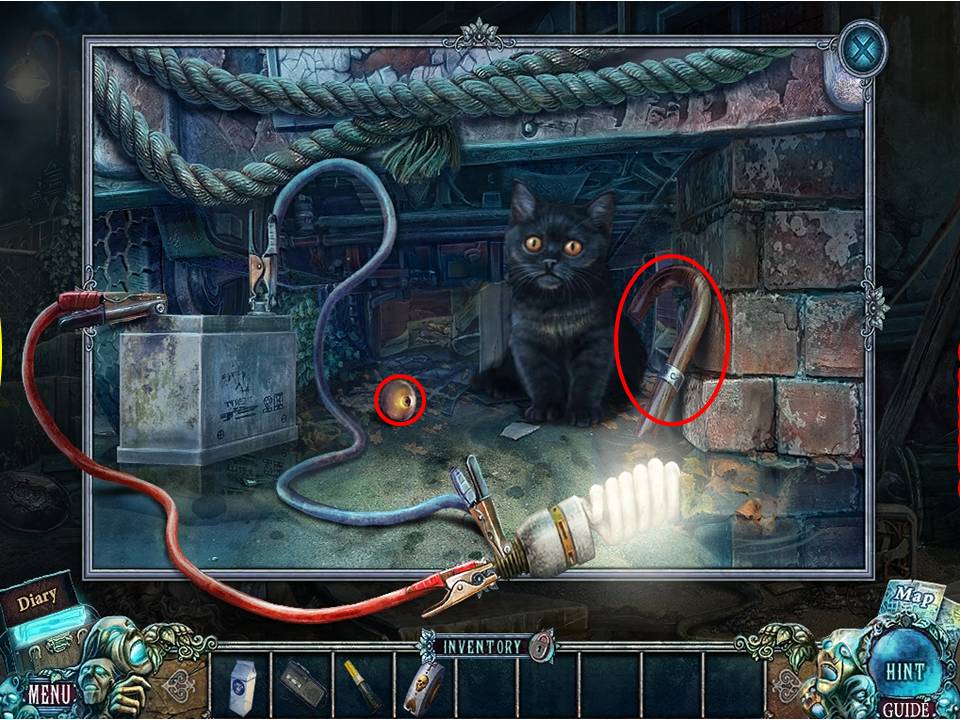
- Zoom in under the front of the van.
- Affix the LIGHT BULB to the clamps.
- Take the CANE HANDLE and ELEVATOR BUTTON.
- GO back to the basement.
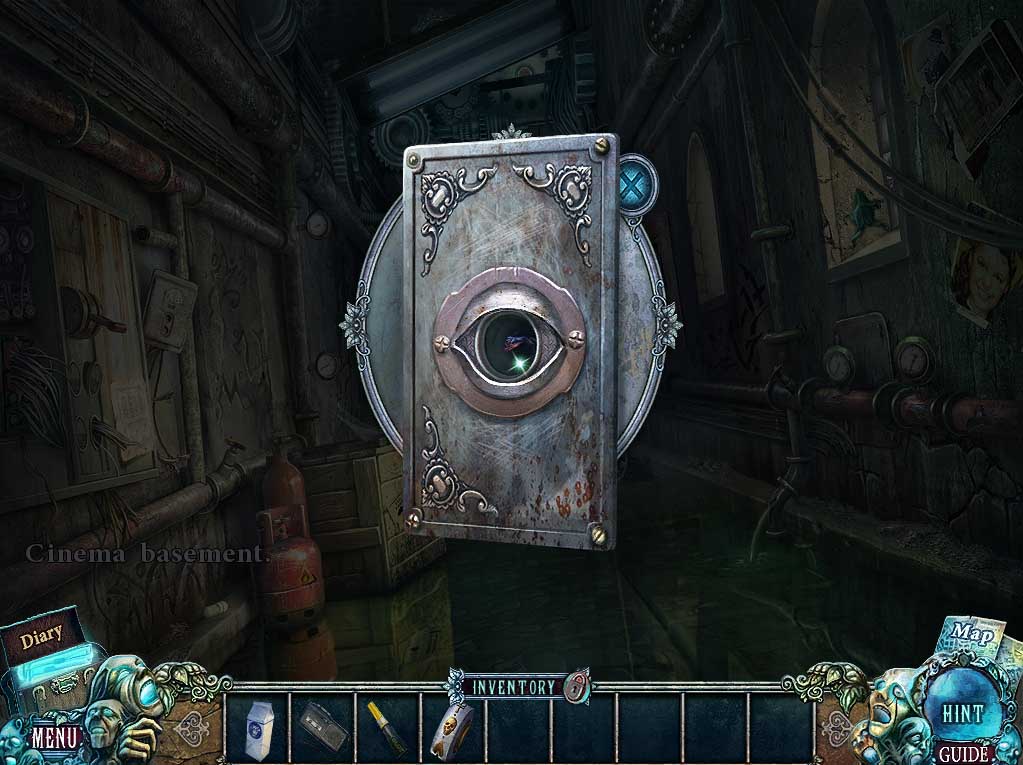
- Zoom into the elevator.
- Put the ELEVATOR BUTTON on the panel.
- Enter the elevator to go to the cinema lobby.
Comments will load when you reach this part of the walkthrough.