

Chapter One
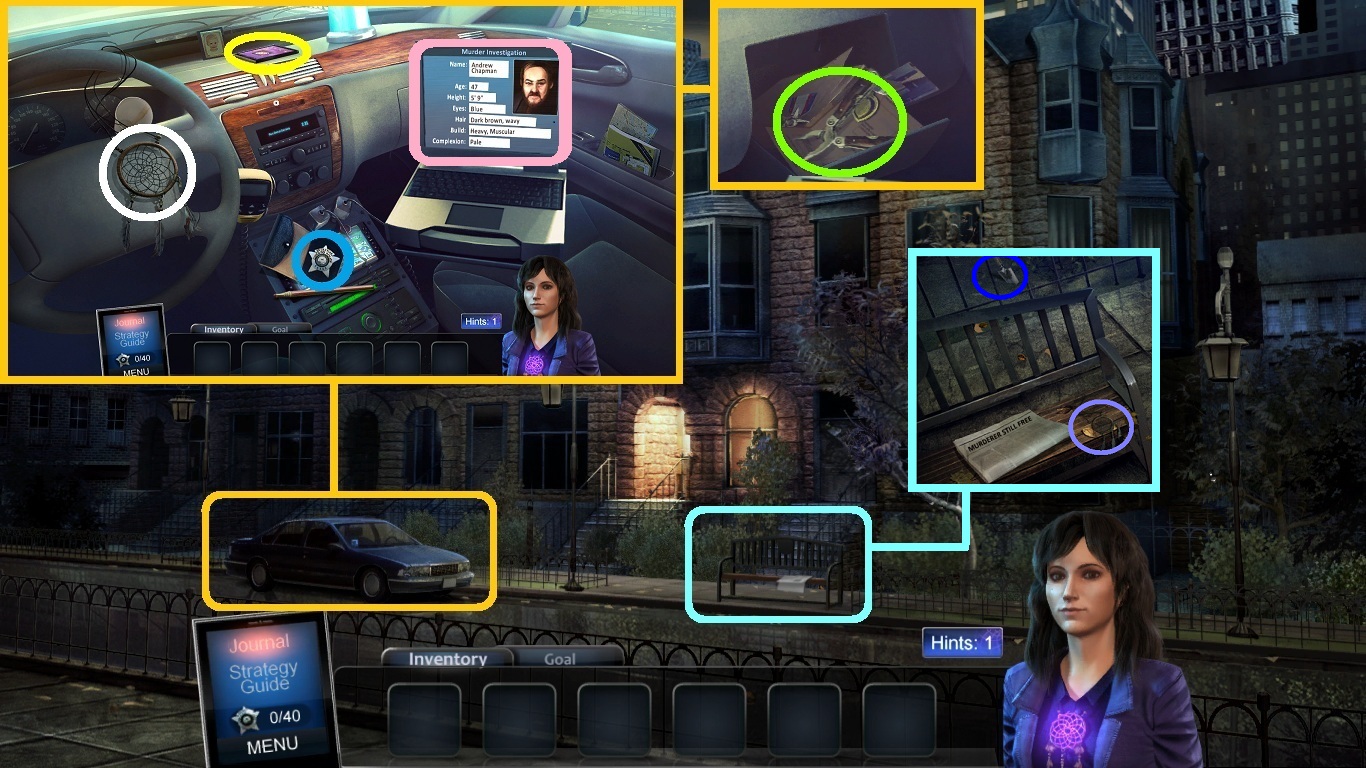
- Zoom into the car (orange square).
- Collect the badge (blue circle).
- Collect the dream catcher (white circle).
- Collect the cell phone (yellow circle).
- Click the laptop (light pink).
- Click the glove compartment.
- Collect the multi-tool (green circle).
- Zoom into the bench (aqua square).
- Collect the dream catcher (lavender circle).
- Collect the trowel (dark blue circle).
-
Go to the entryway (red arrow).
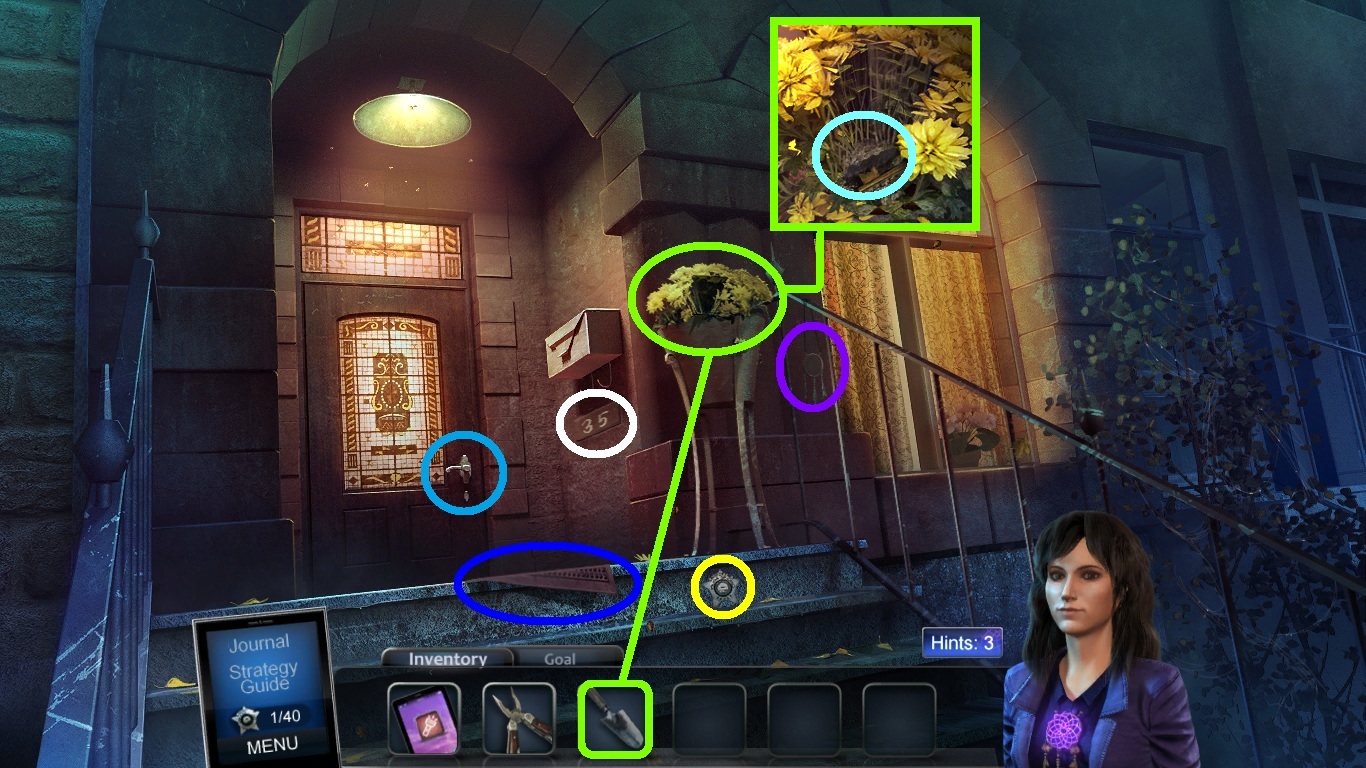
- Collect the badge (yellow circle).
- Collect the dream catcher (purple circle).
- Collect the rubber mat (dark blue circle).
- Collect the numbered brick (white circle).
- Zoom into the potted plant (green circle).
- Pick the trowel (green square) to dig up the house key.
- Collect the house key (aqua circle).
- Pick the house key; use it to unlock the door (blue circle).
-
Go into the house.
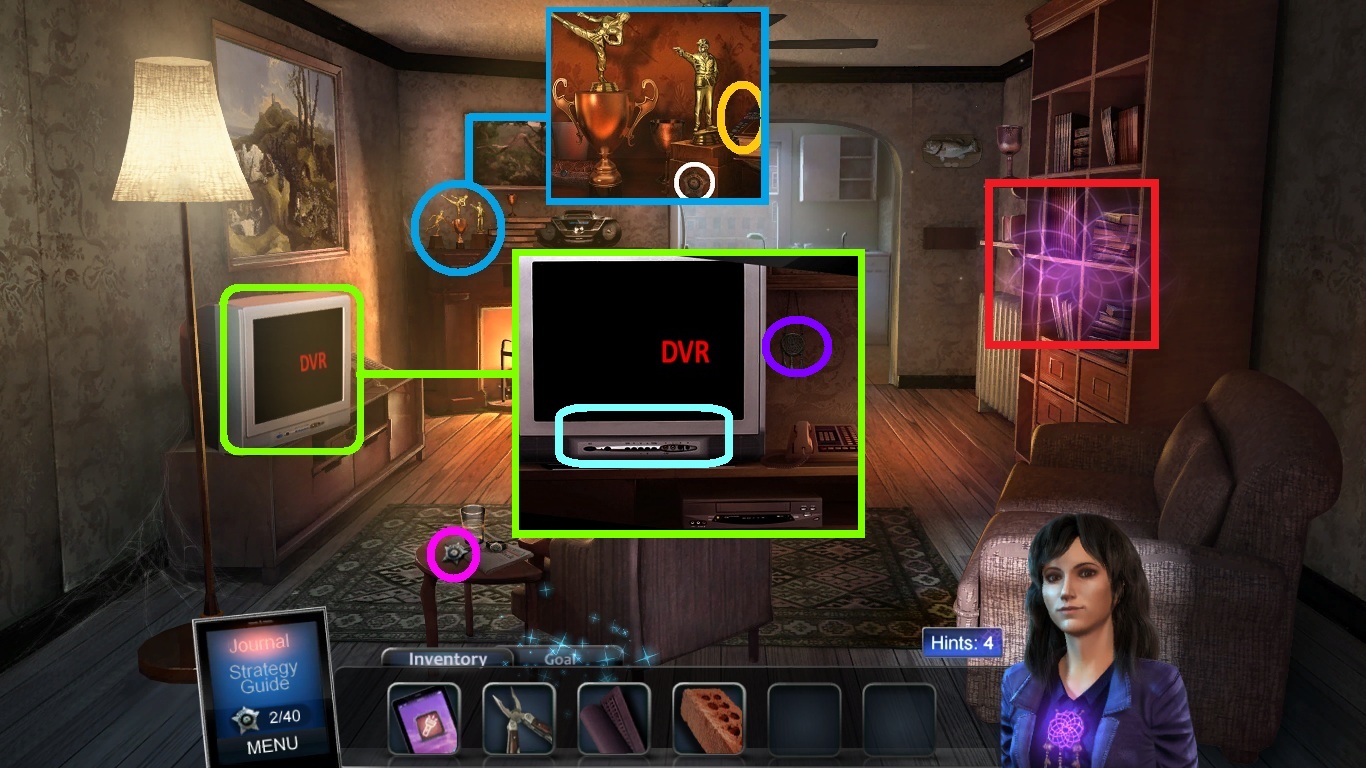
- Collect the badge (pink circle).
- Zoom into the trophies placed on the mantle (blue circle).
- Collect the badge (white circle).
- Collect the remote (orange circle).
- Zoom into the TV (green square).
- Collect the dream catcher (purple circle).
- Pick the remote; use it to play the dvr (aqua square).
-
Zoom into the shelf (red circle) to open a hidden objects scene.
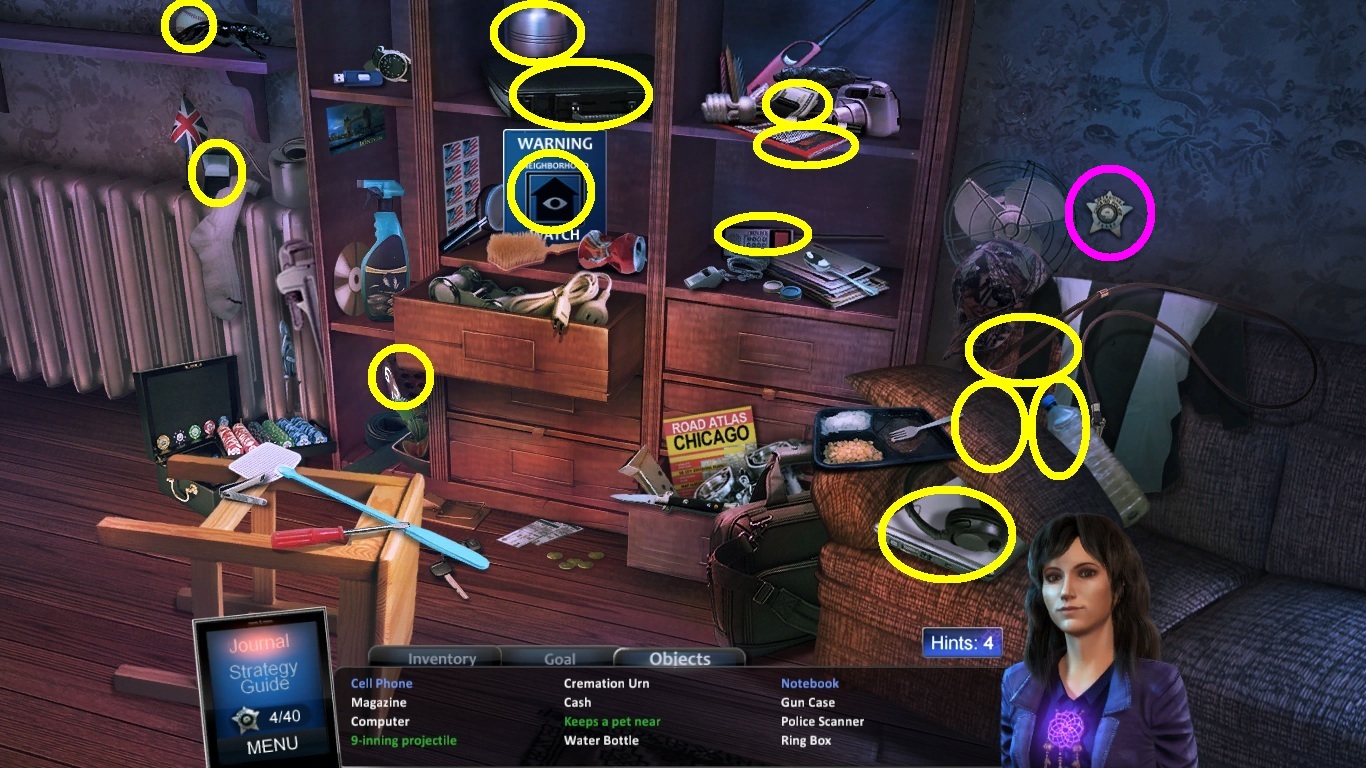
- Find all the listed items (yellow circles).
- (Items may vary).
- Collect the badge (pink circle).
- Collect the numbered brick.
-
Go to the kitchen.
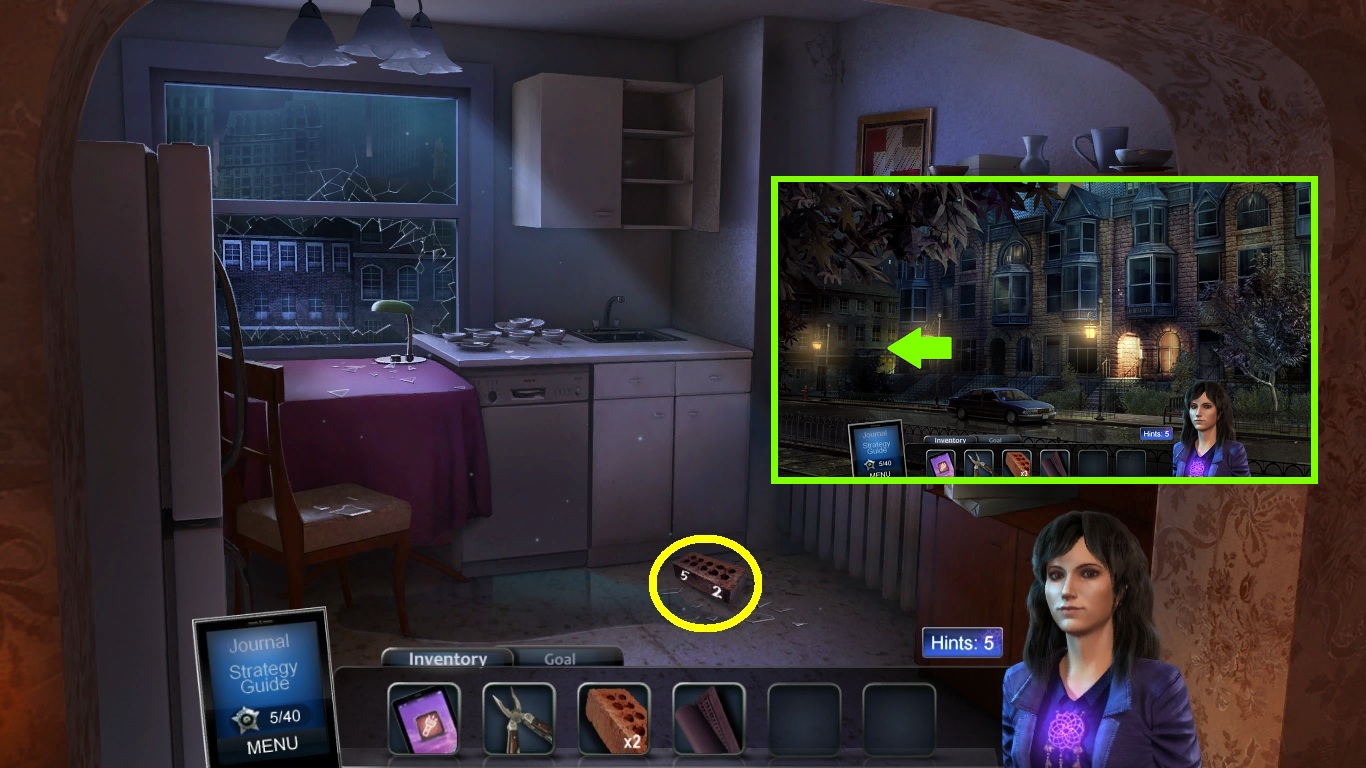
- Collect the numbered brick (yellow circle).
- Exit the house.
-
Go to the alley (green arrow).
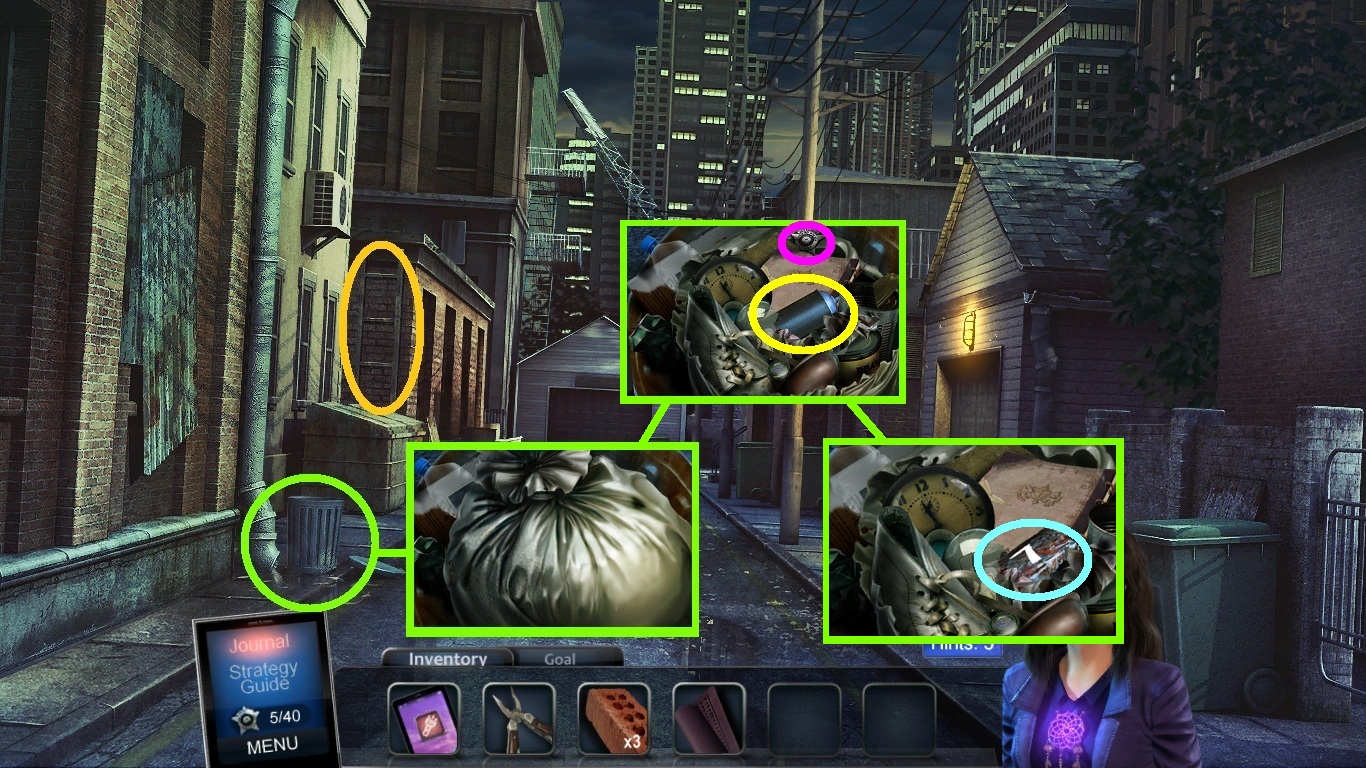
- Collect the ladder (orange circle).
- Zoom into the garbage can (green circle).
- Click the garbage bag.
- Collect the badge (pink circle).
- Collect the spray paint (yellow circle).
-
Collect the numbered brick (aqua circle).
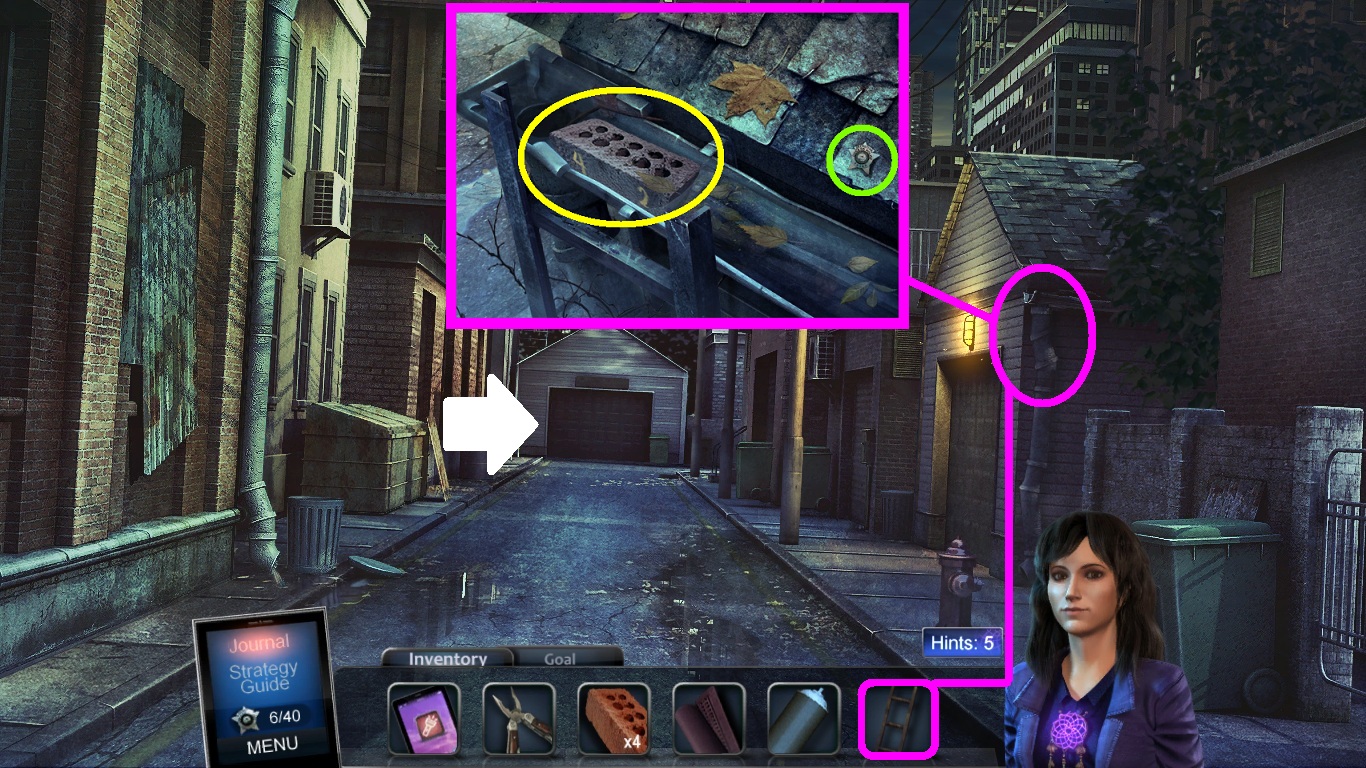
- Pick the ladder (pink square); place it against the wall (pink circle).
- Zoom into the eave.
- Collect the badge (green circle).
- Collect the numbered brick (yellow circle).
-
Go to Chapman garage (white arrow).
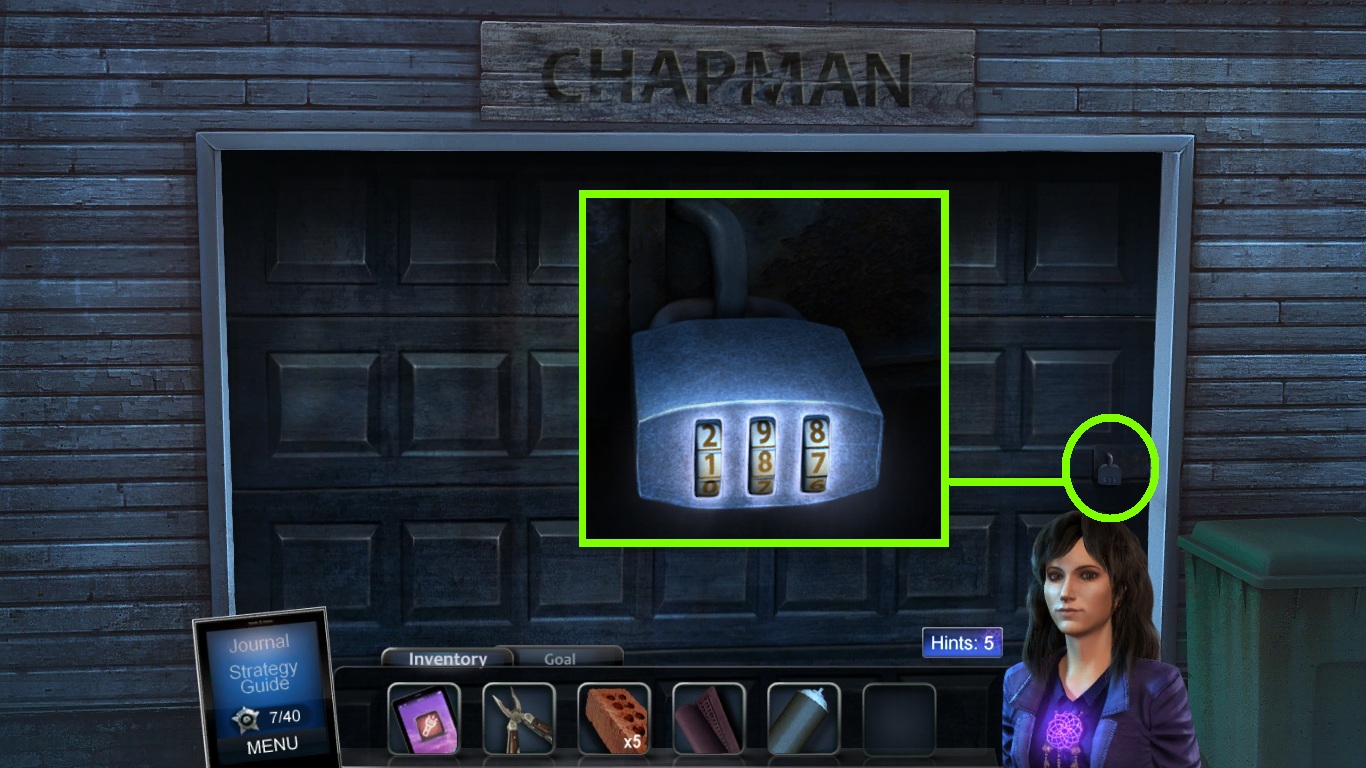
- Zoom into the door lock (green circle).
-
Enter the code 1-8-7.
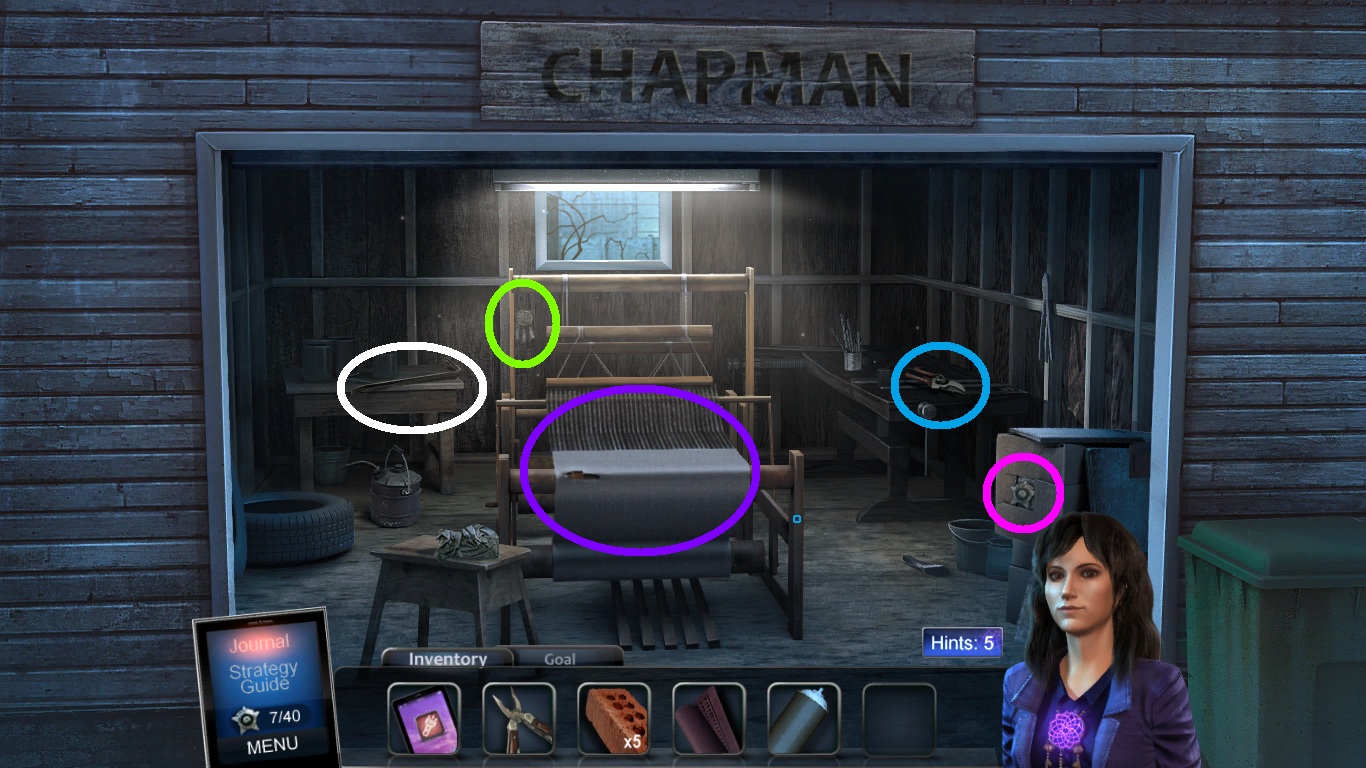
- Collect the dream catcher (green circle).
- Collect the badge (pink circle).
- Collect the pruner (blue circle).
- Collect the crowbar (white circle).
-
Zoom into the loom (purple circle).
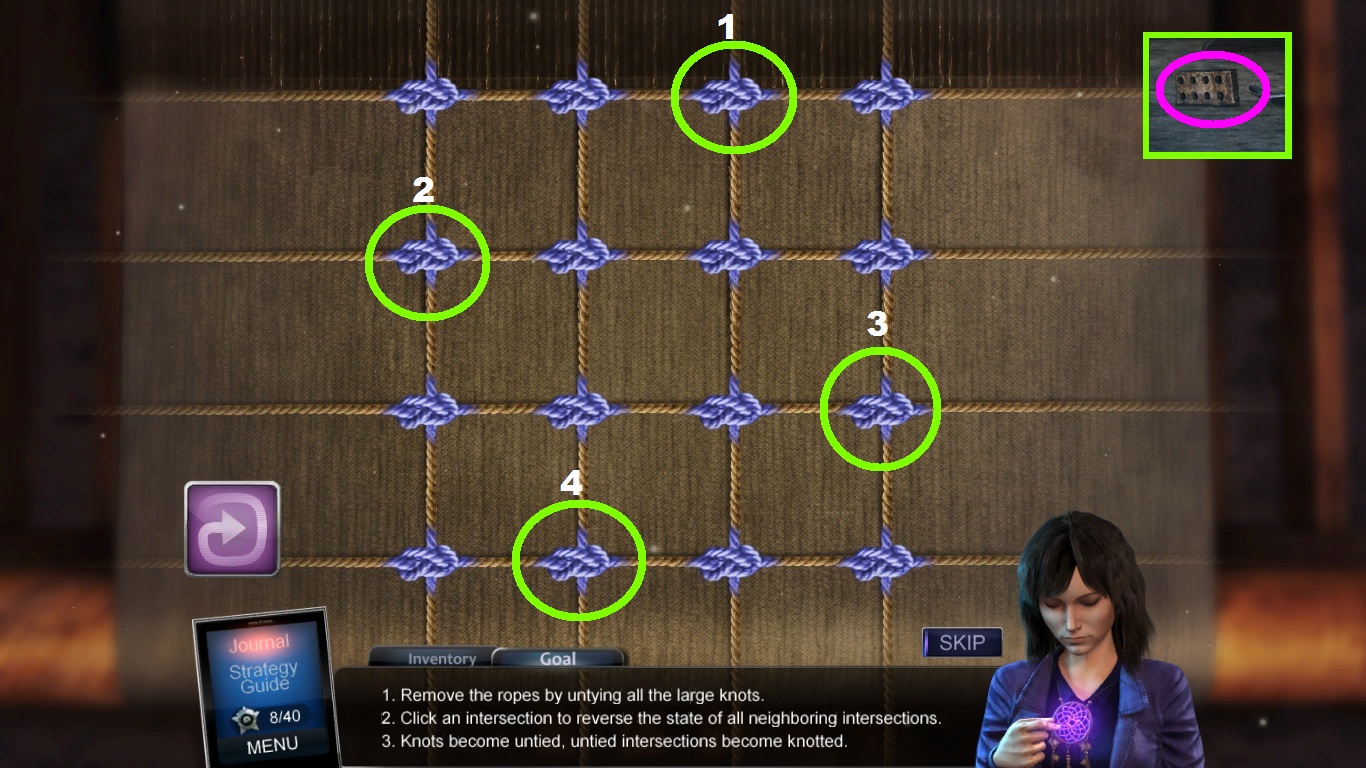
- Click the knots (green circles) labeled 1-4.
- Collect the numbered brick (pink circle).
-
Go to the alley.
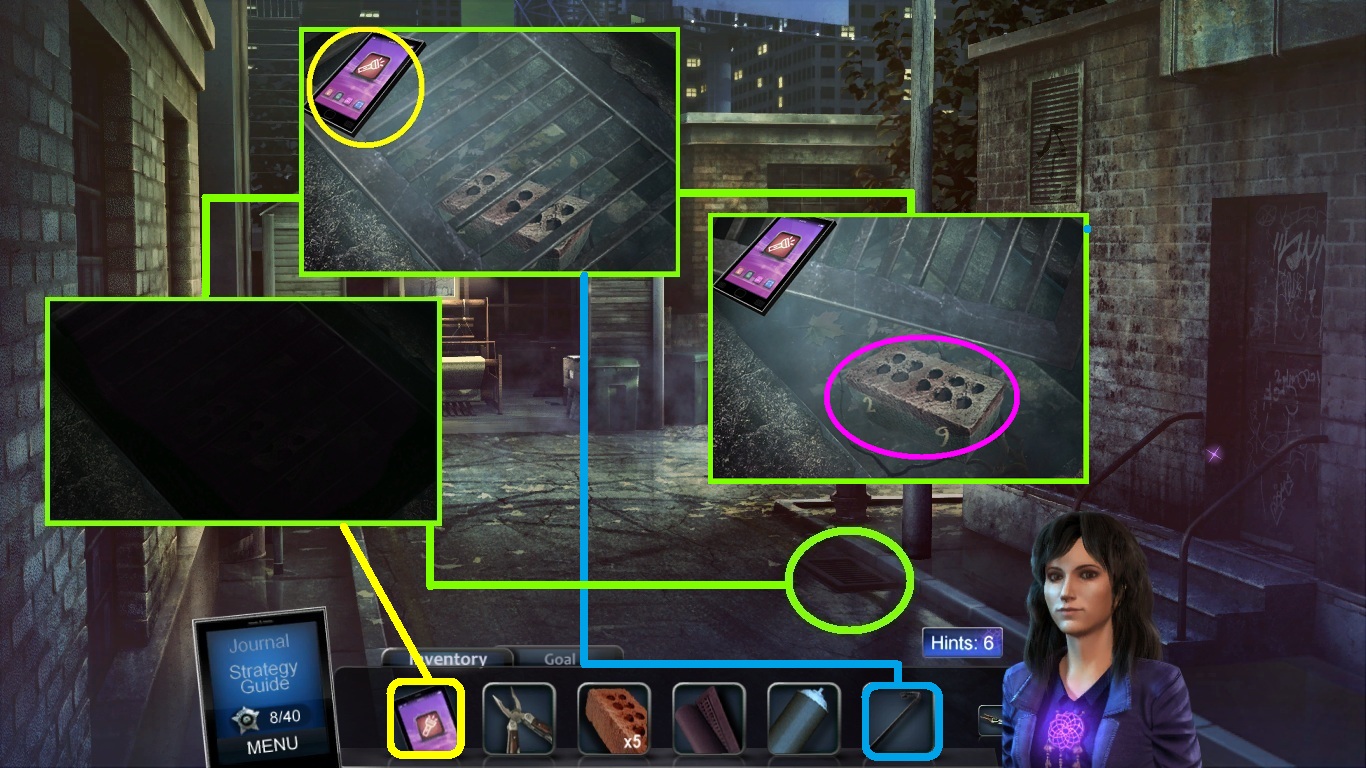
- Zoom into the drain (green circle).
- Pick the cell phone (yellow square) to use for lighting.
- Pick the crow bar (blue square) to lift off the grate.
- Collect the numbered brick (pink circle).
-
Go to the right side of the garage.
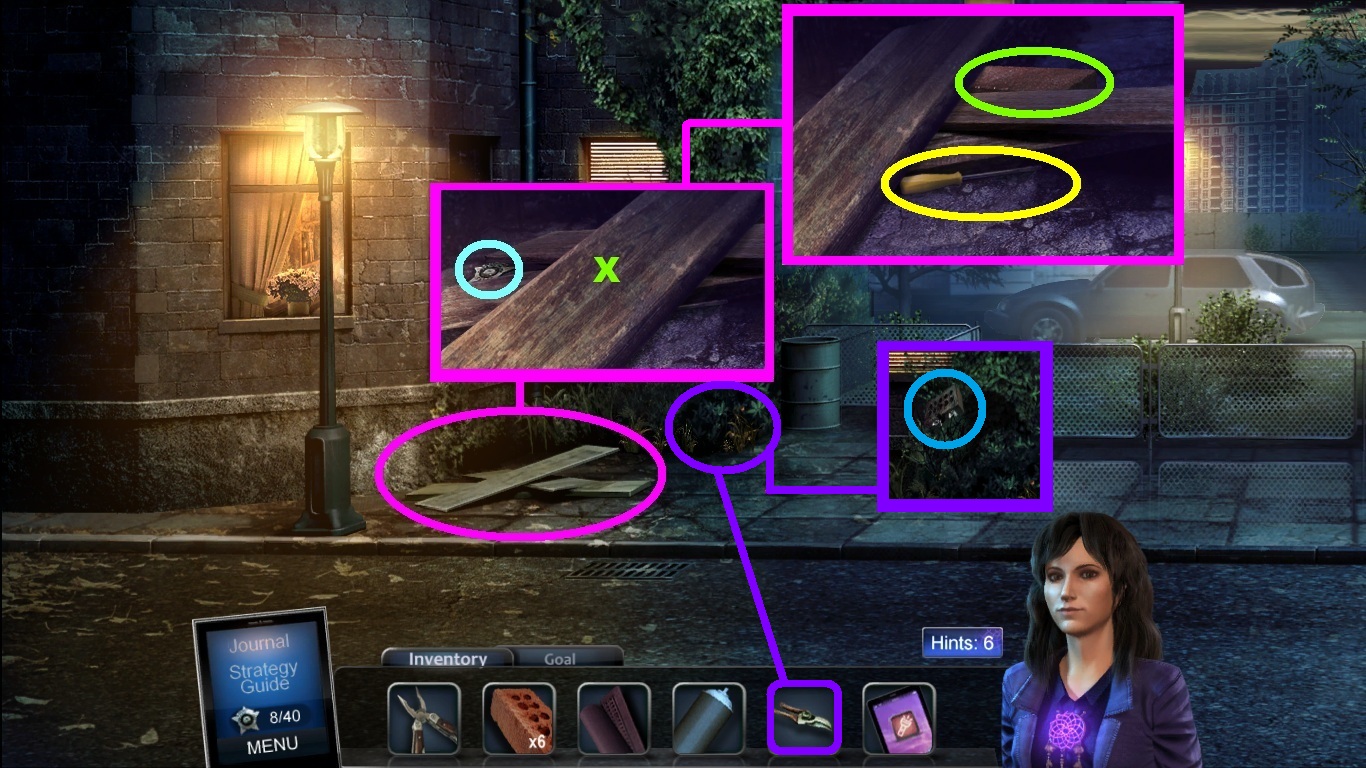
- Zoom into the boards (pink circle).
- Collect the badge (aqua circle).
- Click the top board (green x).
- Collect the screwdriver (yellow circle) and the numbered brick (green circle).
- Pick the pruner (purple square) use them to cut the bush (purple circle).
- Collect the numbered brick (blue circle).
-
Go right.
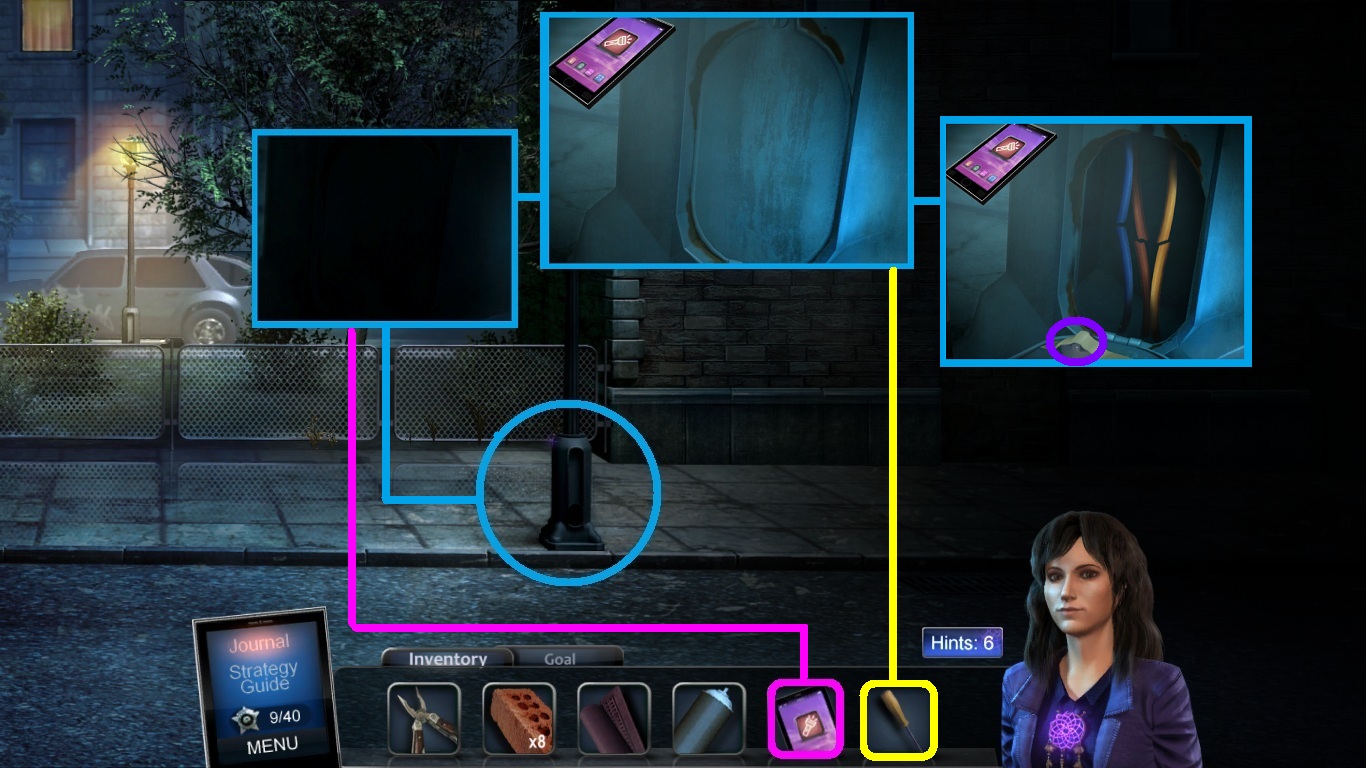
- Zoom into the light pole base (blue circle).
- Pick the cell phone (pink square) to light the area.
- Pick the screwdriver (yellow square) to move the cover.
- Collect the knob (purple circle).
-
Go back to the kitchen.
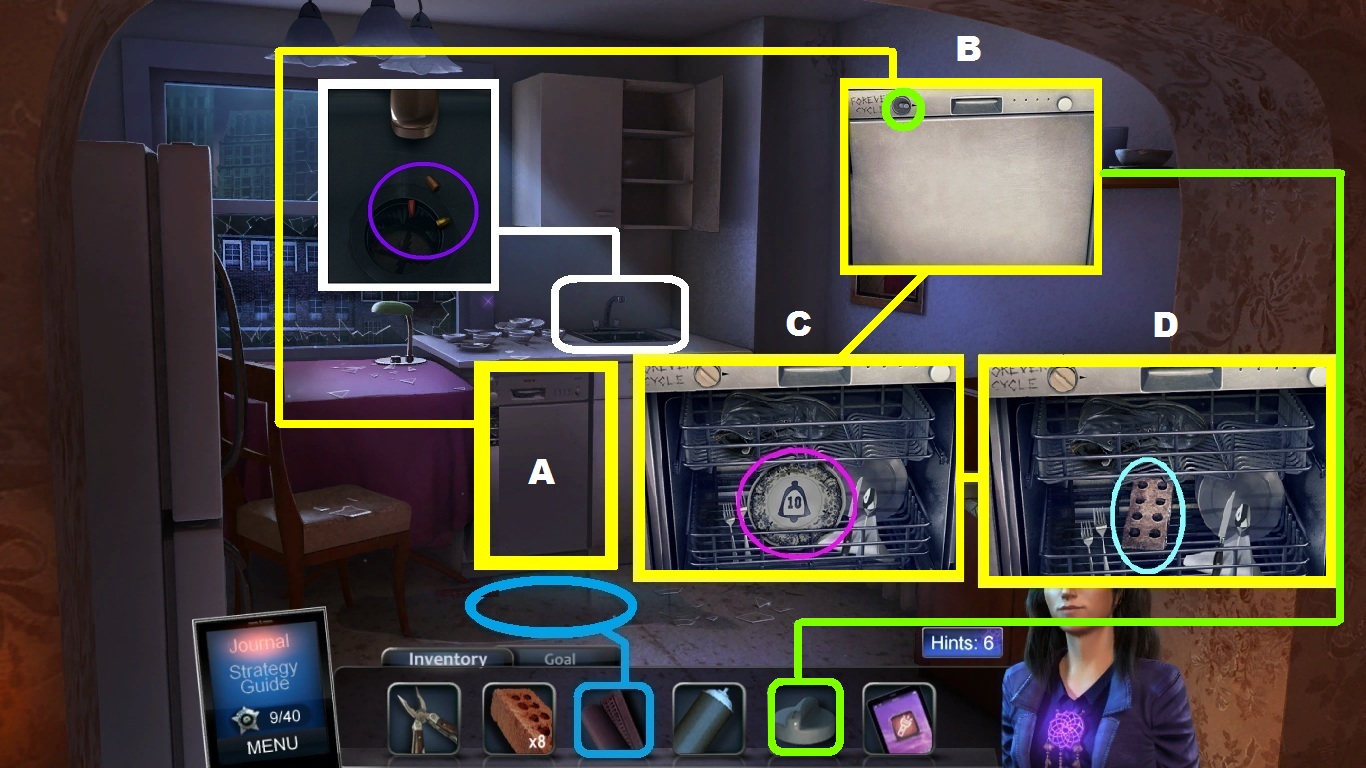
- Pick the rubber mat (blue square); place it over the water.
- Zoom into the dishwasher (yellow square).
- Pick the knob (green square); place it onto the dishwasher.
- Collect the plate (pink circle).
- Collect the numbered brick (aqua circle).
- Zoom into the sink (white square).
- Collect the wire caps (purple circle).
-
Go to the light pole.
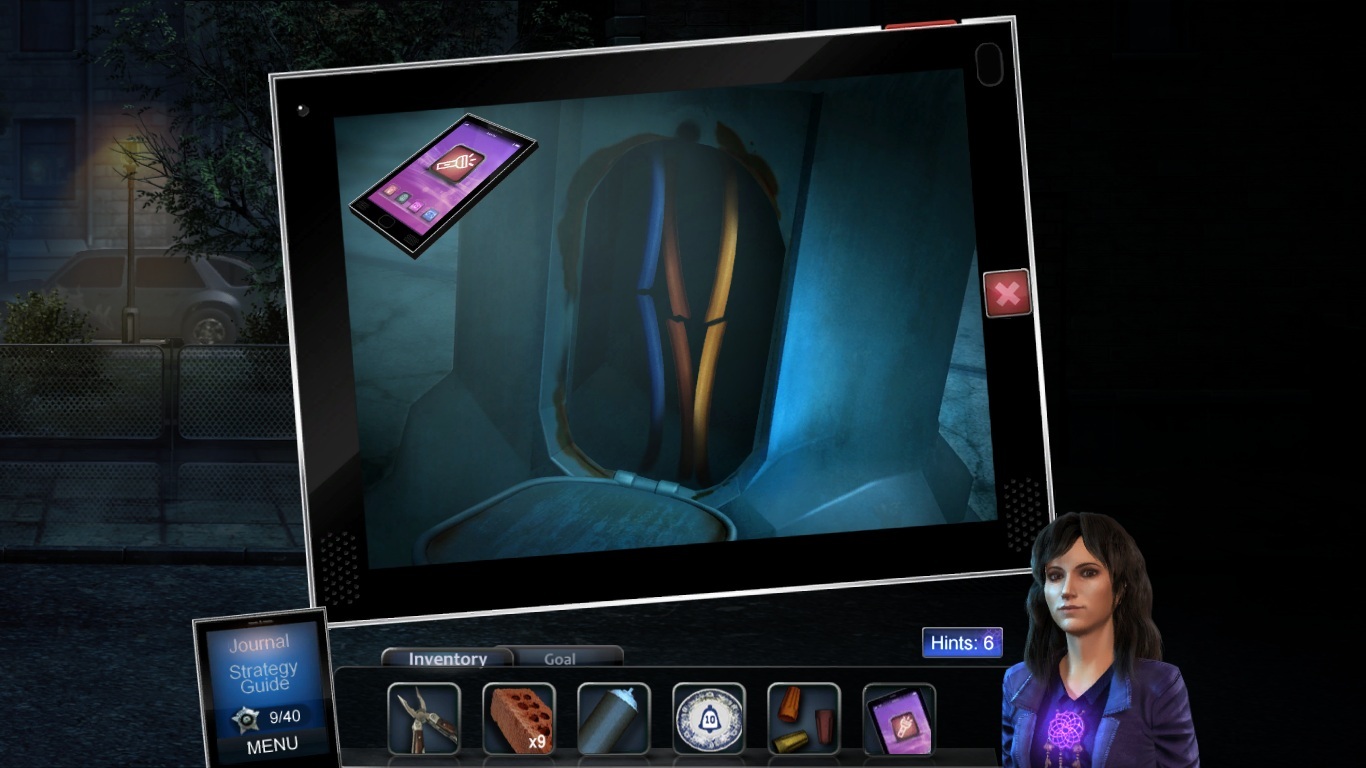
- Zoom into the light pole base (blue circle).
- Pick the cell phone (yellow square) to light the base.
- Pick the multi-tool (green square) to strip the wires.
- Pick the wire caps (pink square) to cover the exposed wires.
- Zoom into the brick wall (white circle).
- Pick the numbered bricks (aqua square) to place into the wall.
- Follow the pattern shown above.
- Zoom into the brick (dark blue).
- Collect the note.
Comments will load when you reach this part of the walkthrough.