
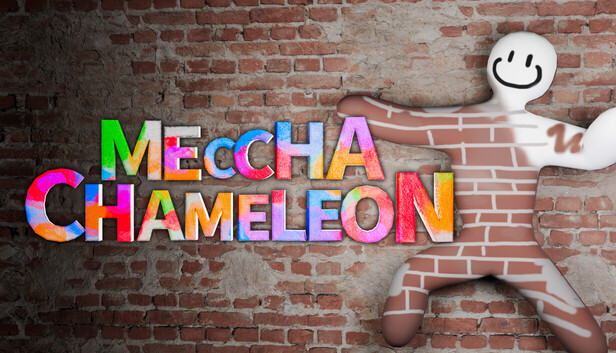
How to Use Workshop Maps Without Getting Lost
The classic custom-map wipe looks like this: the round starts, three Hiders sprint into a shiny new maze, one person starts painting a perfect brick pattern on the first wall they see, and the Seeker is already lost in Room Number Who Knows. Funny? Yes. Useful? Not yet. In MECCHA CHAMELEON, Workshop maps work best when the host treats the first run like a quick scouting lap, not a real match. You are here to outsmart the room, not become emergency wallpaper in the lobby doorway.
To add a custom map, open the MECCHA CHAMELEON page in Steam, go to the Workshop, pick a map, and press Subscribe. Let Steam finish the download. Then launch or restart the game, host a room, open map selection, and look for the subscribed map name in the available map list. If you are joining a friend, subscribe to the same map before entering the lobby, or let the lobby download finish before the host starts. Custom rooms can fail to load cleanly when someone is on a different game build or has not finished the map download, so do the boring setup first and save the yelling for fake wall accusations.
Host Test: Run It Private First
Before you host a real public room, make a private lobby with one or two friends and load the Workshop map alone. Do not judge balance from the thumbnail. Walk the spawn area, check whether players can move without snagging on props, and decide on three to five simple callouts. A callout is just a short place name your lobby can say fast, like “red hall,” “big stairs,” “food court,” or “back gallery.” Do not try to name every chair. If the Seeker needs a map degree to understand you, the callout has already lost the round.
Hider Test Pass
- Paintable surfaces: Test walls, floors, signs, counters, shelves, and odd set pieces. A Hider is the player trying to survive by posing and painting their body into the scenery, so check where the paint actually sells the lie.
- Repeated textures: Look for tile walls, poster rows, brick strips, display cases, crates, lockers, and carpet patterns. Repeated art gives you a reference surface and makes messy paint look intentional.
- Sightlines: Stand in a hiding spot, then have a friend walk the main Seeker path. If your outline pops from the doorway, fix the pose before you fix the color.
- Prop clusters: Test clutter piles, shelf corners, wall art, and display stands. Good clusters break your silhouette. Bad clusters put one smooth chameleon-shaped blob in a room full of boxes.
- Do this, not that: Pick the hiding story first, then paint. “I am part of this poster row” beats “I am seven colors of panic behind a plant.”
Seeker Test Pass
- Spawns: A Seeker is the player hunting Hiders before time runs out. Start at each spawn and mark the first clear landmark you see. That becomes your round-one compass.
- Loops: Walk the map in one clean circle if possible. If the map folds back on itself, choose a left-hand or right-hand rule so you stop spinning through the same room like a confused vacuum with a paint allergy.
- Blind corners: Check tight turns, stair backs, door frames, ceiling lips, and deep shelves. These are where bold Hiders try to become “part of the architecture,” which is party-game language for crimes against vision.
- Unfair dead zones: Watch for spots that are too dark, too blocked, too high, or too collision-weird to check in a normal sweep. If a spot feels impossible to inspect, call it patch-sensitive and keep it out of serious lobby rules.
- Second pass: After your first loop, revisit repeated textures, eye-level wall art, and prop stacks. On custom maps, the best hide is often not hidden far away. It is standing right where everyone was too embarrassed to accuse a shelf.
If the Map Does Not Appear
If a subscribed map is missing from map selection, close MECCHA CHAMELEON and give Steam a moment to finish downloads. Reopen the game and check the host map list again. If it still is not there, unsubscribe from the map, subscribe again, restart Steam, then restart the game. For maps with update notes or titles that ask you to re-follow, resubscribing is the cleanest reset. If one player still cannot join, have everyone confirm they are using the same current game build and that the Workshop download is finished before blaming the lobby.
Keep expectations fair. Workshop maps are made by different creators, so names, routes, balance, collision, and moderation quality can vary a lot. Use private testing to find the fun version of the room: clear callouts, fair Seeker loops, and Hider spots where a fast paint job can become a ridiculous, brilliant disguise. That is the good MECCHA CHAMELEON nonsense: not getting lost, not abusing a broken corner, just convincing an entire room that you have always been a badly painted wall panel.
Comments will load when you reach this part of the walkthrough.