

Chapter One: Trapped
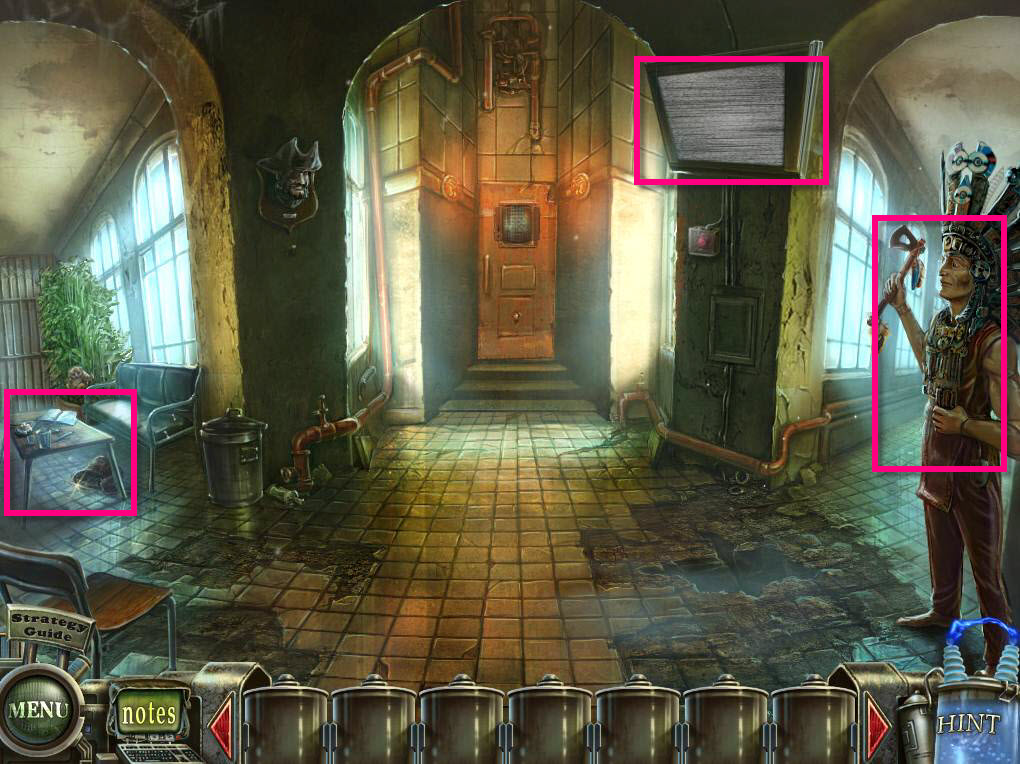
- Click on the TV and watch Dr. Blackmore prattle on.
- Click on the slimy tentacle that appears in the floor to make it go away.
- Click on the statue on the right to zoom in.
- Take the FEATHER and the CIGAR.
- Click on the table on the left to zoom in.
- Take the TARGET from the magazine on the table.
- Take the SUGAR CUBE from the bowl on the table.
-
Take the SCISSORS from the purse under the table.
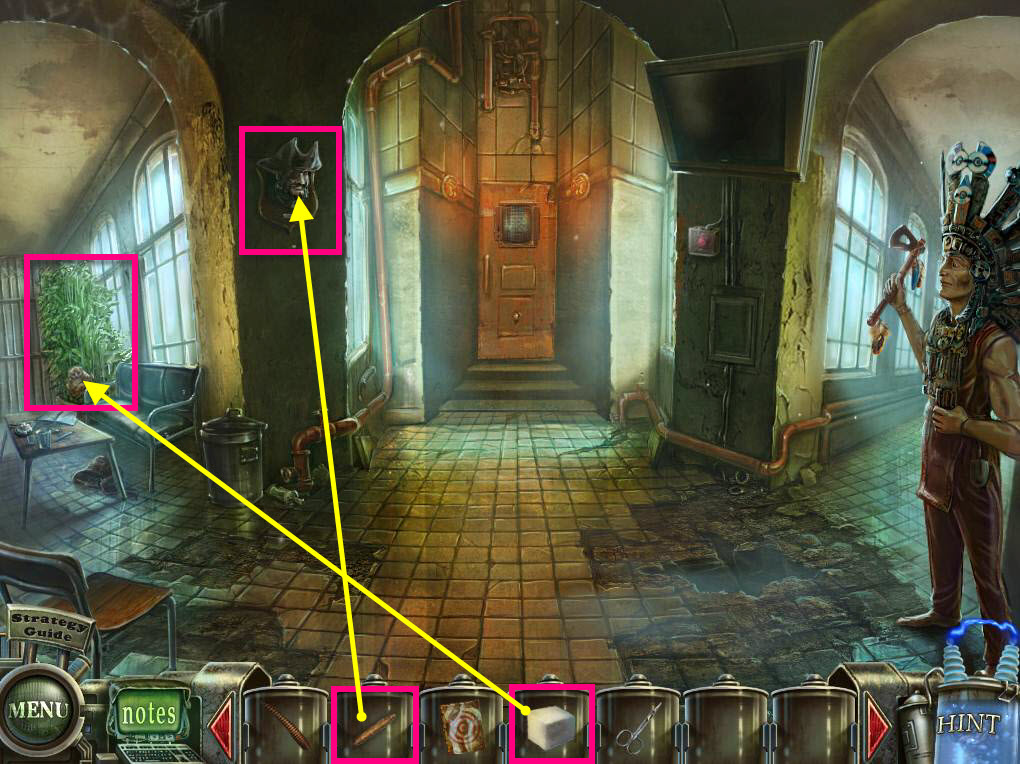
- Click on the plant on the left to zoom in.
- Use the SUGAR CUBE on the lemur.
- Take the suitcase.
- Click on the suitcase to open the PORTABLE LABORATORY.
- Click on it to view it and then close out of that screen since there's nothing to do right now there.
- Click on the plant again to zoom in.
- Take the LIGHTER.
- Click on the pirate head on the wall.
-
Use the CIGAR on the pirate.
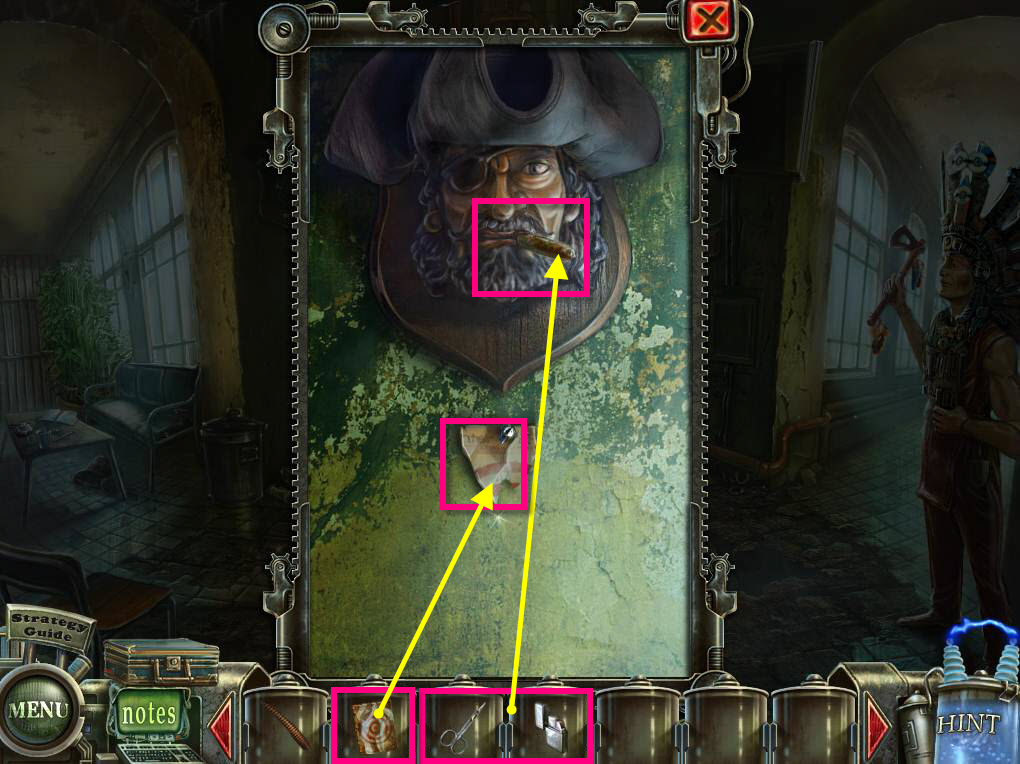
- Use the SCISSORS on the CIGAR to cut it.
- Use the LIGHTER on the CIGAR to light it.
- Take the EYE. Gross!!!
- Use the TARGET on the wall.
- The statue will then throw the tomahawk at the target.
- Click to zoom in on the pirate head again.
-
Take the TOMAHAWK.
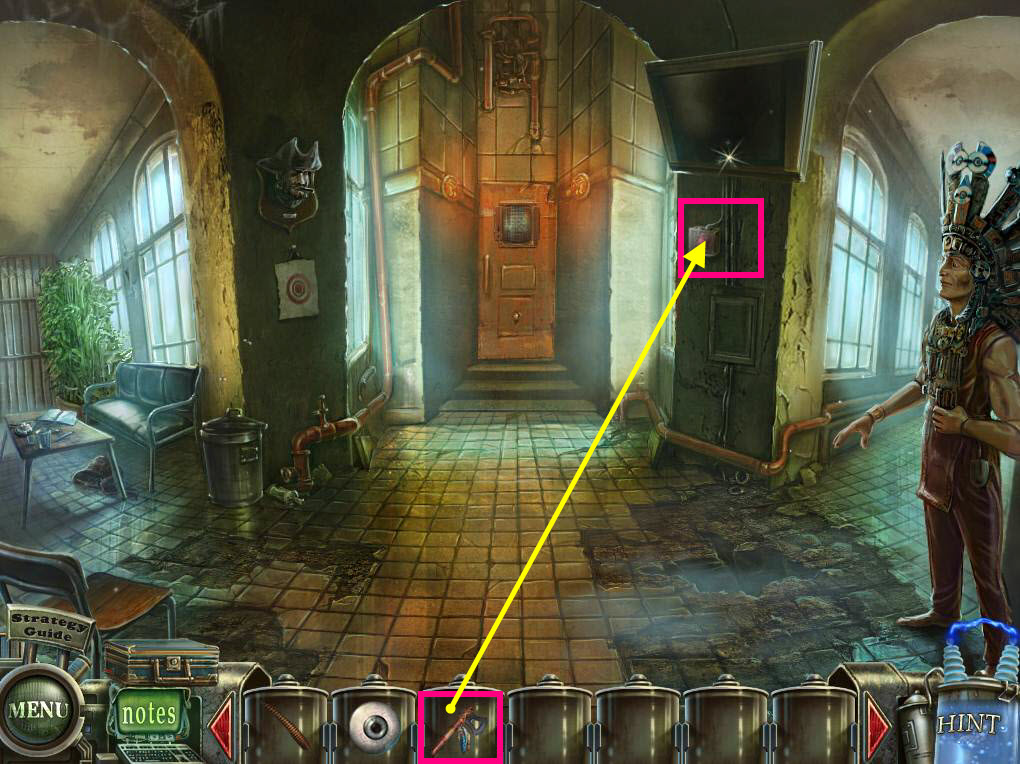
- Click on the area below the TV to zoom in.
- Use the TOMAHAWK to break the glass.
-
Take the BUTTON.
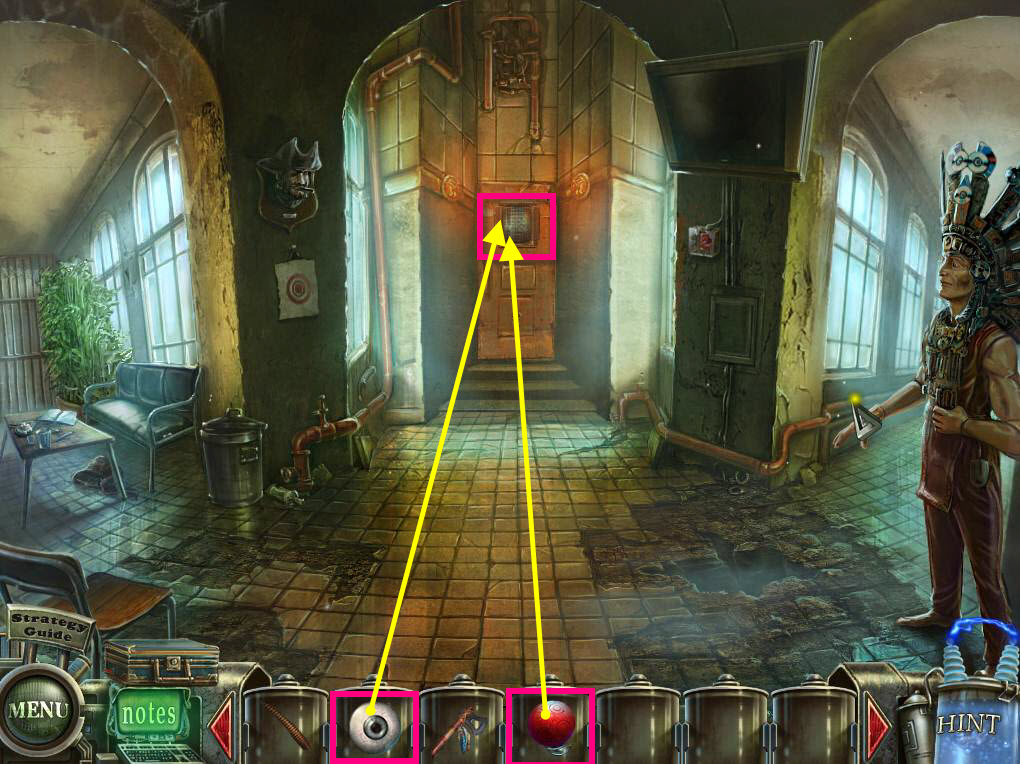
- Click on the door in the back to zoom in.
- Use the BUTTON on the slot on the left.
- Use the EYE on the top area.
-
This will activate the first puzzle.
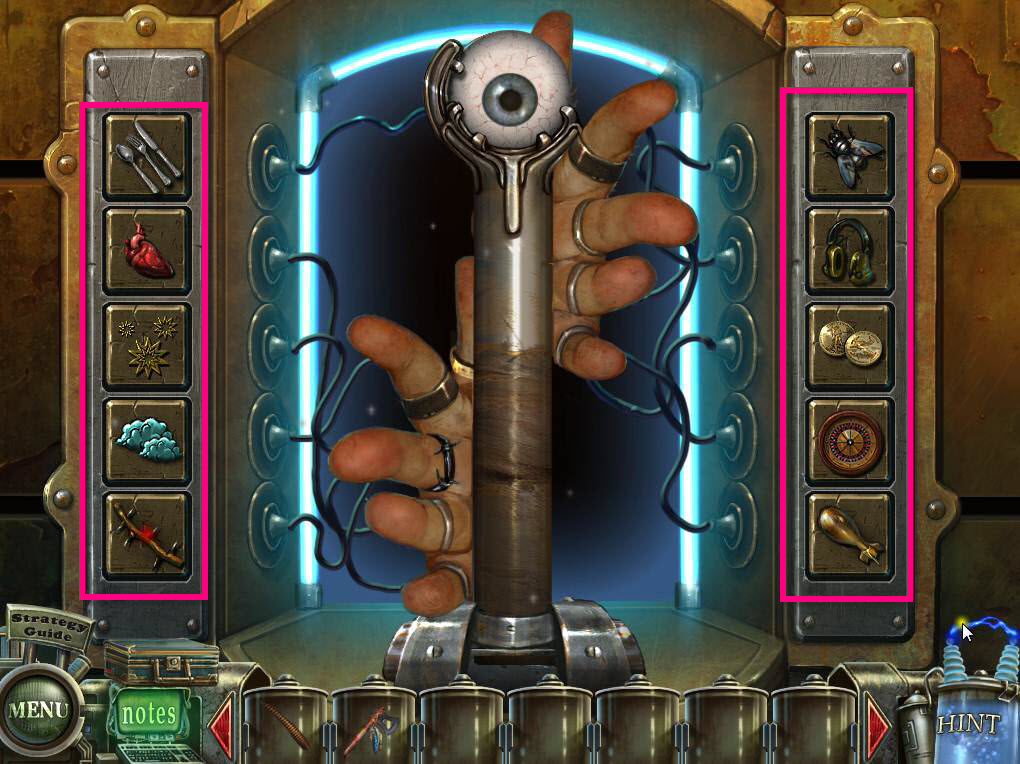
- Ok this puzzle is kind of gross... who knows where those fingers have been... can we spray them with anit-bacterial spray first???
- The goal of the puzzle is to get all the fingers to lift off the lever.
- The tiles on the right are connect to fingers. When you put the right tile in the correct place, the finger will lift.
- See the screenshot for the solution.
-
When you're done, go through the door.
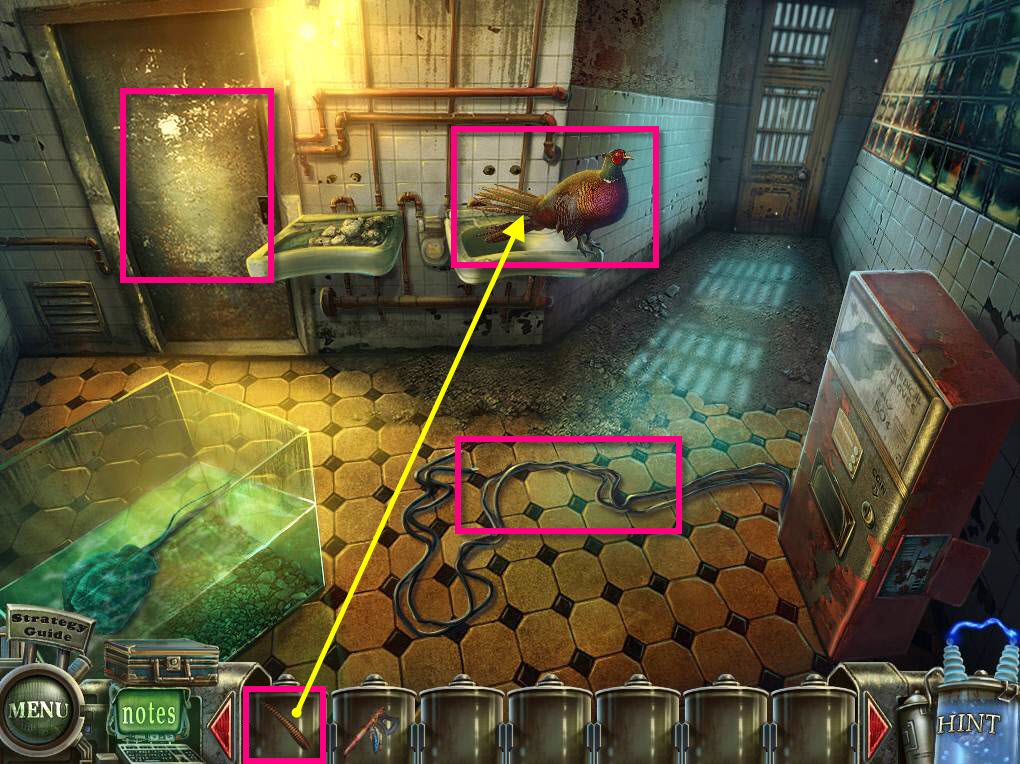
- Click on the cord on the ground.
- Click to zoom in on the pheasant.
- Use the FEATHER on the pheasant.
- Take the EGG.
-
Go through the door on the left.
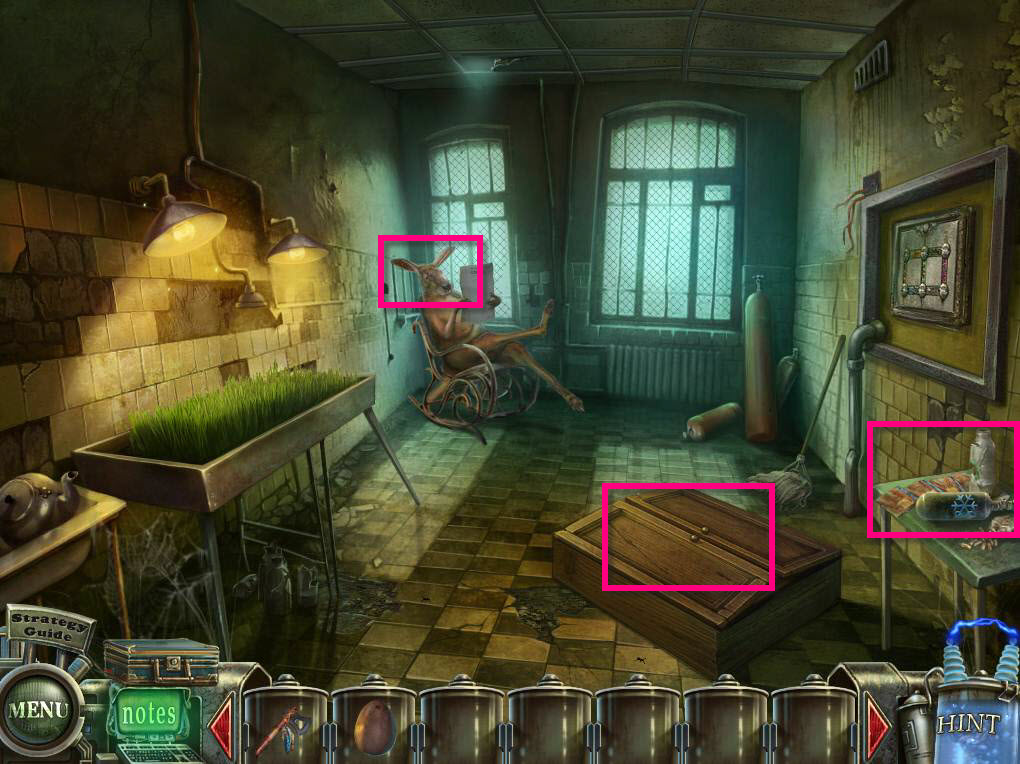
- Click on the table on the right to zoom in.
- Take the LIQUID NITROGEN.
- Click on the 4 case files to zoom in.
- Click on the kangaroo and discover that he needs glasses.
- Click on the cabinet on the floor to open it.
- This will reveal a hidden object game.
-
Click on the sparkles to start the hidden object game.
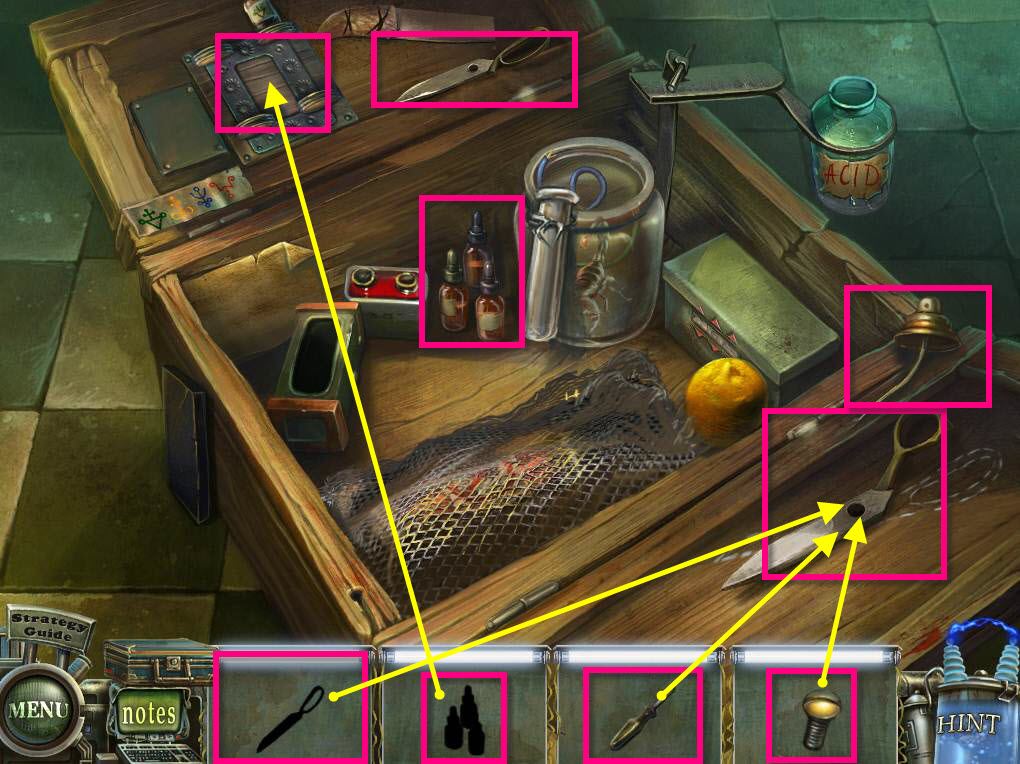
- Find all the items on the list.
- Once you find an item, you will need to use it in the scene.
- Find the screwdriver and the screw first.
- Then the one half of the scissors.
- Use the one half of the scissors on the other half.
- Use the screw and the screwdriver on the scissors.
- Take the completed scissors.
-
Use the bottles on the top area.
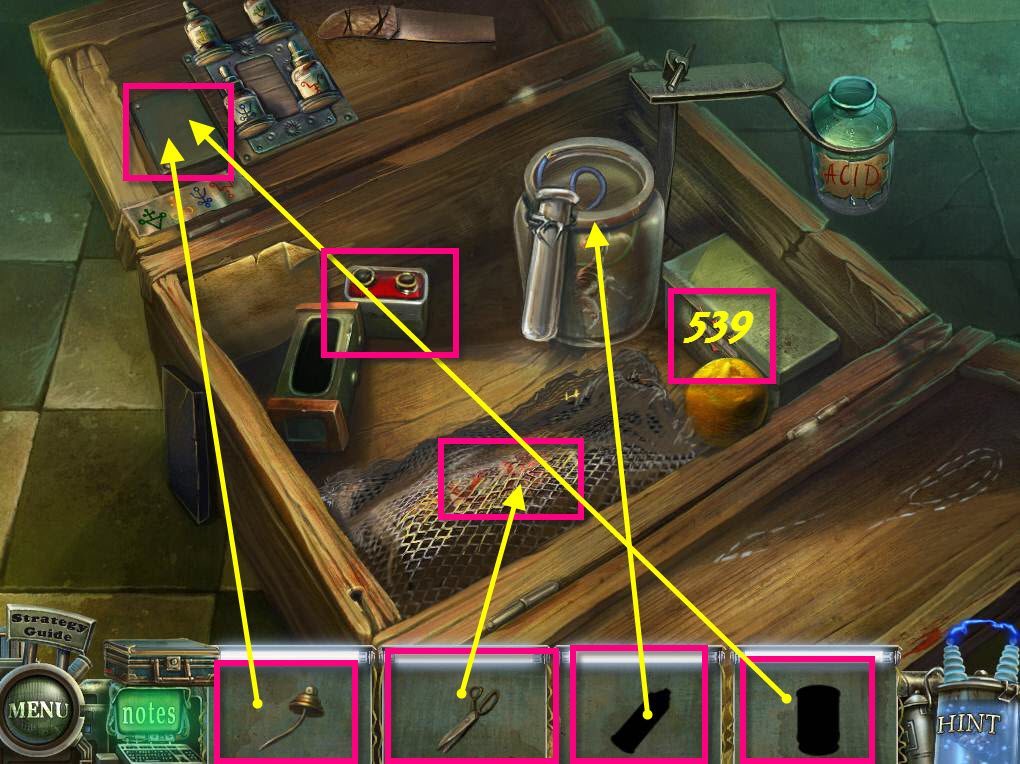
- Now use the scissors on the netting.
- Take the empty pesticide bottle.
- Put the empty pesticide bottle over with the other bottles.
- Click on each of the four bottles to add it to the empty bottle. It doesn't matter what order you add them.
- Use the spray can top on the bottle.
- You will add the pesticide to your inventory.
- Use the pesticide on the scorpion.
- Take the wires and use them on the battery.
- You'll see the code 539.
- Use that code on the box to open it.
- Take the COIN. It will be added to your inventory.
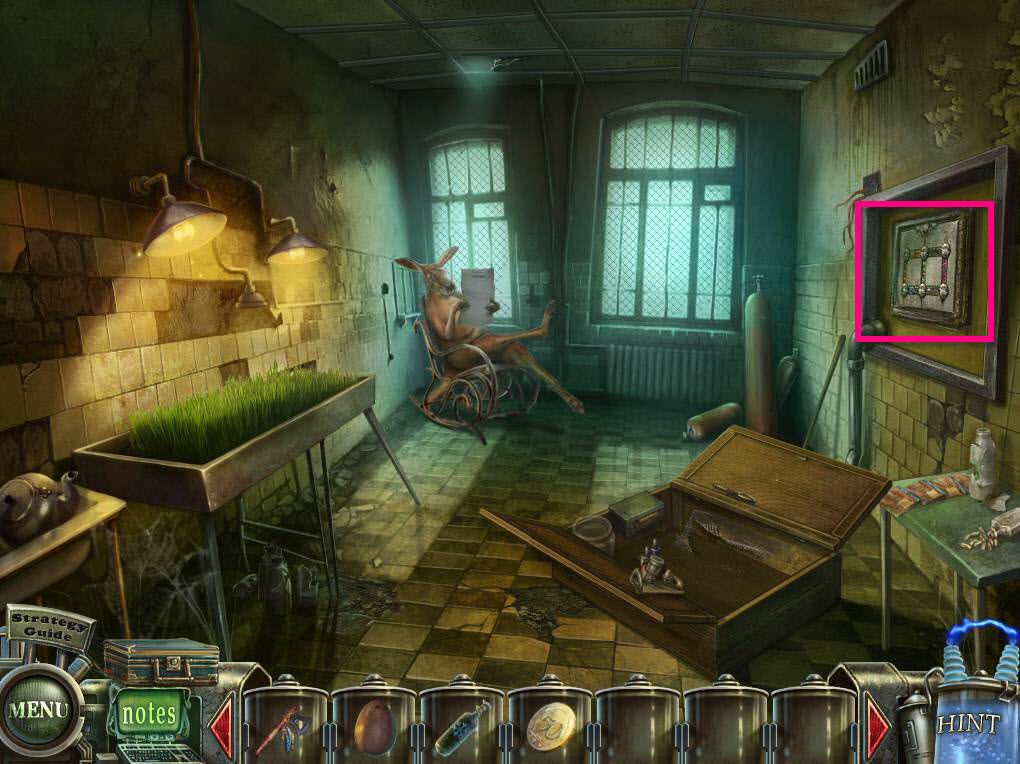
- Click on the panel on the right wall to zoom in.
-
This will activate a puzzle.
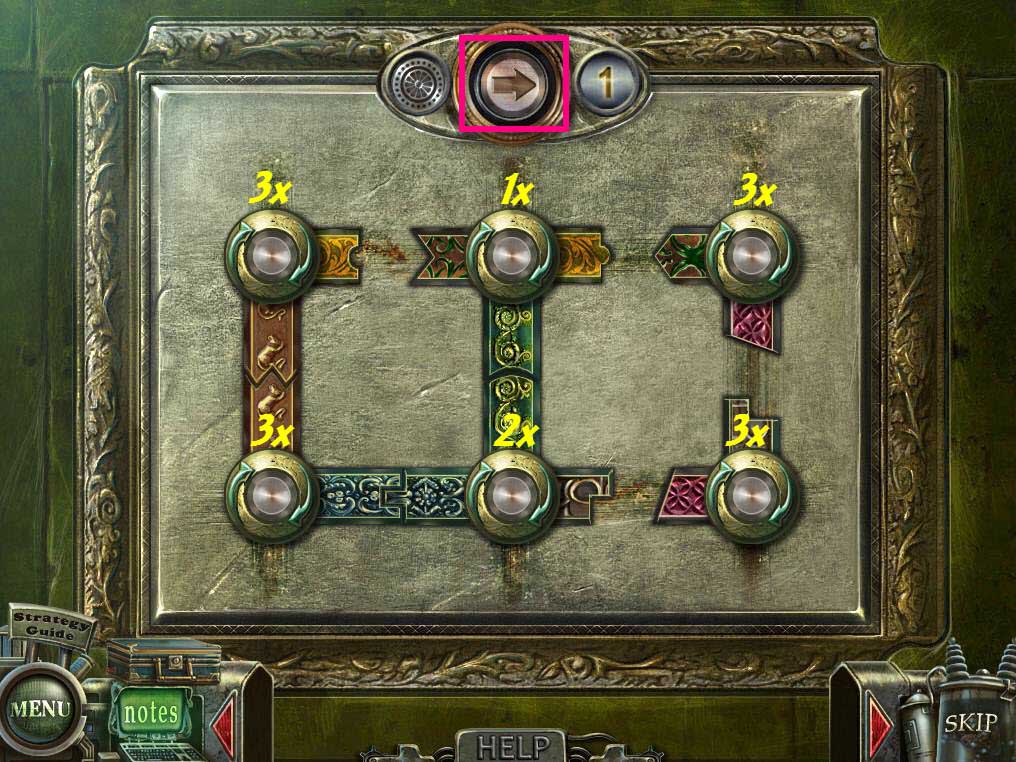
- The goal of the puzzle is to connect all the pieces of the board.
- Click the top bottom once.
- Then click the buttons from left to right top to bottom... 3, 1, 3, 3, 2, 3.
- See the screenshot for the solution.
-
Take the FERTILIZER and the EMPTY BOTTLE.
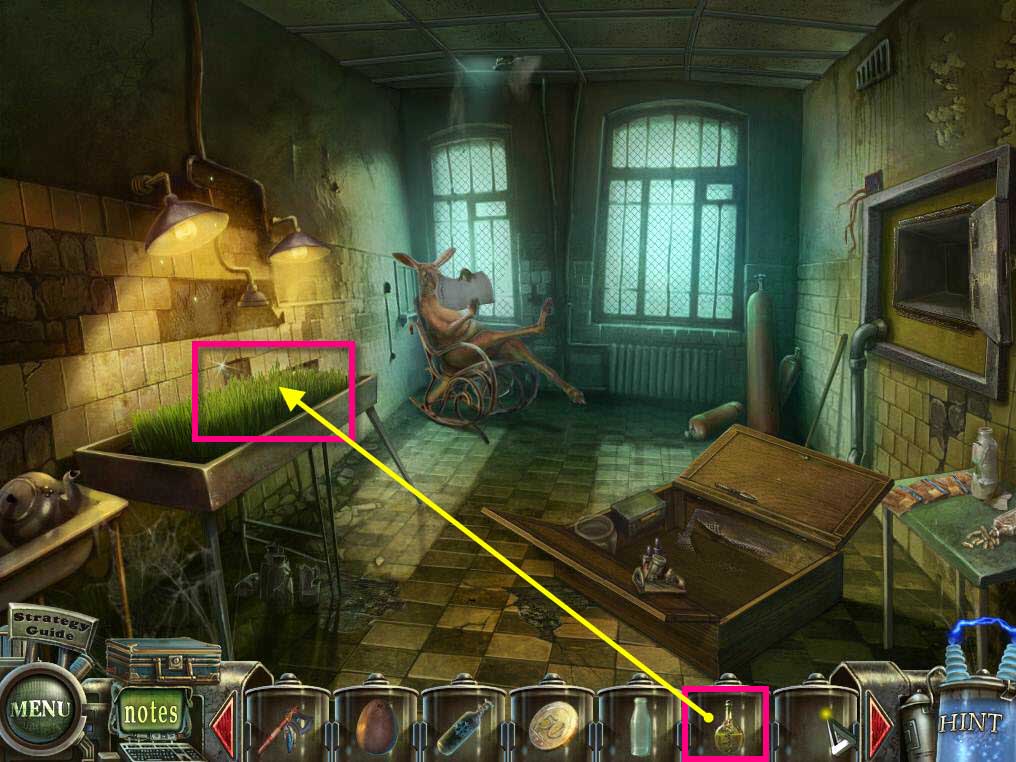
- Use the FERTILIZER on the wheat.
- Click on the grown wheat to make it fall on the floor.
- Take the WHEAT GRAIN.
-
Go back one screen.
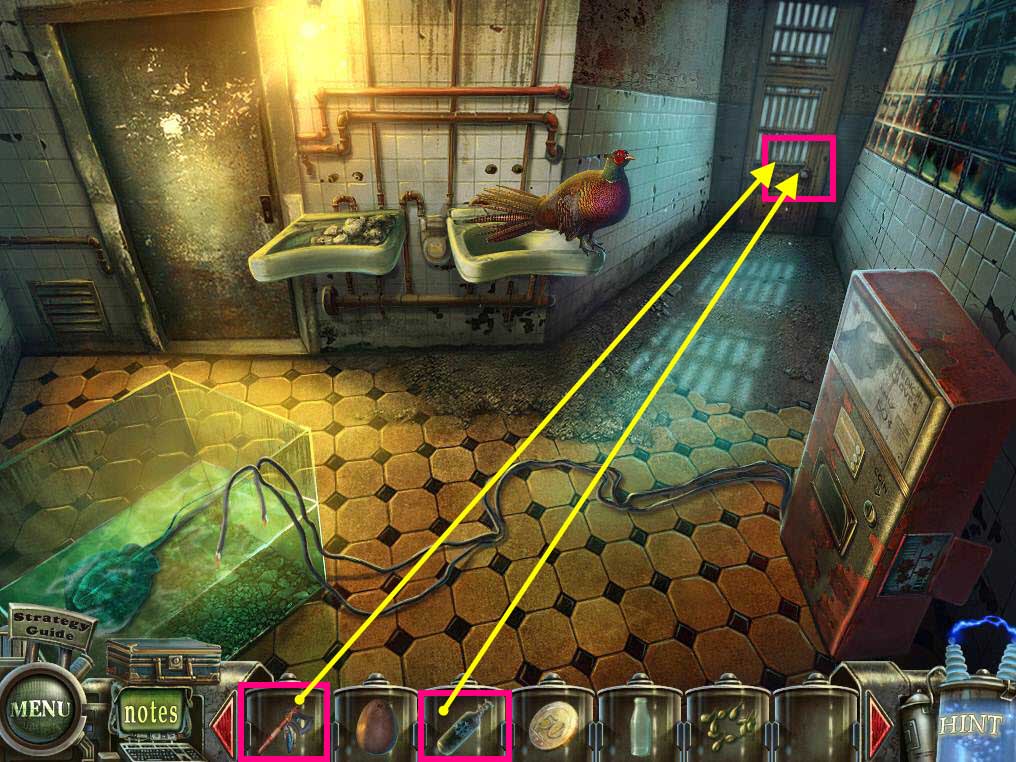
- Click on the door in the back to zoom in.
- Use the LIQUID NITROGEN on the lock.
- Use the TOMAHAWK on the frozen lock to break it.
-
Go through the door.
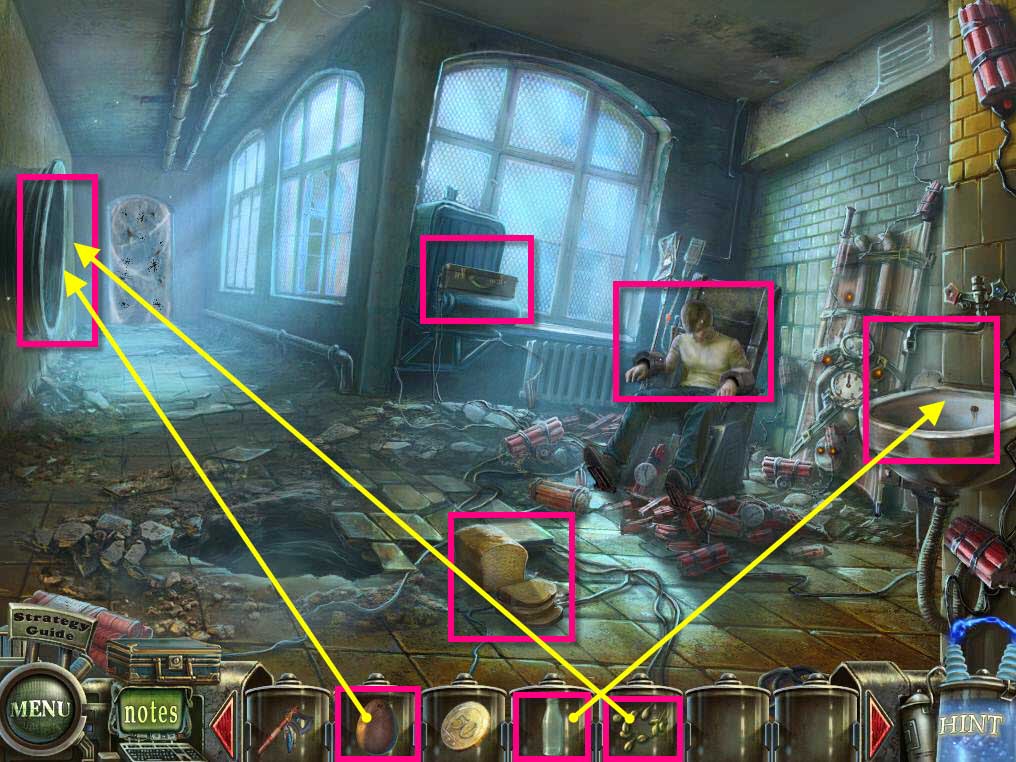
- Click on Tim to zoom in.
- Click on him to wake him up.
- Click on the bread to zoom in.
- Take the PIECE OF BREAD.
- Click on the sink to zoom in.
- Take the EYE GLASSES.
- Click on the faucet handle to turn it on.
- Use the EMPTY BOTTLE on the liquid.
- You will receive the MACHINE OIL.
- Click on the suitcase to zoom in.
- Click to open it.
- Click on the vent on the left to zoom in.
- Use the EGG on the nest.
- Use the WHEAT GRAIN on the baby Ostrich.
- It will grow up... and eat the spiders... how odd.
-
Before you go forward, go back to the room with the kangaroo.
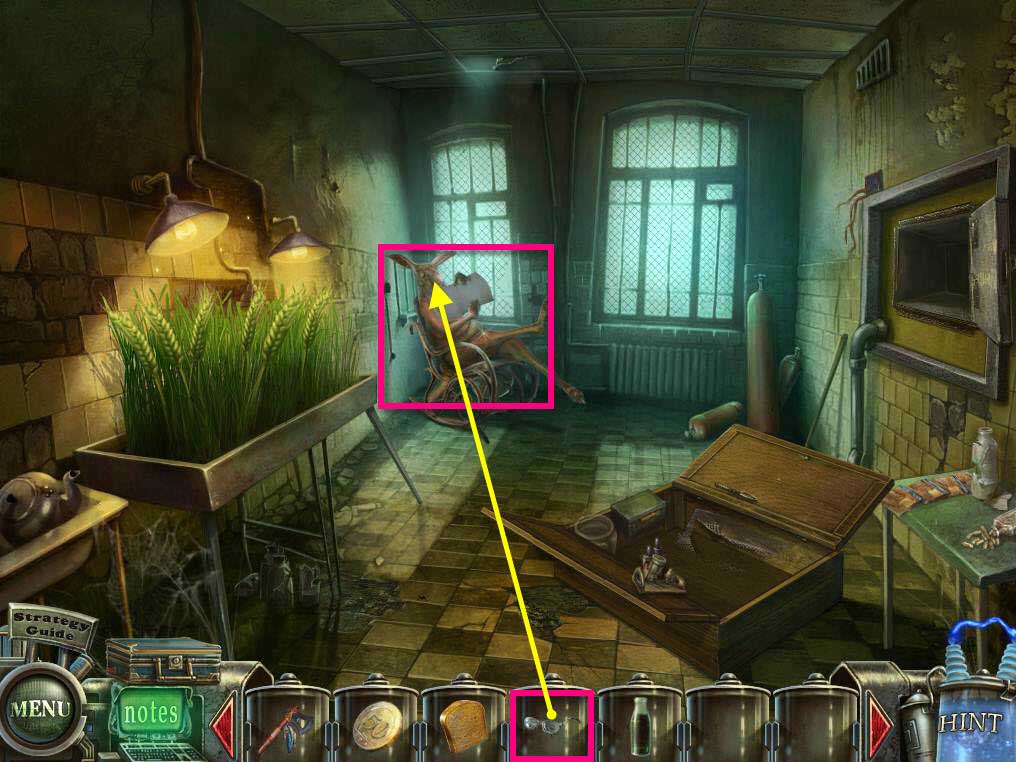
- Click on the kangaroo to zoom in.
- Use the EYE GLASSES on the kangaroo.
- The kangaroo will give you something to make eye drops.
-
Click on the Portable Laboratory.
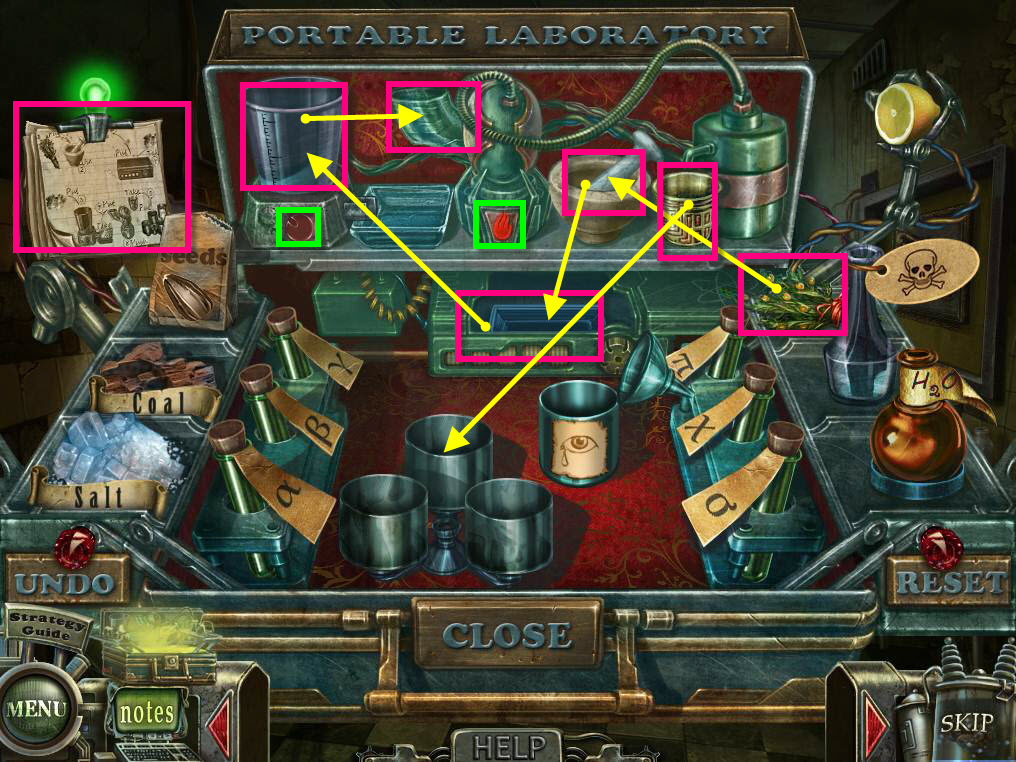
- Follow the recipe to create the eye drops.
- You can click on the recipe to zoom in.
- Put the flowers in the mortar.
- Click on the mortar to crush the flowers up.
- Take the crushed flowers and put it in the box under it.
- Take that then and place it in the blender type contraption and clip the red button to turn it on.
- Take the mixture and then place it in the contraption next to it and click on the flame button to turn it on.
- The mixture will go into the cup.
- Take the cup and then pour it into the three containers near the front of the box.
- Take the EYE DROPS.
-
Go back one screen.
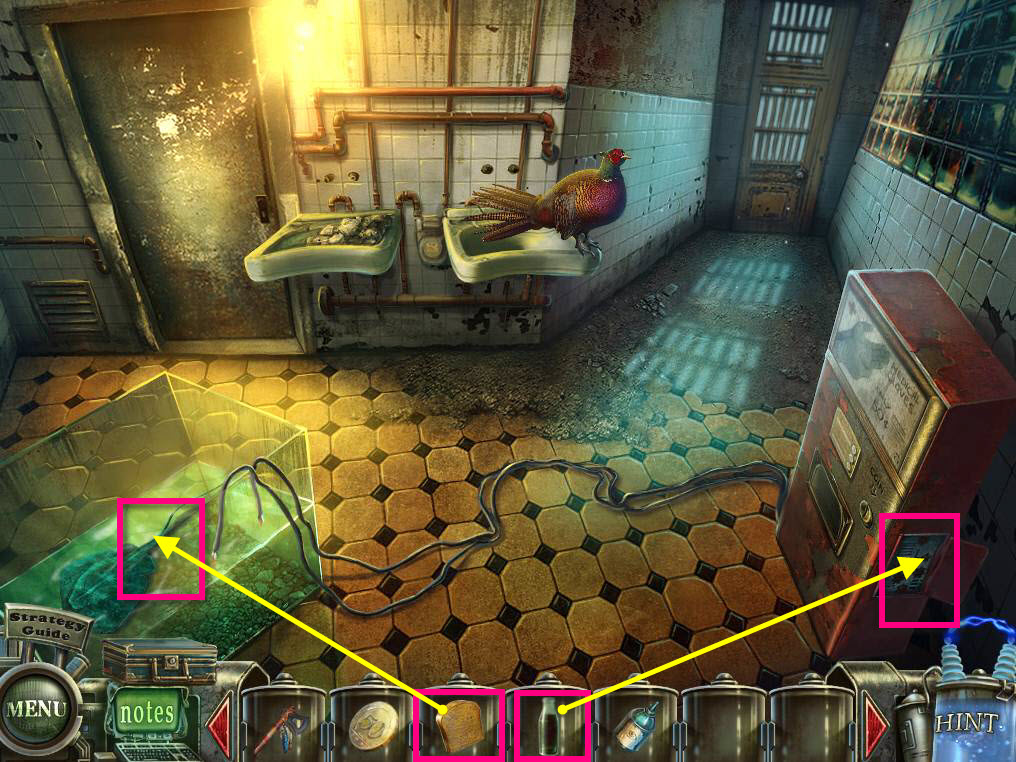
- Click to zoom in on the tank with the electric ray.
- Use the PIECE OF BREAD on the tank.
- Click on the side of the machine on the right to zoom in.
- Use the MACHINE OIL on the gears.
-
This will start a mini-game.
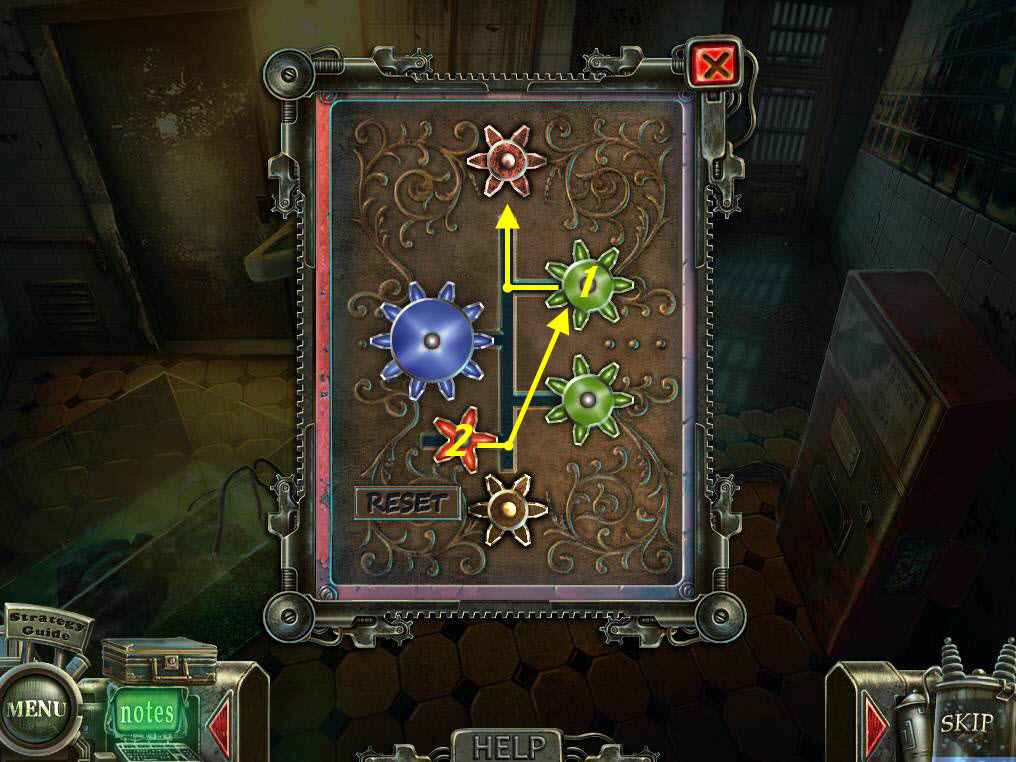
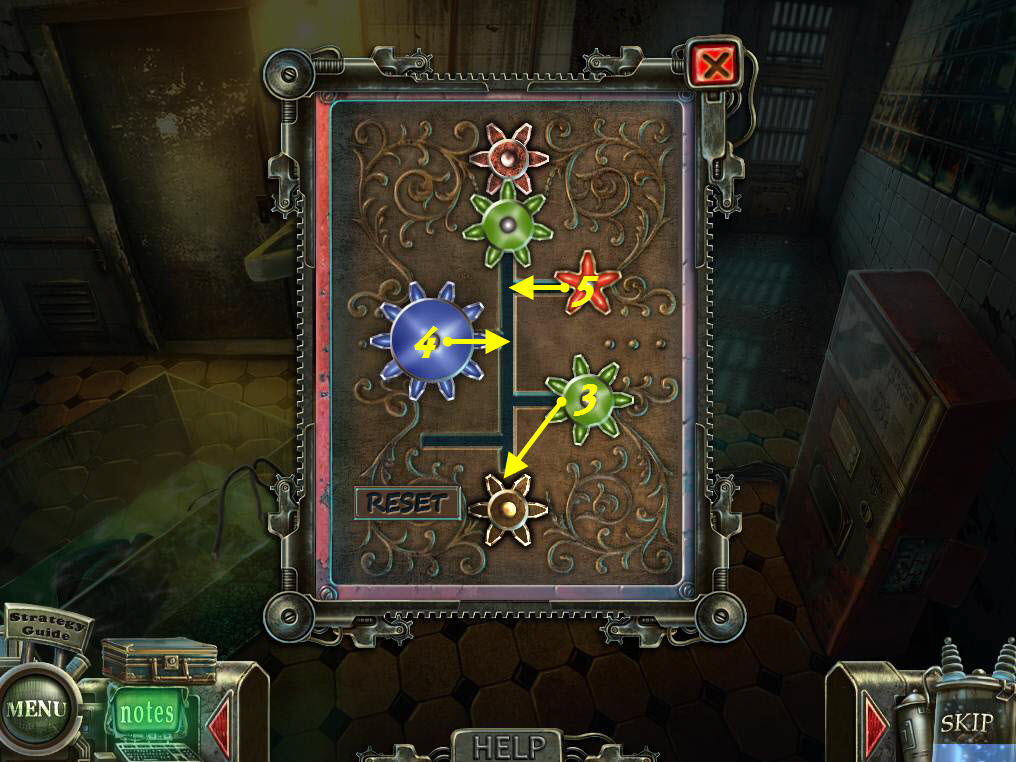
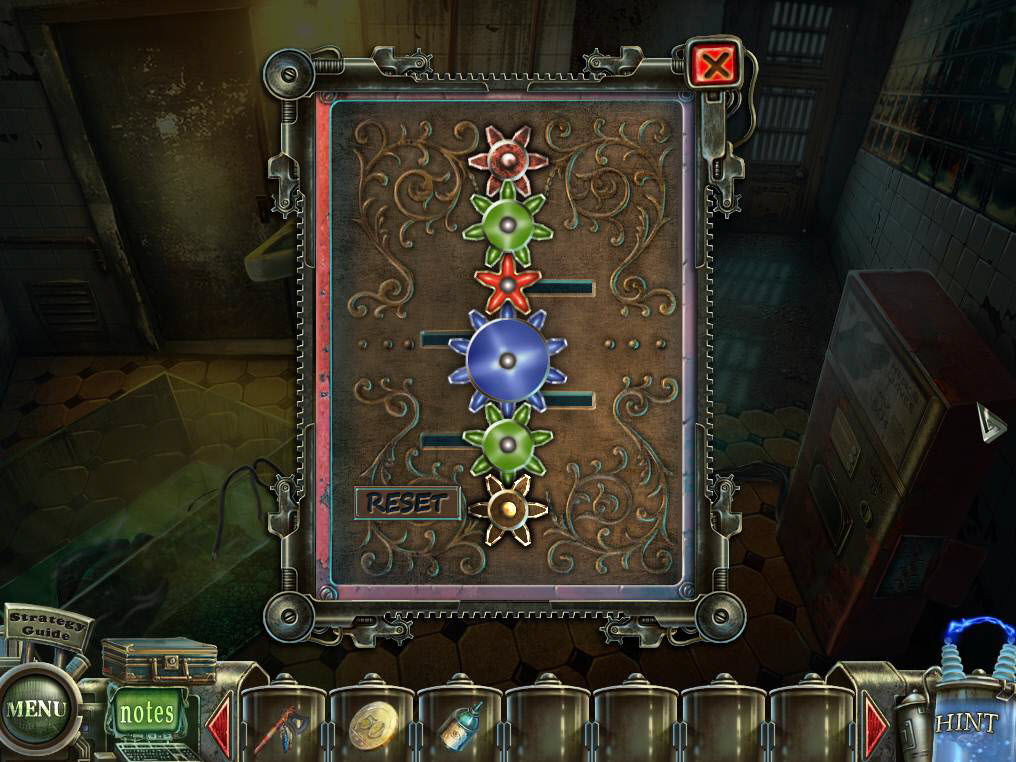
- The goal of the game is to get all the gears moving.
- Follow the screenshots for the solution.
- First move the top green gear up.
- Then, move the red gear to where the top green gear was.
- Move the bottom green gear all the way to the bottom.
- Move the big blue gear to the middle and all the way to the bottom on top of the green gear.
-
Move the little red gear to the middle.
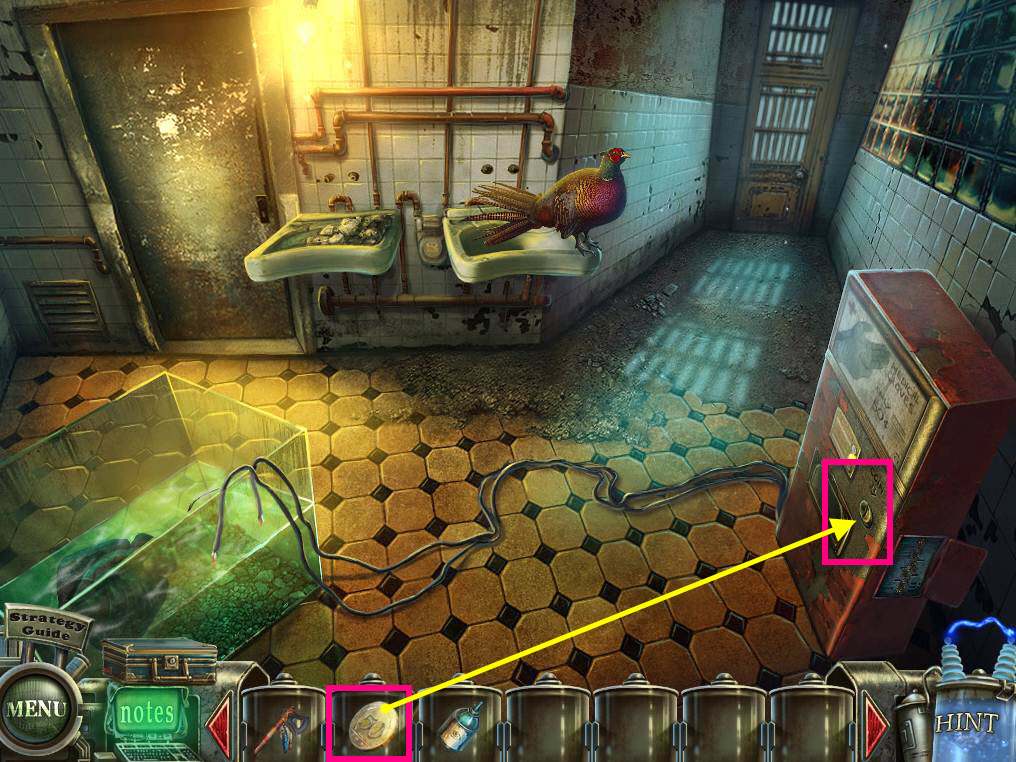
- Now that the machine is working, click on the slot area to zoom in.
- Use the COIN on the slot.
- Take the LATEX GLOVE.
-
Go back into the room with the kangaroo.
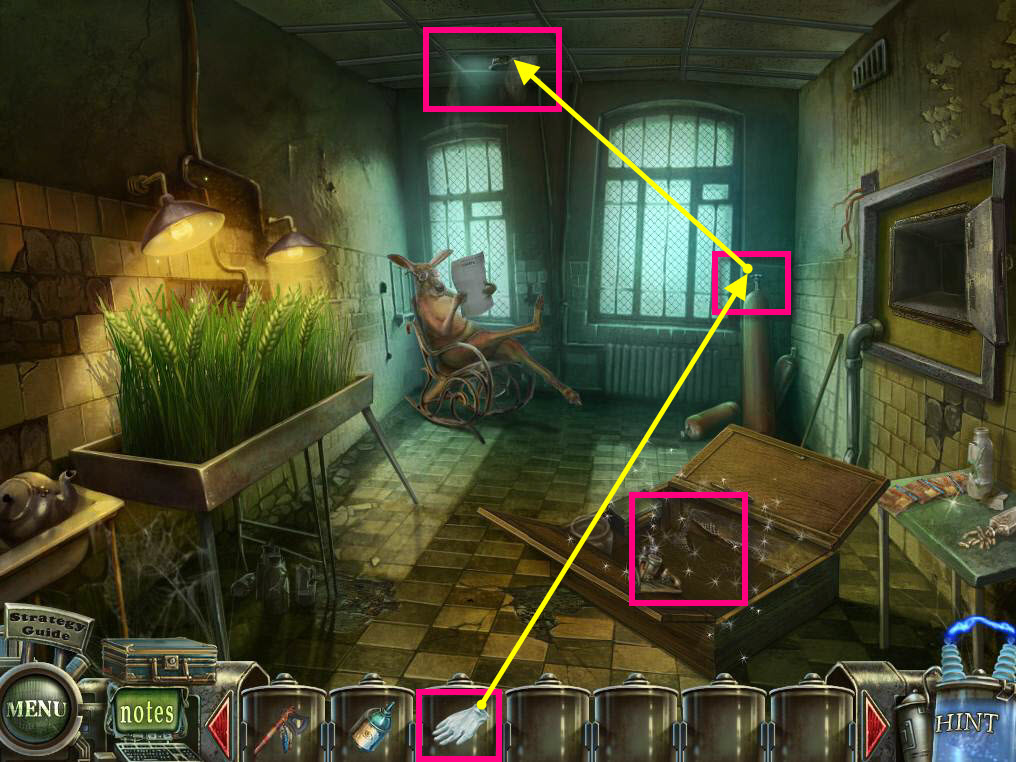
- Click on the helium tank in the back to zoom in.
- Use the LATEX GLOVE on the helium tank.
- Click on the valve to fill the glove with helium.
- Take the FLOATING GLOVE.
- Click on the ceiling hole to zoom in.
- Use the FLOATING GLOVE on the hole to knock the can down.
-
Click on the sparkles to play the hidden object game.
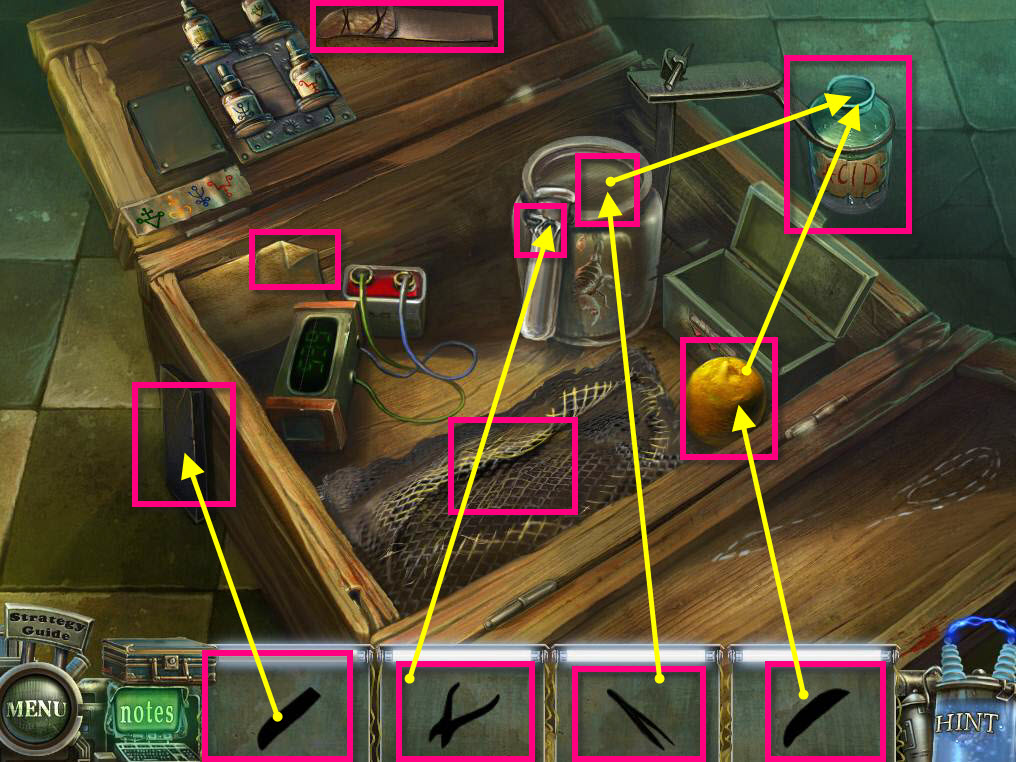
- Find the Blunt Knife.
- Click on the netting to remove it.
- The Nippers are under the netting.
- Click on the paper to reveal the recipe and find the tweezers.
- Use the Blunt Knife on the Sharpening Stone on the outside of the box to get the Sharp Knife.
- Use the Sharp Knife on the lemon to cut it in half.
- Use the Tweezers on the scorpion to get the venom in the test tube.
- Use the nippers on the wire around the test tube to remove it.
- Use the test tube full of venom and the lemon on the empty jar of acid.
- Take the Jar of Acid.
- Use the acid on the pad lock.
- Click to open the panel.
-
Take the CAN OPENER.
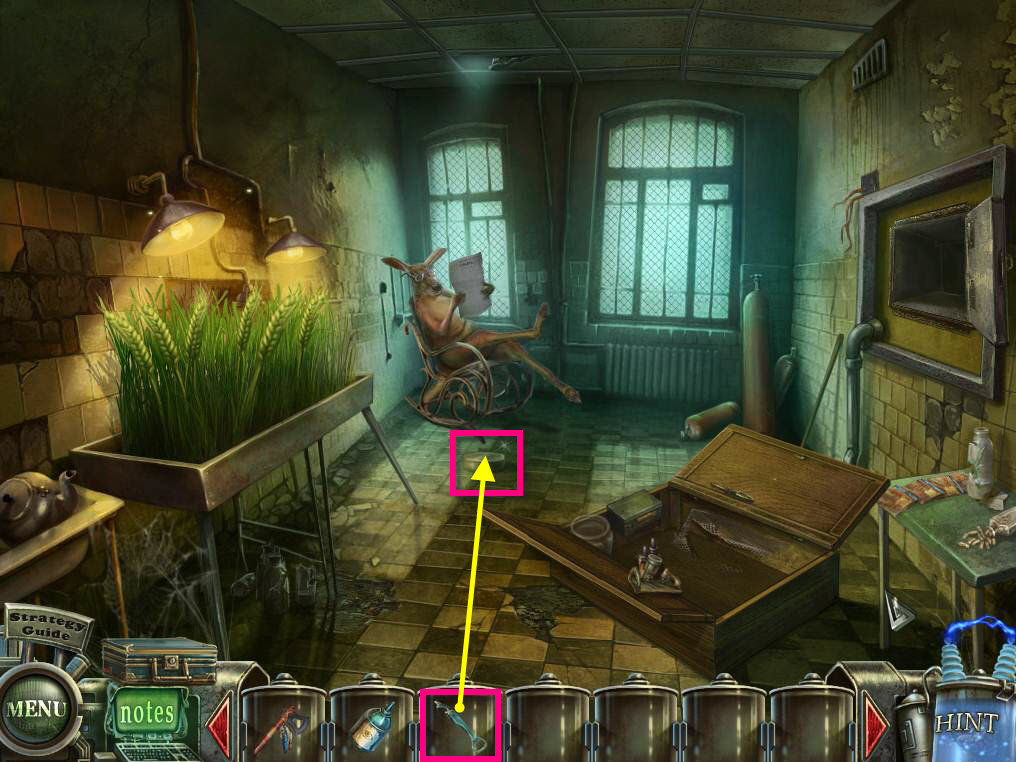
- Click on the can on the floor to zoom in.
- Use the CAN OPENER on the can to open it.
- Take the CHICAGO DISK.
-
Return to the room where Tim is and then go forward through the door where the spiders were.
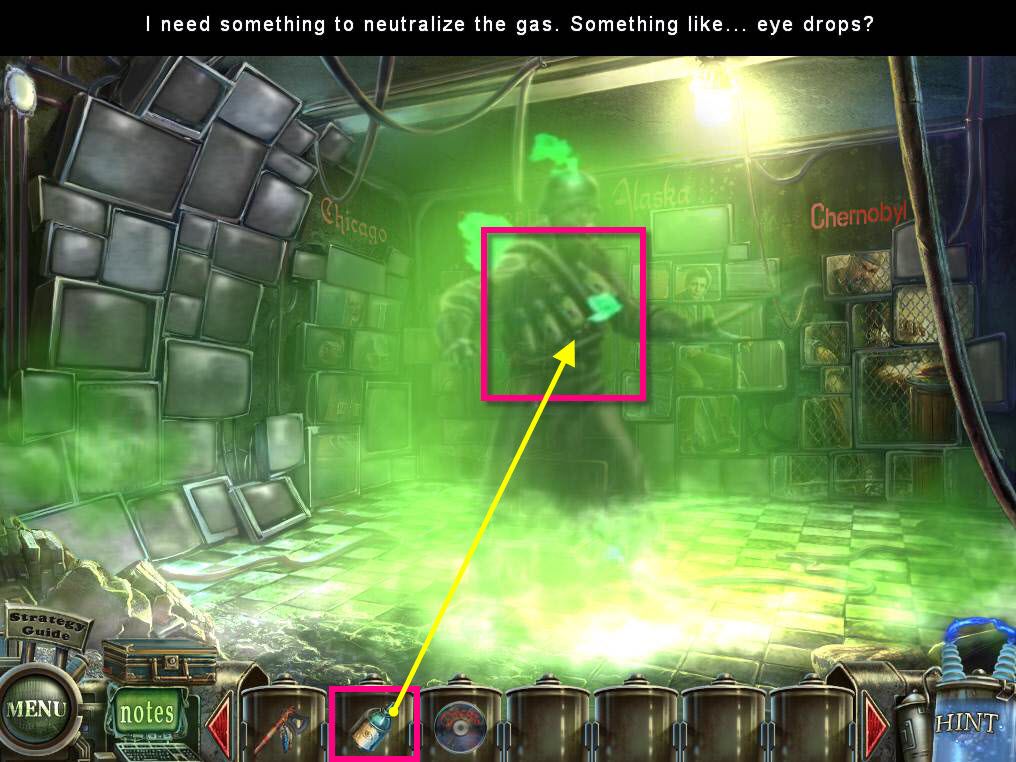
- Watch the cutscene.
-
Use the EYE DROPS on the gas.
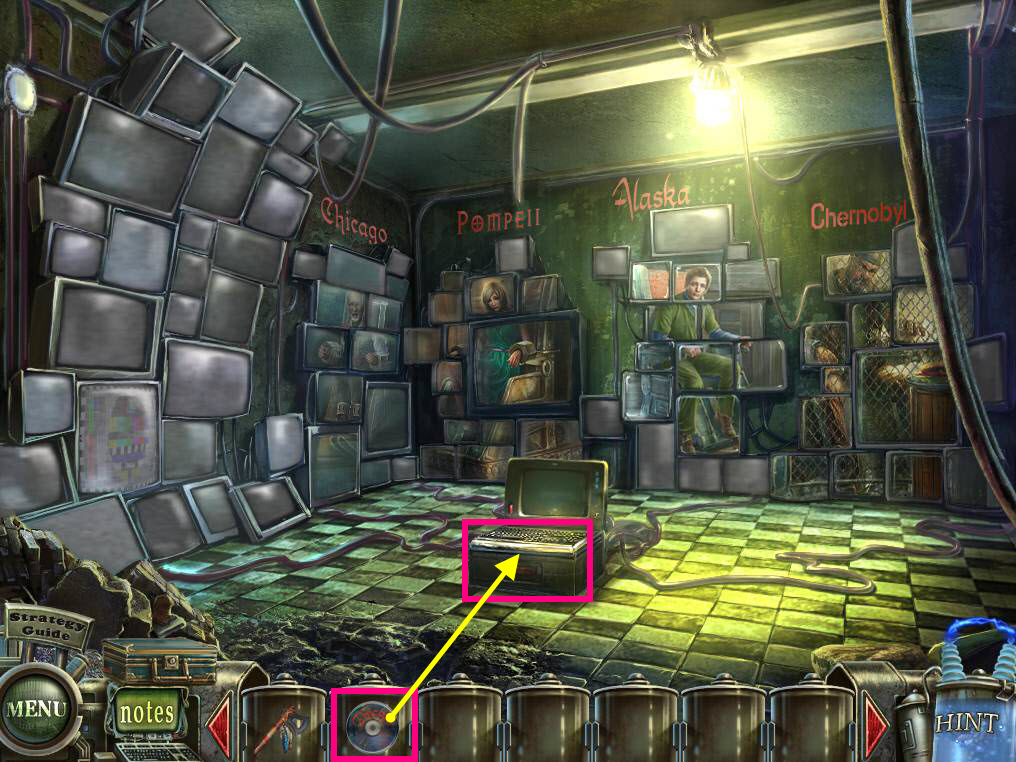
- Click on the computer on the floor to zoom in.
- Use the CHICAGO DISK on one of the empty slots.
- Go through the Chicago Screen.
Comments will load when you reach this part of the walkthrough.