

Act Four: Battle with the Phoenix Queen
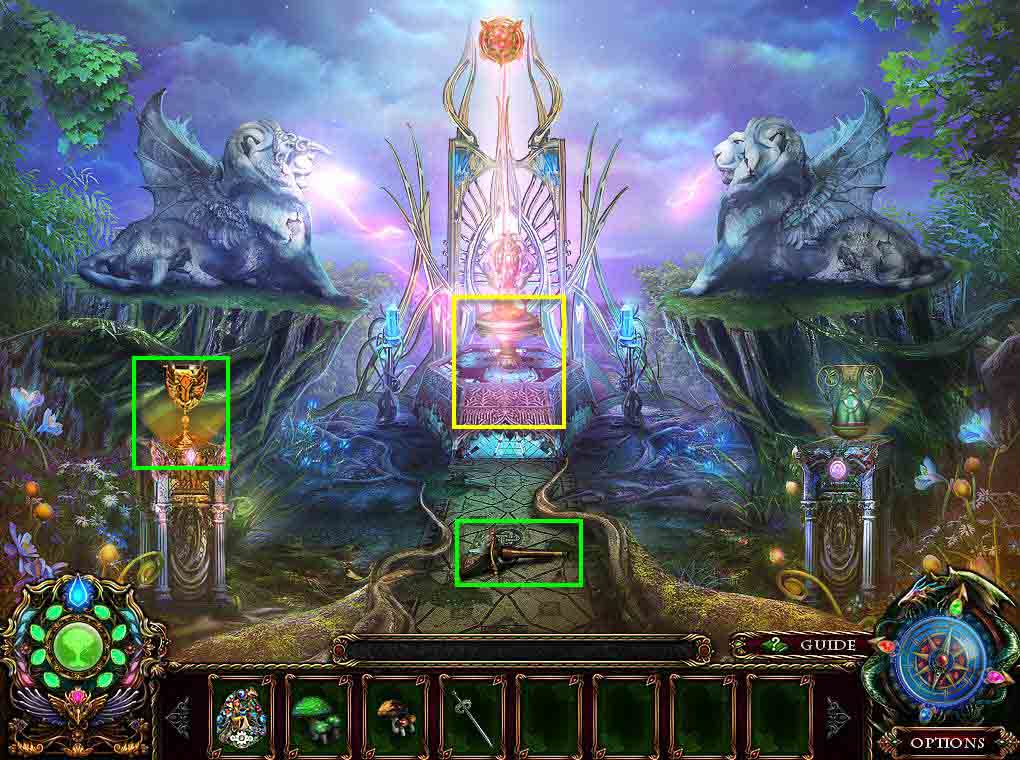
- Take the HANDLE.
- Take the MAIDEN CUP.
- Click on the ancient archive to get an updated task.
- Go back one screen and then go to the left.
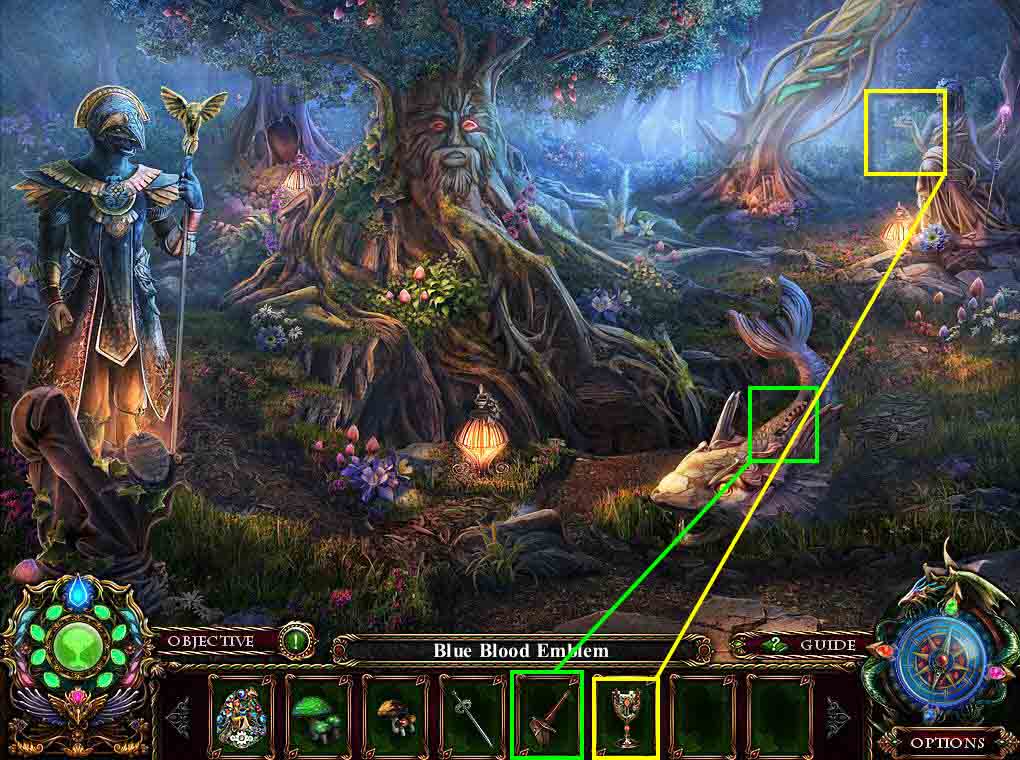
- Click to zoom in on the fish.
- Use the HANDLE on the gear.
- Click to zoom in on the statue on the right.
- Use the MAIDEN CUP on her hand.
- Take the SILVER STAFF.
- Go back two screens.
- Go to the right.
- Go through the door on the left.
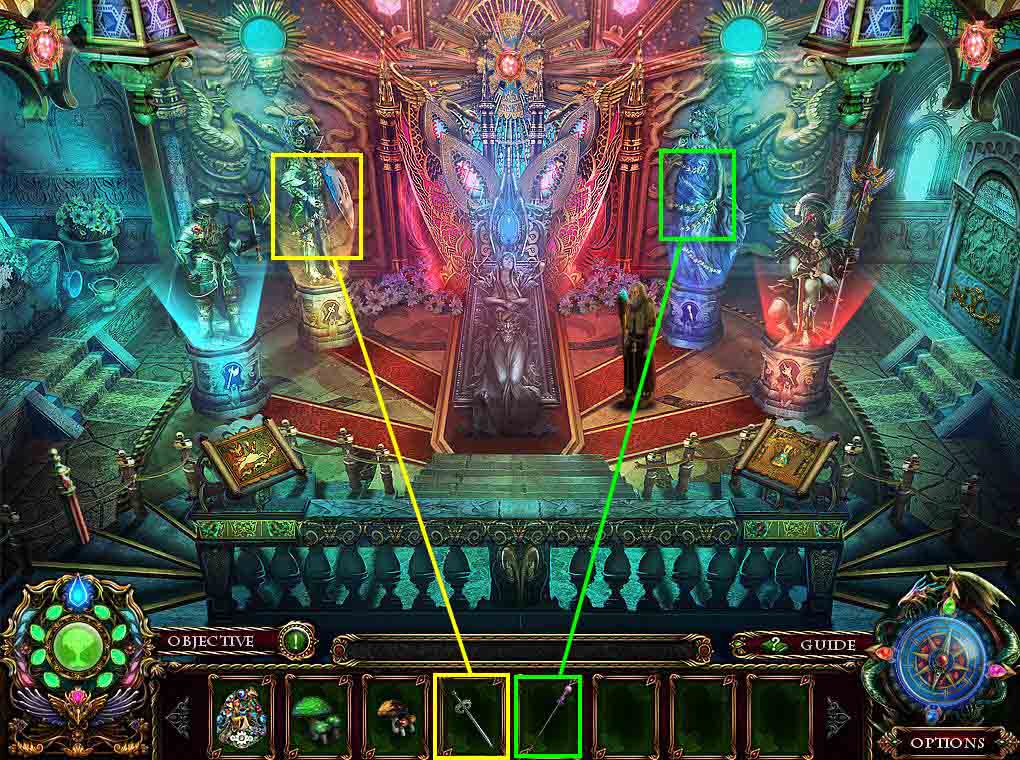
- Use the SILVER SWORD on the statue on the left.
- Use the SILVER STAFF on the statue on the right.
- Click on the mini-game to play.

- The goal of the mini-game is to change all the lines between the gems to blue.
- Click on the gems in this order: 9, 8, 4, 1, 8, 5, 1, 2, 5, 9, 2, 6, 9, 10, 6, 3, 10, 7, 3, 2
- When you are done, go back two screens.
- Go into the waterfall.
- Go to the right and climb the vine.
- Go back up to the archive.
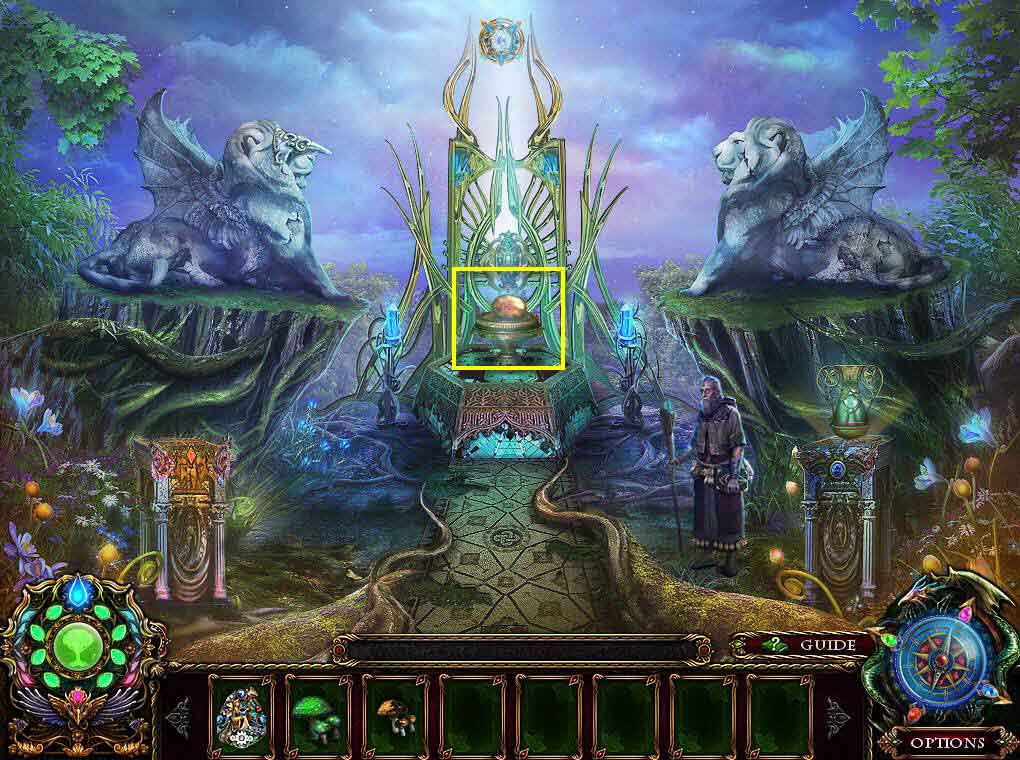
- Click on the pedestal to zoom in.
- Click on the egg.
- Talk to the professor.
- You will receive the DWARF BADGE.
- Click on the compass and travel to the Iron Kingdom.
Comments will load when you reach this part of the walkthrough.