

Chapter Six: Red Masque
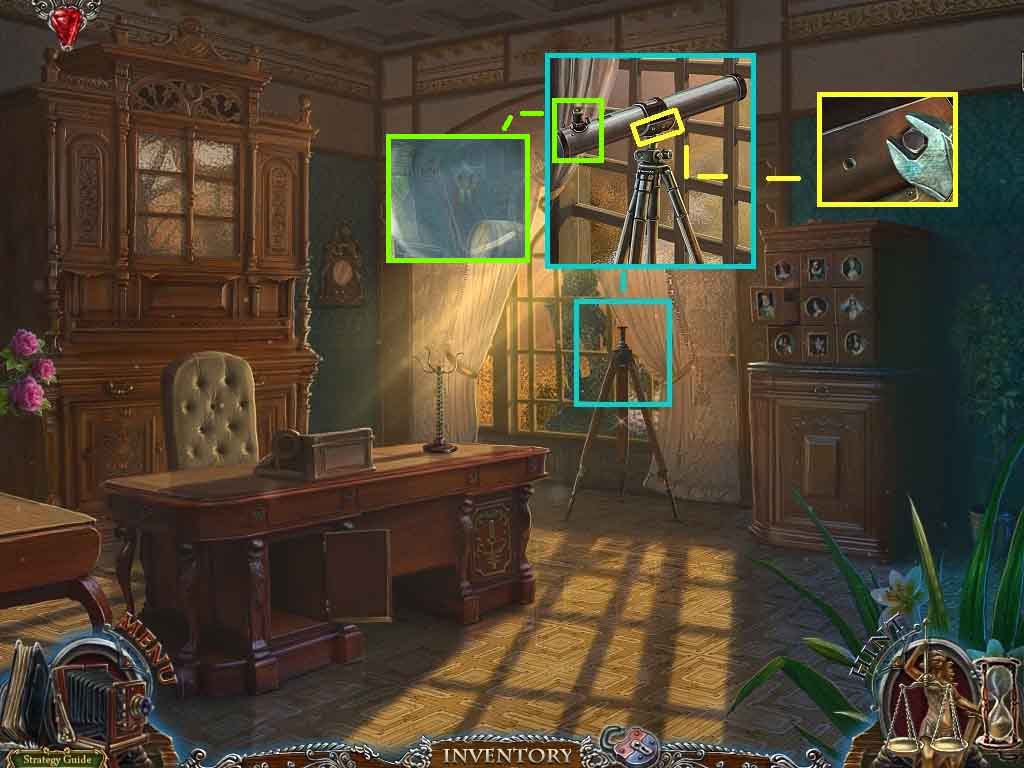
- Click the telescope stand and insert the telescope.
- Click the loose hinge; insert the screws into the holes and use the wrench to tighten them.
- Look through the telescope.
- Move down 3 times and move to the left.
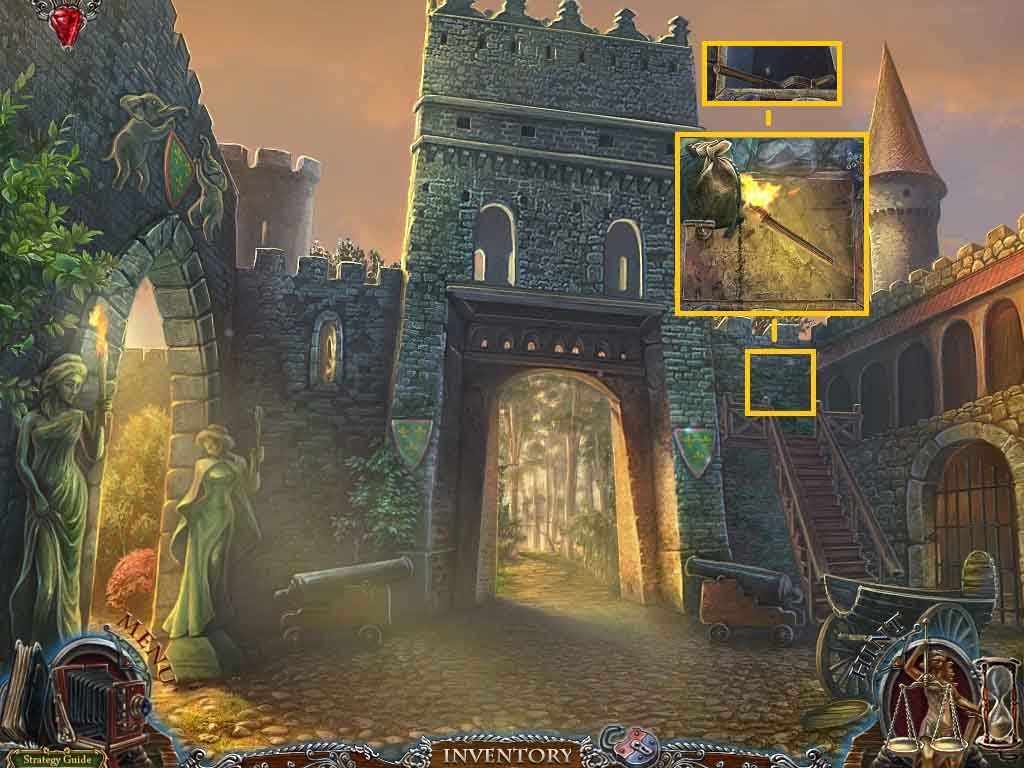
- Click the wall and insert the gunpowder.
- Use the torch to ignite the gunpowder.
- Click the wall once again and collect the pump handle.
- Move ahead and click the hidden objects area.
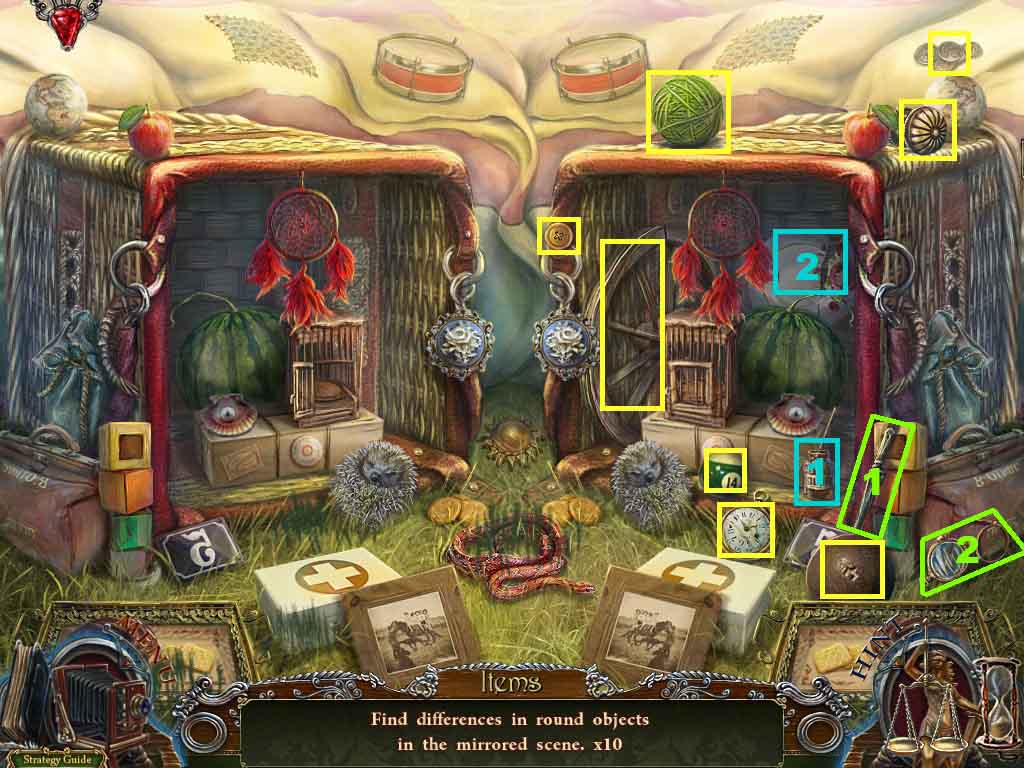
- Spot the differences.
- Collect the knife and use it to collect the lens from glasses.
- Collect the glue and use it on the plate; collect the plate.
- Collect the cannonball.
- Move ahead.
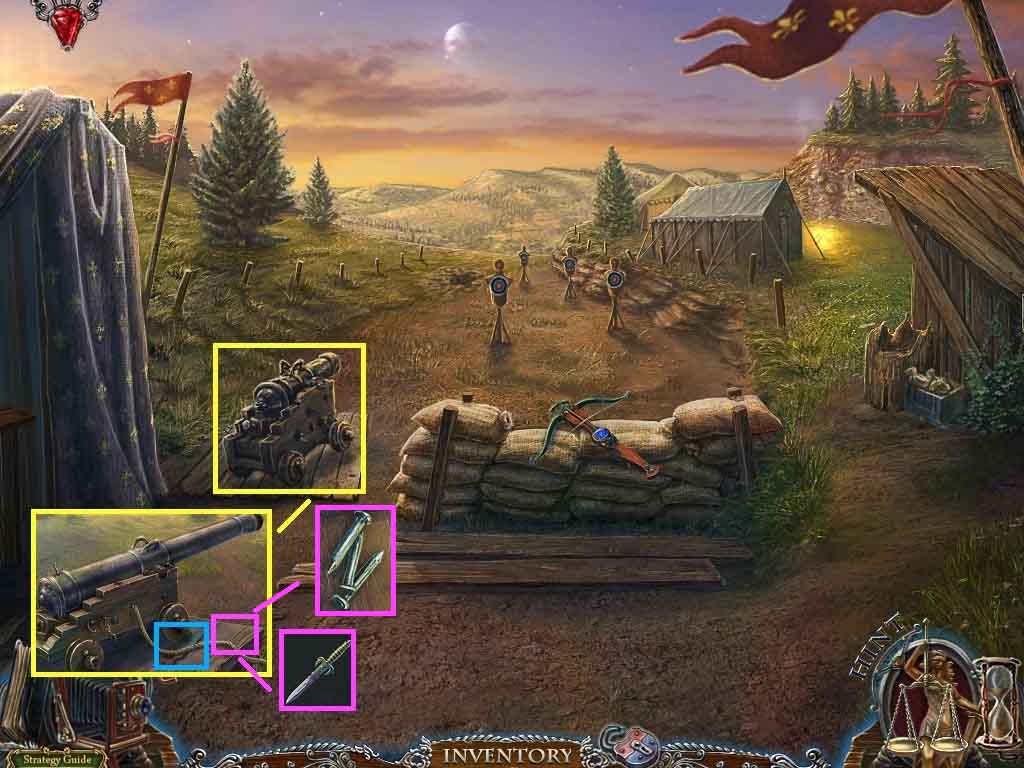
- Click the cannon and insert the cannonball.
- Use the torch to ignite the fuse.
- Collect the saw.
- Click the boards.
- Attach the dagger handle to the blade and collect the dagger.
- Collect the fixing pins.
- Move down once.
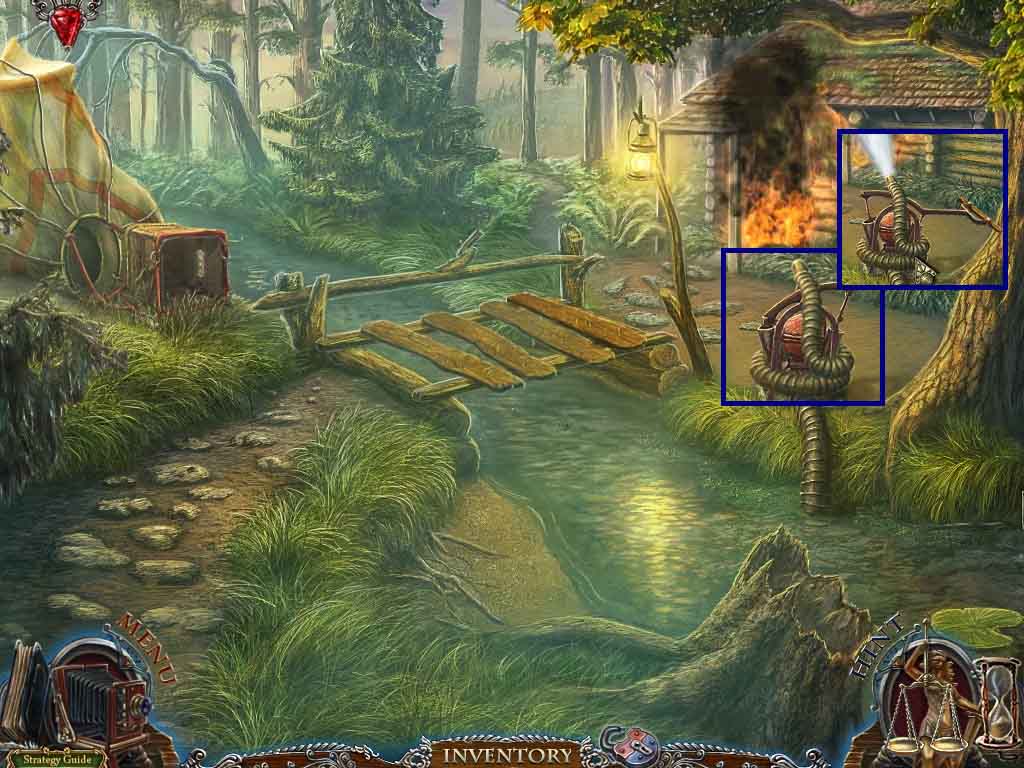
- Click the pump.
- Attach the pump handle and the fixing pins.
- Click the pump handle 3 times.
- Move into the hut.
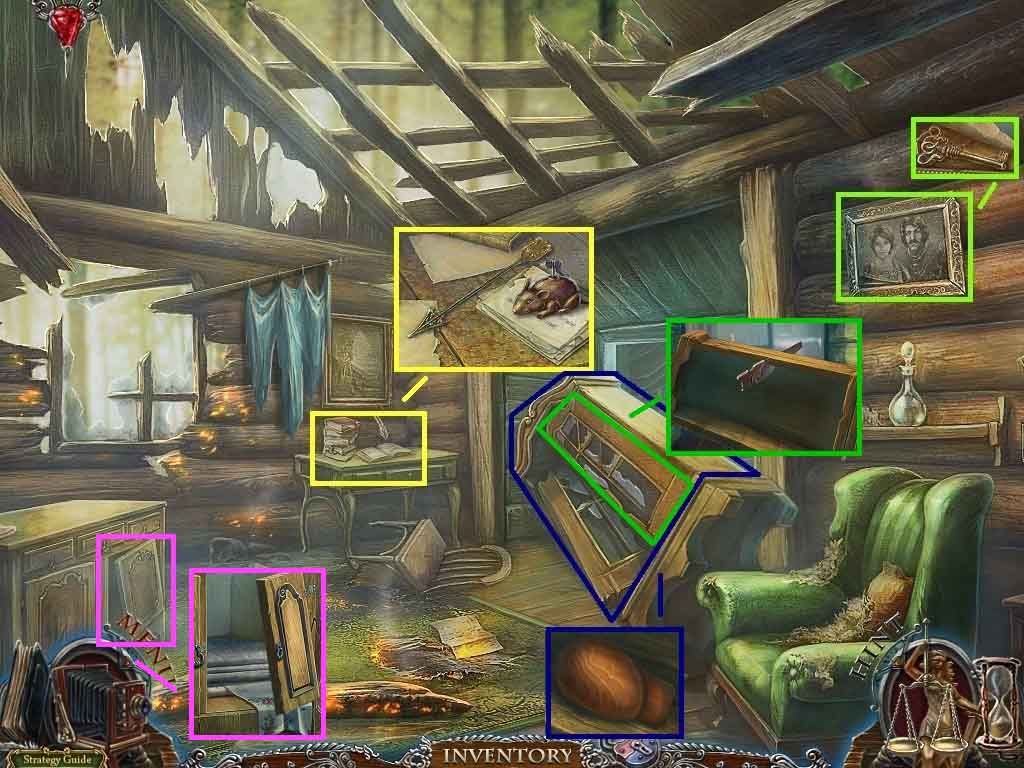
- Click the painting and rip the picture; collect the key.
- Click the table; collect the 3 / 3 arrow and the note.
- Click the cabinet2 times; collect the wooden head.
- Click the other cabinet door and use the saw on it.
- Click aside the cabinet pieces.
- Click the dresser and click the door on the right; collect the cloth.
- Move to the right.
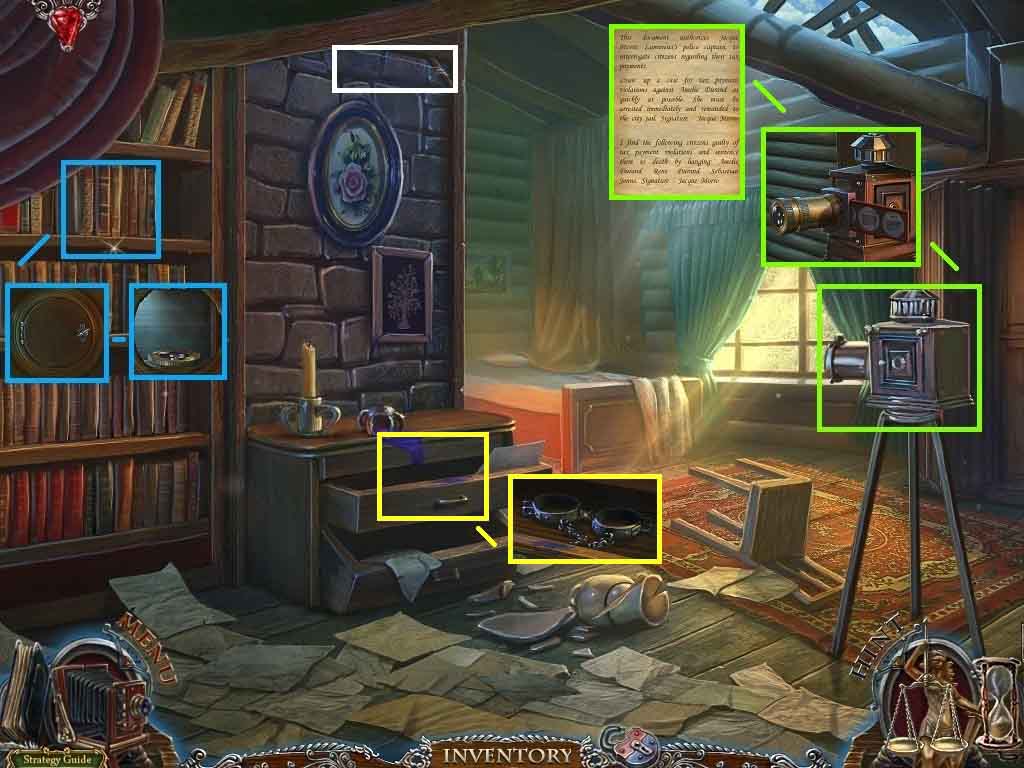
- Click the wall.
- Attach the cloth to the rope.
- Click the shelf and click the book.
- Insert the key into the lock and click it one time; collect the lens.
- Click the camera and insert the photograph slides and the lens into the camera.
- Click the camera on and collect the note.
- Click the drawer and click the pages; collect the handcuffs.
- Move down two times and go forward.
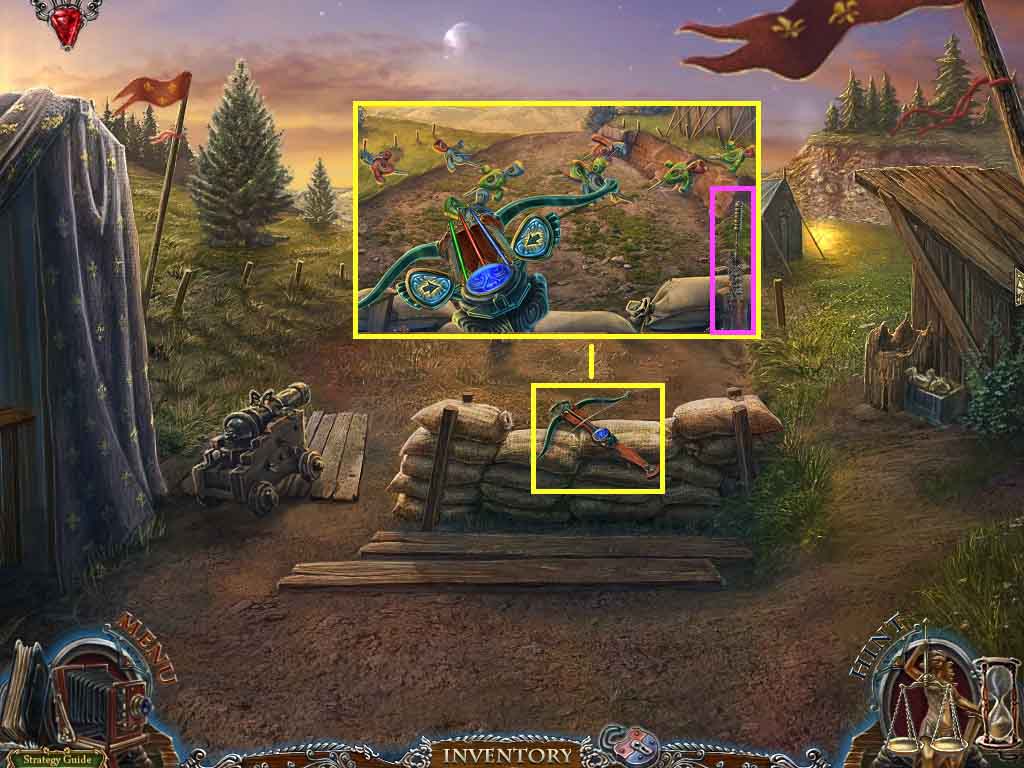
- Click the crossbow.
- Attach the bow string and the 3 arrows.
- Play the mini-game.
- Solve the game by shooting the arrows towards the target of the same color.
- Collect the ramrod.
- Move down 3 times and go to the right.
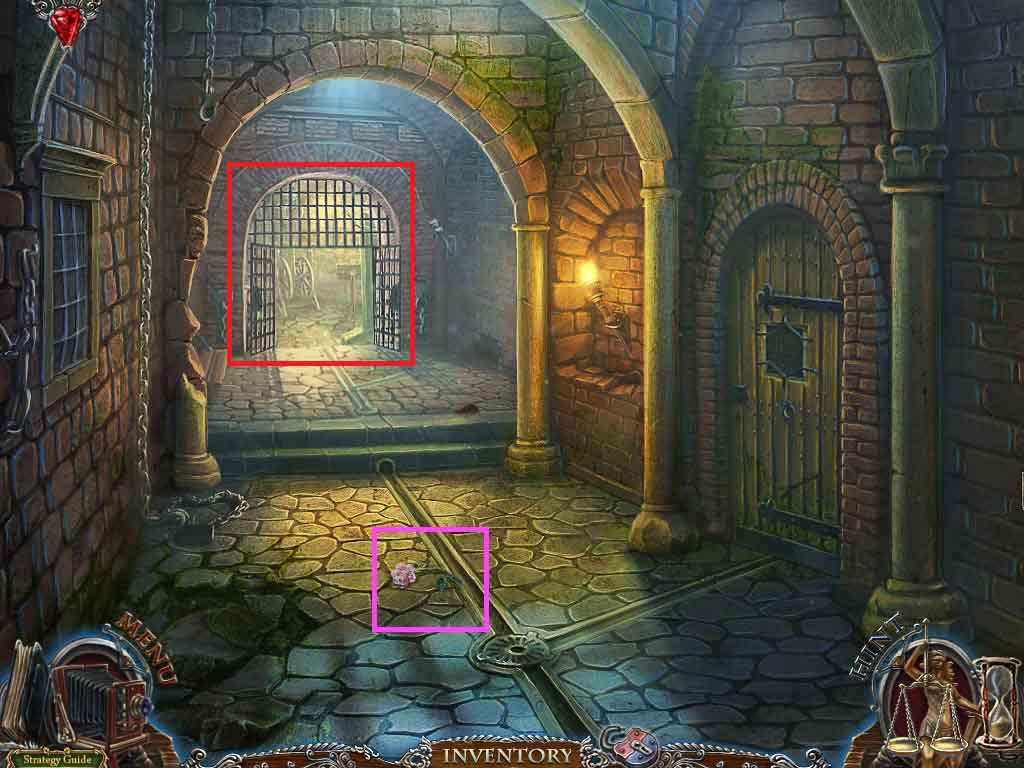
- Speak to the woman and the man.
- Handcuff the man; earn the sphere of guilt.
- Collect the rose.
- Click the hidden objects area.
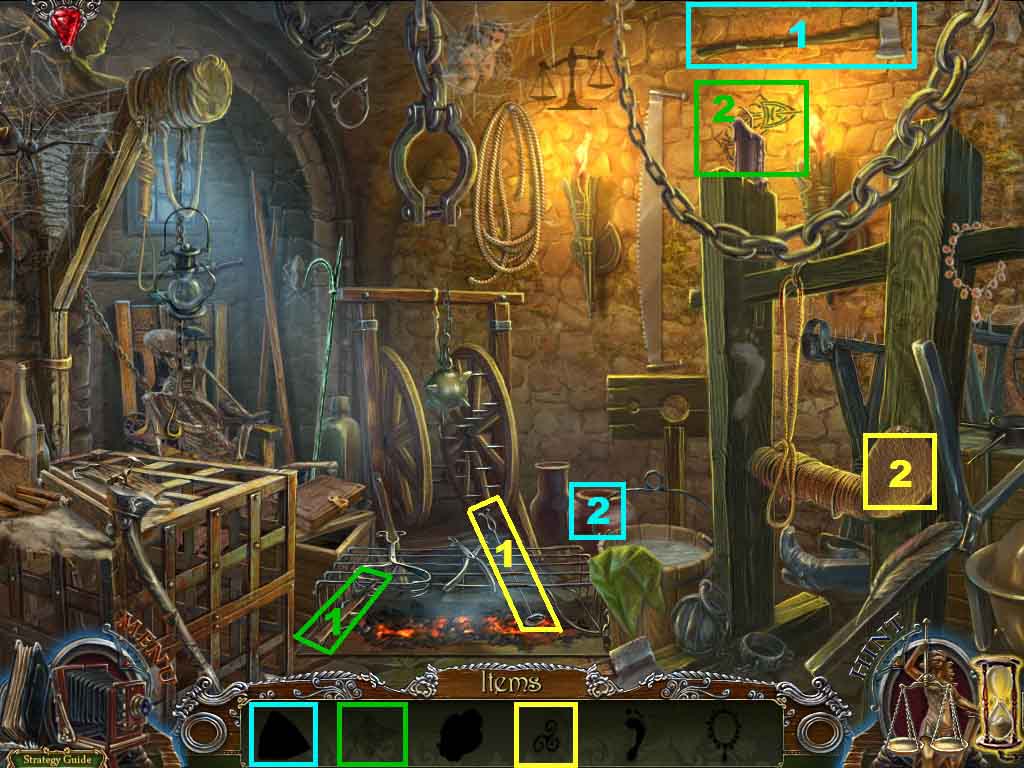
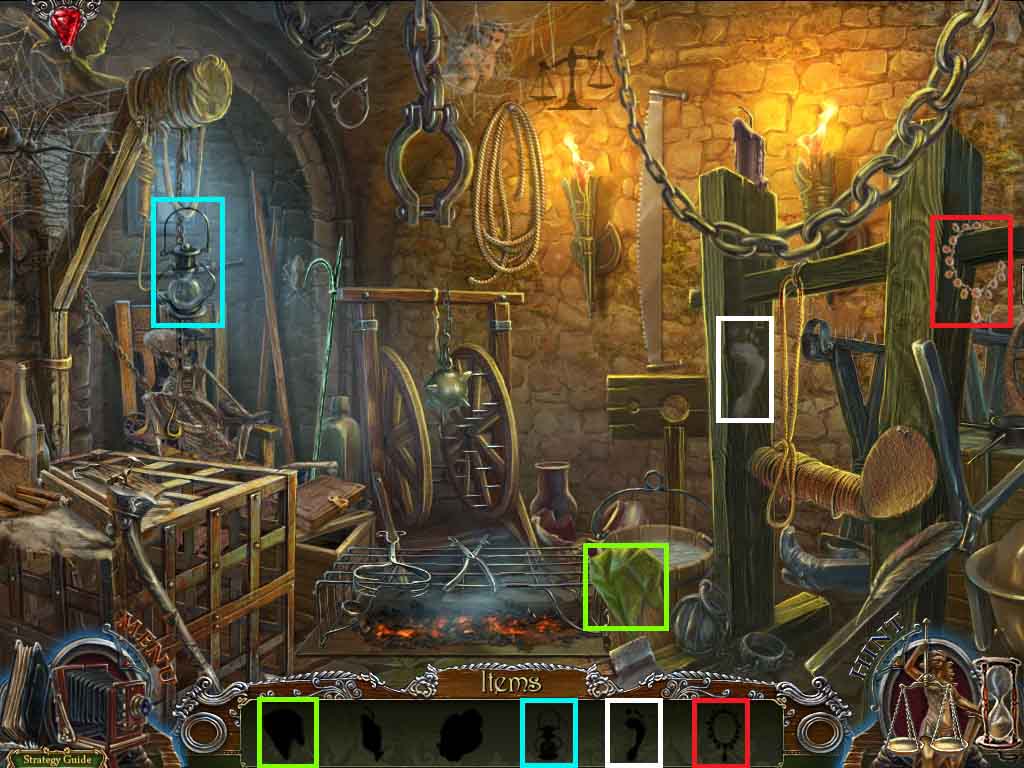
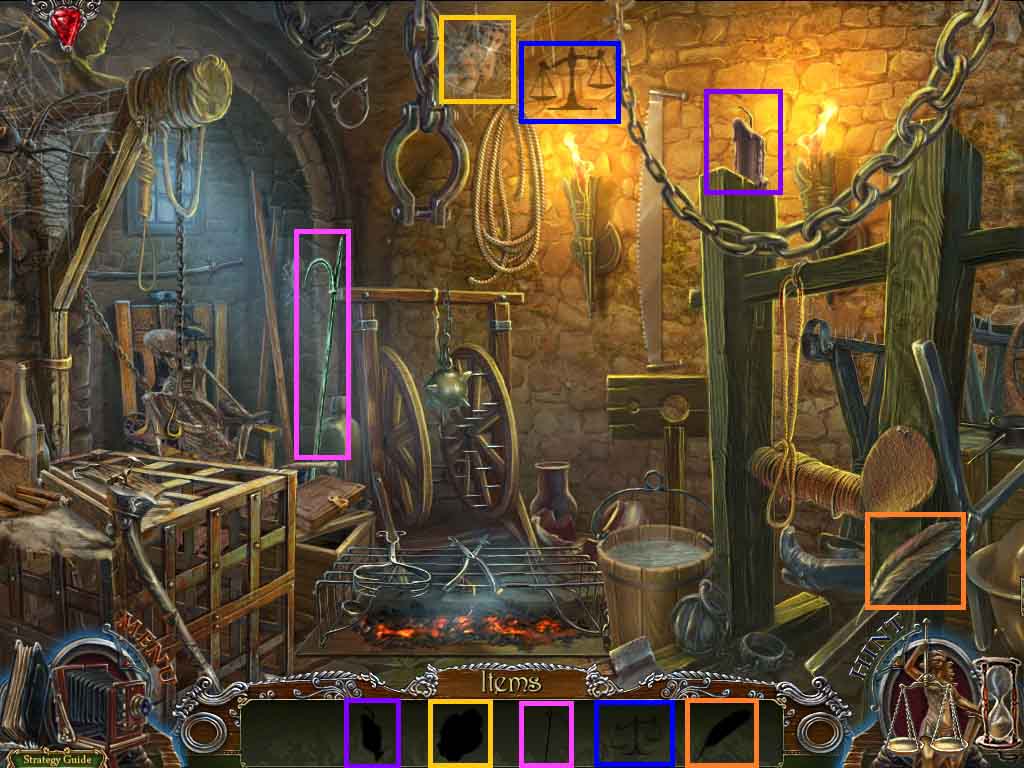
- Find the items based on the silhouettes.
- Select the coal and use it to complete the drawing; collect it.
- Select the axe and use it to smash the vase; collect the diamond.
- Select the stamp and place it onto the leather; collect the sign.
- Collect the hook.
- Move down once and go forward.
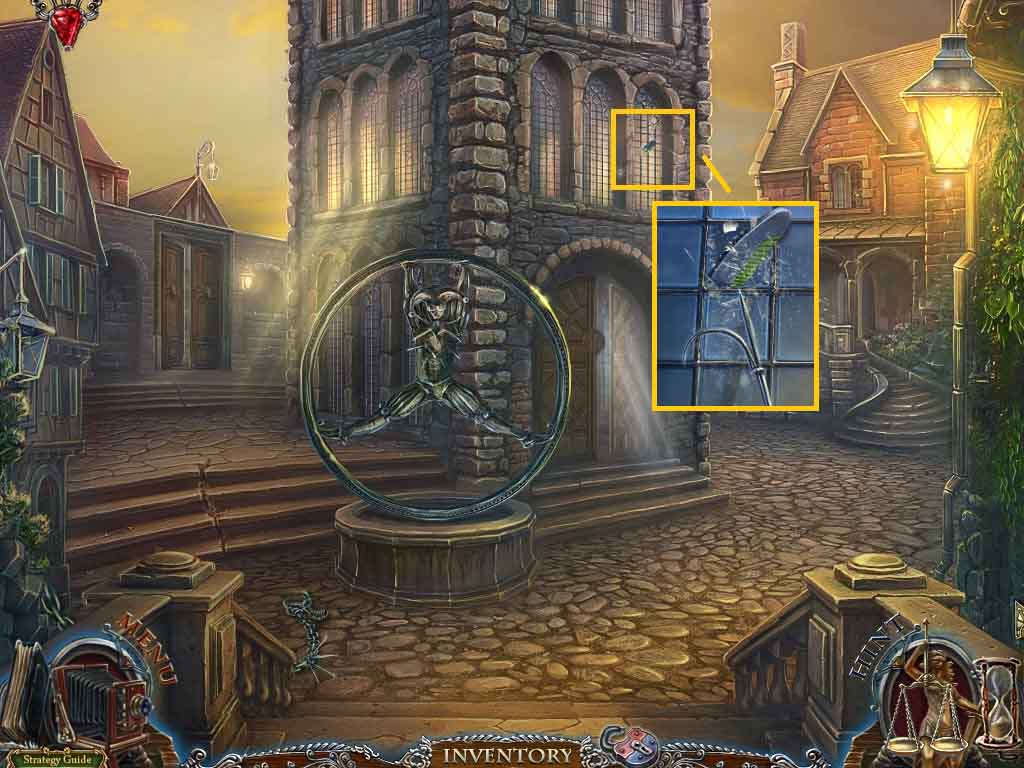
- Click the window; collect the wings with the hook.
- Move to the left and move ahead.
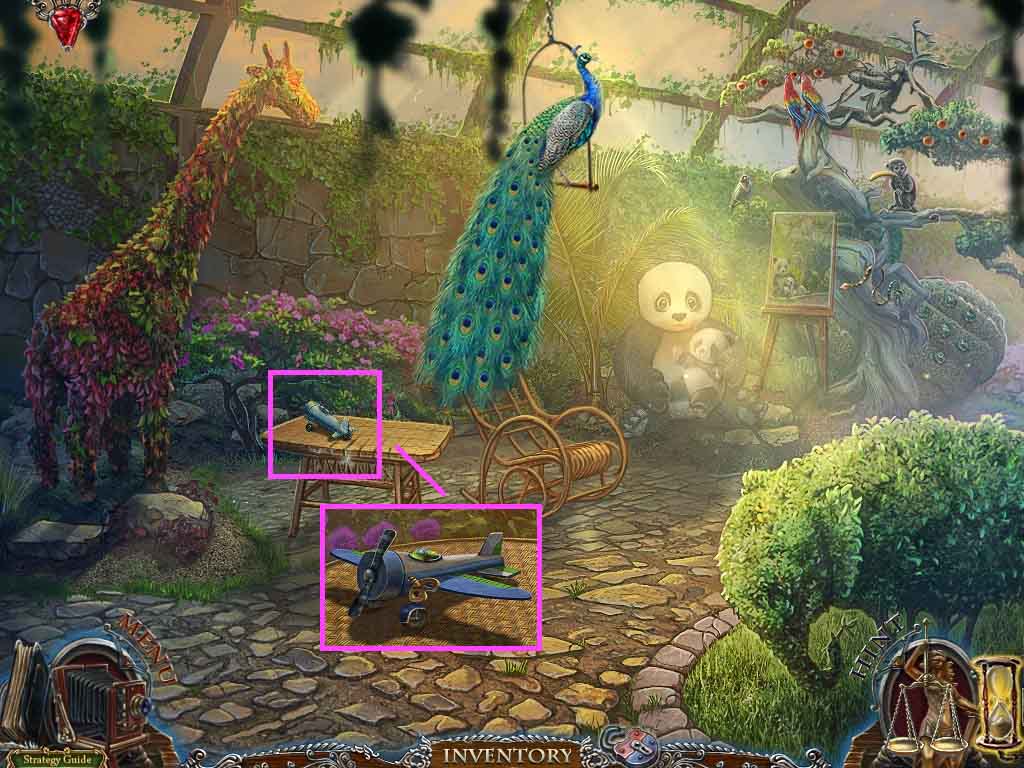
- Click the table.
- Attach the propeller, the toy key and the wings to the toy plane.
- Collect the toy airplane.
- Move down 3 times, go into the house on the left and move forward.
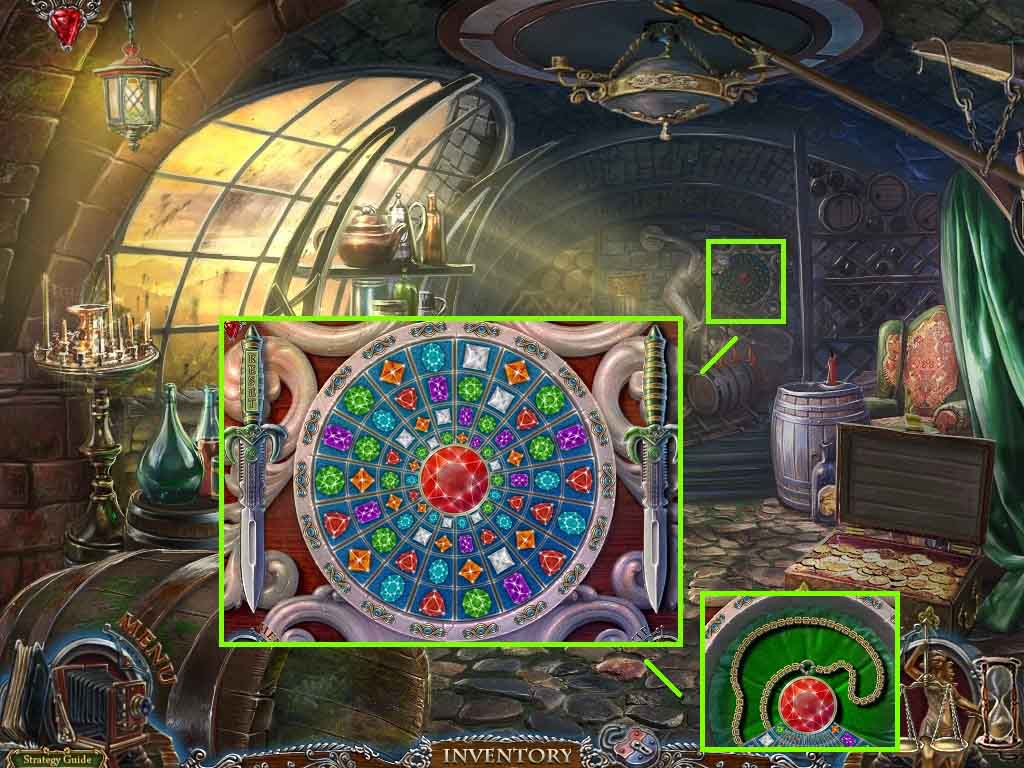
- Click the panel.
- Insert the dagger and the gem.
- Play the mini-game.
- Solve the puzzle by matching 3 gems horizontally or vertically 18 times.
- The solution is random.
- Collect the pendant.
- Move down 2 times and go to the left 2 times.
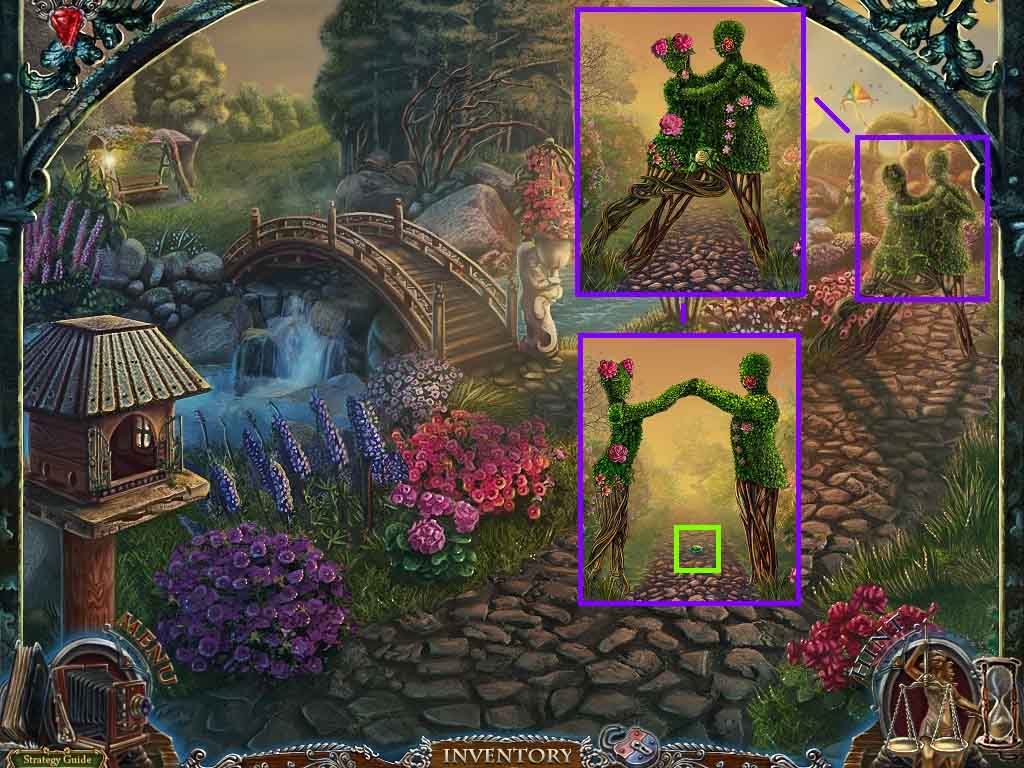
- Click the bush and insert the 2 roses and the lily.
- Play the mini-game.
- Solve the game by placing the flowers into the correct spots.
- Collect the fountain element.
- Move to the right.
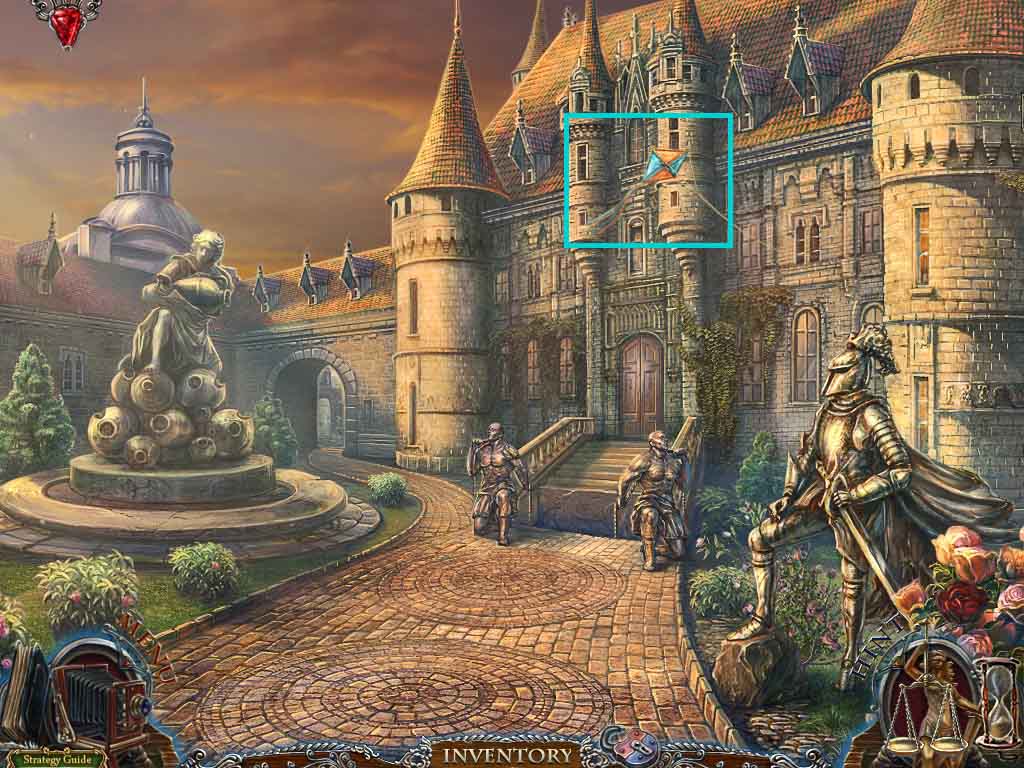
- Throw the toy airplane toward the kite.
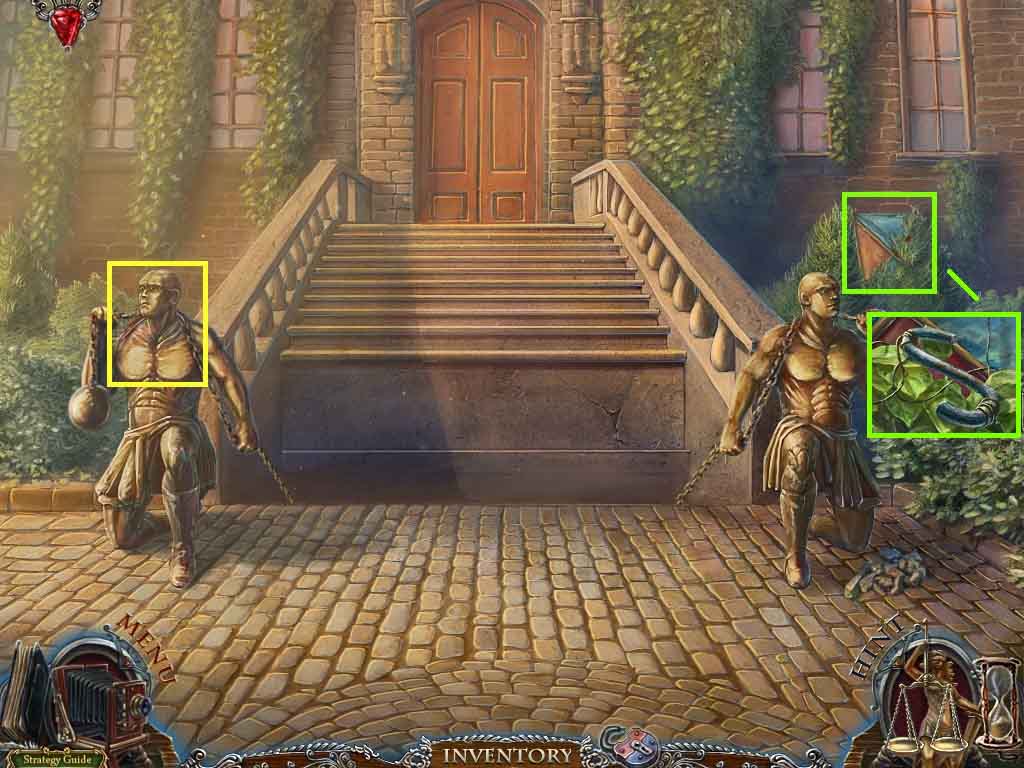
- Click the door and collect the sickle.
- Click the kite and collect the hook.
- Move to the left.
- Click the hidden objects area.
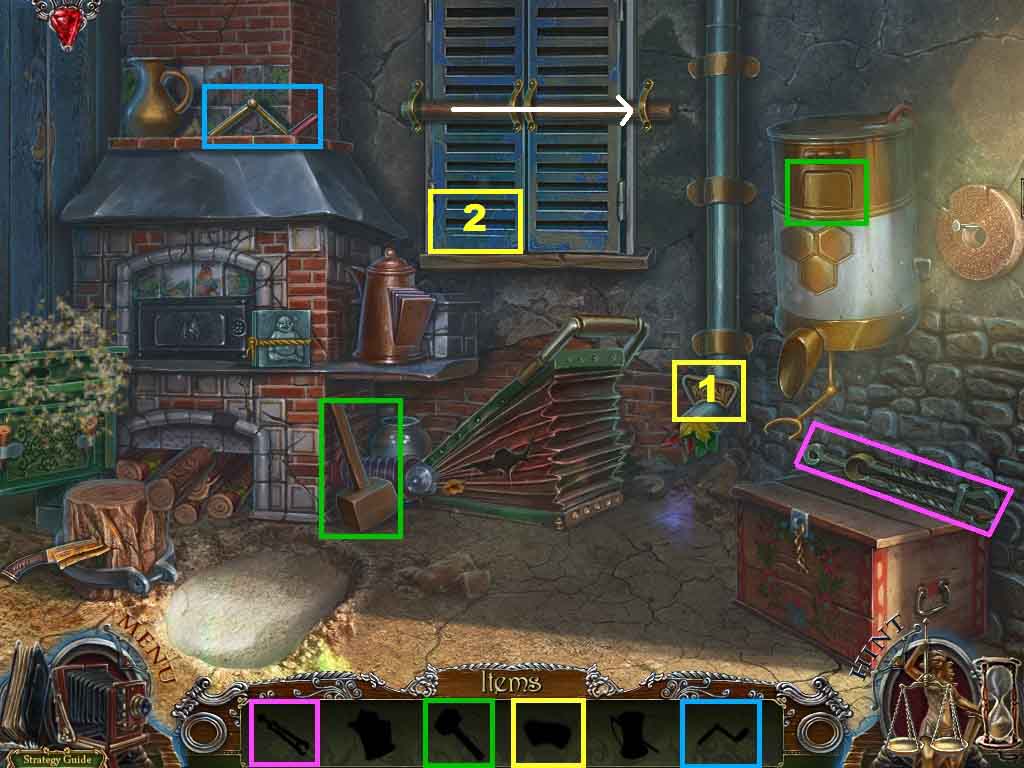
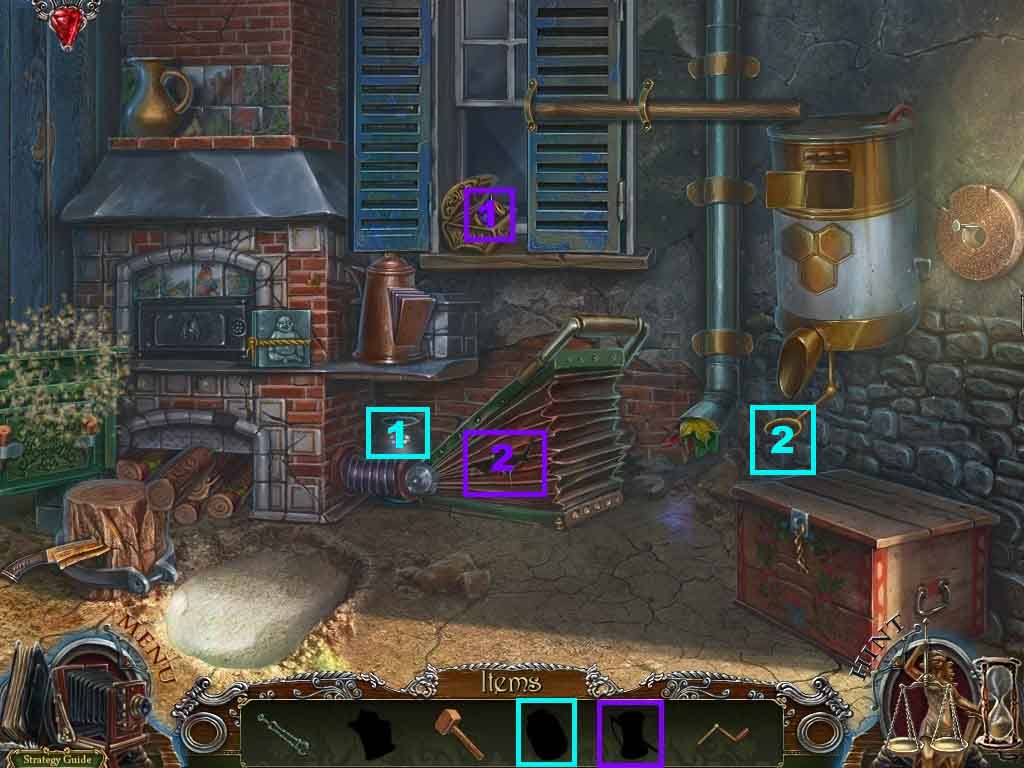
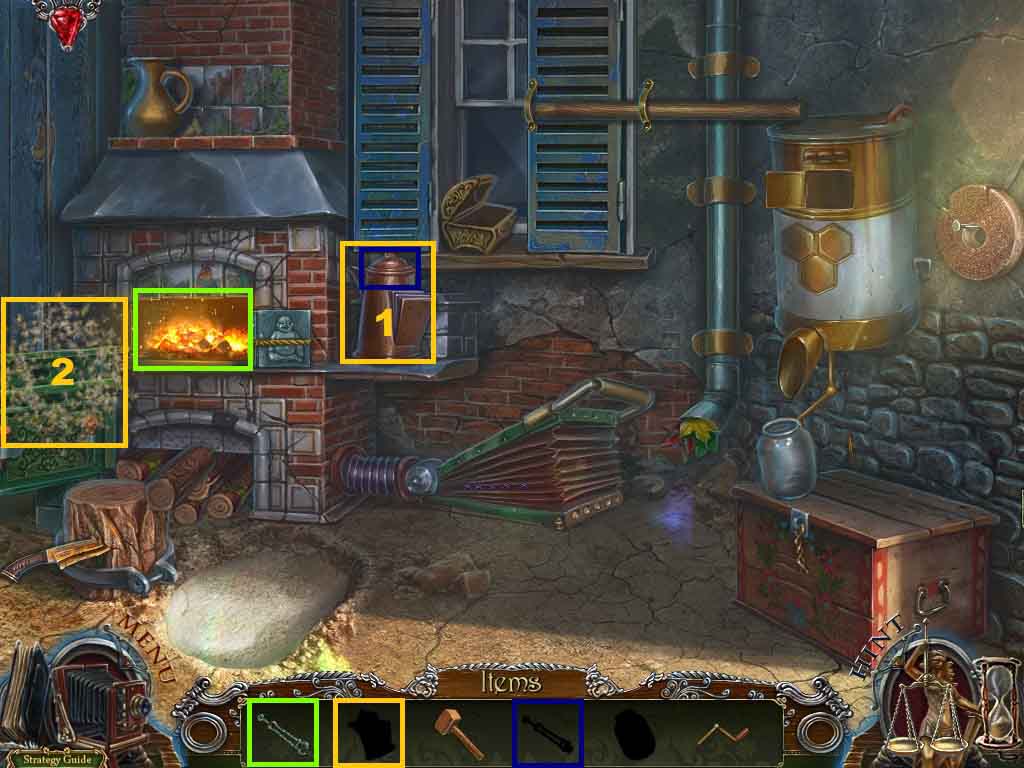
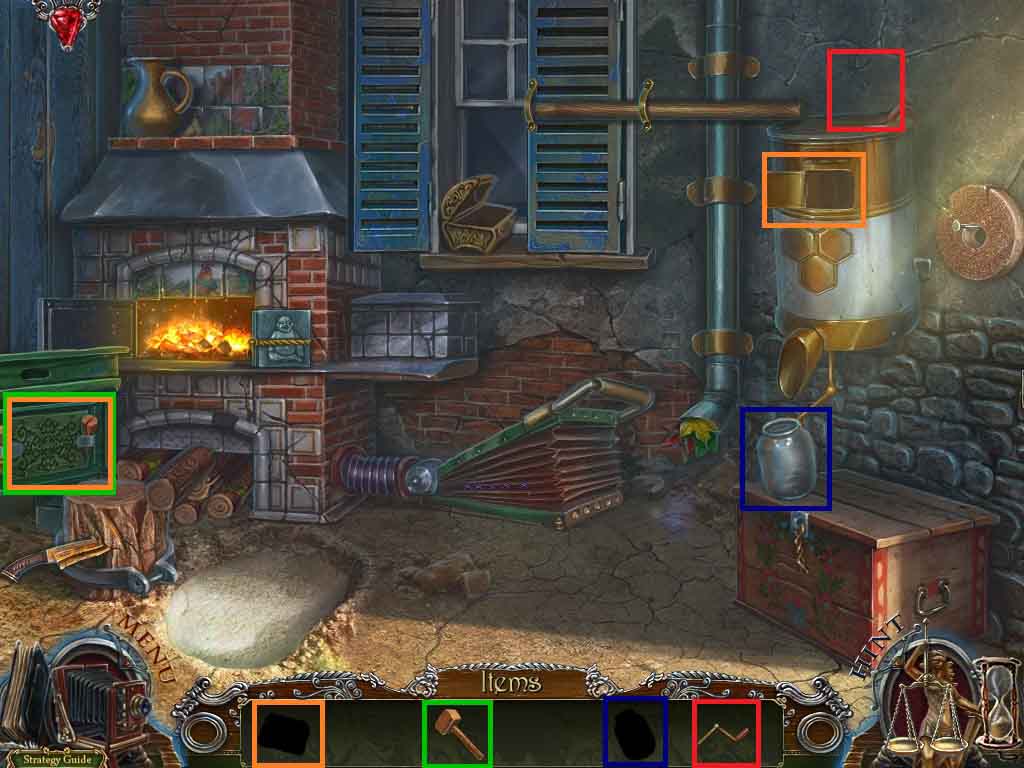
- Find the items based on their silhouettes.
- Collect the handle, the clamp and the part of the box.
- Collect the mallet.
- Click the device open.
- Click the beam aside and insert the part of the box into the box; collect the thread.
- Use the thread on the bellows.
- Click the bellows and then click the oven.
- Collect the jar and attach it to the holder.
- Place the clamp into the oven and use the coal to collect the clamp.
- Click the kettle and insert the clamp with coal into it; collect the kettle.
- Use the kettle to scare away the bees.
- Select the mallet to use on the hive; collect the honey.
- Place the honey into the device.
- Attach the handle onto the device and click the handle.
- Collect the jar of honey inside the holder.
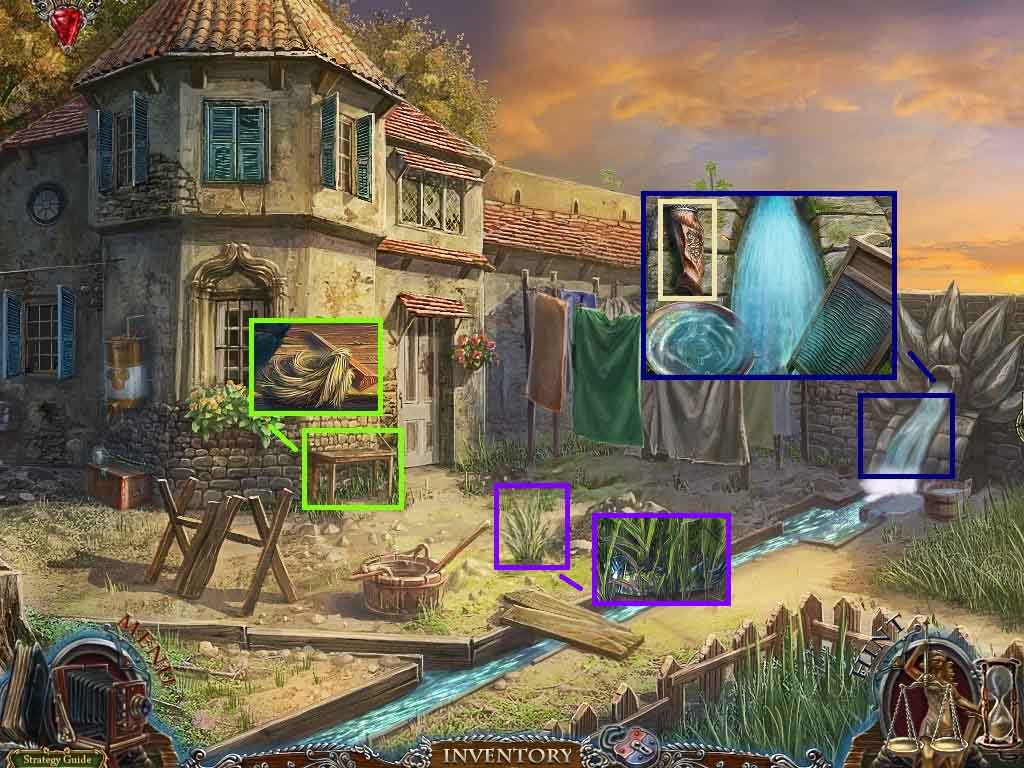
- Click the bench; collect the oakum caulk and the 1 / 2 wedge.
- Click the water and dip the bowl into it; collect the rifle stock.
- Click the grass; collect the statue’s hand.
- Move down one time.
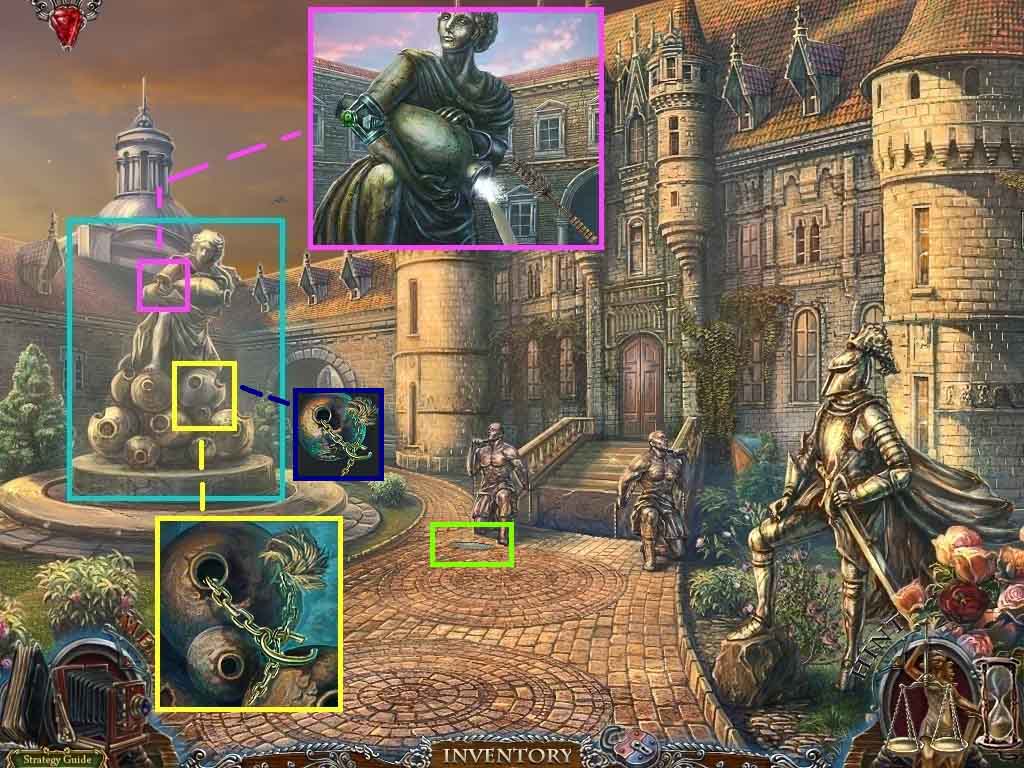
- Click the fountain.
- Attach the oakum caulk and the chain to the ball.
- Click the fountain statue; attach the statue’s hand onto the arm.
- Click the joint and attach the fountain frame and the fountain element.
- Use the ramrod to clean the outlet.
- Collect the sharpener.
- Click the fountain and collect the counterweight.
- Move ahead.
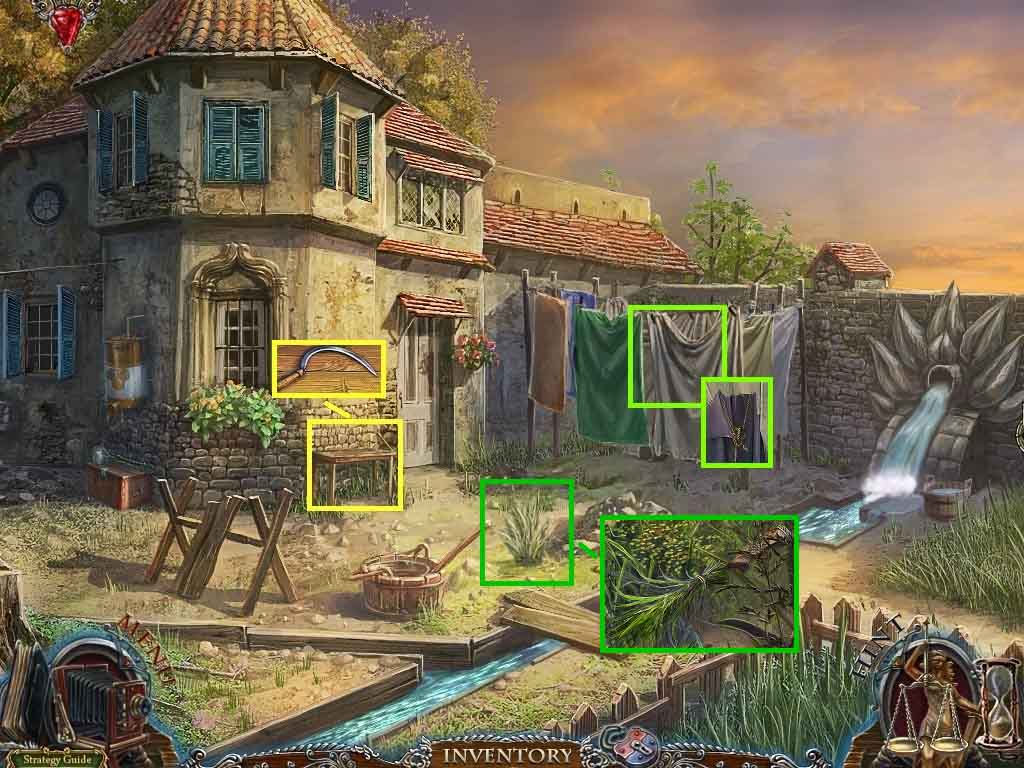
- Click the bench and lay down the sickle.
- Use the sharpener to sharpen the sickle and collect the sharp sickle.
- Click the laundry and use the sickle to cut the fabric.
- Collect the piece of fabric and the rope.
- Click the grass and cut it with the sickle.
- Tie the grass onto the rope and attach it to the rifle stock.
- Collect the broom.
- Move down once.
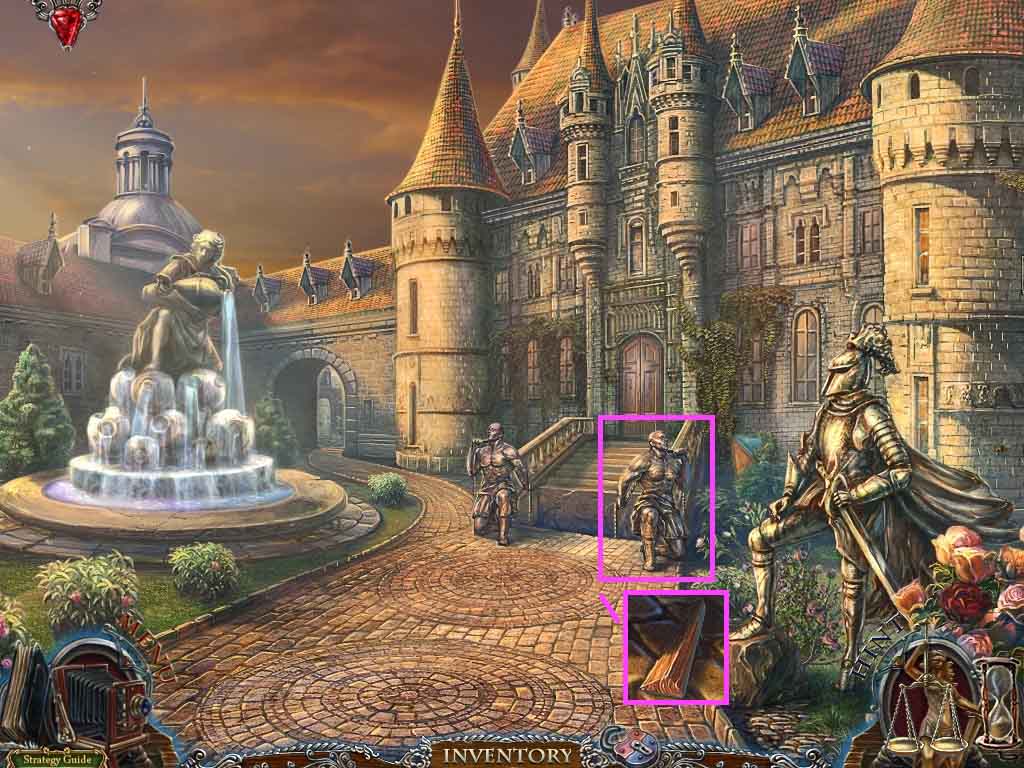
- Click the door.
- Click the statue and use the broom to clear the debris.
- Collect the rifle stock.
- Collect the 2 / 2 wedge.
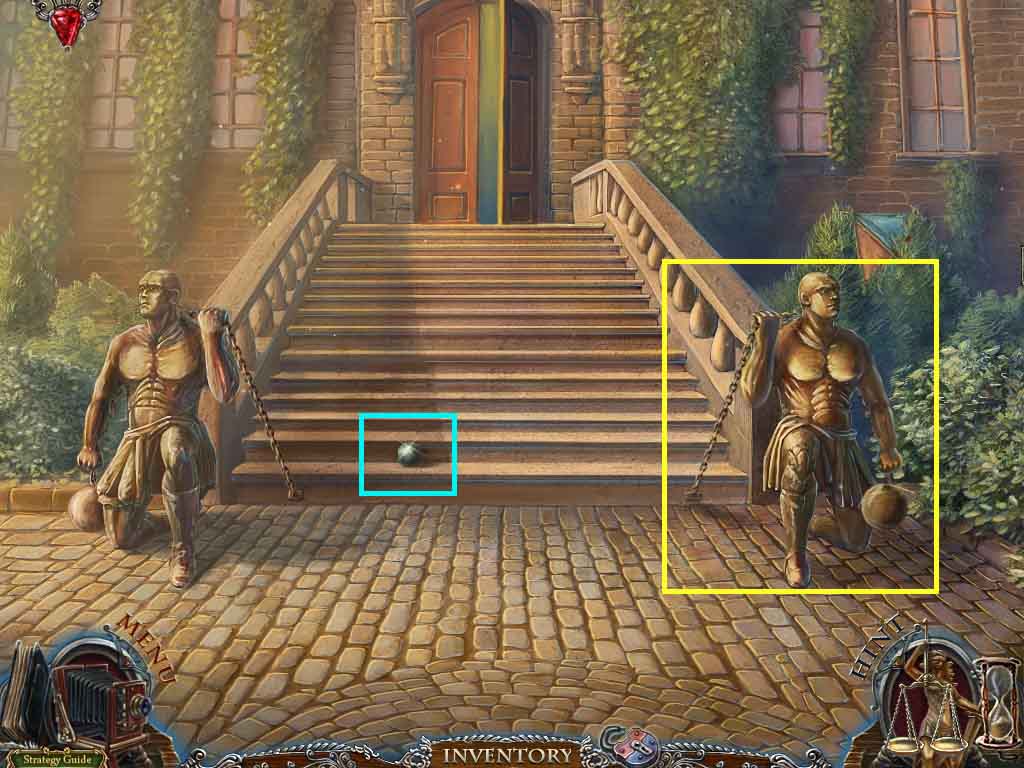
- Attach the hook and the counterweight to the chain.
- Collect the cannonball.
- Move ahead.
- Earn the sphere of guilt.
Comments will load when you reach this part of the walkthrough.