

Walkthrough Information
Overview: Grandpa was supposed to be watching his grandson's 10th birthday party, but looked away for one second (that’s all it takes) and all the kids got scattered through time. How you ask? Play the game to find out. It’s your job to gather them up and put things right before history is total chaos.
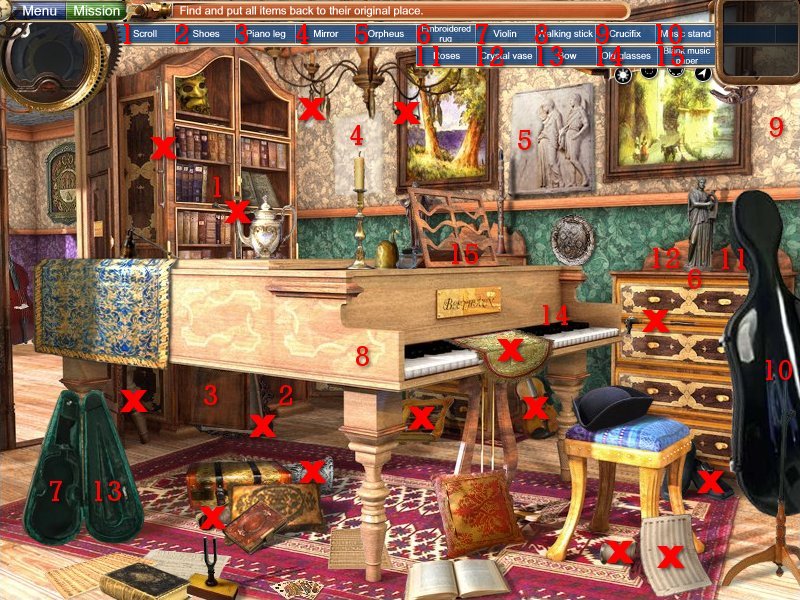
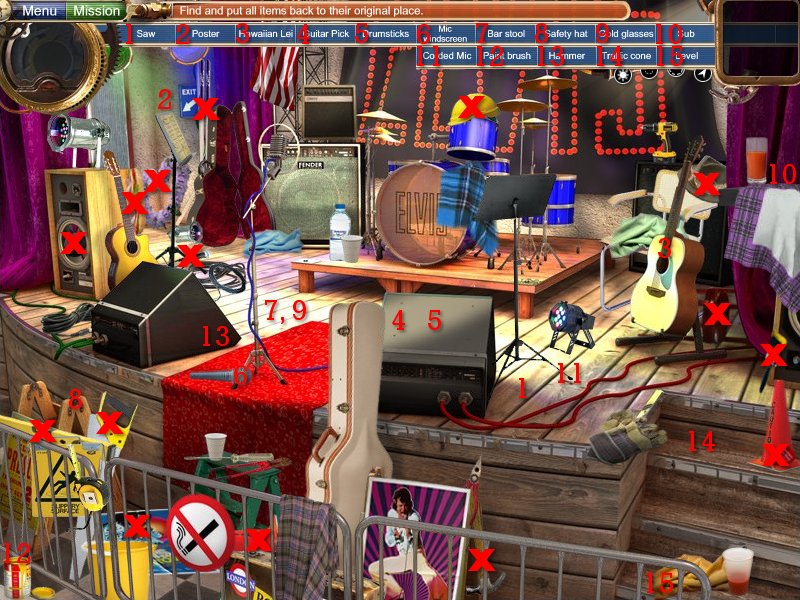
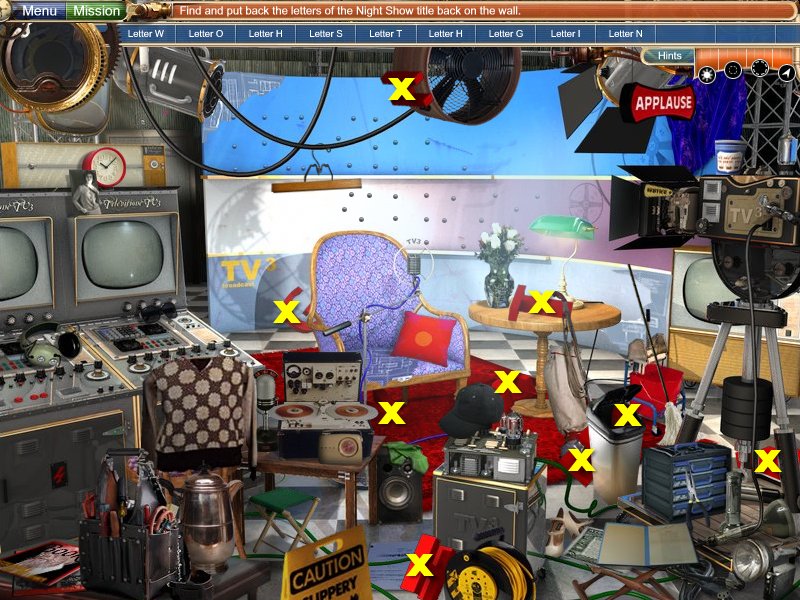
You'll find this guide slightly different than previous ones by me, because so many objects in this game are very large or hidden behind other objects, I have decided to abandon the circles and mark items with X's.
Tips & Tricks:
Time Travel Map: shows where inaccuracies are detected, use to travel to various lactations and clean up the mess left behind
Gadget Assembly Screen: you will find various gadgets on your search through time, this screen is where they must be assembled and will eventually help you find the lost children
Photo Album: This is a picture of all the lost children, as you find them through time, they’re pictures will appear in the book
Exit Sign: unlike most games, you don’t hit the Escape key to exit the game, you must click the Exit Sign
Mission: you can click the green button at the top, left of your screen if you forget what you are supposed to do
Inconsistency Locator (Hint System):
I will the first to admit this hint system is a little confusing since they never really tell you what the 4 options do. Each hint option uses a certain amount of juice and it takes awhile for it to fill back up so you can use another hint, however, they never actually run out. Below is an explanation of what each one does.
Hint Options - Left to Right
- shows via sparkles exactly where the object is – uses up the whole meter
- shows via a circle the general area of where the object is – uses up 3/4th meter
- shows via a circle a larger general area where the object is – uses up 1/2 the meter
- gives you a compass with the blue arrow point in the direction of where the object is located – uses only 1/4th the meter
Note: as soon as you click the screen your hint will disappear, so do not click until you are sure!
What To Find:

Improper Items: these are items left in the past that only belong in the future, for example, a controller to gaming console would not be found lying next to the Trojan Horse
I have not provided answers for these items as I found out that many of the items change from game to game giving it replay value.

Find and Replace: in the blue bar above the picture is a list of items that need to be found and put back where they originally were; I found it easiest to do these levels directly after having solved the Improper Items as it's still fresh in your mind
-
clicking on the item name will bring up a silhouette in the round box at top, left
-
once you find the object, the name turns to blue, click on it again and it will show you in the square box at top, right where it belongs
-
place the object where it belongs
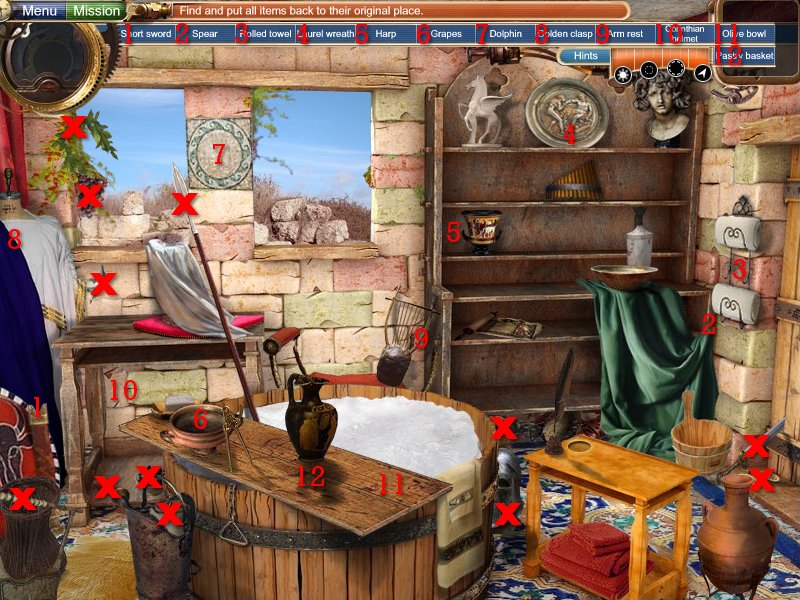
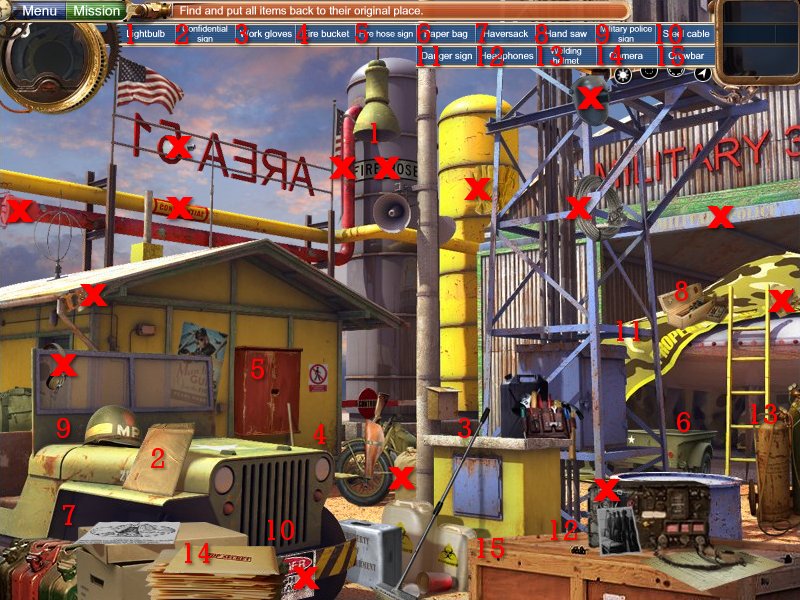
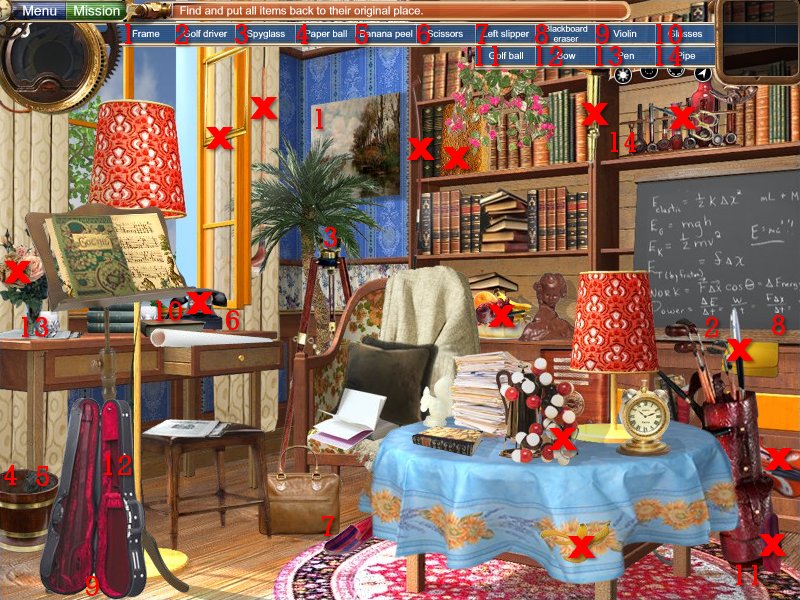
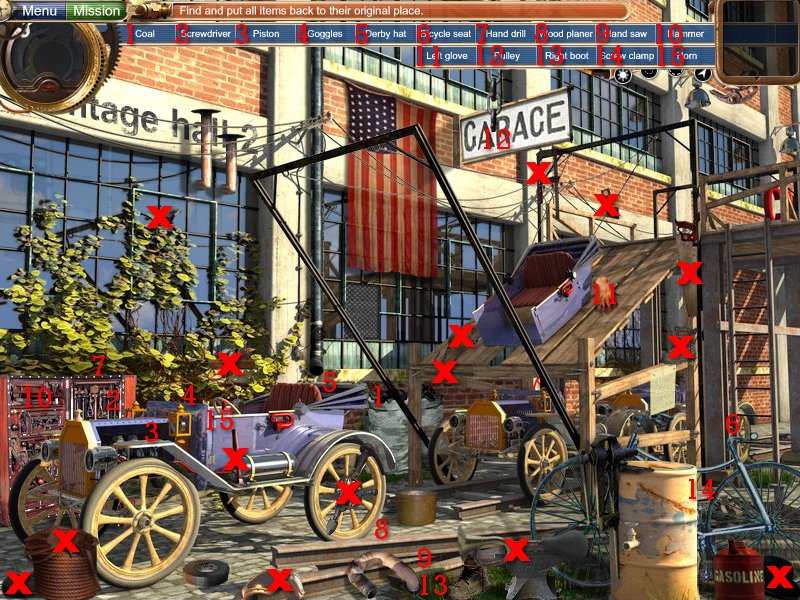
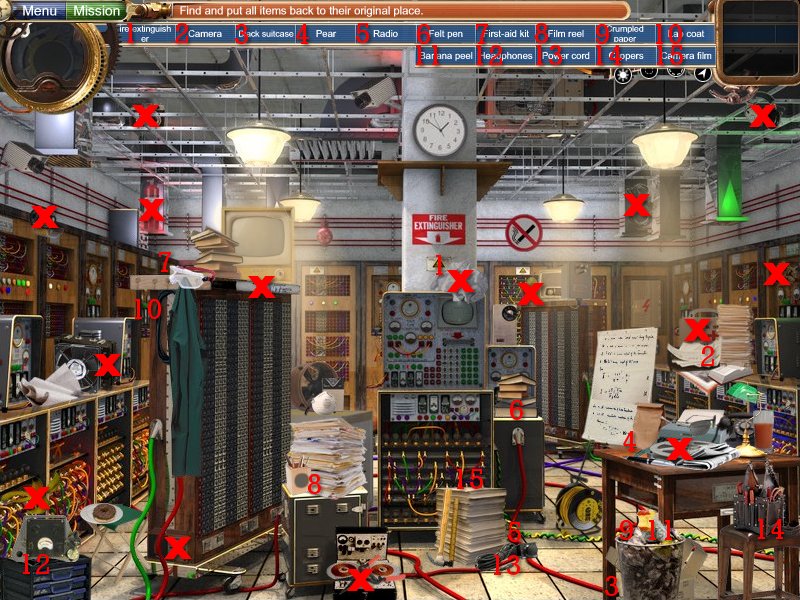
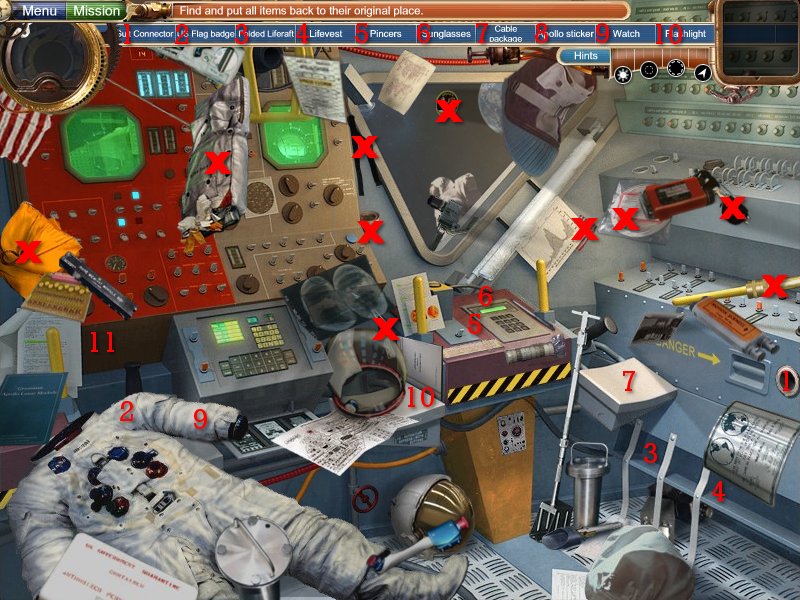
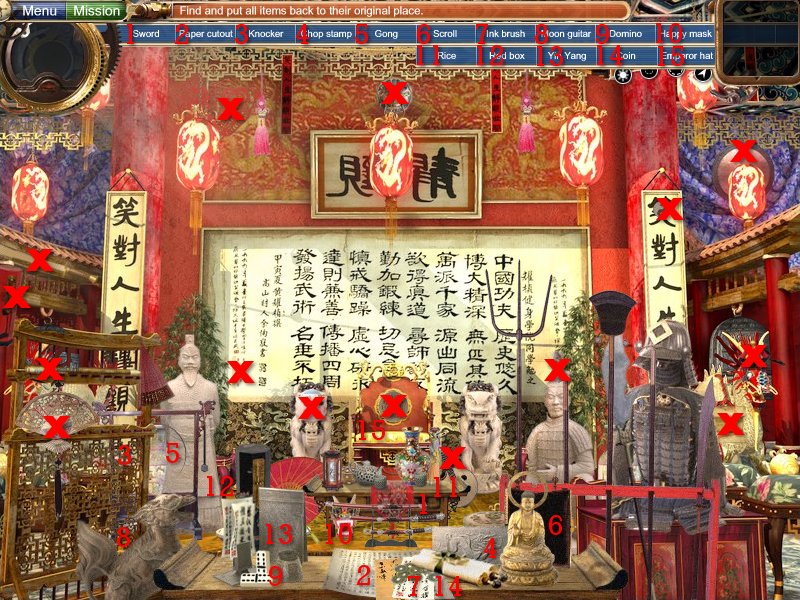
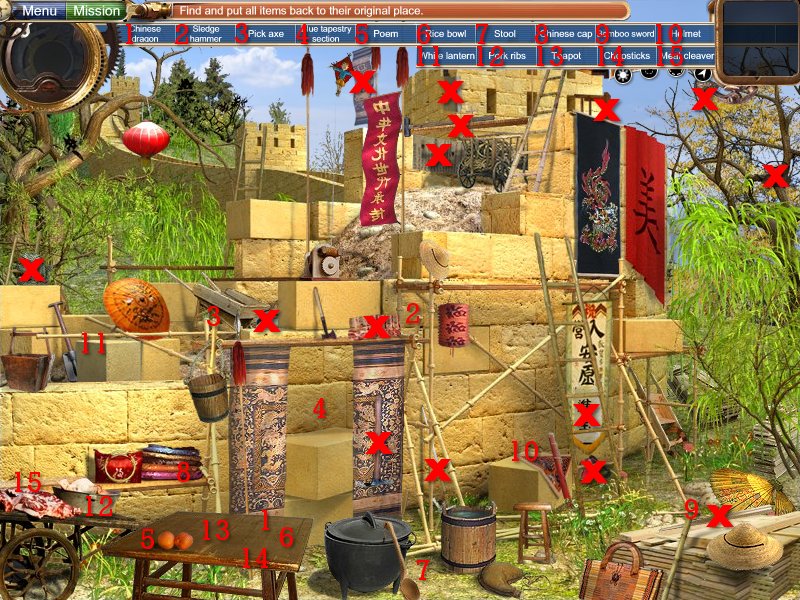
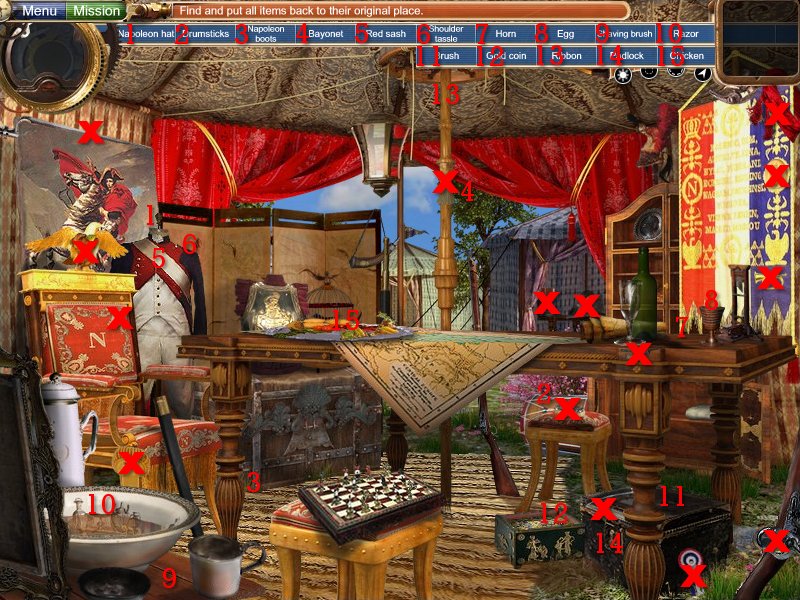
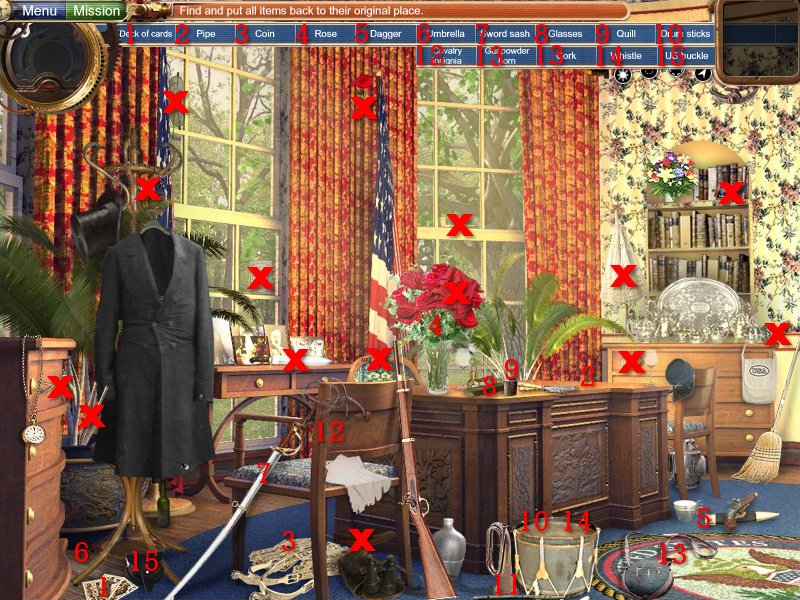
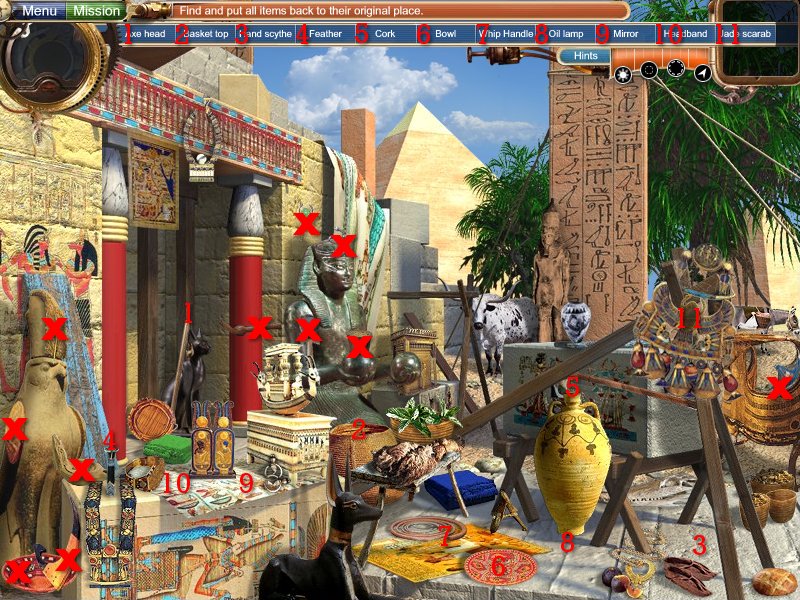
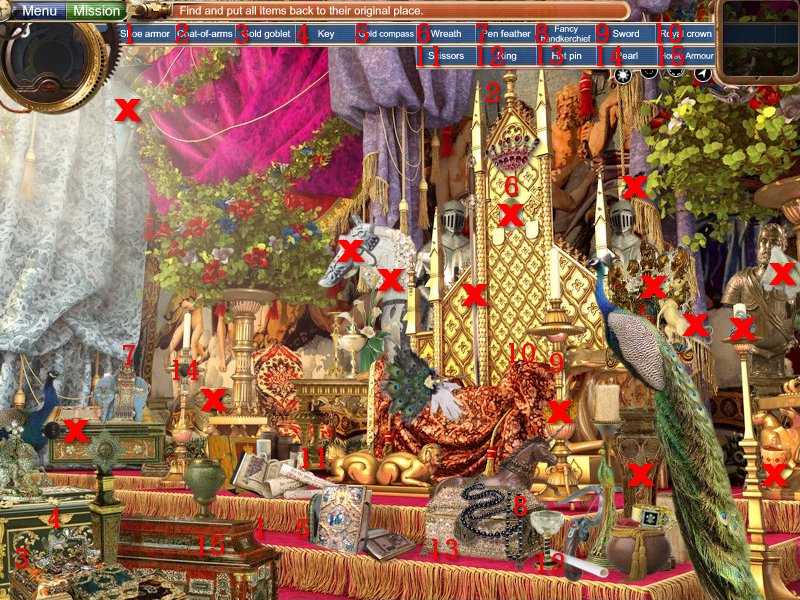
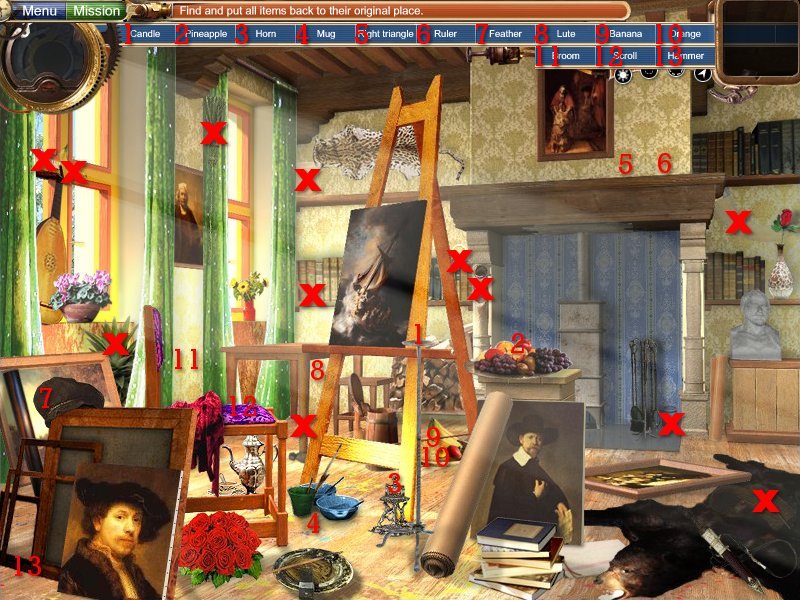
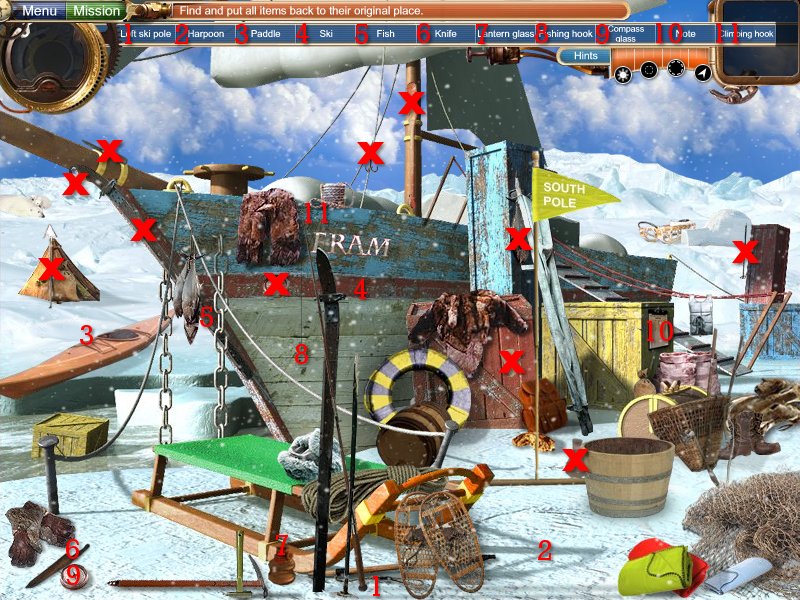
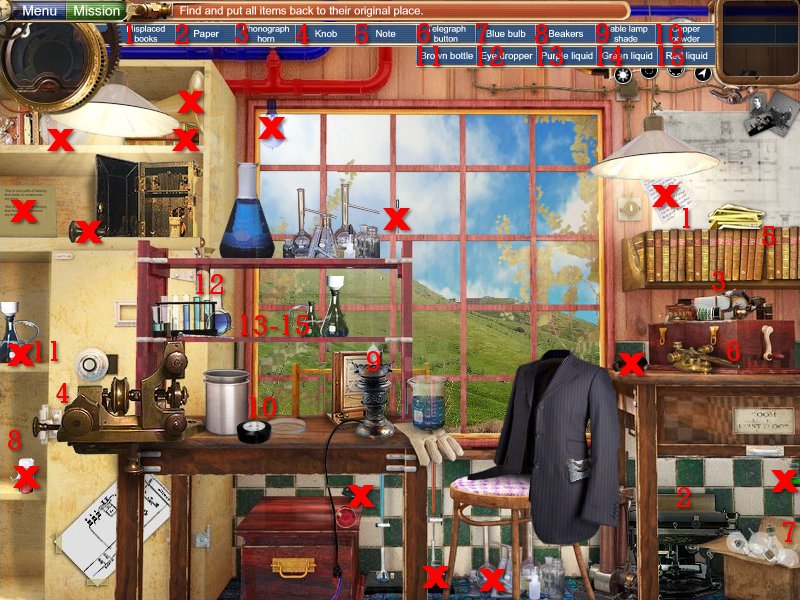
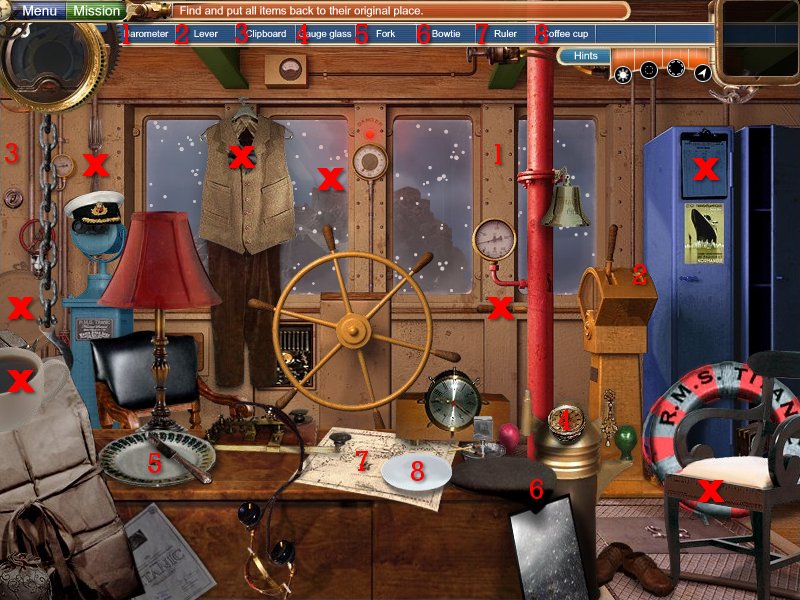
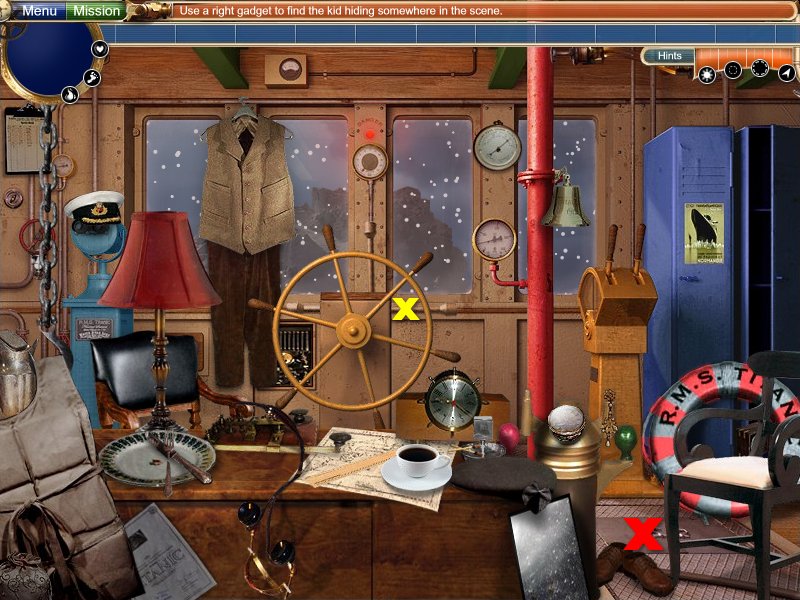
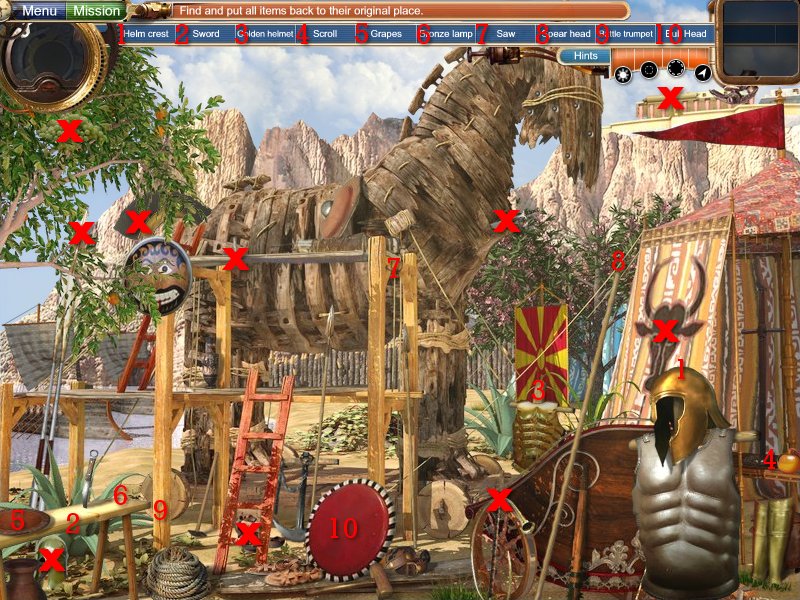
Items marked with a Red X: hidden objects
Numbers: each item in the blue bar will be numbered, find it's corresponding number to locate where the item should be placed

Clean and Fix: the children will have done something and the item(s) will need to be fixed
-
once you find an object, it will tell you where it should be placed
-
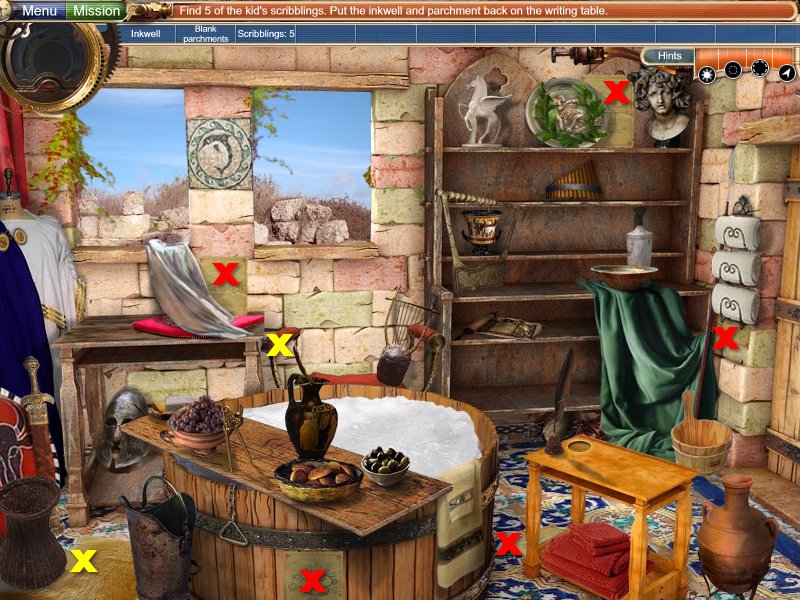
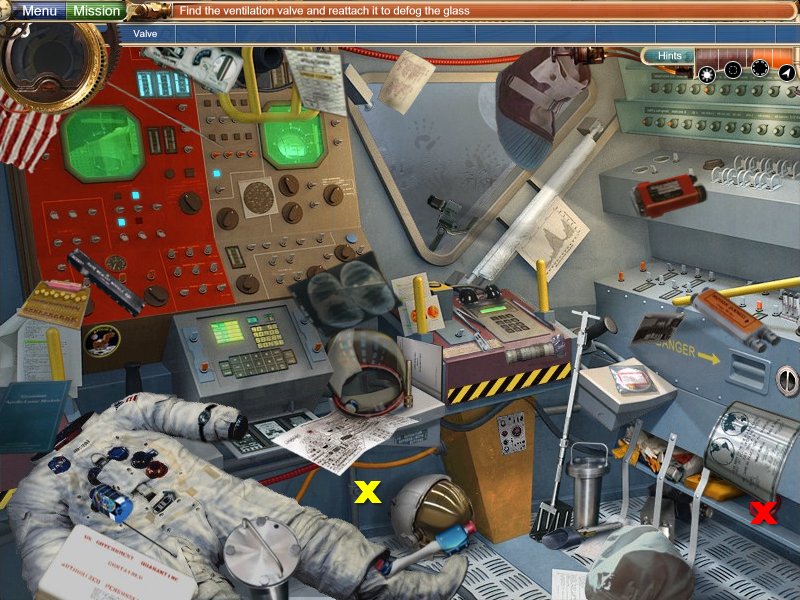
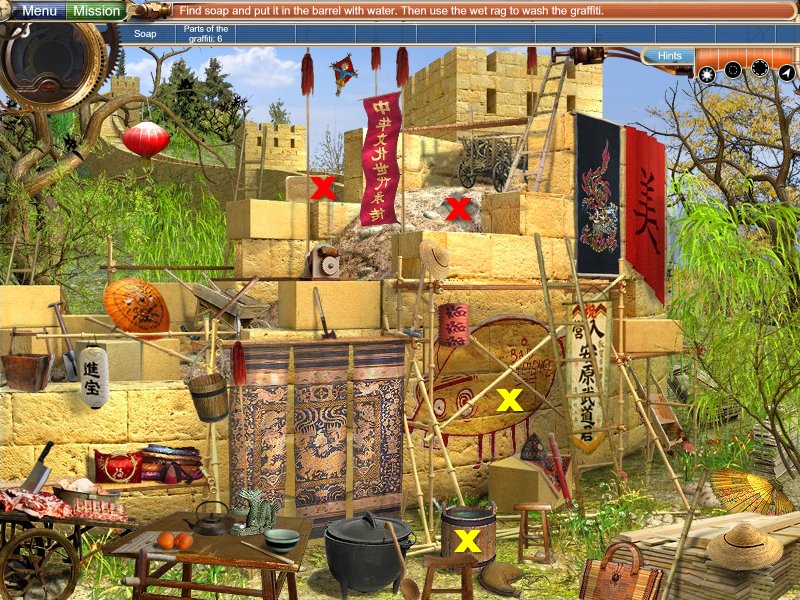
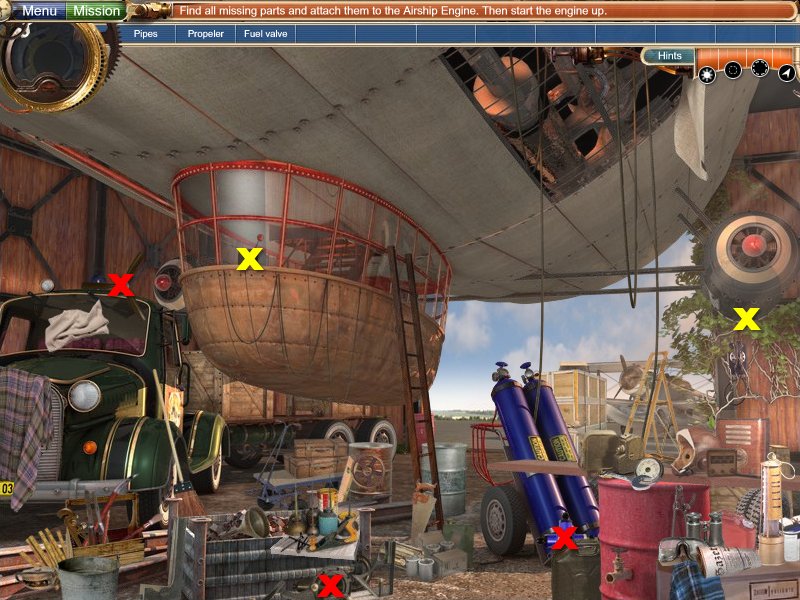
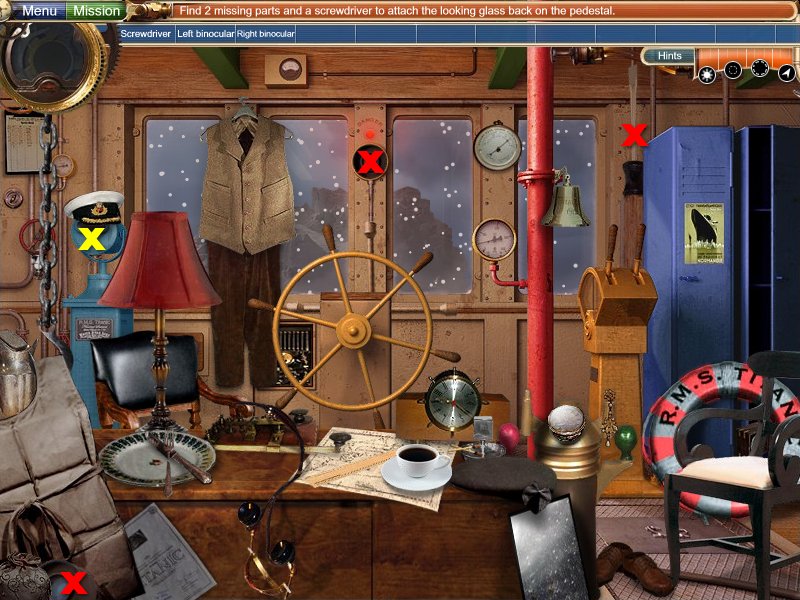
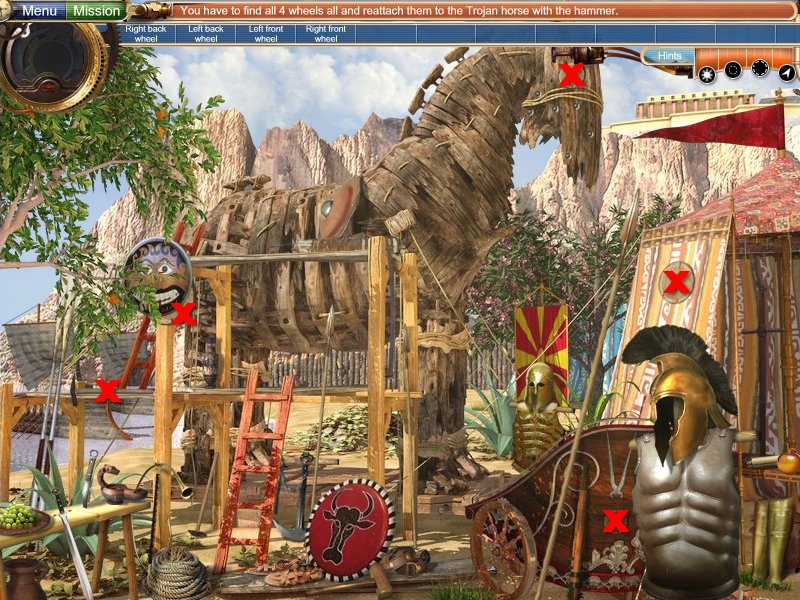
objects needed will be marked with Red X's
-
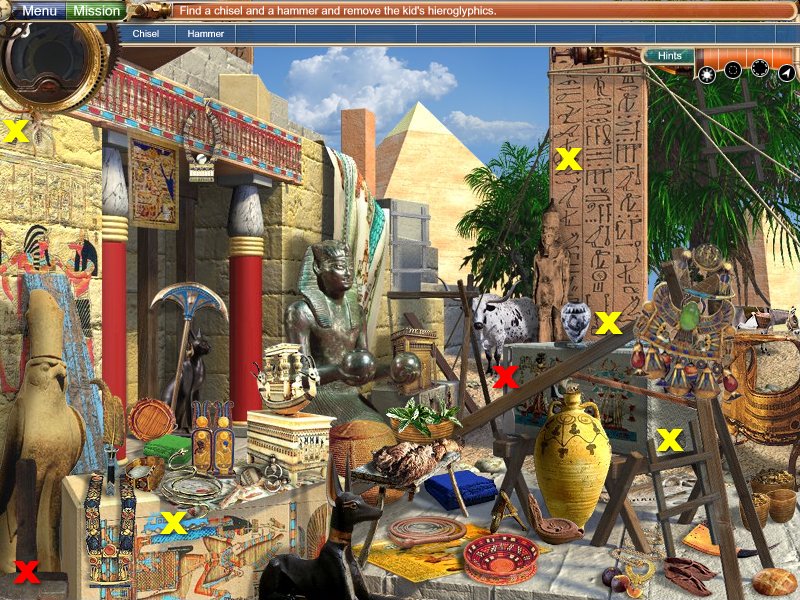
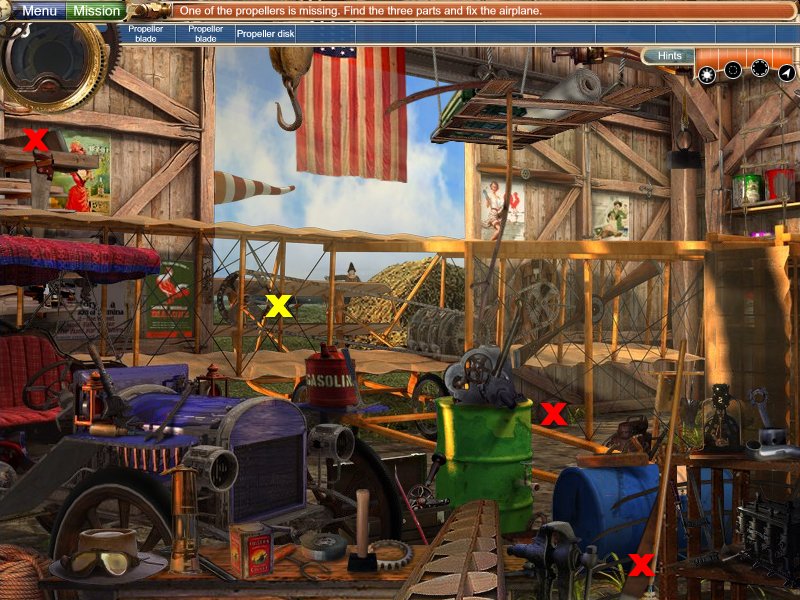
item(s) that need fixed will be marked with Yellow X's unless it is self explanatory or easy to find
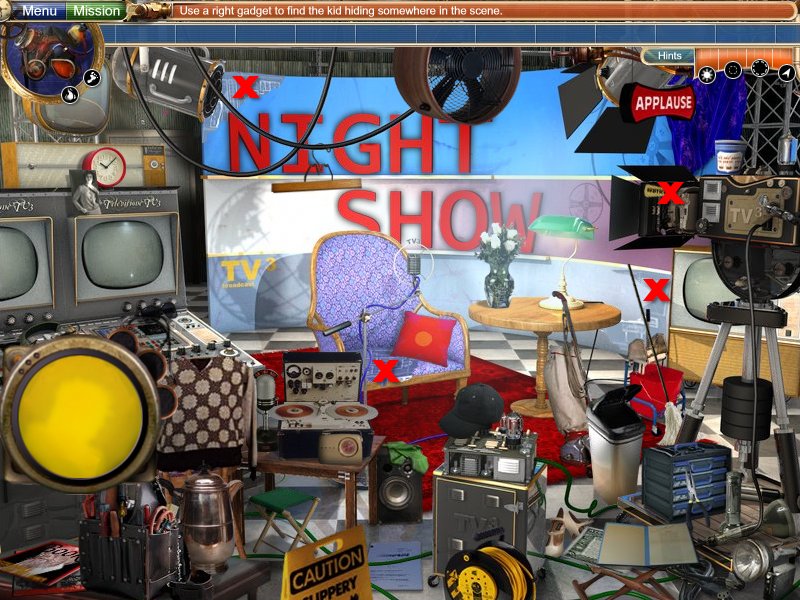
Finding Children: each level will have a different method of finding them, you can find out how to use a particular device by consulting my Gadget Guide below.
Levels - Alphabetical Orders
Archimedes Home - Find and Replace
Archimedes Home - Clean and Fix (10th Child)
Area 51 - Find and Replace
Beethoven's Apartment - Find and Replace
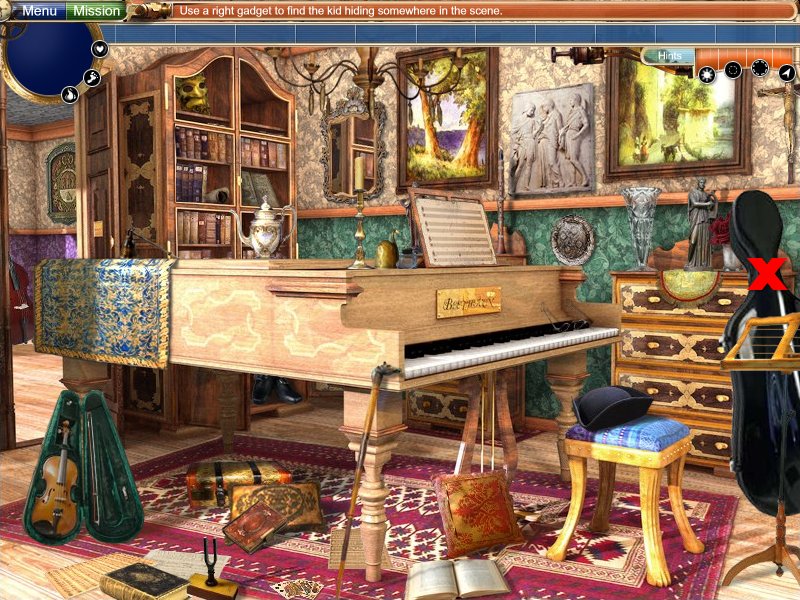
Beethoven's Apartment - Clean and Fix (9th Child)
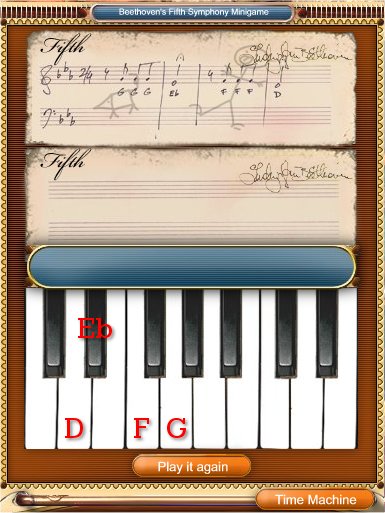
Piano Puzzle: G x3, Eb x1, F x3, D x1
If you mess up, click return to time machine and the reenter the level.
Birthplace of Rock and Roll - Find and Replace
Charles Lindbergh - Find and Replace
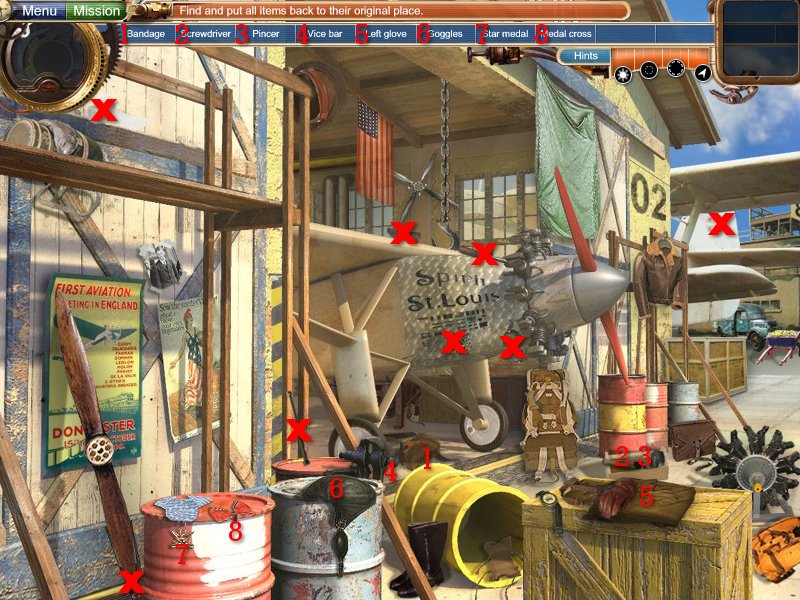
Charles Lindbergh - Clean and Fix (4th Child)
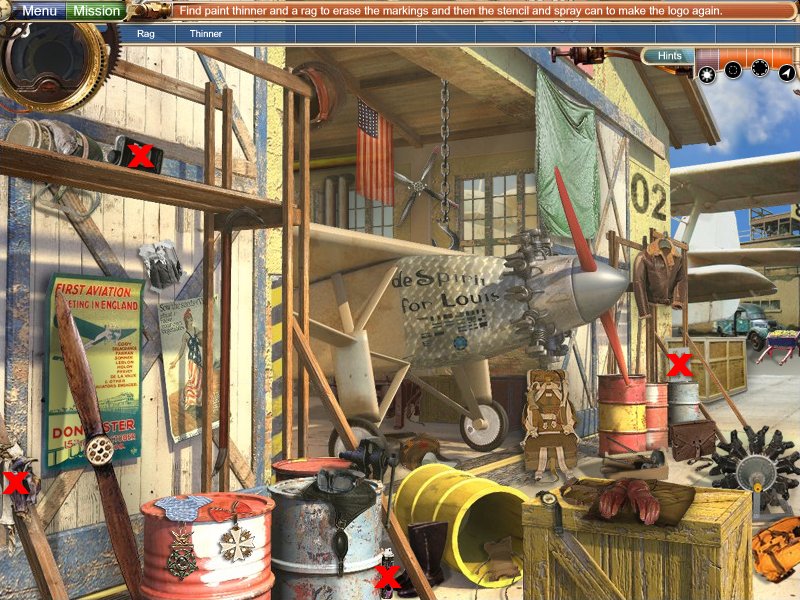
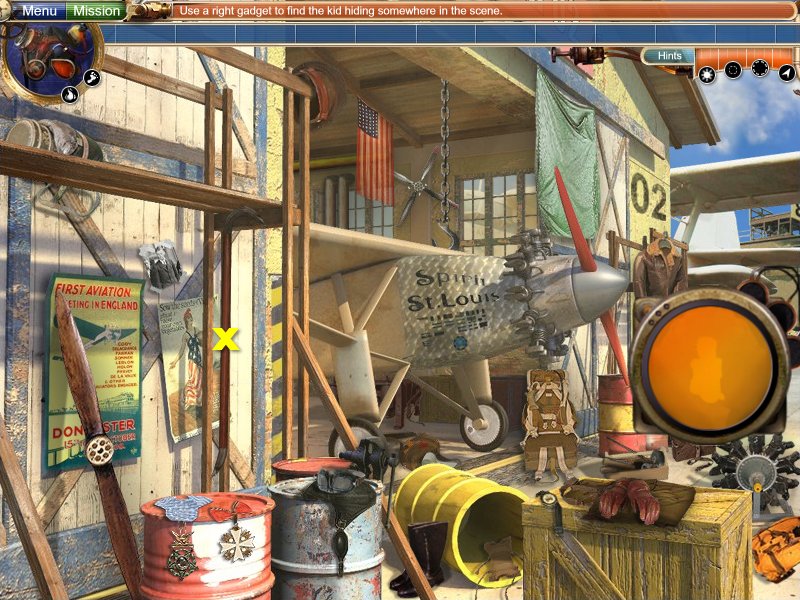
Christopher Columbus - Find and Replace
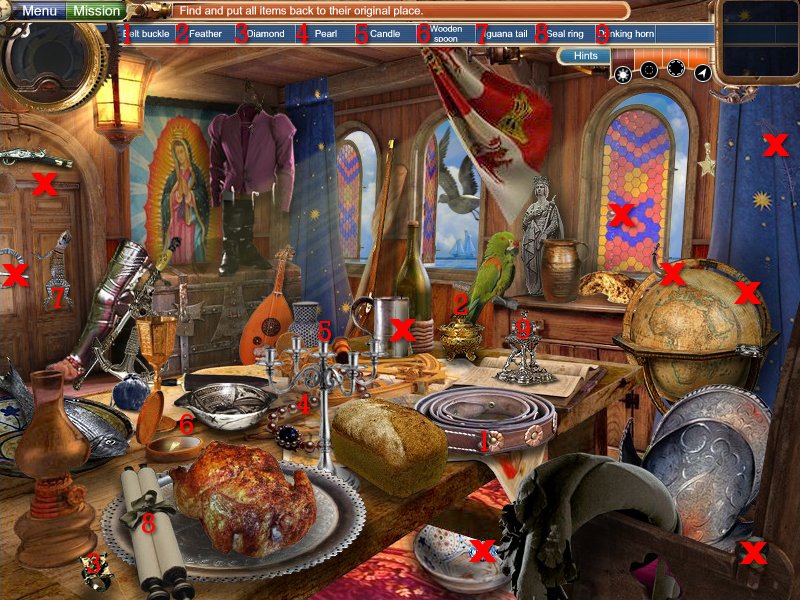
Christopher Columbus - Clean and Fix (12th Child)
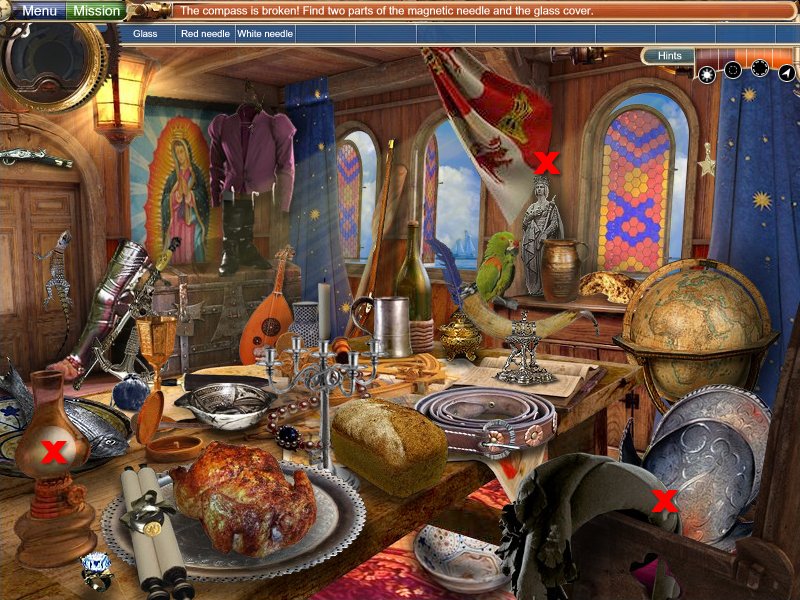
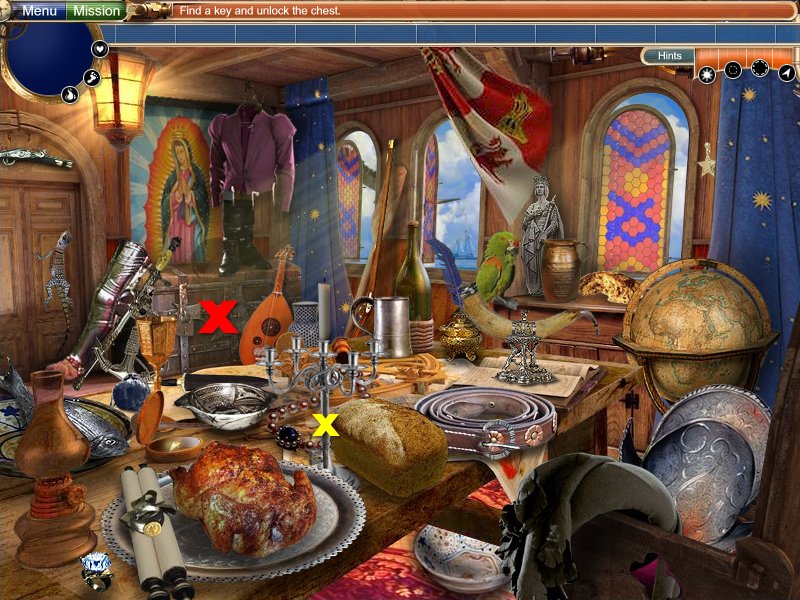
Coliseum - Find and Replace
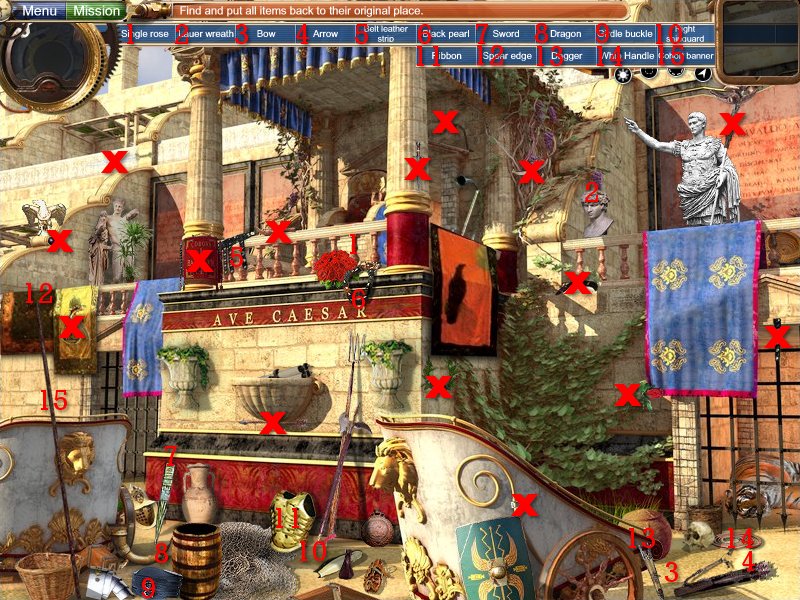
Darwin's Study - Find and Replace
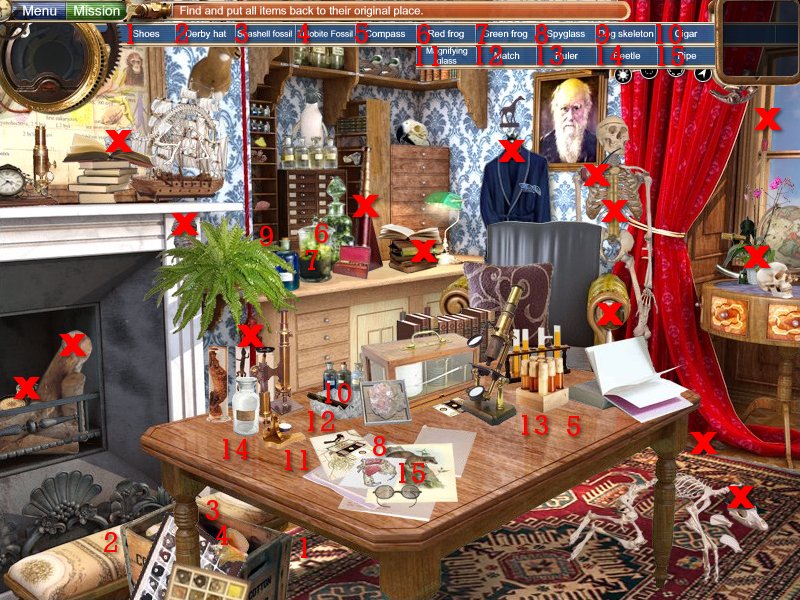
Da Vinci's Workshop - Find and Replace
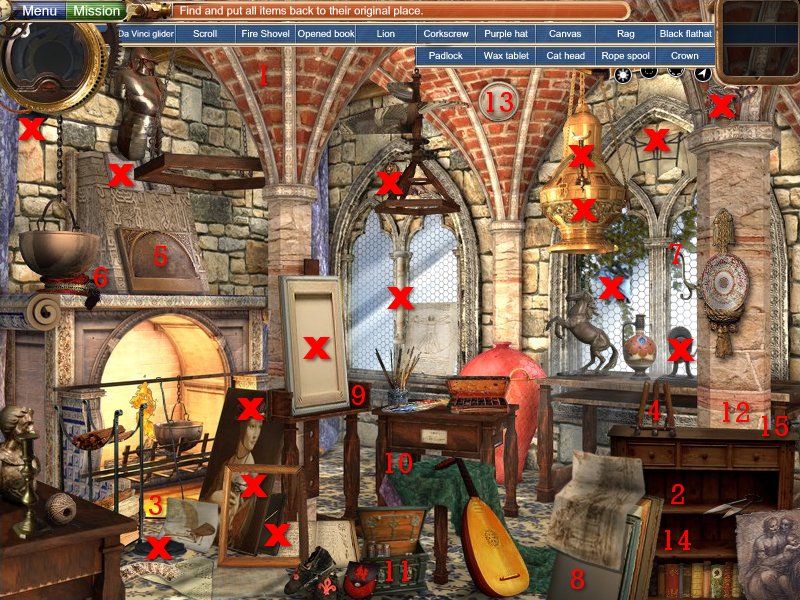
Declaration of Independence - Find and Replace
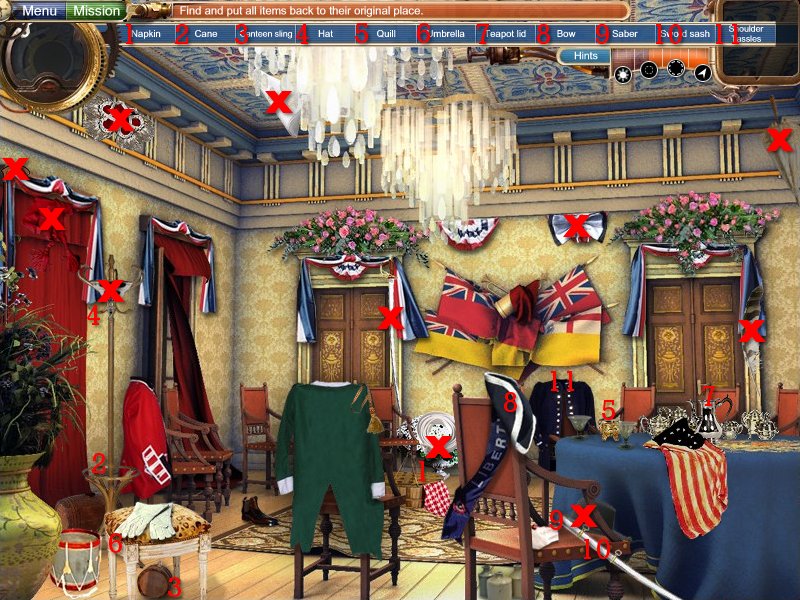
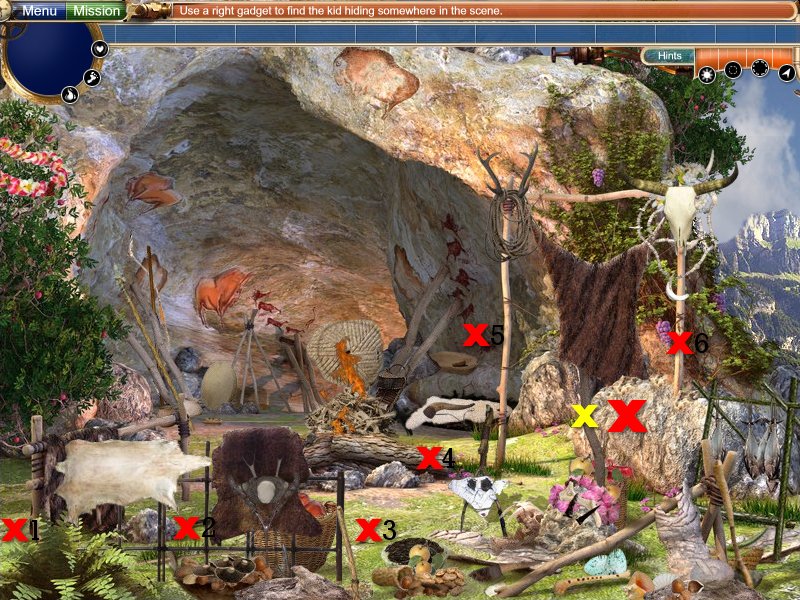
Early Caveman - Find and Replace
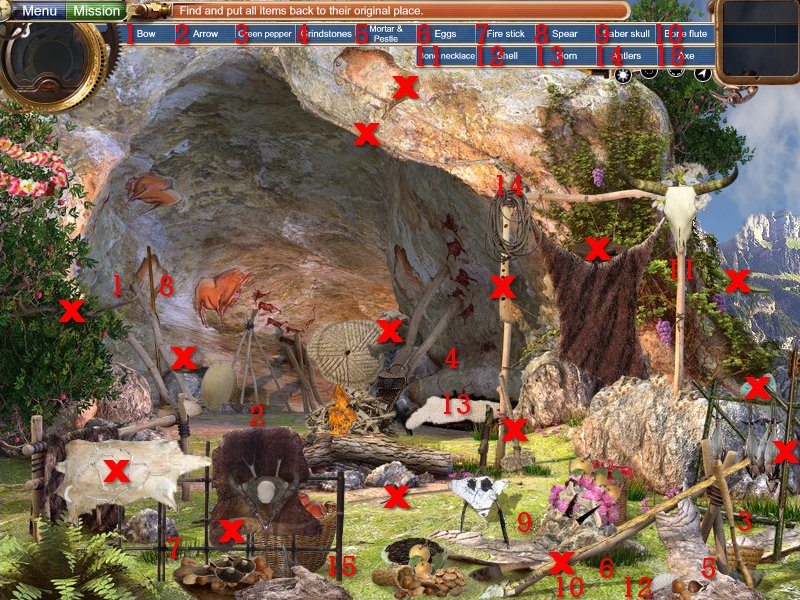
Early Caveman - Clean and Fix (20th Child)
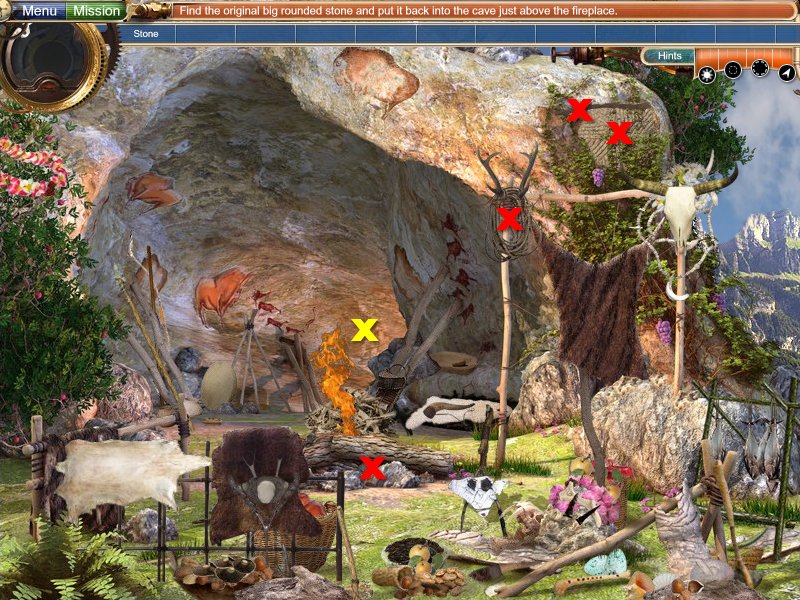
Einstein's Study - Find and Replace
First Car Assembly Line - Fine and Replace
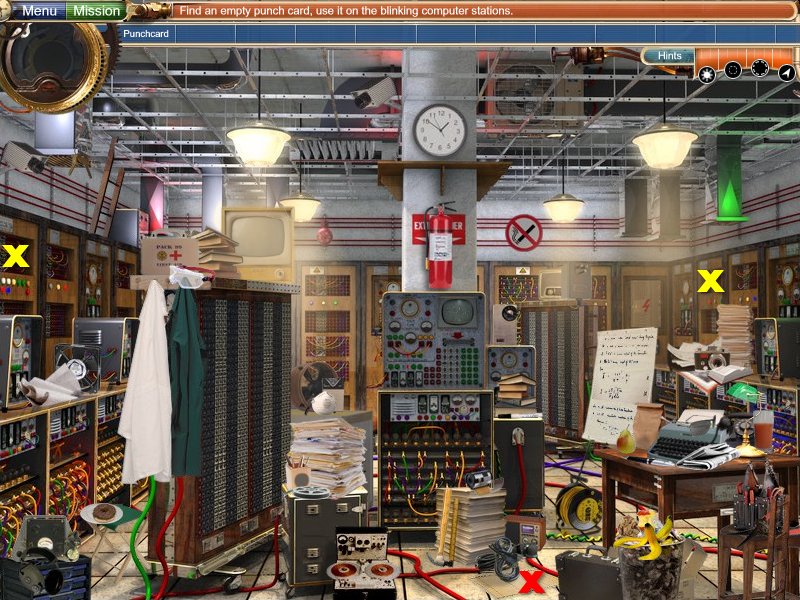
First Computer - Find and Replace
First Computer - Clean and Fix (Grandpa)
First Moon Landing - Find and Replace
First Emperor of China - Find and Replace
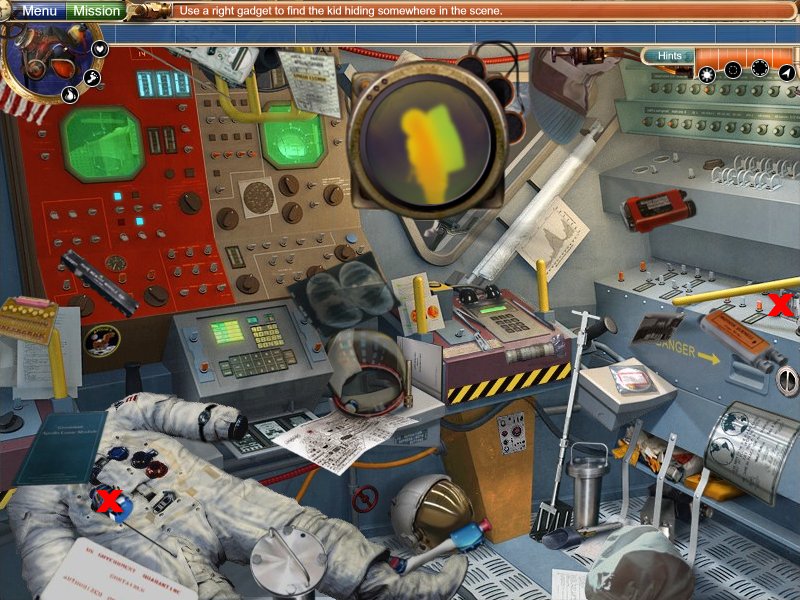
First Moon Landing - Clean and Fix (8th Child)
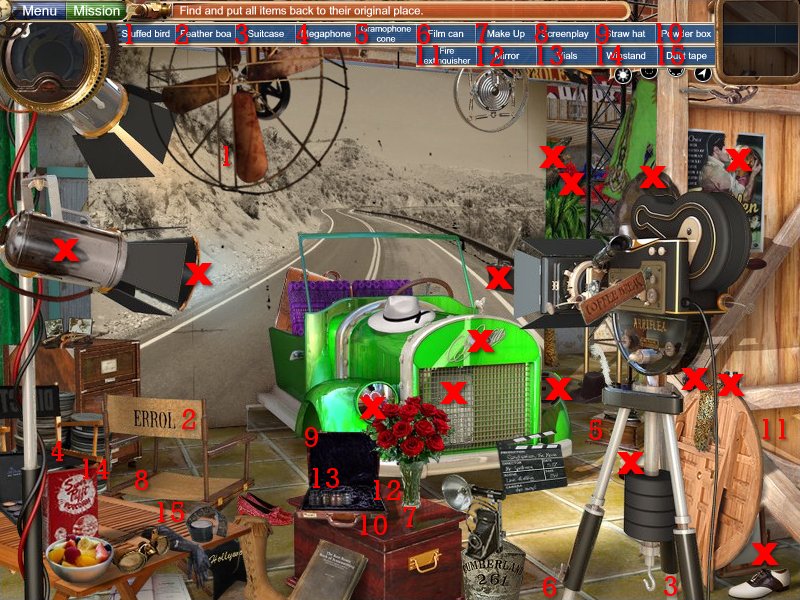
First Movie Studio - Find and Replace
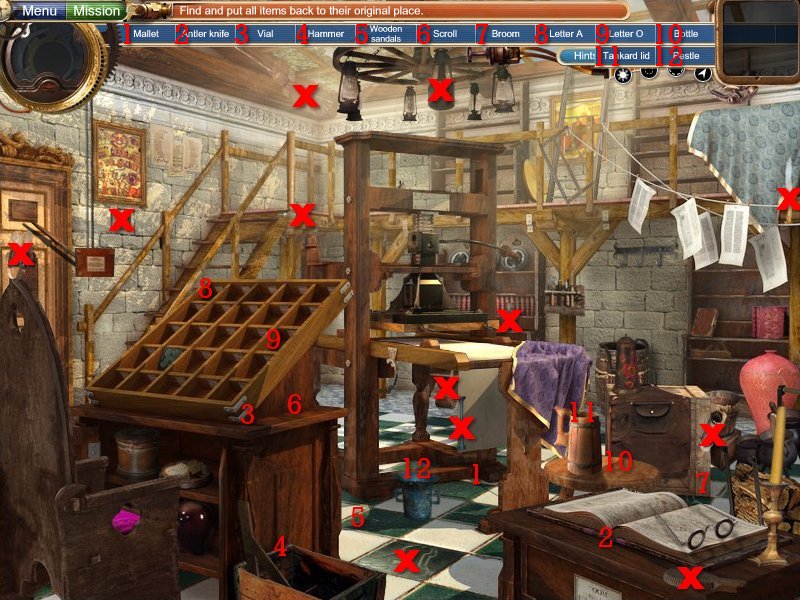
First Printing Press - Find and Replace
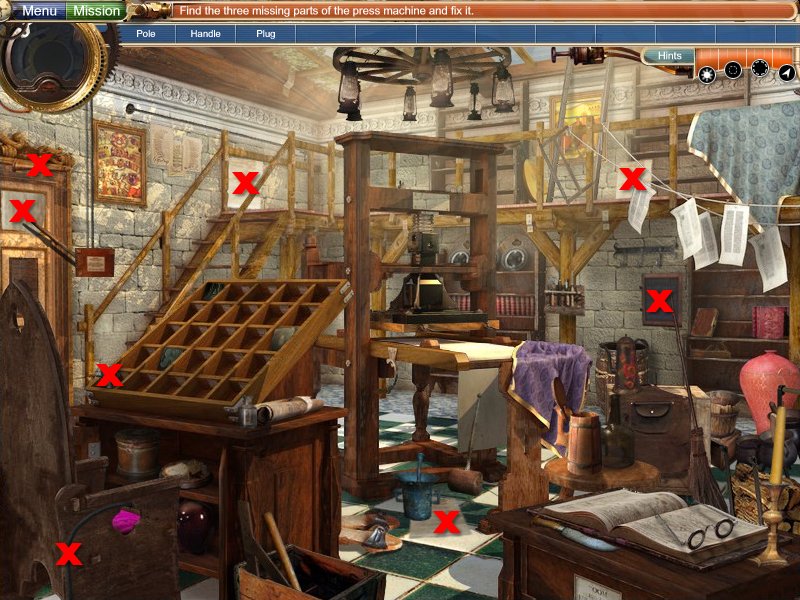
First Printing Press - Fix and Clean (2nd Child)
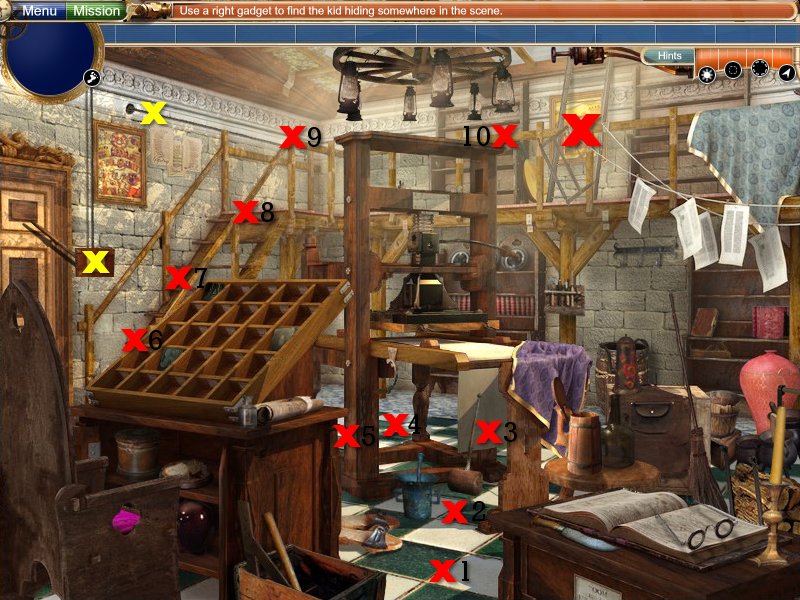
First Steam Locomotive - Find and Replace
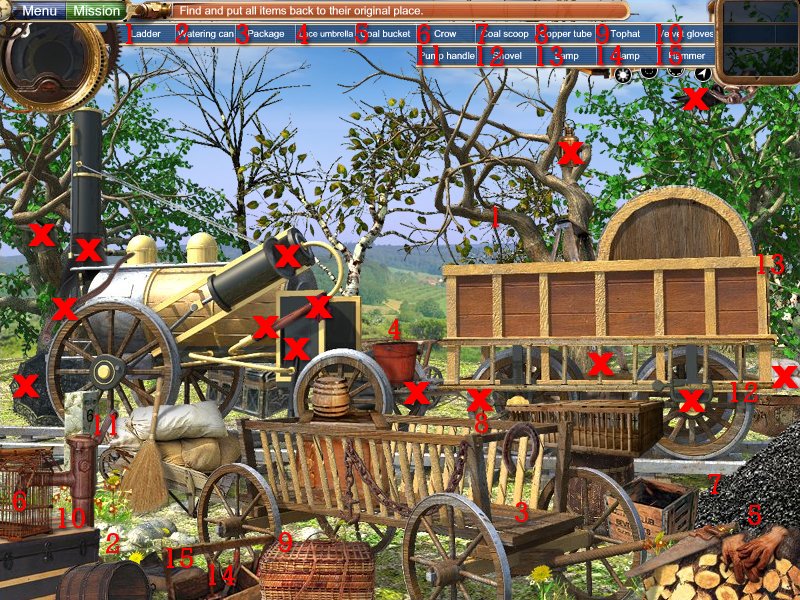
First Telephone - Find and Replace
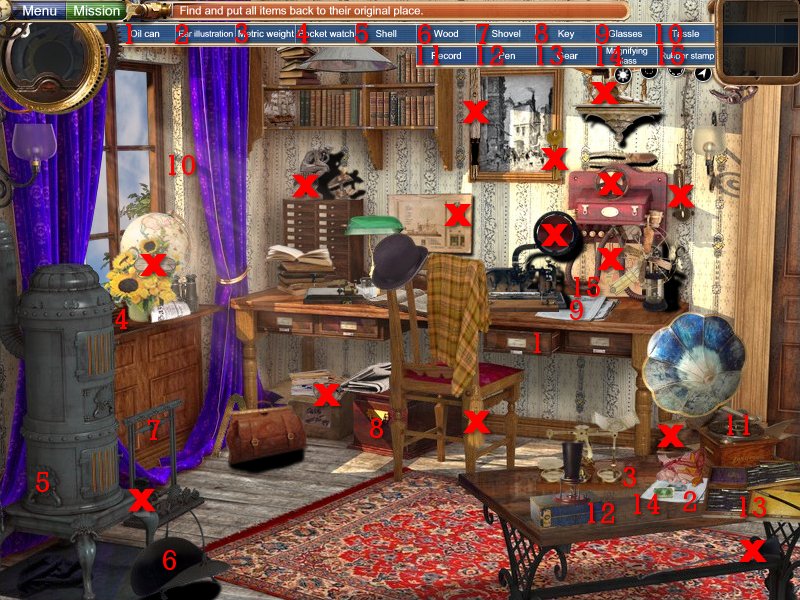
First TV - Find and Replace
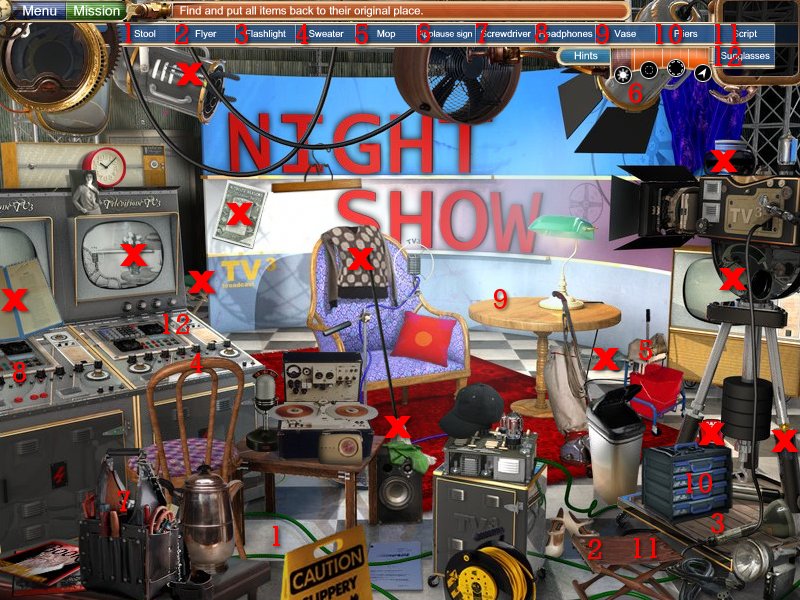
First TV - Clean and Fix (6th Child)
I used Yellow X's here because the missing letters were red.
Great Wall of China - Find and Replace
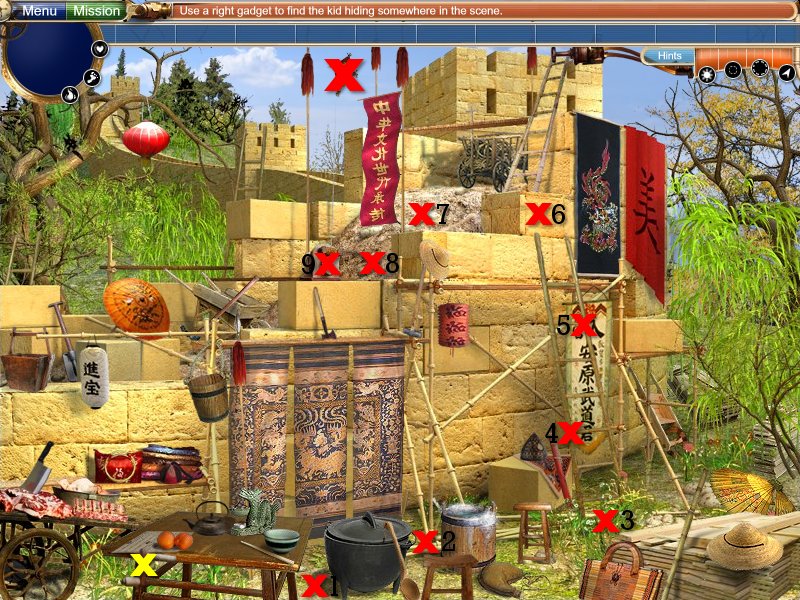
Hindenburg - Find and Replace
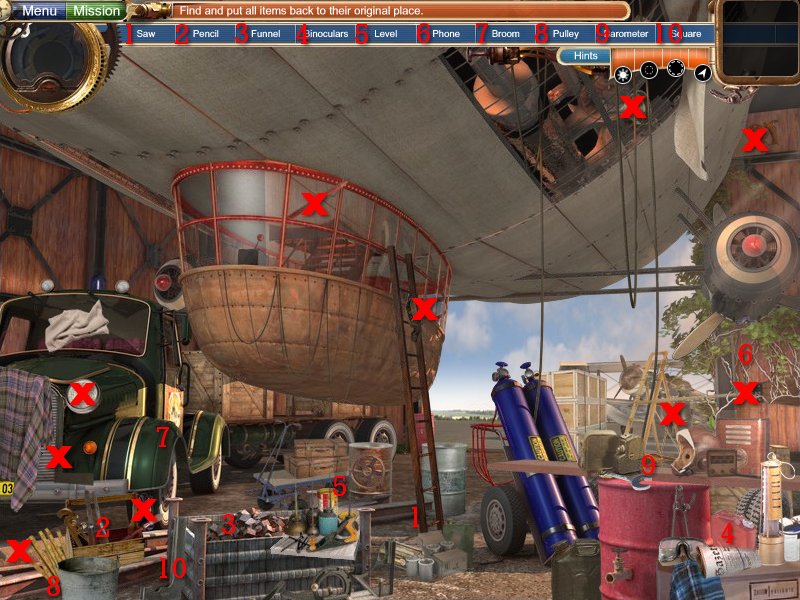
Hidenburg - Clean and Fix (5th Child)
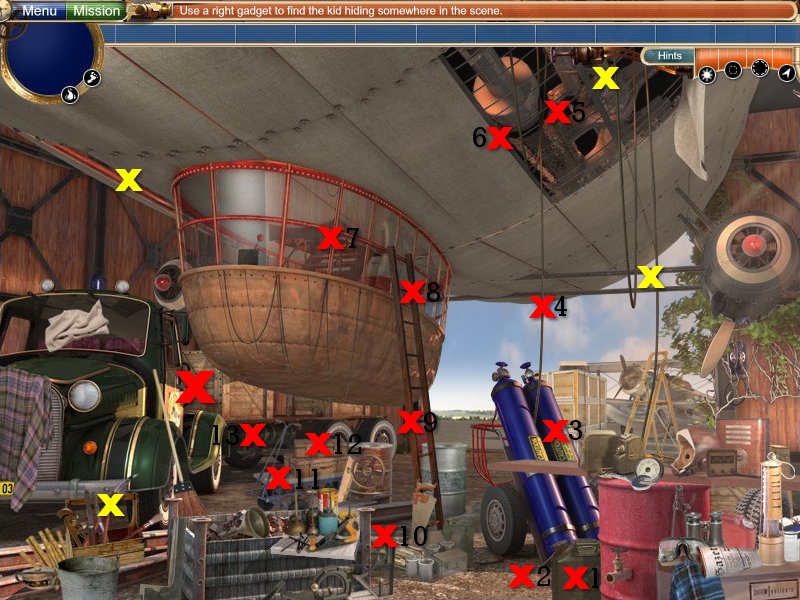
Jesse James - Find and Replace
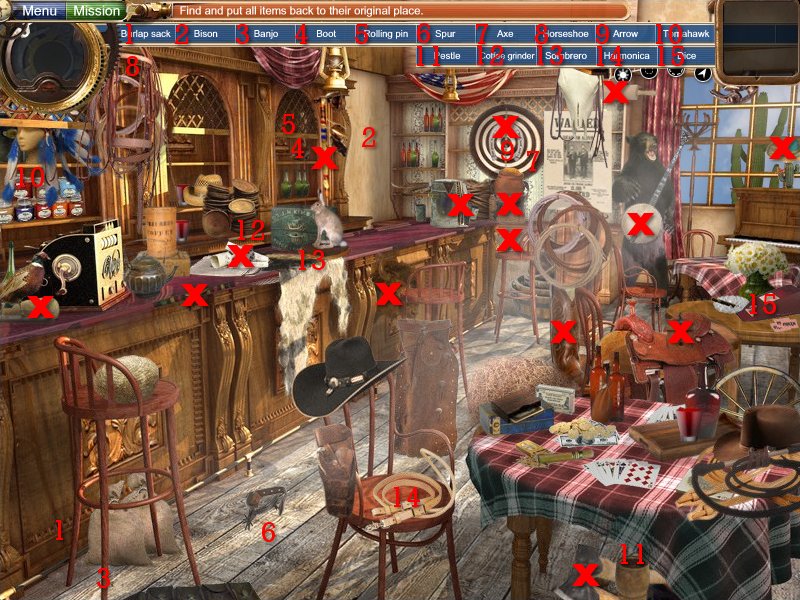
Johannes Kepler - Find and Replace
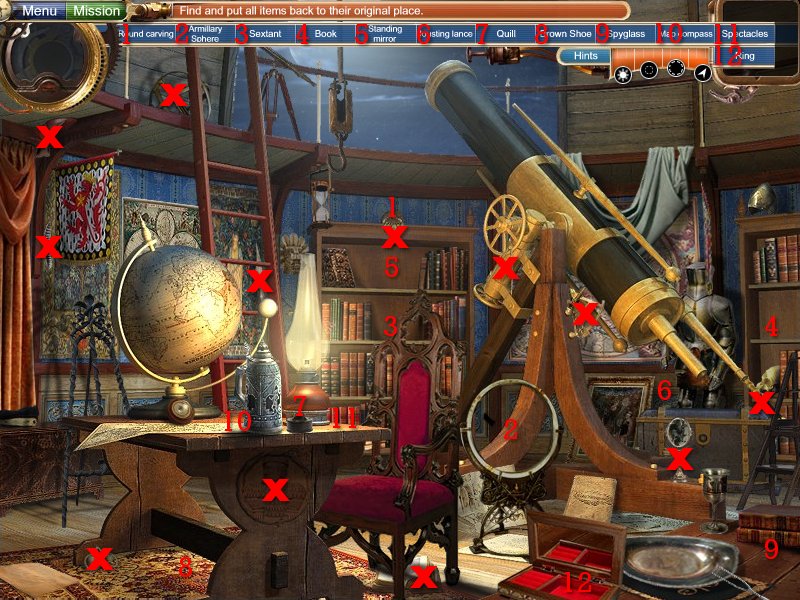
Johannes Kepler - Clean and Fix (15th Child)
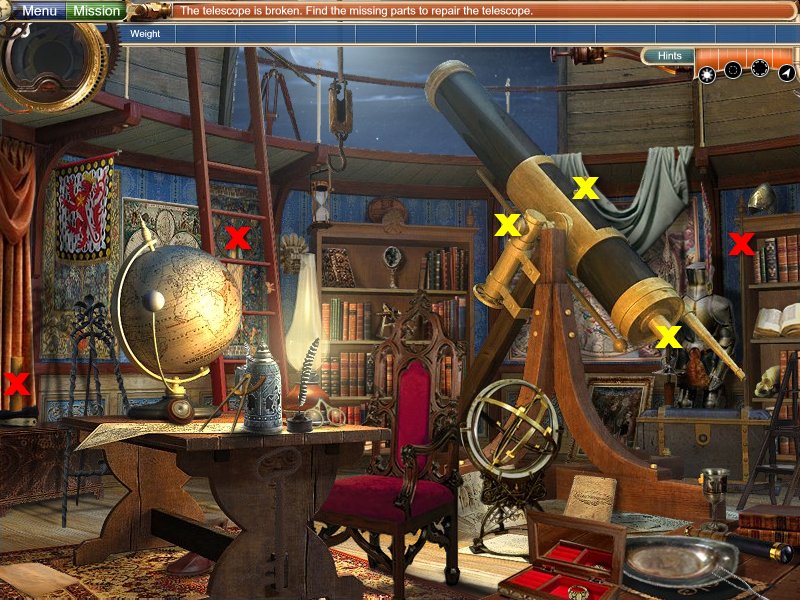
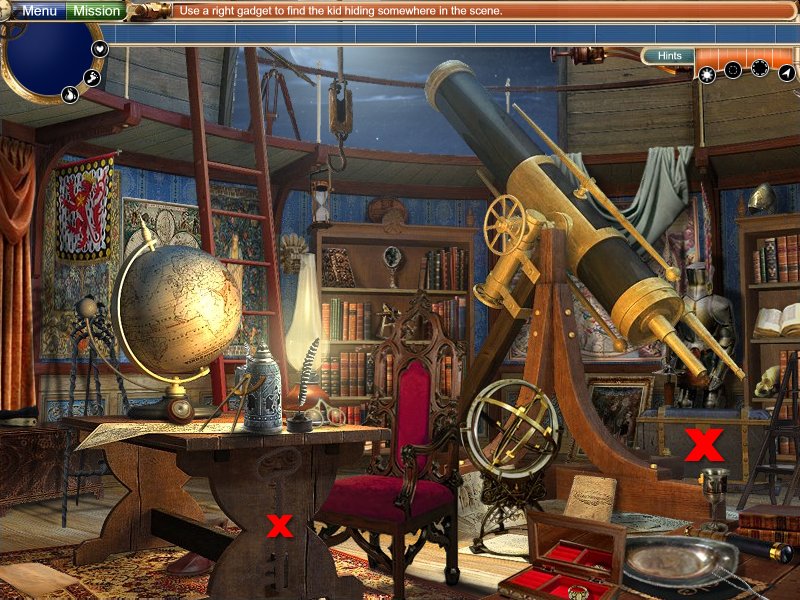
Marie Antoinette - Find and Replace
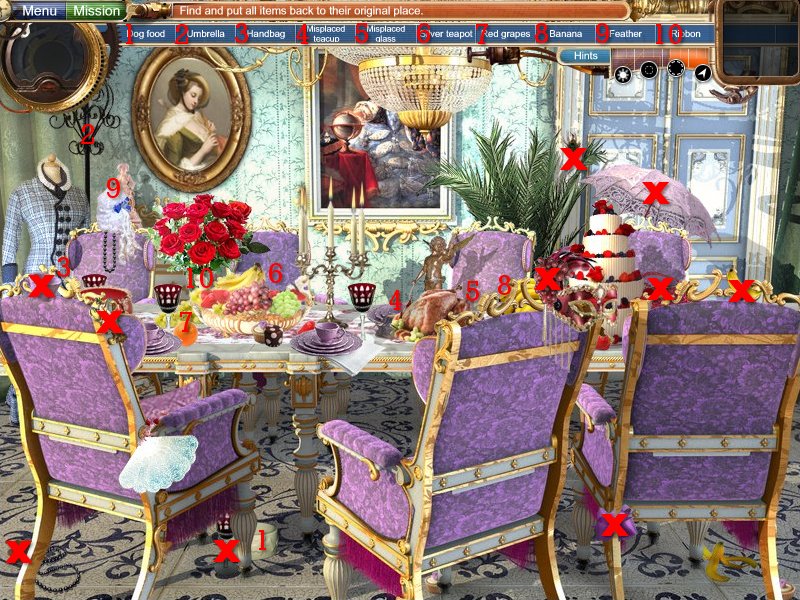
Montgolfier's Balloon - Find and Replace
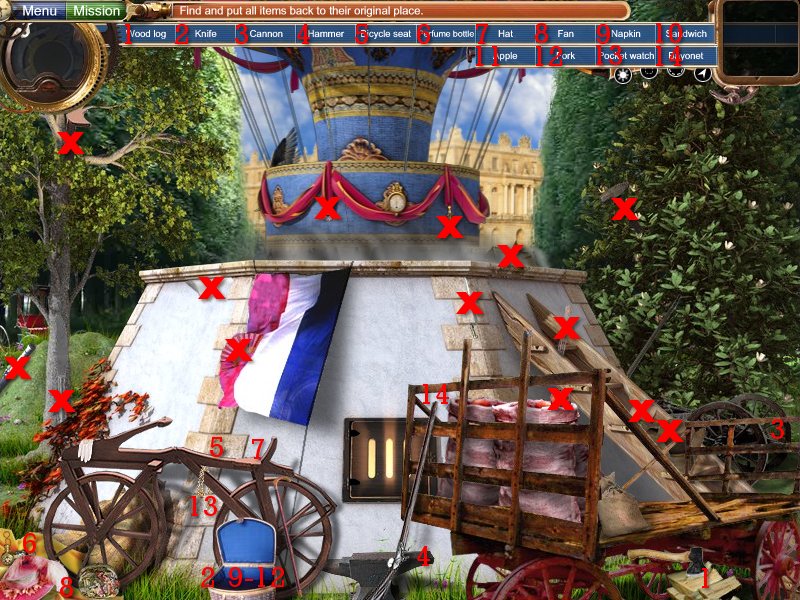
Montgolfier's Balloon - Clean and Fix (16th Child)
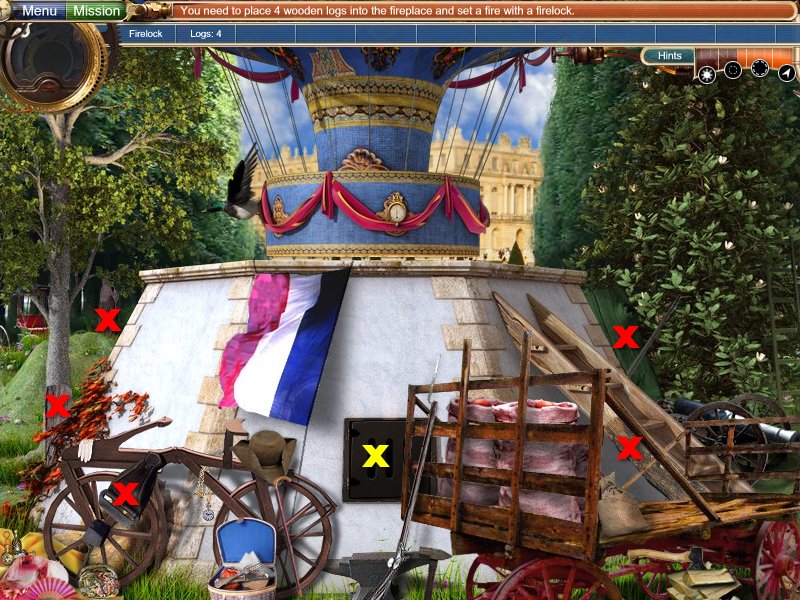
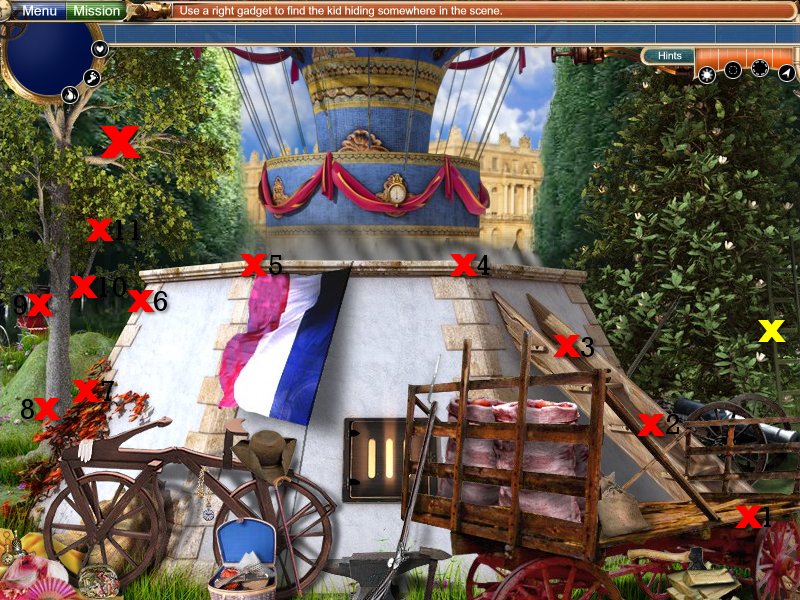
Napoleon's Tent - Find and Replace
President Lincoln - Find and Replace
Pyramids - Find and Replace
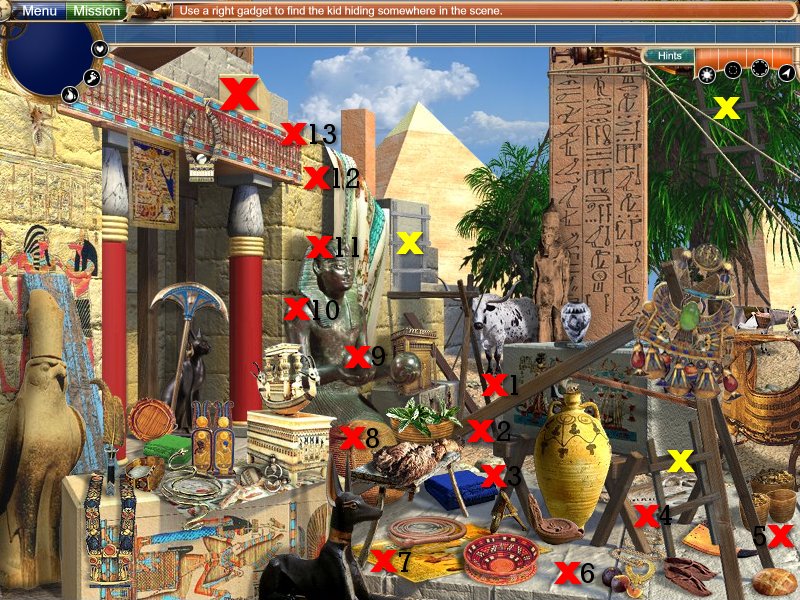
Pyramids - Clean and Fix (14th Child)
Queen Elizabeth - Find and Replace
Rembrandt's Atelier - Find and Replace
Rembrandt's Atelier - Clean and Fix (3rd Child)
You must dip the rag in water before you clean up each doodle. Doodles are marked with Yellow X's.
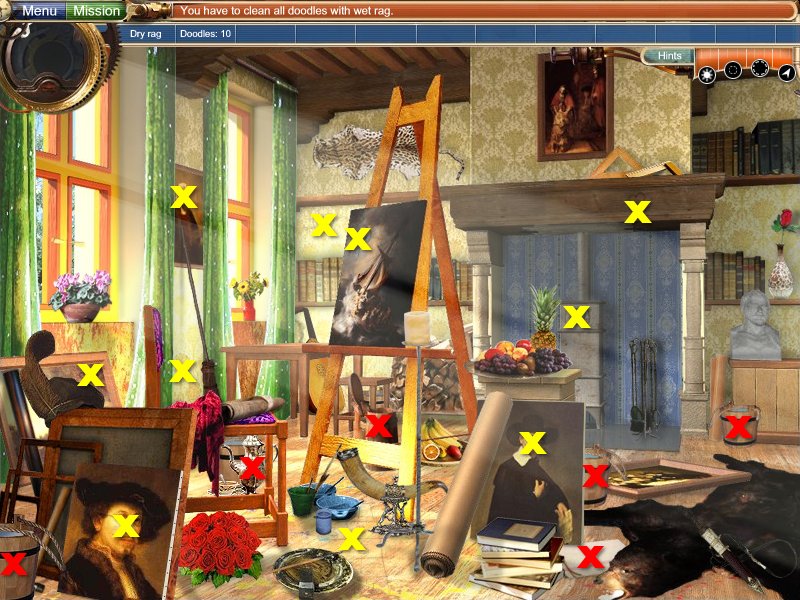
To unlock the chimney, just click on the two ends of the metal (to both sides of my large Red X) and the screws will pop out.
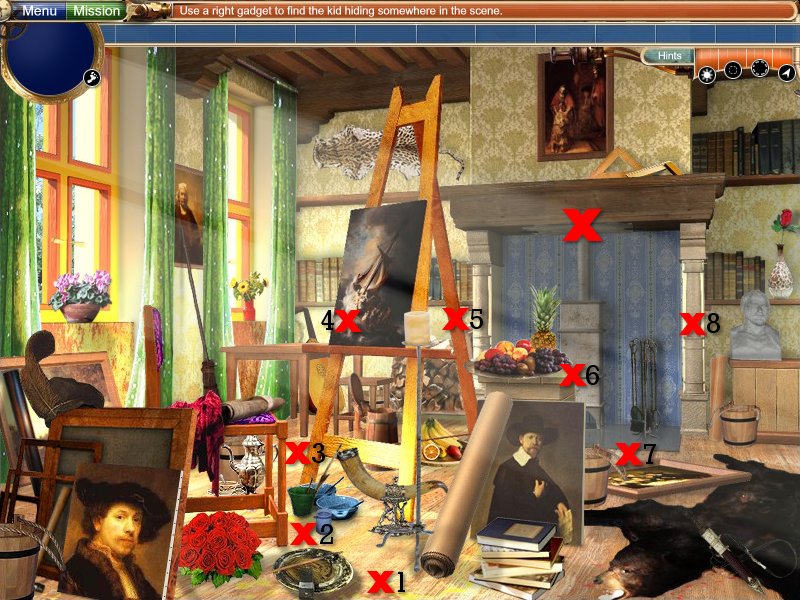
Shakespeare's Globe Theater - Find and Replace
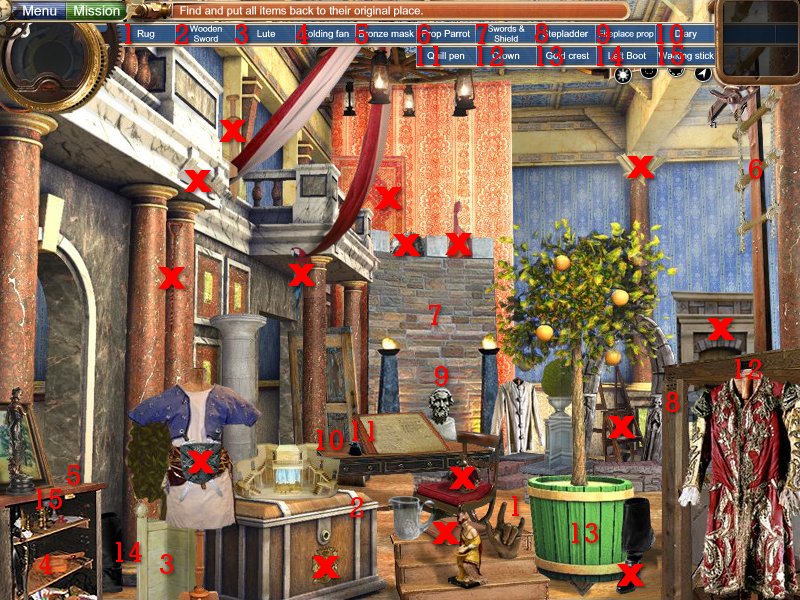
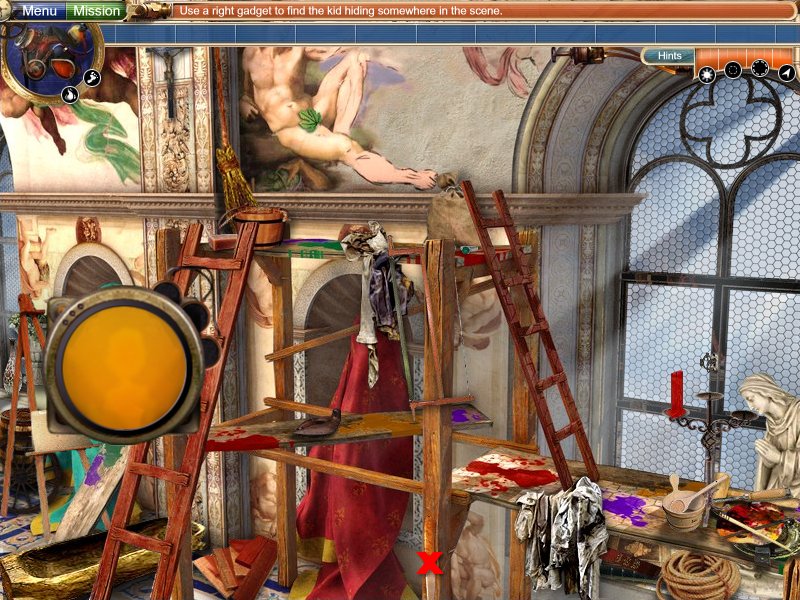
The Sistine Chapel - Find and Replace
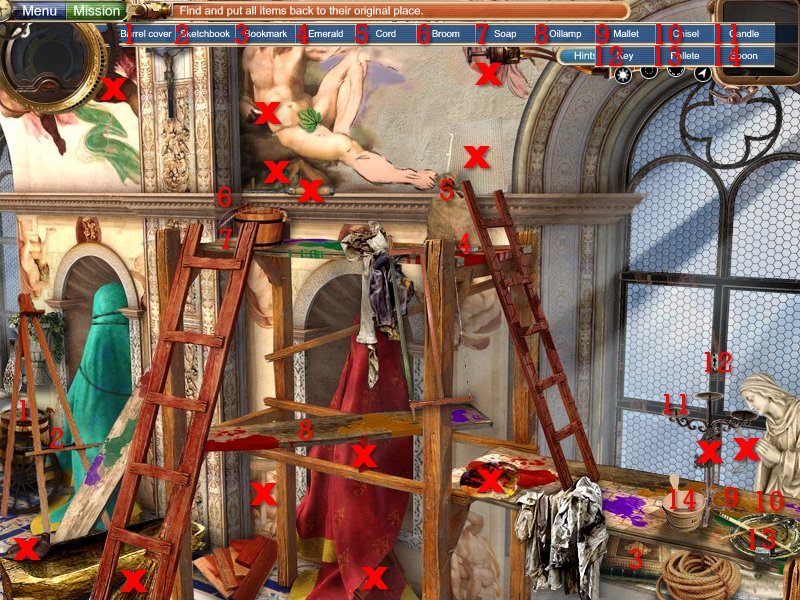
The Sistine Chapel - Clean and Fix (7th Child)
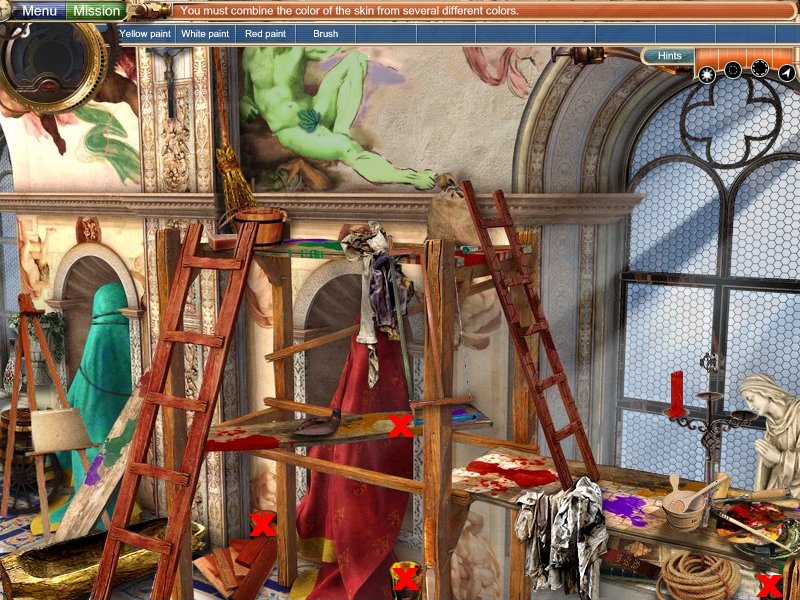
South Pole Expedition - Find and Replace
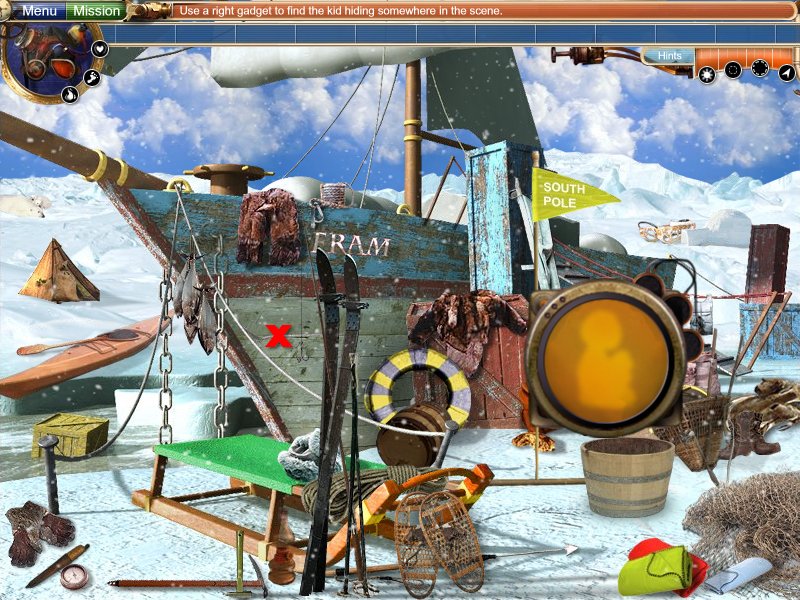
South Pole Expedition - Clean and Fix (13th Child)
Thomas Edison - Find and Replace
Thomas Edison - Clean and Fix (17th Child)
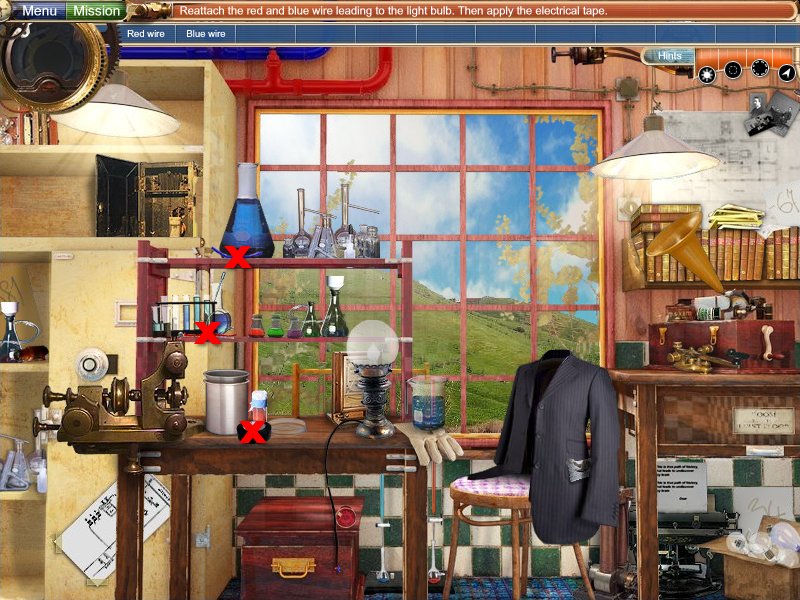
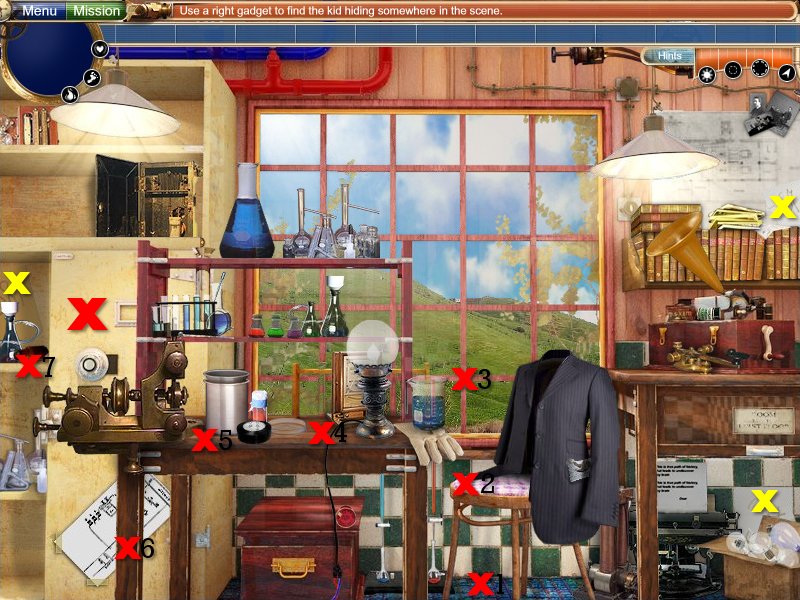
The Titanic - Find and Replace
The Titanic - Clean and Fix (11th Child)
Trojan Horse - Find and Replace
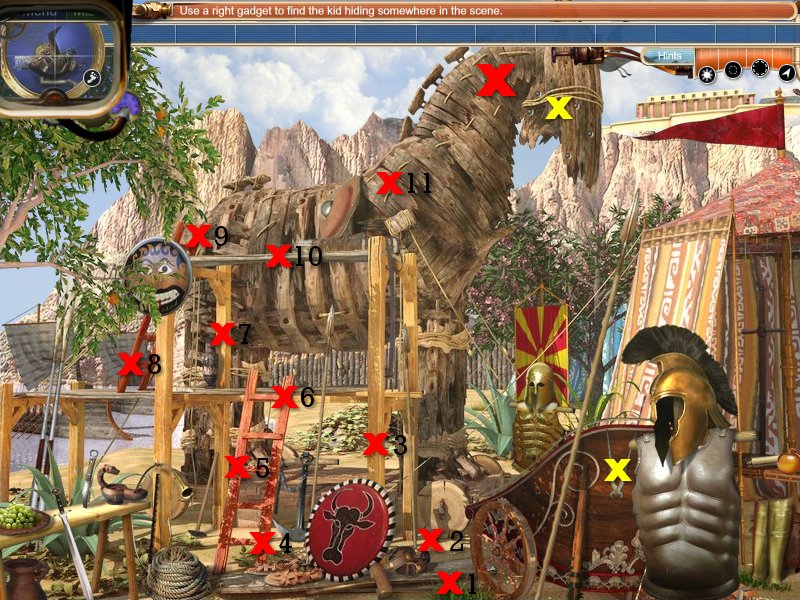
Trojan Horse - Fix and Clean (1st Child)
Wright Brothers Barn - Find and Replace
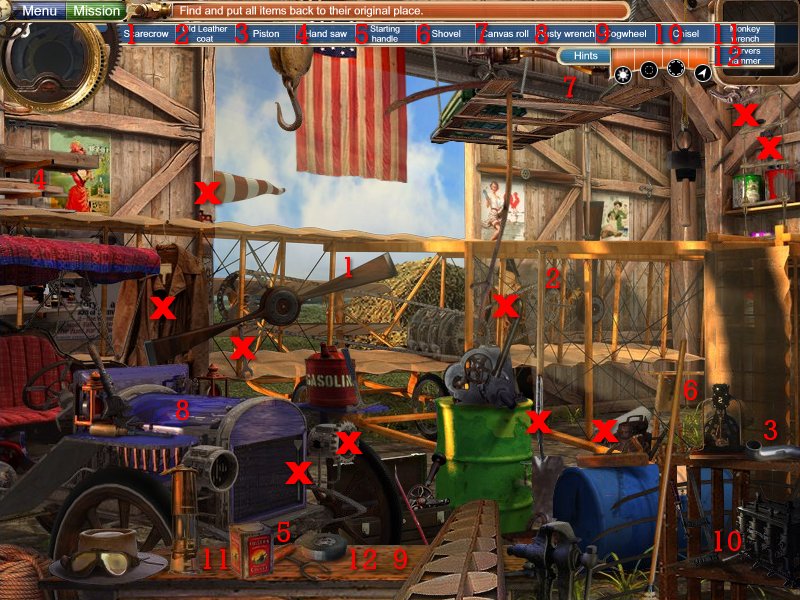
Wright Brothers Barn - Clean and Fix (19th Child)
Gadgets:
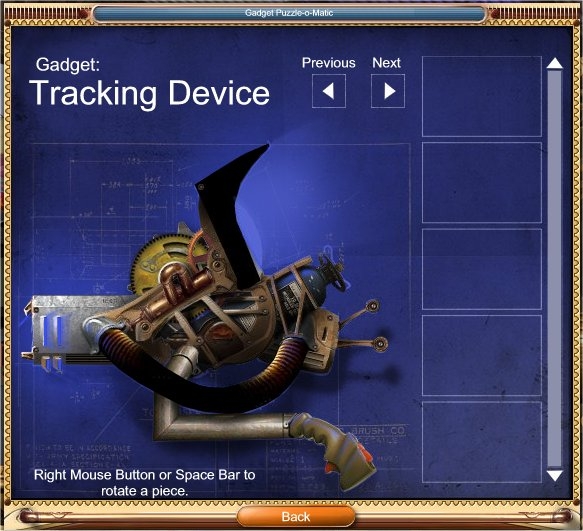
Gadget - Tracking Device (children 1, 2, 3, 5, 14, 16, 17, 18, 20, grandpa)
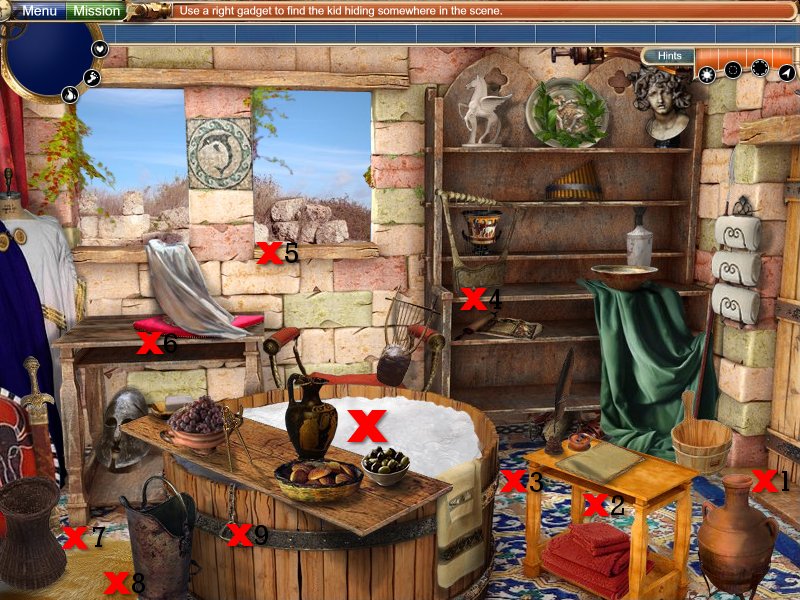
To find the missing child, click the small footprint icon underneath the mission button. This will give you a tracking device. You must scan this over the area until you find an aqua colored handprint or footprint. Once found, click it, and another one will appear somewhere, find it, click it and continue on until you find the child. I marked the footprints by Red X's and numbered them in order in which you need to find them. The children are represented by a very large aqua area. You will probably need to find another item, which I mark with a Yellow X, and perform some kind of task to free them.
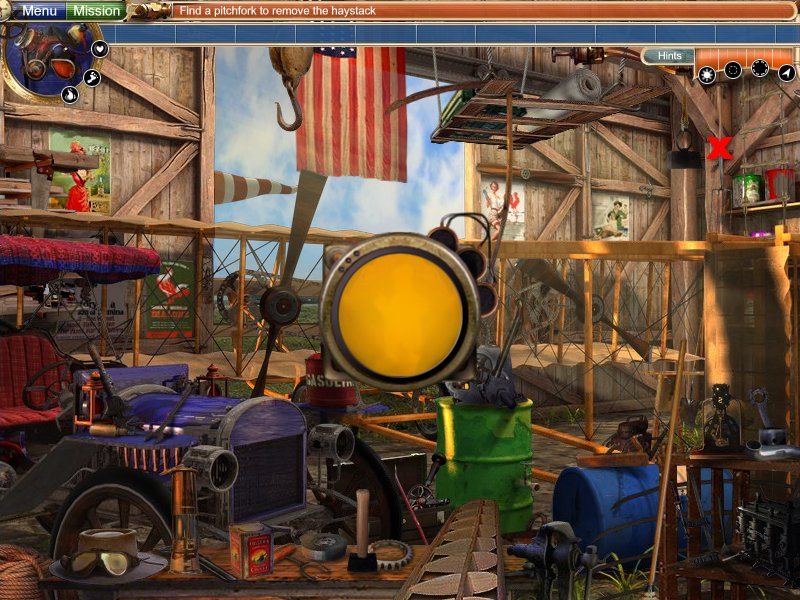
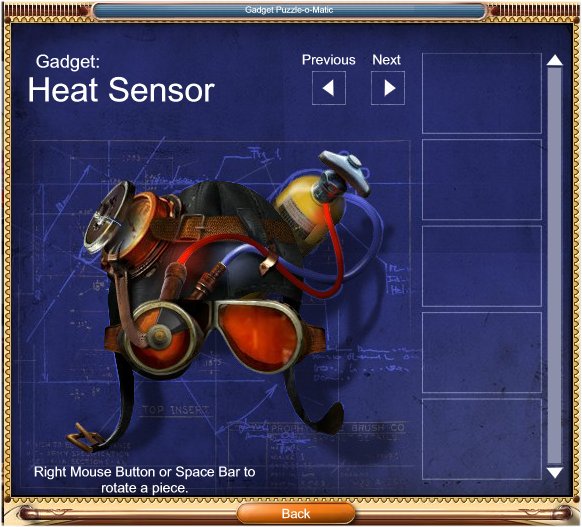
Gadget 2 - Heat Sensor (Children 4, 6, 7, 8, 10, 13, 19)
To find the missing child click the small fire icon. This will give you the Heat Sensor. You must scan this over the area to find a sillouette of a child. See screenshot for the location of the child. You will still need to find an item to rescue them.
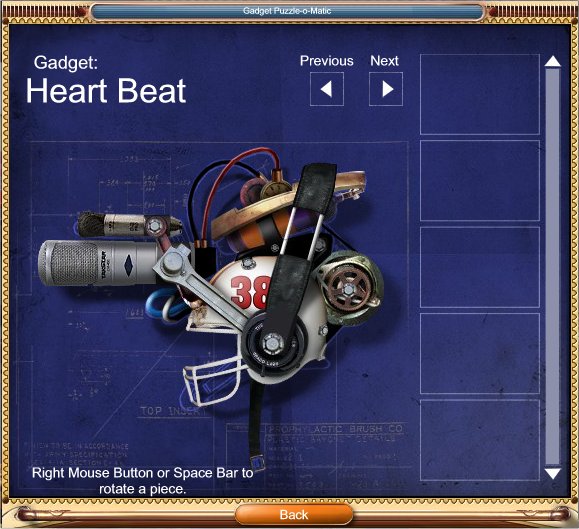
Gadget 3 - Heart Beat (Children 9, 11, 12, 15 )
To find the missing child click the small heart icon. This will give you the Heart Beat. You must scan the room and listen for a heart beat . When you find one, click on it until you find the location of the child. I will mark the location with a large Red X . You will still need to find an item to rescue them.
Comments will load when you reach this part of the walkthrough.