
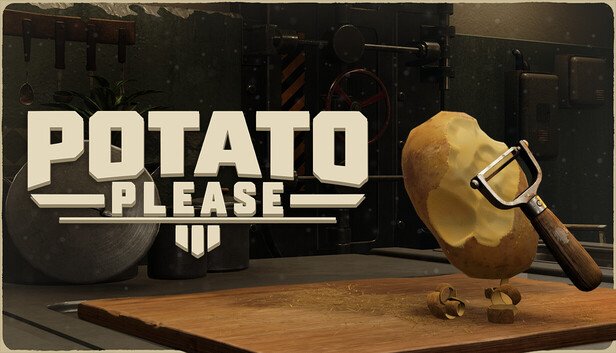
Getting Started: Manual Peeling to the Crank Machine
Version note: As of November 9, 2026, this section covers Potato Please on Windows retail through patch 1.0.4. Follow the opening work orders through your first working Crank Peel Machine.
A peeled potato rolling across the floor is finished work with a delivery problem. Collect it and get it into the water chute before peeling another batch. That is the opening rhythm: collect, peel, deliver, check the order. Soon that mountain starts turning into visible progress—and equipment that can share the workload.
Spoiler-light precaution: Preserve your correspondence and keep save backups before consequential replies. Later, preserve a separate pre-departure save before advancing. Replaying the ending does not rewind earlier correspondence choices.
1. Complete the first collection, peeling and delivery loop
These are the default keyboard-and-mouse inputs. If you have remapped controls, use the bindings shown in Settings and the prompt beside the object. The same mouse button can do different jobs at the bench and while carrying potatoes.
- Read the opening directive. Check the active objective before moving supplies. Open the Journal with Tab to review your work orders.
- Open a starting sack and collect a potato. Aim at the sack and follow its opening prompt, then use the pickup prompt on the loose potatoes. Carry your load to the raw-potato bin beside the cutting board and use its deposit prompt. Keep raw stock separate from the finished potatoes beside the workstation.
- Enter the workstation with E. Hold the left mouse button and move the blade across the skin. Make short, shallow passes around the surface. Release the cutting button before changing your angle.
- Turn the potato to find the remaining skin. Hold the right mouse button while moving the mouse to rotate it. The mouse wheel adjusts your view. Watch the peeling indicator and remove visible dirty, rotten or blood-marked patches. Stop when the game marks the potato complete; do not keep shaving clean flesh while hunting for an unseen spot. Peeling tolerance varies with difficulty.
- Leave the bench with E and deliver the finished batch. Collect the peeled potatoes, approach the water inlet beneath the red and green lamps, and aim into the channel. Outside the workstation, the right mouse button throws carried potatoes. Watch them enter the water rather than land beside it.
- Check both parts of the objective. Peeling and delivery are separate actions. If the peeling target is complete but the delivery target has not moved, inspect the finished collection area and nearby floor. Send the waiting potatoes through the chute, then check the Journal again.
2. Follow the tool objectives to the Kitchen Table
The first delivery leads into the supply-window purchases. Buy the item named in the active order, then finish its work target before chasing another upgrade. A locked machine is a reason to read its requirement, not buy everything around it.
| Objective stage | Required action and checkpoint |
|---|---|
| Early knives | Requisition the Rusty Knife when instructed. Complete its later upgrade task, then obtain the Steel Knife when that order appears. Check that the requested purchase registers. |
| Handling and manual tools | Work through the Carry Capacity, Bucket and Peeler tasks as they appear. A purchase task and a task to carry or peel potatoes need different actions; read the counter before spending again. |
| Kitchen Table | Complete the Kitchen Table objective before moving to the Crank Peel Machine. The table expands the workstation and raw storage and adds an Auto Launcher. Return to the bench and check the changed setup. |
| Crank Peel Machine | Once its requirement is met and its purchase becomes available, buy it from the automation options and visit the installed machine. |
Use this as a set of objective checkpoints. Optional purchases depend on your funds and the work slowing you down. Enjoying the hand-peeling rhythm is a perfectly good reason to keep using the bench between required machine tasks.
3. Feed and run the first crank machine
- Load raw potatoes into the top hopper. The hopper is the machine's receiving bin. Aim your carried load into its opening and use the throw or deposit prompt for your current tool. Confirm that potatoes land inside before returning for more.
- Stand at the crank and hold E. Keep the interaction held while the machine processes the load. This first setup needs your hand power; walking away from the crank stops your contribution.
- Watch the whole journey. Raw potatoes should move from the hopper into the peeling drum, then leave as processed output toward the water channel. Check the active machine-peeling counter to confirm that the work counts.
- If nothing advances, inspect before buying. An empty hopper needs stock. A loaded machine needs crank input. Finished output waiting downstream needs its delivery route checked. Hand peeling will not fill an objective that specifically asks for machine-peeled potatoes.
If a load missed the hopper, collect the scattered potatoes and try a smaller, carefully aimed batch. If Machine jammed appears, look at the potato caught in the drum and use the displayed pull-out action. Resume cranking and check for moving output. Manual tools work without electrical power in versions 1.0.3–1.0.4, so a missing electric upgrade is not the first explanation for an idle hand crank.
Optional: Make the shift comfortable
Open Settings and lower the separate hand shake intensity setting if the worker's tremor makes cutting uncomfortable. This option was added in 1.0.1; it is separate from spending Journal points on Tremor Treatment. Adjust it before deciding that you need another tool.
For repeated sounds, use the separate Interior and Outside ambience sliders added in 1.0.3. The pet-mute option also silences all puppy sounds from that version onward. Comfort changes can wait for no work order. Once potatoes enter the crank machine, get peeled and leave through its output while the objective advances, your first machine is doing its job. The potato department has acquired machinery. It still employs your arm.
Comments will load when you reach this part of the walkthrough.